Multiple Companies in QuickBooks Online & Desktop: The 2025 Field Service Playbook

Can you run multiple field service entities within one QuickBooks account? Absolutely feasible. However, the version you choose, the 60-day migration window, and the operational layer built over the books all matter more than the File menu options most guides focus on.
This guide explains what traders shop owners really must be aware of - from QuickBooks Desktop file limits and Simple Start caveats to the point where field service software must handle the operational gaps that QuickBooks won't do.
1. Why does 'just add another company file' miss what trade shops actually need?
Most advice on running several companies in QuickBooks like a screen recording: File menu, New Company name, Save and repeat. It’s not technically wrong. It’s just answering the wrong question.
Owners asking how to set up multiple companies in QuickBooks are usually two months into a problem that started long before they opened the File menu. They bought a second LLC, spun off a division, or separated commercial and residential work into different EINs, and now the books are tangled across two operations that share trucks, techs, and customers. On Quora, contractor threads consistently surface cryptic error codes -- 3371, 6176, 15276, 30159 -- that block company files from opening, and those failure modes multiply with every additional file. The quieter pain across Reddit and Quora is the suspicion that QuickBooks may not be the right bet for multi-entity work at all, with owners weighing Xero before they commit further.
This guide explains what each version actually costs, the places Simple Start works and where it doesn't. It also explains the place where the operating layer over the books must take over what QuickBooks can't do.
2. What breaks in QuickBooks Desktop when you run multiple company files?

QuickBooks Desktop allows up to 99 company files per installation. However, each file operates as its own database, with its own performance limits. Intuit’s guidance is to keep Pro Plus and Premier Plus files around 250 MB before performance declines and corruption risk increases, while Enterprise files should remain under roughly 1.5 GB. For a 5-20 tech shop running with more than three years of service history, the 250 MB limit often arrives sooner than owners expect.
Multi-company QuickBooks Desktop users also tend to encounter the same recurring problems: file corruption, registry damage, and File Doctor recovery runs. Quora posts about corrupted QuickBooks files reveal the real anxiety involved - not just downtime, but the worry is one company’s books return partially restored while another company’s data is fine, leaving the accountant to reconcile two different timelines.
Roughly 62% of US small businesses run QuickBooks as per 2024 market-share data, so for a typical 5-20 tech shop the books almost certainly already live in QB, including the second entity. Desktop's strength is the licensing math: one purchase covers many files. Its weakness is everything that happens after the files grow.
A QuickBooks Desktop user with 20 years of experience described on the QuickBooks App Store needing a solution that allowed mobile technicians to bill and export everything back to Desktop once the job was completed. Even long-time Desktop loyalists need a layer outside Desktop for the field side, and that need roughly doubles with a second company file.
3. Where does QuickBooks Online land for multi-company setups?

QBO switches the model. Each business requires an individual subscription to pay for and the switching between companies is handled through the Gear icon. One Intuit ID can connect with multiple companies, however two companies that are on Plus plan will roughly double the monthly subscription cost. There's no shared vendor or customer list. Each company operates as its own separate database.
The trade-off is what QBO offers that Desktop cannot easily match : real cloud access, mobile readiness, and no file-corruption recovery. If you are migrating from Desktop to QBO, however, you need to pay attention to the 60-day import window. According to Intuit support, once 60 days pass from the creation date of a QBO company, Intuit will no longer import a QuickBooks Desktop file into that company. After that point, migration typically requires manual re-entry or CSV exports. For multi-entity owners moving two or three Desktop files, the clock starts the moment the first QBO company is created, so the migration sequence has to be planned carefully.
For organizations where the need for consolidated reporting is important, Intuit now steers accountants to Intuit Enterprise Suite with Consolidated View. The majority of 5-20 tech shops do not require it - a monthly spreadsheet prepared by the accountant is often more transparent regarding the actual workload.
4. Can you run multiple companies on QuickBooks Online Simple Start?
Yes, but with two caveats. First, each Simple Start company requires its own subscription. There are no multi-company discounts, no shared customer, vendor, or chart-of-accounts data. In addition, Simple Start is limited to one user per company. If both you and a bookkeeper require access, at least one company will likely need to upgrade to Essentials or Plus within a few months.
On Quora, users who are new to QuickBooks often complain about not knowing how to set up their company profile, chart of accounts, and day-to-day workflows without guided onboarding. Learning QuickBooks once is already a challenge. Doing it twice at the same time - while keeping both charts of accounts aligned well enough to avoid year-end cleanup charges from the accountant, is where Simple Start falls short. Business owners who set up two companies on Simple Start often end up upgrading one of them in the first year, usually when they need class tracking, multi-user access, or basic inventory functionality.
5. What does this look like across operators we've worked with?
Picture an owner-operator at a mid-sized residential field service contractor running 15-25 techs out of a single shop, mixed install and service, with estimates and invoices flowing through QuickBooks templates.
The pattern was similar each time. Quotes were sent out, clients booked within the first two weeks or they did not respond and by day 45 the lead had fallen off everyone's radar. The estimator was preparing the next day’s bids, while the office never opened the old-quote filter, even as QuickBooks showed an increasing number of estimates that had been quoted but never closed. By the time the owner ran a report, several hundred estimates older than six months had been buried in the system, while monthly ad spending continued rising to attract new traffic that the database already contained cold leads.
The cheapest leads in the building were already quoted. They just had no one whose job it was to call them back.
In Q2, the manager carved out a two-hour block every Tuesday for the part-time office coordinator to work through the stale-estimate list, oldest first, using a simple pricing-validation script. The first version apologized a bit and led to hang-ups. The team revised it three times before landing on a short opener that confirmed the scope and asked if the timing had changed.
By the end of the second season, about one third of leads who were contacted had booked a smaller-ticket service rather than the more expensive installations the business owner had hoped to bring back. The coordinator burned out on cold-calling twice, before switching to phone calls and a batched follow-up email. Estimators were held up until commissions started to show up.
This is a composite anchored to the most common version of the pattern. The relevance: the operational layer that catches stale leads lives above the books, not inside them. QuickBooks won't tell you which entity's quotes are aging out.
6. How should a field service shop actually set this up?
- One legal entity, one company file. Intuit’s accounting guidance is clear: separate EINs should be kept in separate company files. Do not run two EINs as classes within a single file. The audit trail will not hold up under that structure.
- Two divisions inside one LLC, use Classes. If your HVAC company has residential and commercial divisions that share one EIN, classes within a QuickBooks Online Plus file can handle the separation. QBO Plus supports up to 40 combined classes and locations, so keep the structure broad and manageable.
- Name files clearly from day one. Do not save both files under the generic “Company.QBW” name. Use the legal entity name and year instead (for example, AcmeHVAC_2025.QBW).
- Sequence the QBO migration. The 60-day import window begins when a QuickBooks Online company is created. Migrate the most active entity first, finalize its books, and then move on to the next entity.
- Decide consolidation now. Spreadsheet consolidation eats hours at every month-end. If you need real consolidated P&L monthly, price in Enterprise Suite or push the cross-entity view down to job costing reports at the operations layer.
Quora threads discussing payroll-update problems highlight a related issue that becomes worse in multi-company setups: failed updates and outdated tax tables that disrupt payroll processing. Compliance exposure increases quickly when you are managing two payroll configurations, two pay schedules, two tax tables, and two filing windows.
7. Where does field service software sit above the QuickBooks layer?
Without a field-service-to-QuickBooks integration, a 5-20 tech shop's back office burns about 8 hours a week re-keying invoices, payments, and job costs into QB. Shops that flip on a live QuickBooks sync claw back nearly all of that because the invoice posts to QB the moment the tech hits send. With two QuickBooks companies, that 8 hours doubles, plus the reconciliation pass to make sure no invoice landed in the wrong entity.
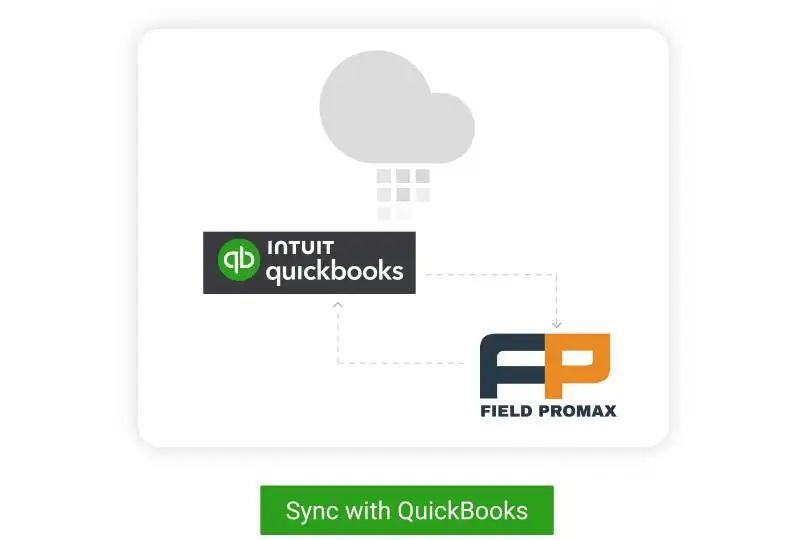
An HVAC business reviewing Field Promax on the QuickBooks App Store, described the QuickBooks sync as easy to set up, making work orders and field service invoicing noticeably more efficient. Those gain compounds when there's a second entity.
If you're a multi-trade owner running HVAC under one entity and a separate LLC for plumbing or duct-cleaning, a two-way QuickBooks integration above both books keeps job costing, customer records, and invoicing from being a manual cross-walk. In HVAC specifically, the dispatch-to-invoice pipeline is where the multi-entity problem becomes compounded: two dispatchers, two invoicing flows, and one top-level financial account. The field service layer collapses it into a single screen.
Owners ask me weekly which version of QuickBooks to put their second company on. The version isn't usually what's breaking. What breaks is that nobody assigned a Tuesday block to call back stale estimates, and now $80,000 of quoted work is rotting in a database for a company that doesn't even have its own dispatcher yet.
The most common feature request we get is better dispatch-to-invoice automation, and that request gets louder with every additional QuickBooks company file. The honest answer for most 5-20 tech shops is that the QuickBooks choice matters less than the operational layer above it. Mobile-app adoption by your techs is the single biggest predictor of whether any of this works, multi-company or not.
- Joy, Founder, Field Promax
Sources consulted
Related QuickBooks setup reads
Continue with:
- QuickBooks Integration for Field Service: Desktop and Online Setup, Sync, and Best Practices - the pillar on Desktop vs Online and how the sync actually works
- Undeposited Funds in QuickBooks Online: How Field-Service Shops Clear and Prevent Buildup - the reconciliation account that breaks twice as often with two company files
- Benefits of QuickBooks Online: Why QuickBooks is Good for Contractors - QBO fit and limits for contractor books
- Top 10 Field Service Management Software Compatible with QuickBooks - the FSM layer above the books, including multi-entity
- Field Promax: QB & Xero Field Service Management Made Easy - if your second entity's books live in Xero
Benchmarks and growth data for multi-entity field service operators
The following benchmarks reflect the operational and strategic overhead . These numbers provide you an overhead reality check prior to you committing to a different entity.
Sources: Intuit Annual Reports; ElectroIQ QuickBooks Statistics 2025; FitSmallBusiness QuickBooks Statistics 2024
| KPI / Metric | Single Company | 2-3 Companies | 4-5 Companies | Source |
| Weekly bookkeeping hours (internal) | 3-5 hrs | 6-12 hrs | 15-25 hrs | Intuit QuickBooks SMB Benchmarks |
| Month-end close time | 1-2 days | 3-5 days | 7-10 days | Fusion CPA multi-entity reporting data |
| Intercompany error rate (manual process) | N/A | 8-12% of entries | 15-25% of entries | QuickBooks Community aggregated forum data |
| Annual CPA fees vs. single entity | Baseline | +35-60% | +80-150% | AICPA small business survey data |
| Back-office re-keying hours per week (no FSM sync) | ~4 hrs | ~8 hrs | ~16 hrs | Field Promax customer base estimates |
| Year | QBO Subscribers (global) | Multi-Entity QB Users (est. %) | Key Driver |
| 2020 | ~5.0M | ~8-10% | COVID accelerates cloud adoption; Desktop dominant for multi-company |
| 2021 | ~5.6M | ~10-12% | PPP loan entity formation across trades |
| 2022 | ~6.0M | ~11-13% | Post-COVID field service expansion; franchise growth |
| 2023 | ~6.5M (Intuit) | ~13-15% | Intuit announces Desktop Pro/Premier phase-out for new users |
| 2024 | ~7.0M (est.) | ~14-16% | Migration to QBO; per-entity subscription cost surfaces as real issue |
| 2025 | ~7.4M (est.) | ~16-18% | Enterprise Suite multi-entity hub; consolidation demand grows |
More QuickBooks playbooks
Conclusion
The QuickBooks version you choose for a multi-entity setup matters less than the workflow built around it. First, make sure you have the entity structure right (one EIN, one file) then plan the migration properly and add a field-service layer on top of the books before the second company doubles your re-keying workload. Plans start at $99/month for 1 user (Light), $159/month for up to 5 users (Standard), and $239/month for up to 12 users (Premium).
Frequently Asked Questions

Content Creator
Bhargavi Halthore is a content writer at Field Promax, a field service management platform serving trades businesses across the USA and Canada. With over a decade of experience writing for business owners, she brings detailed, ground-level insight to every topic she covers. Her research goes beyond search results - she digs into LinkedIn groups, Facebook communities, and Reddit forums to understand what field service business owners are actually dealing with on the ground. She speaks directly with industry professionals, understands their day-to-day challenges, and translates that into content that is practical and actionable. What you read in her articles reflects real industry patterns, not theory.