QuickBooks for Contractors: When Online Works and When It Doesn't
Is QuickBooks for contractors actually good? The question contractors ask us is rarely about QuickBooks itself. It is about how many hours the back office spends re-entering work-order data into the ledger - and whether QuickBooks Online actually closes that gap or simply moves it somewhere else.
Imagine a multi-trade contractor on a Tuesday morning. The dispatcher is juggling HVAC schedules without shared visibility between teams. Two techs get sent to jobs miles apart that could have been grouped together. By Friday, the bookkeeper opens QuickBooks Online and finds three invoices that don’t match the completed work, two purchase orders still sitting open, and a payroll run that requires hours of project recoding. Across Quora discussions over the past year, the most common QuickBooks frustration is not the lack of features. It is the constant stream of small reconciliation problems that quietly consume the bookkeeper’s day.
From 14 years of customer conversations across roughly 24 service verticals, the contractors who get real value from QBO feed it clean field data, on time, the first time. The ones who don't treat QB like a Friday cleanup job. Here's what QuickBooks for contractors actually does well, where it stops short, and what the rest of your stack has to do to make the books work - starting with a contracting business that wants the accounting to run itself.
What QuickBooks Online actually is
QuickBooks Online is Intuit’s cloud-based accounting system. It handles customer ledgers, vendor bills, invoicing, payroll, payroll add-ons, reconciliation, financial reporting, and more - all accessible through a browser or mobile app. The Plus and Advanced tiers include Class Tracking and Projects - the core structure many contractors use to manage construction job costing.
Around 62% of U.S. small businesses use QuickBooks, according to 2024 market share data. For a typical 5-20 tech shop, the books are already stored in QuickBooks. Most owners say their field service tool must integrate with QuickBooks - otherwise, it simply does not make the shortlist. Does that sound familiar?
The real question is not whether QuickBooks Online is effective. It is which version you are using (Online vs. Desktop), which tier you are on (Simple Start to Advanced), and what tooling is needed to fill the gaps QuickBooks alone cannot cover.
What QuickBooks Online does well for contractors
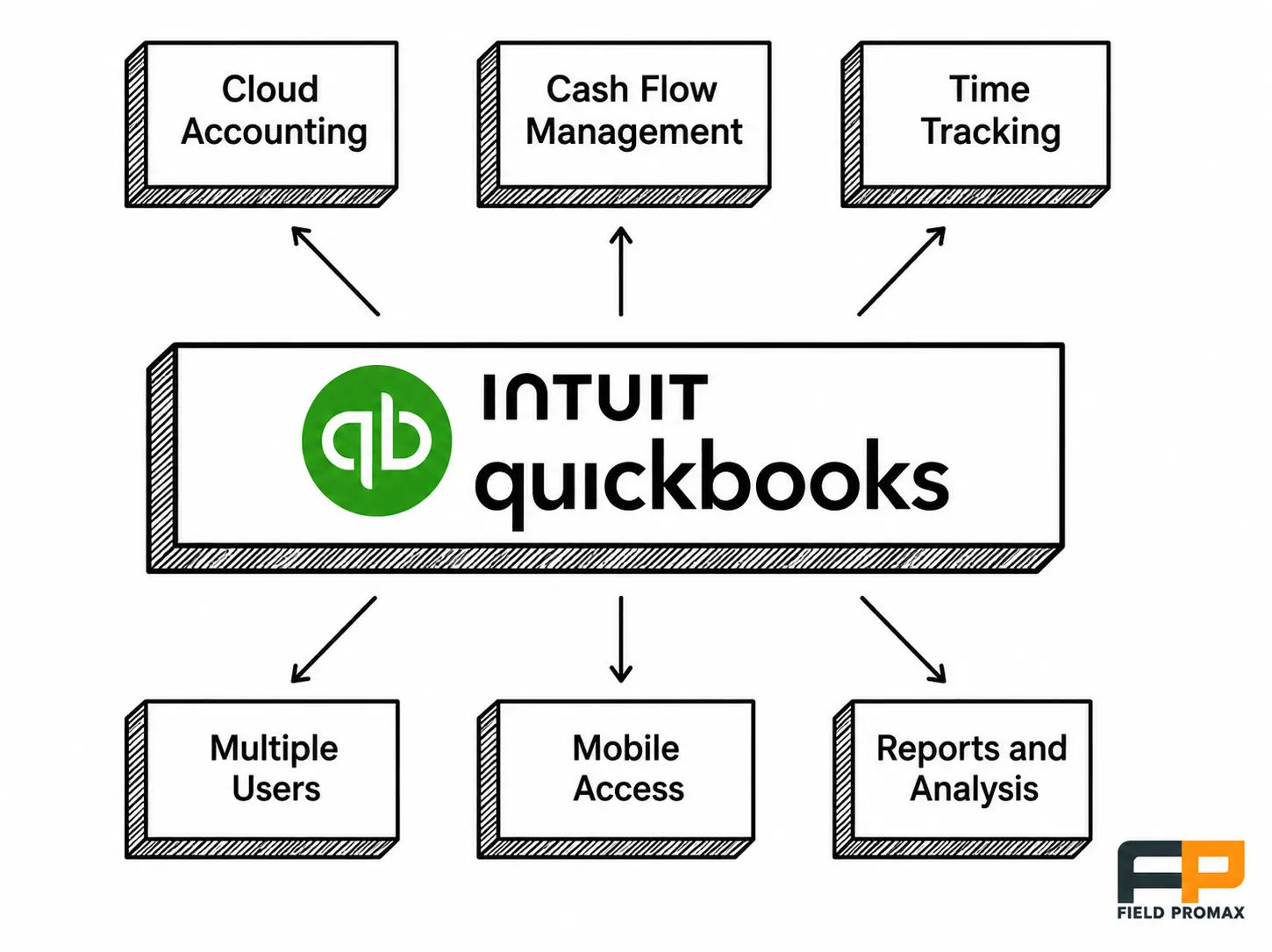
A fair and honest assessment of what QBO does right for small and mid-sized trade shops. These are the basic building blocks on which the rest of the stack is built.
Cloud accounting from any device
Books are in Intuit’s cloud, accessible on your desktop at work, your laptop on the jobsite, or your mobile phone in the truck. There is no local installation, no nightly backup, and no versioning issues when a new bookkeeper joins the system.
Cash flow and bill management
Enter vendor bills and set payment plans based on due dates. Set up recurring payments so material and utility bills do not slip through the cracks. Bill pay is one of the most powerful features Intuit offers right out of the box.
Time tracking tied to payroll
Clock employee time, tag it to a customer or Project, and pull billable hours onto an invoice. The native tool is basic. Most shops pair it with a field timecard and GPS tracking layer so the hours arriving in QB are verified against truck location - not just trusted.
Multiple users with role-based access
Bookkeeper, office manager, accountant, and owner all have separate logins with permissions that can be assigned as needed. Plus supports up to 5 users, while Advanced supports up to 25 users. Accounting seats are included at no additional cost.
Mobile access from the truck
The QuickBooks mobile app handles invoicing, receipt capture, and customer lookups. It is functional, but limited. For teams completing five or more jobs per day, a purpose-built field app can offer significantly greater efficiency.
Reports and dashboards
P&L, balance sheet, A/R and A/P aging, and sales by service or customer are all standard reports. The reporting library is extensive. However, construction-specific reports (such as estimate vs. actual by job, WIP, and unpaid bills by job) are not available in QuickBooks Online - they are typically found in Desktop Contractor editions.
Support, training, and bank connections
QuickBooks Online also includes chat, phone, and community support, along with a large YouTube library and third-party training resources. Bank-feed integration automatically imports transactions from most U.S. banks and matches them using rules, making it a major time-saver for shops moving away from spreadsheets or paper-based systems.
Why QuickBooks works for a contracting business
What changes to your P&L when a contracting business runs QuickBooks Online - in order of impact?
1. It's usable without an accounting degree
QuickBooks Online abstracts away the debit and credit mechanics that most contractors do not need to think about. You create an invoice, track the money, and enter bills - while journal entries are generated automatically in the background. The setup wizard guides a new owner through customers, accounts, and bank connections, typically in under an hour.
On Quora, most users mention the initial learning curve during the first week as the only real challenge. Once the chart of accounts is properly set up, that friction usually disappears. It is also a good time to work with a bookkeeper to ensure everything is configured correctly from the start.
2. The whole platform lives in the browser
A contracting business is not managed from a single desk. The owner, dispatcher, and bookkeeper may all be in different locations, often working remotely or from the field. QuickBooks Online removes the installation and sync overhead associated with Desktop, which has been in use for more than two decades. Intuit manages backups, uptime, and security updates.
Intuit's stop-sell of new Desktop subscriptions took effect for most products after September 30, 2024 - so new contractors land on Online by default.
3. Invoicing shrinks from days to hours
Slow invoicing is one of the most costly inefficiencies in field service operations using paper or disconnected accounting systems. Shops without accounting integration often delay invoicing for up to seven days after work is completed. Once QuickBooks sync is enabled, that gap typically shrinks to under 24 hours. Shop owners in the 5-20 tech range report this improvement frequently.
QBO supports recurring invoices, payment reminders, ACH and card processing through QuickBooks Payments, and customer-facing pay links. Paired with a field invoicing layer, the invoice posts the moment the tech closes the work order. That's cash in hand faster - without anyone touching a keyboard twice.
4. Estimates that protect margin
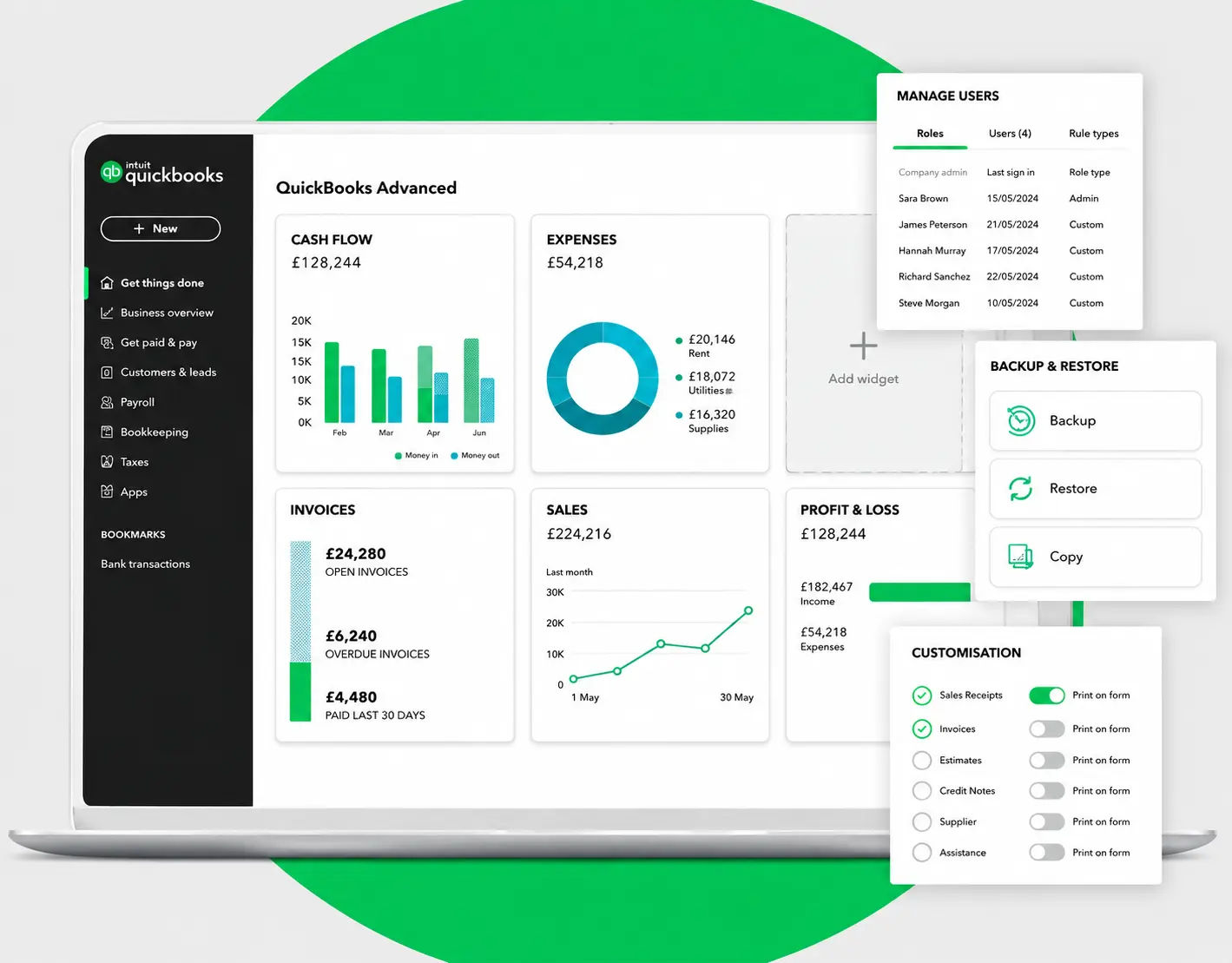
If the price is too high, you lose bids. If the price is too low, you lose money. Estimates in QuickBooks Online combine materials, labor, and markup into a single document. Once approved, they can be converted directly into an invoice when the work is completed. Functional for service work - thinner for general contractor accounting software needs involving assemblies, options, and change orders. That's where a dedicated estimates layer earns its keep.
5. Customer support actually picks up
Support at Intuit is available via chat and phone. Community forums and YouTube tutorials mean that solutions exist for most common errors. In practice, when issues arise - such as payroll problems on a Friday - having multiple community-driven resources can be critical when you need a fix before Monday morning. It may not be the most formal documentation, but it is often enough to resolve issues quickly when time matters.
6. Job-level profitability you can see
Plus and Advanced include Projects, allowing costs, time, and charges to be tagged to specific jobs. The Project view shows cost, revenue, and profit per job, and highlights installations that are not profitable - even when owners may have suspected it but could not clearly prove it.
Two caveats. QBO's job costing depth is limited compared to Desktop's Contractor Edition or purpose-built systems like Foundation Software or Deltek ComputerEase. It tracks gross wages and payroll taxes to a job - but not workers' comp burden, fringes, or indirect overhead without manual workarounds. And the value only shows if field hours and material costs reach QB cleanly. For a 5-20 tech shop without QuickBooks integration, owners consistently report burning 8 hours per week re-keying invoices, payments, and job costs.
Our STANCE: Most contractors don't have a QuickBooks problem. They have a "we're using accounting software to run field operations" problem - and those two tools were never supposed to do the same job.
7. Subcontractor and 1099 management without spreadsheets
QBO emails W-9 invitations to subs, captures tax IDs, tracks payments, and produces 1099s at year-end. For a GC running a roster of subs, this feature alone is worth the Plus subscription. Pair it with a team management layer so the sub on the job site is the same identity that gets paid in QB.
8. Integrations with construction-specific tools
QBO does not function as an ERP, and does not claim to be one. It sits at the center of an ecosystem. Estimating applications, construction management platforms, payroll specialists, payment processors, and field service tools all connect through the QBO API. A $1M HVAC shop and a $15M plumbing-and-mechanical contractor can both run QuickBooks at the core, with different field layers built on top.
9. Remote collaboration that fits a field business
Same data, different roles, different locations. The dispatcher assigns the work, the technician completes it from the truck, and the bookkeeper can see the invoice in real time. This is how a contracting business actually operates, and QBO’s collaboration model reflects that workflow.
10. Flexibility across plans and verticals
Four tiers - Simple Start, Essentials, Plus, Advanced - at base monthly prices of $38, $75, $115, and $275 per recent Intuit pricing updates, with a 30-day trial. Most field service shops run Plus, which adds Projects and a 5-user cap. Owners who start on Simple Start usually upgrade within 6-9 months once they want job-level profitability data.
| Plan | US Price/Month | Key for Contractors | Fit |
| Simple Start | $38 | Basic invoicing, 1 user, no job costing | Solo operators only |
| Essentials | $75 | Bill management, 3 users - still no Projects | Small shops, no project tracking |
| Plus | $115 | Projects (job costing), 5 users, inventory basics | Most field service contractors |
| Advanced | $275 | Custom reports, 25 users, workflow automation | Larger ops, commercial GCs |
Where QuickBooks Online stops short for contractors
The most frequently reported QuickBooks problem on Quora is not a missing feature. It is the recurring error codes (such as 3371, 6176, 15276, 30159, and C=387) that block access to company files or interrupt payroll updates. These errors often force owners into urgent administrative troubleshooting at the worst possible time. The real issue is not the software itself. It is the operational gap underneath it: QuickBooks for contractors wasn't designed for the workflows a field service business runs every day.
The specific gaps that matter:
The drawbacks that show up at scale
Construction job costing depth is thin. QBO tracks gross wages and payroll taxes to a Project - but not workers' comp, fringe burden, or indirect overhead without manual workarounds. Industry research puts labor burden at 40-70% on top of base wages. QBO doesn't allocate that burden to jobs natively. Your margin reports are lying to you until you fix this manually.
No certified payroll, no AIA G702/G703 billing, no native retainage. Davis-Bacon prevailing wage reporting, AIA pay applications, and contract-level retainage are all handled manually. Contractors working on federally or commercially funded projects typically require construction middleware on top of QuickBooks Online, or a complete switch to a dedicated construction accounting system.
Approvals require the expensive tier. Automatically routing invoices for approval and automatically notifying clients are included in the Advanced plan, priced at $275 per month. This is approximately six times the cost of the Simple Start plan.
Data restoration is gated. Restoring a file to a specific date requires the Advanced plan. Lower-tier users cannot easily reverse large-scale changes.
Better integrations cost more. Integrations such as HubSpot, Salesforce, and DocuSign are typically restricted to higher-tier plans.
Training has a real cost. Intuit tutorials are free, but live ProAdvisor training and setup support often involve additional costs that small businesses absorb during initial implementation. Budgeting for this upfront is important.
| Business Scenario | QBO Alone Works? | What You Need |
| Solo operator, under 10 jobs/week | Yes | QBO is fine on its own |
| 2-3 techs, mostly service calls | Mostly | QBO + basic FSM |
| 4-8 techs, mix of service + install | No | QBO + dedicated FSM with dispatch board |
| Commercial projects, multi-month jobs | No | QBO + construction accounting or FSM |
| Union payroll, prevailing wage | No | Specialized payroll + QBO |
| 8+ techs, high call volume | No | FSM platform with QBO as the accounting layer |
QuickBooks Online for construction: the honest answer
For service trades (HVAC, plumbing, electrical, pest control, lawn care, cleaning, garage door, locksmith, handyman) under $5M in annual revenue, QBO Plus is a strong fit when paired with a field service platform handling dispatch, work orders, and field invoicing. QB Plus paired with the field tool lands well under Desktop Enterprise Contractor Edition's annual cost.
For commercial construction GCs doing AIA billing, certified payroll, or percentage-of-completion accounting under ASC 606, QBO alone won't be enough. Those shops either pair QBO with construction middleware or move to a purpose-built ERP once revenue clears roughly $15M.
A pattern across multi-trade operators we've worked with
Over roughly 40-50 multi-trade operators we’ve observed since 2018, the issue that appears in QuickBooks is not caused by the accounting software itself. For example, in an HVAC and plumbing operation with an owner-operator, a dispatcher, and around two dozen technicians in a mid-sized Midwest metro, scheduling is often split across multiple systems. The dispatcher may manage HVAC work in one system and plumbing work in another, trying to coordinate overlap manually.
On a Tuesday morning, technicians could be assigned HVAC tune-ups while plumbing rough-ins have already been scheduled at the same location in another system. By Friday, these gaps usually show up as billing errors in QuickBooks.
As spring approached, the shop began double-booking technicians licensed across both trades because the dispatcher was managing two separate calendars and reconciling them from memory. Estimate disclaimers were added as a workaround. HVAC estimates included weather and equipment-availability language, while plumbing estimates emphasized material assumptions. When a job involved both scopes - such as a refit near an air handling unit - customers were often directed to whichever disclaimer offered the most favorable interpretation for the contractor.
The owner of the company consolidated the two boards into a single shared calendar that the dispatcher could manage alone. The estimate disclaimer was also revised into a single template covering the usual exclusions for both trades - including limits on scope, material assumptions, weather, and access contingencies. The first version was released prior to legal review. The second followed internal disagreement.
Double-bookings were largely eliminated after the first month, when the unified calendar exposed scheduling conflicts that had previously been hidden. The disclaimer required two revisions. The plumbing foreman remained the only internal supporter of the original calendar system. Once field data was clean, the QuickBooks side stopped being a Friday recovery operation.
Composite case: details based on the standard pattern observed across multiple trade operators we have worked with.
How Field Promax closes the QuickBooks gap
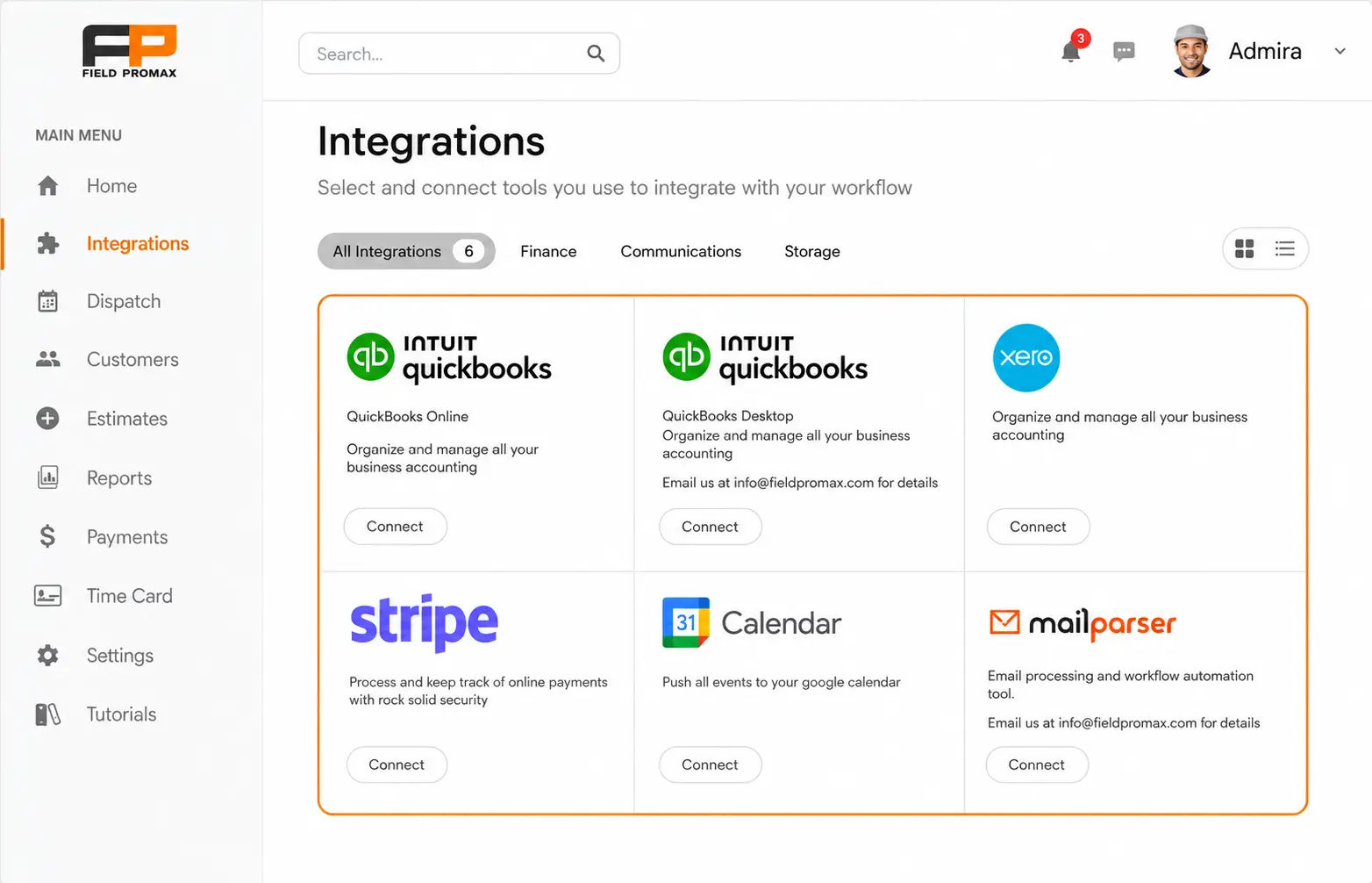
Field Promax sits on top of QuickBooks for contractors (Online and Desktop) as the field-to-books layer. Customers and items are synced both ways. Estimates created in Field Promax are converted into work orders, dispatched to technicians, completed in the field, and then posted as invoices in QuickBooks when the work order is closed. Materials, time, and project tags move with the job throughout the process.
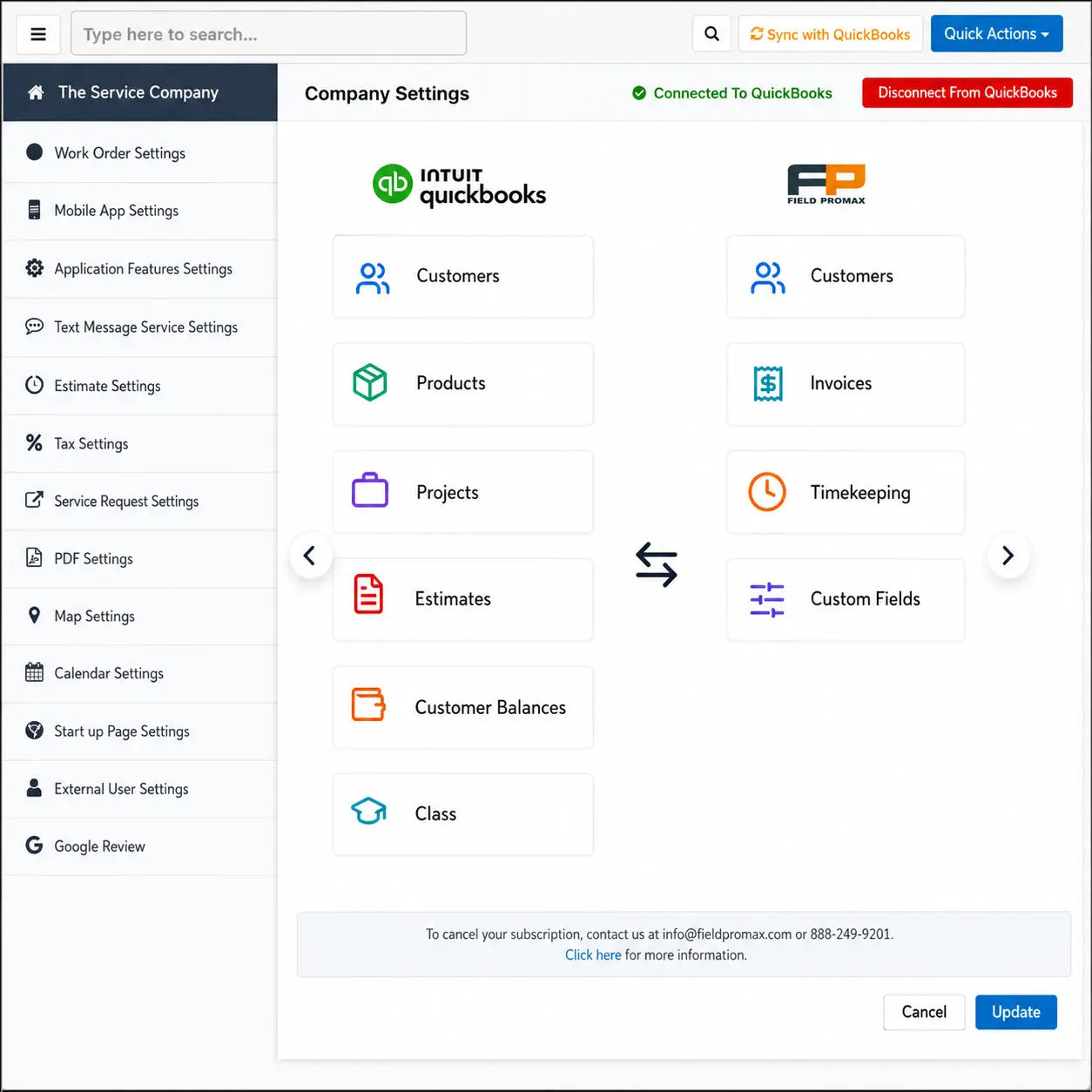
The Desktop side remains important because many contractors are not moving off Desktop in line with Intuit’s transition timeline. An HVAC contractor reviewing Field Promax on the QuickBooks App Store described the integration as easy to sync, noting that it made invoicing and work orders significantly faster than QuickBooks alone. Another 20+ year QuickBooks Desktop user needed a solution for mobile technicians to invoice in the field. They found they could access QuickBooks customer and item data from the truck and push all updates back into QuickBooks at the time the job was completed.
From 15 years of customer conversations, the single most common feature request from contractors already on QuickBooks is better dispatch-to-invoice automation. Not a deeper general ledger. Not a fancier dashboard. The gap between when the tech closes a job and when the invoice hits QuickBooks.
I read every support ticket that comes in. The pattern is consistent: the bookkeeping itself is fine - the field-to-books handoff is where money leaks. Industry conventional wisdom says small contractors graduate from QuickBooks to an enterprise ERP around the $5M mark. The truth is most of the shops we work with don't need to graduate. They need the field layer that feeds QB to actually feed QB, in real time, with job costs and labor allocations attached. Fix that and QuickBooks Online holds up well past the threshold most vendor consultants will tell you to leave it.
- Joy Gomez, Founder of Field Promax
Mistakes contractors make using QuickBooks
Five operational errors make up the majority of issues we see during QuickBooks onboarding:
- Posting payments directly to the bank account instead of Undeposited Funds. When the bank groups several checks into one deposit and you've recorded each separately, reconciliation won't match. Intuit's reconciliation guidance calls for routing payments through Undeposited Funds first, then combining them into a single Bank Deposit mirroring the actual deposit slip. This one change cuts month-end reconciliation time roughly in half.
- Outsourcing payroll without syncing job-level hours back to QB. If your payroll provider does not transfer labor costs into Projects, your job-costing reports are missing the single biggest line item. The numbers may appear fine, but they are not.
- Adding job costs through Accounts or Expenses instead of Projects. The costs appear correctly on the P&L but never make it into the Project view. The company owner believes the work was profitable even when it was not.
- Running estimating outside QB without two-way sync. If an accepted estimate does not automatically become an invoice, scope creep can remain invisible until the bookkeeper notices discrepancies months later.
- Letting A/R age without follow-up automation. Manual data entry runs an estimated error rate of around 1-4%, according to industry research, while automated sync workflows can improve accuracy to roughly 98-99%. For a 5-20 tech shop, manually entering invoices often leads to incorrect totals and reconciliation issues every month.
If hiring a dedicated bookkeeper is not financially realistic for your business, the alternative is using a field service tool with strict QuickBooks integration that prevents most of these errors at the source.
The bottom line on QuickBooks for contractors
QBO is a reliable accounting system for small to mid-sized contracting companies. Its limitations are usually specific to the following areas:
- No native Contractor Edition equivalent to QuickBooks Desktop.
- Indirect costs are difficult to allocate accurately to jobs.
- Projects are tied to clients or sub-customers rather than a parent-project hierarchy.
- No native job-cost-by-vendor reports.
- Higher-tier plans become expensive when approval workflows and more complex integrations are required.
The answer is rarely to leave QuickBooks. It's to fix the field-to-books handoff so QB gets clean data the first time. A field service tool with two-way QuickBooks integration, scheduling and dispatch, and a mobile app techs will actually use - that's what lets a contracting business run QB Plus years past the revenue threshold most vendors will tell you to abandon it.
Further reading
KPI benchmarks and market growth for field service contractors
| KPI | Industry Benchmark | Source | Where to Find in QBO |
| Invoice payment time (days) | 18-25 days residential, 30-45 days commercial | Intuit Payment Data | A/R Aging Report |
| Gross margin - HVAC service | 40-55% | BDR Benchmarking | Projects P&L (Plus) |
| Gross margin - HVAC install | 25-35% | BDR Benchmarking | Projects P&L (Plus) |
| Overhead as % of revenue | 15-25% | SCORE Small Business | P&L Report |
| Labor cost as % of revenue | 25-35% | IBISWorld | P&L by expense category |
| Days Sales Outstanding (DSO) | Target under 35 days | Industry standard | A/R Summary |
Sources: Market Research Future (construction accounting); industry FSM market data
Our STANCE: The contractors who treat accounting software and field management software as the same category are the ones still re-entering invoices manually at 10pm. They're not the same problem, and they don't have the same solution.
| Year | Construction Accounting Software Market | Field Service Management Market | Key Shift |
| 2020 | ~$1.7B | ~$3.0B | COVID accelerates cloud adoption |
| 2021 | ~$1.9B | ~$3.24B | Remote access becomes non-negotiable |
| 2022 | ~$2.1B | ~$4.1B | FSM-accounting integrations standardized |
| 2023 | ~$2.3B | ~$5.0B | AI features enter mainstream accounting tools |
| 2024 | $2.497B | ~$6.2B | Mobile-first field data capture gains traction |
| 2025 | $2.662B (est.) | ~$7.2B | FSM market nearly 3x the construction accounting segment |
Conclusion
QuickBooks Online is a strong choice for small to mid-sized contracting companies But, only if the handoff between field and books is resolved. The platform isn’t the issue; the unstructured work flowing through it usually is. Field Promax starts at $99/month (Light plan, 1 user), $159/month (Standard, 5 users), and $239/month (Premium, 12 users).
Frequently Asked Questions

Content Creator
Bhargavi Halthore is a content writer at Field Promax, a field service management platform serving trades businesses across the USA and Canada. With over a decade of experience writing for business owners, she brings detailed, ground-level insight to every topic she covers. Her research goes beyond search results - she digs into LinkedIn groups, Facebook communities, and Reddit forums to understand what field service business owners are actually dealing with on the ground. She speaks directly with industry professionals, understands their day-to-day challenges, and translates that into content that is practical and actionable. What you read in her articles reflects real industry patterns, not theory.
Reviewed by

Founder and CEO
Joy Gomez is an engineer, process automation expert, and the Founder of Field Promax. Known for his technical expertise and commitment to field service innovation, Joy writes about transforming traditional business models into paperless, efficient operations. He is a Lean Six Sigma Black Belt based in Rochester, MN, dedicated to helping field professionals work smarter through better technology.