What Are the Best Tools for Managing Field Force Operations?
.webp)
Managing a modern field service business is challenging because everything happens fast. Customers expect clear updates, technicians need accurate instructions, and office teams want clean data. When a company handles several technicians and dozens of jobs a day, using whiteboards or spreadsheets becomes stressful. Small mistakes grow into bigger problems, and the entire workflow feels chaotic.
Mobile workforce management software helps solve this. It brings structure to your daily operations and keeps technicians, office teams, and customers connected. These tools make scheduling easier, reduce errors, and help technicians finish jobs on time. With 49% of the company workforce now relying on smartphones or handheld devices as their primary communication tools, having a strong mobile workflow is no longer optional it is essential. More importantly, modern field service software gives your team the confidence to handle busy days without confusion.
This guide explains the foundations of mobile workforce management. You will understand what the software does, why it matters, and what features truly help field teams in real life.
What Is Mobile Workforce Management Software?
Mobile workforce management software organizes everything that happens outside the office. It replaces scattered notes, paper invoices, manual calls, and WhatsApp messages with one connected system. Instead of asking technicians to remember job details or manually report updates, the software keeps all information in one place. When a job is assigned, it appears instantly on the technician’s mobile app. As the technician updates the job, the office sees the progress in real time.
The software helps teams:
-
Send job instructions directly to technicians
-
Track the job status in real time
-
Provide GPS routes for faster travel
-
Store customer history with photos and notes
-
Upload documents from the field
-
Create estimates and invoices on-site.
-
Improve communication between the office and technicians.
.webp?updatedAt=1753221558454 )
The goal is to make fieldwork simple and predictable. Many companies that switch to mobile workforce software say that communication becomes smoother and mistakes are reduced drastically. For example, Field Promax users often share that technicians no longer forget job notes or return late to submit paperwork. Everything stays digital and organized.
This kind of system is especially useful when a company grows. What works for two technicians does not work for 12 or 20. As the team expands, manual methods break easily. Mobile workforce management prevents these issues by keeping everyone on the same page.
Why Mobile Workforce Management Matters for Modern Field Service Teams
Workforce Management depends heavily on fast communication and accurate information. Even a small delay or missing detail can affect the entire day. A technician may reach the wrong location, miss important instructions, or forget to record materials used. These mistakes cause delays, rework, and revenue loss.
Mobile workforce management helps avoid these problems in simple and practical ways.
1. Clear visibility for office teams
Office staff can see where each technician is, which job they are working on, and how far they have progressed. This helps them plan the day better and respond quickly when a customer calls for an update.
2. Accurate instructions for technicians
Technicians receive job details in a clean, readable format. They do not need to call the office repeatedly to confirm instructions. This saves time and reduces misunderstandings.
3. Better customer experience
Customers want honest timelines and quick updates. With mobile tracking and reminder tools, companies can provide accurate arrival windows and job notifications.
4. Faster decision-making
When information is updated instantly, both technicians and office staff can make faster decisions. There is no waiting for paperwork or late updates.
5. Higher efficiency and reduced errors
Missed jobs, incorrect assignments, unclear notes, and slow billing are common problems for field service companies. Mobile workforce tools reduce these issues by keeping everything digital and time-stamped.
This simplicity is why almost every growing field service company now uses software to manage daily operations. It is no longer optional. It is the standard.
What Mobile Teams Actually Need Today
Technicians want tools that make their job easier, not more complicated. Heavy apps or long forms slow them down. The best mobile workforce tools focus on clarity, speed, and convenience.
Technicians need:
1. Quick access to job details
They should be able to open the app, tap the job, and see everything they need without confusion.
2. GPS directions
Driving to the wrong location wastes fuel and time. Built-in maps guide technicians directly to the right address.
3. Simple status updates
Changing job status from Assigned to In Progress to Completed should be easy and fast.
4. A clear way to record materials used
If technicians use parts such as pipes, fittings, switches, or filters, the app should allow them to log these items quickly.
5. Easy photo capture
Photos help prove work completed, document problems, and protect the company from disputes. The app should support quick uploading.
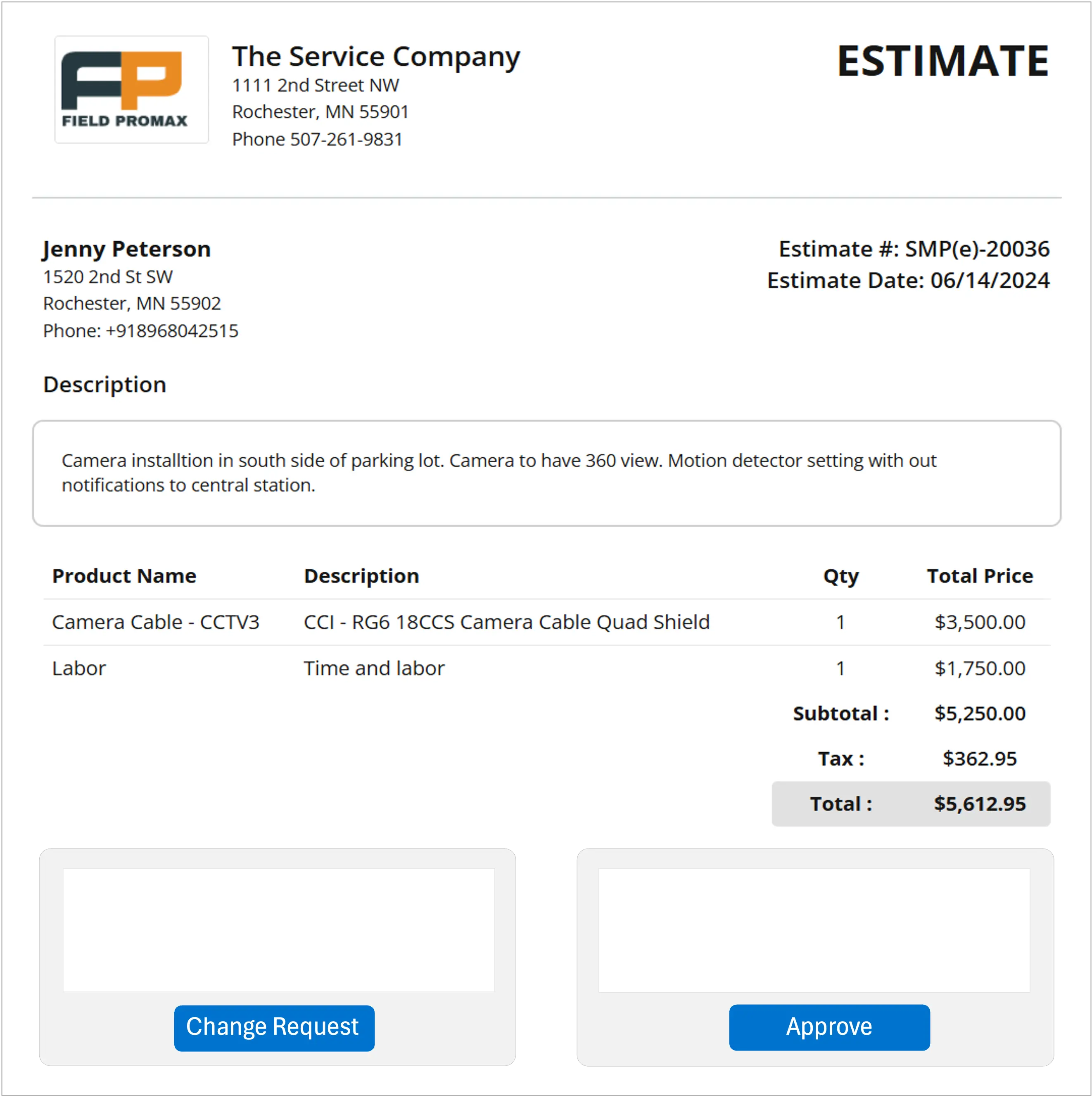
6. A simple invoice and estimate tool
Many technicians prefer creating estimates or invoices right after finishing the job. A good app allows them to do this in minutes.
- A clean communication channel* Technicians should be able to contact the office team easily without having to search through multiple messaging apps. When these needs are met, technicians complete jobs more confidently. They feel supported and avoid unnecessary delays.
How Management Software Solves Daily Field Challenges
Field service companies face common challenges almost every day. Scheduling conflicts, missing job notes, late invoicing, and miscommunication happen often. These issues may look small, but they slow the entire workflow.
Mobile workforce management software addresses these pain points in practical ways.
1. Scheduling becomes conflict-free
Dispatchers can see technician availability, skill set, and travel distance. This helps assign jobs accurately without overlapping schedules. In larger teams, connecting dispatch workflows to project management tools can also help office staff track dependencies (parts, approvals, follow-ups) and ensure nothing stalls between scheduling and job completion.
2. Job notes stay organized
Instructions, photos, and updates stay attached to the job record. Nothing gets lost or forgotten.
3. Travel becomes efficient
GPS routes reduce time spent on the road. This helps technicians complete more jobs in the same day.
4. Office teams stay updated instantly
As soon as a technician updates the status, the office team sees it. There is no need to call or wait for updates.
5. Billing becomes faster
When technicians finish the job, they can create and submit the invoice instantly. This improves cash flow and avoids billing delays.
6. No more unbilled hours
Time-tracking tools ensure every billable hour gets recorded. This prevents revenue loss.
Core Features Every Mobile Workforce Management Software Must Have
Not all software is equal. Some tools offer too many features, which can confuse users. Others offer too few features, forcing companies to use multiple apps at once. A good mobile workforce management system should focus on features that improve speed, clarity, and accuracy.
Below are the must-have features for any field service business.
a. Smart Scheduling and Dispatching
Scheduling is the heart of field operations. If scheduling goes wrong, the rest of the day becomes stressful.
Smart scheduling tools help dispatchers:
-
Assign jobs based on technician skills
-
Avoid double bookings
-
Reduce travel time
-
Adjust schedules quickly when emergencies appear
-
View technician availability clearly
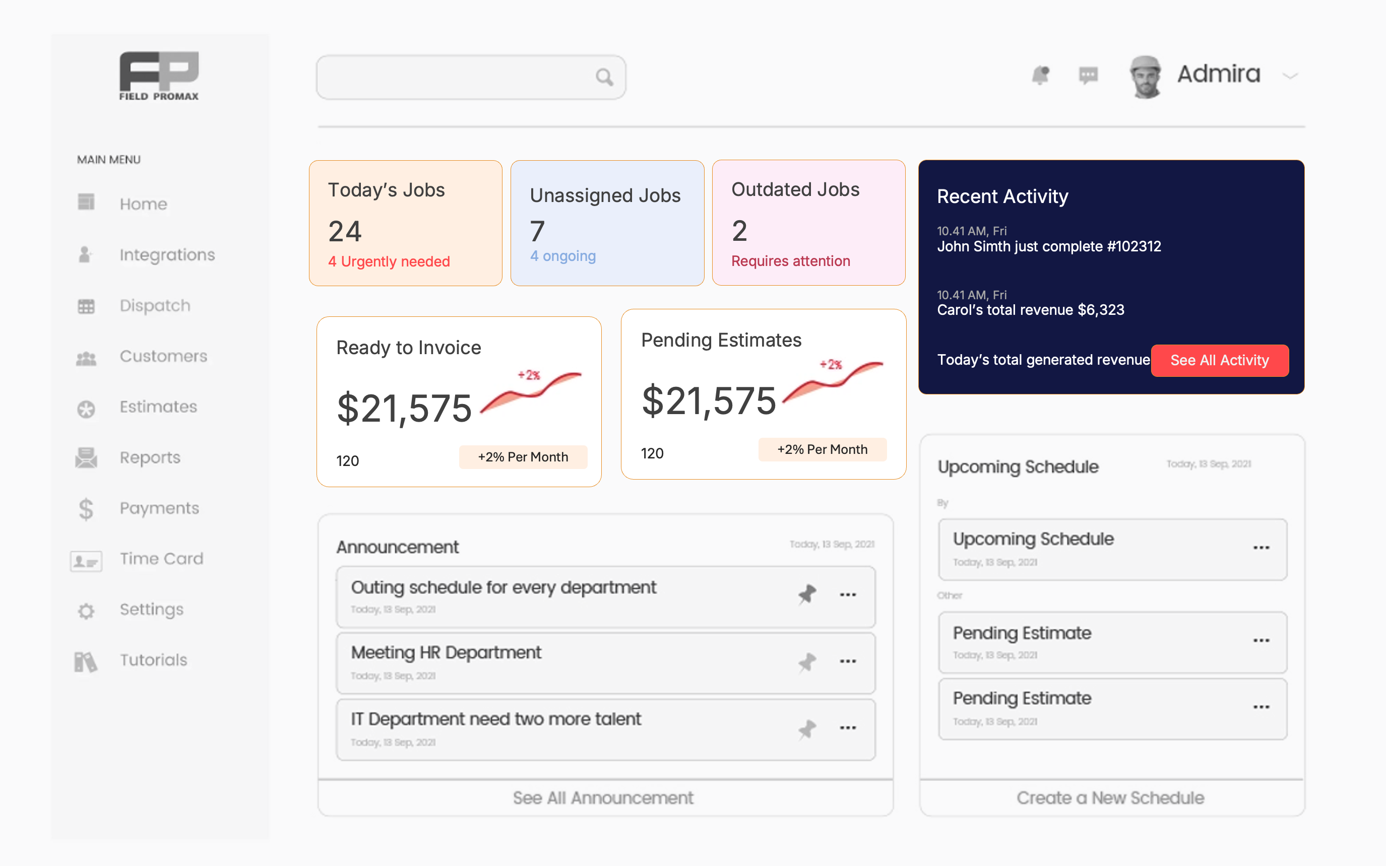
A drag-and-drop scheduler, like the one in Field Promax, makes daily planning smooth and simple.
b. Mobile App for Technicians
Technicians should be able to access everything they need directly from their mobile devices.
A good mobile app includes:
-
Job instructions
-
Customer details
-
Checklists
-
Photos and notes
-
Time logs
-
Signature capture
-
Payment collection
When all these features are in one place, technicians complete jobs faster and with fewer mistakes.

c. GPS Tracking and Route Optimization
GPS tools help companies see technician locations and estimate arrival times. Route optimization reduces travel time and fuel costs. This leads to more jobs completed per day and happier customers.
d. Automated Work Orders and Job Tracking
Digital work orders keep every task organized. When technicians update the job, the office team sees it immediately. This eliminates confusion and helps everyone stay aligned.
e. Invoicing, Estimates, and Payment Collection
Mobile invoicing improves cash flow. Technicians can:
-
Create estimates onsite
-
Convert estimates to invoices
-
Accept payments
-
Close the job without delay
Customers appreciate clear and fast billing.
f. Time Tracking and Digital Timesheets
Accurate time tracking helps companies calculate payroll and job costs correctly. It also prevents incorrect billing or unpaid technician hours.
g. Customer Communication Tools
Small communication improvements create big customer satisfaction.
These tools include
-
Appointment reminders
-
Arrival notifications
-
Job updates
-
Follow-up messages
These simple features help customers feel informed and cared for.
h. Reporting and Analytics
Managers need clean reports to understand business performance. Reporting tools show:
-
Technician productivity
-
Job duration
-
Revenue patterns
-
Profitability per service
-
Repeat customer behavior
These insights help owners make smarter decisions.
Mobile Workforce Management vs Traditional field service solutions
Traditional field service solutions rely on methods that worked years ago but break quickly as the business grows. Paper forms, verbal instructions, and manual scheduling force office teams to chase information all day. When a technician forgets a note or a customer changes the appointment time, the entire workflow gets disrupted.
Mobile workforce management replaces these old habits with real-time coordination. Instead of relying on memory or handwritten notes, teams use a connected system that updates instantly.
Traditional Operations Feel Slow and Unpredictable
In a traditional setup:
-
Jobs get delayed because technicians receive instructions late
-
Office teams spend time calling for updates
-
Invoices take days to reach customers
-
Job notes get misplaced
-
Travel routes are inefficient
These issues create stress for both technicians and office teams.
Modern Operations Feel Clear and Organized
Mobile workforce software improves these weaknesses by:
-
Delivering job details instantly
-
Keeping office teams updated without phone calls
-
Recording all notes, photos, and materials digitally
-
Sending invoices the same day
-
Guiding technicians with GPS routes
Companies that switch from traditional systems to mobile tools see immediate improvements in speed, accuracy, and customer satisfaction. It becomes easier to handle busy days without losing control.
How Mobile Workforce Tools Integrate With ERP Systems
Many field service companies use ERP platforms to manage finance, payroll, and reporting. When the field workforce system connects smoothly with the ERP, the entire business feels unified. Data flows from the field to the office without manual entry.
Why ERP Integration Matters
A strong integration helps companies:
-
Sync job costs automatically
-
Keep revenue reports accurate
-
Update customer records in real time
-
Track labor hours without errors
-
Avoid duplicate data entry
-
Improve billing accuracy
When everything connects properly, office teams save hours of work each week. It becomes easier to manage both small service calls and large projects.
.webp?updatedAt=1764318798798)
Where NetSuite Needs Support
Although NetSuite is excellent for finance, it is not built for fast-moving field operations. Many companies find that the mobile app feels limited, and scheduling tools are not flexible enough for daily dispatch needs.
This is why businesses often integrate NetSuite ERP with specialized tools like Field Promax. Field Promax strengthens the mobile side by offering:
-
Real-time technician tracking
-
Drag-and-drop scheduling
-
Technician-friendly mobile apps
-
Instant updates for job progress
Together, these tools create a complete workflow that covers finance and field execution.
Field Service Management: The Backbone of Mobile Operations
Field service management focuses on completing work orders efficiently. Mobile workforce management supports this goal by giving technicians the right information at the right time.
Daily operations become stronger when mobility is added to the workflow.
1. Clear Job Execution
Technicians can see customer history, previous repairs, photos, and instructions. This helps them solve issues without delays.
2. Reliable Documentation
Every job needs proper documentation, whether it is a repair report, installation log, or service checklist. Mobile tools make this documentation easy to complete and store.
3. Better First-Time Fix Rates
Technicians arrive with all necessary information and tools. They solve more problems during the first visit, reducing repeat visits and improving customer satisfaction.
4. Faster End-of-Day Process
Since everything is updated digitally, technicians do not need to return to the office to submit paperwork. This gives them more productive time and reduces administrative tasks.
This backbone becomes even stronger when combined with dispatching, communication tools, and invoicing features in a single platform like Field Promax.
How Tools Reduce Operating Costs
Field service solutions incur expenses for fuel, labor, paperwork, and communication. Mobile workforce tools help reduce these costs in simple but meaningful ways.
1. Lower Fuel and Travel Costs
GPS route optimization reduces unnecessary driving. Technicians reach locations faster, which means lower fuel use and more jobs completed each day.
2. Reduced Administrative Hours
When job details are automatically updated, office teams spend less time manually entering data. This prevents mistakes and saves hours each week.
3. Faster Invoicing Means Better Cash Flow
Mobile invoicing helps companies get paid faster. Instead of waiting days to send invoices, technicians finish the job and submit the bill instantly.
4. Fewer Repeated Visits
With complete information and digital pictures, technicians complete jobs correctly the first time. This reduces return visits and saves labor costs.
5. Less Paper Waste and Storage Costs
Digital records eliminate the need for printed work orders, paper invoices, or physical storage. Everything stays in the cloud.
These cost advantages help both small and large service companies stay profitable, even during busy seasons.
.webp?updatedAt=1764318799223)
Top Mobile Workforce Management Solutions in 2025
Different companies require different tools based on their size, industry, and workflow. Below is a simple and meaningful overview of the best options in 2025.
1. Field Promax
Best for small and mid-sized HVAC, plumbing, cleaning, and electrical companies. It offers simple scheduling, an easy mobile app, QuickBooks integration, and fast setup. Technicians find it easy to use, and office teams like the clean interface.
2. NetSuite Field Service Management
Ideal for enterprises using NetSuite ERP. It provides job costing, financial reporting, and basic scheduling but may require additional tools for mobility.
3. FieldNation
A marketplace where companies can hire temporary or project-based technicians. Useful for seasonal demand or covering new service areas.
4. Connecteam
A workforce management tool focused on communication, checklists, training, and time tracking. Suitable for companies that want to improve internal coordination.
5. TrackoBit
A strong choice for industries that need advanced GPS tracking, fuel monitoring, and telematics data.
6. ServiceTitan
A premium platform for enterprise-level companies. Offers advanced automation, call booking, and marketing tools. Best for large teams with complex workflows.
7. Jobber
Simple and user-friendly. Great for small service businesses that want clean scheduling, estimates, and payment tools.
8. Housecall Pro
Designed for home service contractors. Offers online booking, customer communication tools, and recurring service features.
These options help different types of service companies improve field efficiency based on their specific needs.
Comparison Table: Mobile Workforce Management Software
Below is a detailed column comparison built for deep clarity and SEO benefits.
Feature Comparison
| Software | Scheduling | Mobile App | GPS Tracking | Invoicing | Integrations | Best For |
|---|---|---|---|---|---|---|
| Field Promax | Strong | Excellent | Yes | Yes | QuickBooks, APIs | HVAC, Plumbing, Electrical |
| NetSuite FSM | Basic | Limited | Add-ons | Yes | NetSuite ERP | Enterprises needing financial control |
| FieldNation | No | Yes | No | No | Custom API workflows | On-demand technicians |
| Connecteam | Basic | Yes | Add-ons | No | Integrations | Team communication |
| TrackoBit | Limited | Yes | Excellent | No | Telematics | GPS-heavy industries |
| ServiceTitan | Advanced | Excellent | Yes | Yes | Many integrations | Enterprise field service |
| Jobber | Good | Good | Basic | Yes | QuickBooks, Payments | Small service teams |
| Housecall Pro | Good | Good | Basic | Yes | Payments, QuickBooks | Home service contractors |
Pricing Comparison
| Software | Price Range | Contract Required | Notes |
|---|---|---|---|
| Field Promax | Affordable | No | Best value for FSM |
| NetSuite FSM | High | Yes | Tied to NetSuite ERP |
| FieldNation | Pay per job | No | Flexible labor cost |
| Connecteam | Low to Medium | No | Team-focused pricing |
| TrackoBit | Custom quotes | Yes | GPS and telematics |
| ServiceTitan | High | Yes | Enterprise functionality |
| Jobber | Low to Medium | No | Simple pricing |
| Housecall Pro | Medium | No | Strong payment tools |
Best Use Case Comparison
| Software | Ideal Use Case |
|---|---|
| Field Promax | Companies needing strong scheduling and a mobile app for technicians |
| NetSuite FSM | Large enterprises using NetSuite ERP |
| FieldNation | Companies hiring short-term technicians |
| Connecteam | Mobile teams need communication and checklists |
| TrackoBit | Businesses needing accurate GPS and route data |
| ServiceTitan | Enterprise field service solutions |
| Jobber | Small companies needing simple billing and scheduling |
| Housecall Pro | Home service teams want easy payments and customer updates |
Mobile Workforce Management for Specific Industries
Each industry has unique requirements, and mobile workforce software supports them in different ways.
1. HVAC Services
HVAC teams handle emergency calls, seasonal peaks, and detailed inspections. Mobile tools help them access manuals, track refrigerant usage, and quickly create estimates.
2. Plumbing Companies
Plumbers handle leaks, repairs, and urgent calls. Mobile apps help them upload photos, record materials, and send invoices instantly.
3. Electrical Contractors
Electricians need accurate documentation for safety and compliance. Mobile tools help log readings, upload installation photos, and maintain checklists.
4. Cleaning Businesses
They manage recurring schedules across multiple locations. Mobile tools help track clock-ins, assign tasks, and maintain quality with checklists.
5. Property Management Teams
Property managers handle hundreds of service requests. Mobile workforce tools help track requests, communicate with tenants, and manage contractor schedules.
By tailoring support to each industry, mobile tools make service delivery more reliable.
Case Study: How Field Promax Improved a Real Company’s Mobile Workforce
A mid-sized HVAC company with 18 technicians struggled with missed appointments, unclear communication, and unbilled hours. They used spreadsheets and phone calls to manage daily operations. This caused scheduling delays and customer complaints.
What They Fixed With Field Promax
After switching to Field Promax:
-
They scheduled jobs faster using drag-and-drop tools
-
Technicians received clear instructions through the mobile app.
-
Travel time is reduced because of GPS routing.
-
Billing became same-day instead of weekly.
-
Customer complaints dropped
-
All billable hours were captured correctly.
Within 90 days, the company became better organized and more profitable. The owner shared that the team felt more in control and less stressed during peak seasons.
Future Trends in Mobile Workforce Management
Field service solutions continue to evolve. New technology is making work easier for technicians and office teams.
AI helps assign jobs based on technician skills, distance, and workload. This reduces errors and speeds up dispatching.
b. Automation for Repetitive Tasks
Tasks like job confirmations, reminders, and time logs are handled automatically. This gives technicians more time to focus on service rather than paperwork.
c. Predictive Maintenance Using IoT
Smart sensors alert technicians before equipment fails. This helps companies prevent emergencies and build stronger customer relationships.
d. Smarter Field Devices
Technicians can diagnose issues faster using real-time equipment data from smart devices. These trends will shape the future of field service, making operations faster and more efficient.
Final Recommendation: Choosing the Best Mobile Workforce Software
Choosing the right system depends on business size, industry, and workflow needs.
Choose Field Promax if you want:
-
Clean mobile workflows
-
Strong scheduling
-
QuickBooks integration
-
Easy technician onboarding
-
Affordable pricing
Great for HVAC, plumbing, electrical, and cleaning companies.
Try Field Promax for Your Mobile Workforce
If you want faster operations, fewer errors, and a streamlined mobile workforce, Field Promax is one of the most dependable tools. It helps teams communicate more effectively, complete tasks faster, and improve overall customer satisfaction.
.webp?updatedAt=1764318799840)
Frequently Asked Questions

Content Creator
Bhargavi Halthore is a content writer at Field Promax, a field service management platform serving trades businesses across the USA and Canada. With over a decade of experience writing for business owners, she brings detailed, ground-level insight to every topic she covers. Her research goes beyond search results - she digs into LinkedIn groups, Facebook communities, and Reddit forums to understand what field service business owners are actually dealing with on the ground. She speaks directly with industry professionals, understands their day-to-day challenges, and translates that into content that is practical and actionable. What you read in her articles reflects real industry patterns, not theory.