Xero for Tradies: What It Does Well and Where It Stops

What Xero genuinely does well for a trade business
Xero has earned its place in Australian trades through its reliability. As a ledger, it's very close to being the top small-business choice available, with an extensive list of tasks it handles without complaint: invoicing with online payments and automatic reminders, reconciliation and bank feeds, GST and BAS reporting, payroll that includes STP filing, receipt capture, expense coding, and dashboards that accountants can access without emailing backup files.
Xero's large user base matters for trade businesses because it means your bookkeeper likely already knows it. Xero announced that it had 2.8 million customers across Australia and New Zealand in its FY26 financial results as of 31 March 2026. Xero doesn't publish a breakdown for Australia alone, so the "Xero owns X% of the Australian market" figure you come across is an estimate from someone else rather than a reported figure.
In 14 years of operator conversations I have almost never heard a trade owner say Xero was the wrong choice for accounting. What I hear instead is that it stopped being enough somewhere around the point they hired a third tech. If invoicing speed is your immediate bottleneck, that part is solvable inside the ledger and we walk through it in Xero invoicing software for field service businesses.
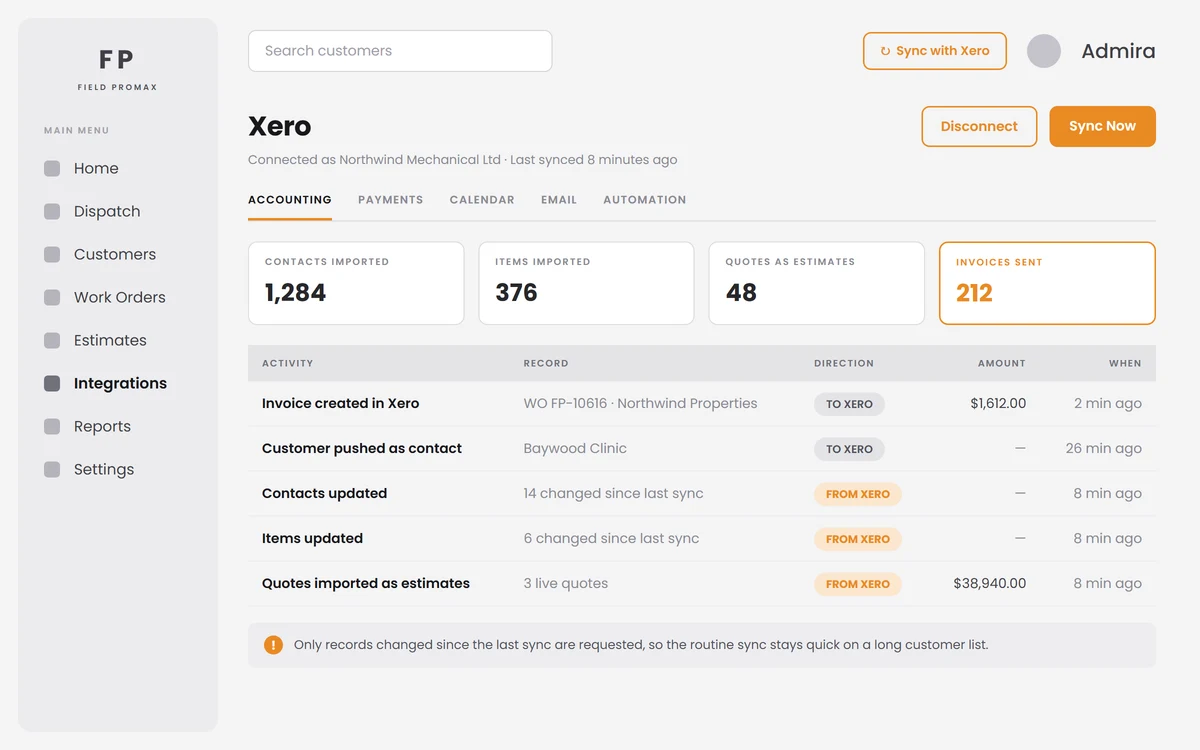
Where Xero stops: the four limits every trade business hits
These aren't problems. They're the edges of what accounting systems are intended to do. However, they are the edges you'll encounter, roughly in this order.
1. Xero Projects does not carry a trade workflow. Owners on r/xero who've tested the Projects module say it falls short of what a trade job really needs: stages, the payment process, progress claims, and materials associated with the job. The common language that appears in those posts can be described as "very basic" and "genuinely tough for construction workflows," and the discussions focus on replacing Projects rather than tweaking it. Be aware of this before upgrading to a plan tier that includes it, as Projects is packaged in higher tiers and is metered per Projects user rather than being sold as a standalone upgrade.
2. The two-active-tracking-category ceiling.** **Xero restricts each business to two active tracking categories (four in all, counting archives) and allows up to 100 options per category. It is the usual work-costing method, but it cannot handle the scale required when you need cost per job, by branch, and even by phase all at once.
3. There is no quote-to-order-to-invoice job stage.** **A Xero quote can be converted into an invoice. There's nothing to track the stage between when your job is scheduled and when it gathers materials and labor and is signed off. This gap is where your whiteboard and text messages live today.
4. Purchase orders cannot sit partially billed. Trade companies issue a PO to a subcontractor or supplier and then receive an invoice that covers a portion of it. Owners want to know if the Xero PO is partially invoiced, only to find that it isn't, and they end up keeping the rest in a separate Excel spreadsheet outside the ledger.
Why "just use tracking categories" fails past a handful of live jobs
Do the math on the workaround and you can watch it break down. You get two categories to use. Say you set one to Job and one to Branch. The Job category fills up fast, because each phase (rough-in, fit-off, or commissioning) must be added to the Job option. Five live jobs spread across three phases require 15 options. As the number of jobs and phases grows, you quickly hit the 100-option limit. So you start archiving completed jobs to make space, and your historical reports stop being comparable. Owners on r/xero explain the next stage: reports won't be separated by category the way they should, so someone spends the final two days of each period manually changing the classification of lines in order to provide a job-level profit margin.
The real cost — not the licence fee, but a senior person reconstructing gross margin after the fact from data that was never captured at job level in the first place. If you want the mechanics of capturing cost against a job properly, our guide to integrating QuickBooks and Xero with field service management covers how the job layer feeds the ledger instead of the other way around.
The WorkflowMAX question, and what changed in June 2024
For more than a decade, WorkflowMAX was the most popular choice whenever a Xero customer needed job management. Xero ended its classic WorkflowMAX on June 26, 2024, and the software was transferred to BlueRock. If you're still on the predecessor, or you moved and it did not go well, it is not hard to imagine the problems. Posts from users who left describe the replacement process as a poor experience, with teams scrambling to find an application that can handle billing and project management in one place, with NextMinute and Abtrac frequently mentioned as alternatives people have moved to.
My interpretation of the conversations I've had since the shutdown: those who were most affected were the ones who saw WorkflowMAX as an add-on to Xero instead of an independent operational system with its own information. After the software was gone, users were able to see that their work history, time entries, and quote templates were not included in the ledger. If you're deciding how to replace the product now, you should make sure you ask the export question before answering the feature question. Can you get your work timesheets, attachments, and other records in a format that you can use if the vendor's ownership changes? It rarely comes up during a demo, but everyone should ask it.
What to bolt on: match the layer to how you actually run jobs
Every list-style article on this topic ranks ten tools, with the publisher's preferred tool at the top of the list. More useful is sorting by the operator's profile, and that is how the final choice is made.
Solo operator to three techs, reactive work. On-site quotations, invoicing before leaving the driveway, and one person scheduling everything in their head. Both ServiceM8 and Tradify are designed specifically for this type of setup, and neither will be overwhelming during week one.
Four to twenty techs, plumbing, electrical, or HVAC service and maintenance. Now you require dispatch, ongoing maintenance, asset history, and job-level margins. AroFlo, Fergus, simPRO, and Field Promax all live here. This is the stage at which the final decision is near, and a true test of your own job is superior to any comparison table.
Construction and fit-out with subcontractors and progress claims. The issue is committed costs and retention, not dispatch. Job-costing tools that are dedicated to your job sit closer to what you need than a dispatch service.
**Compliance-heavy work: **mining, civil, government contracts. These require a different approach. Prequalification, plant inspections, SWMS, and audit trails are the main factors that drive the selection, while a general-service app cannot compete with those requirements.
Office-based project services billing time. This is the only instance in which Xero Projects may be enough, as there are no teams, no vans, and no materials to assign to a job.
The truth is that the software's value matters less than whether the foreman will use it on a phone in the roof space. I've seen better software lose out to less capable software on this issue several times.
How Xero integrations actually work, and what the word hides
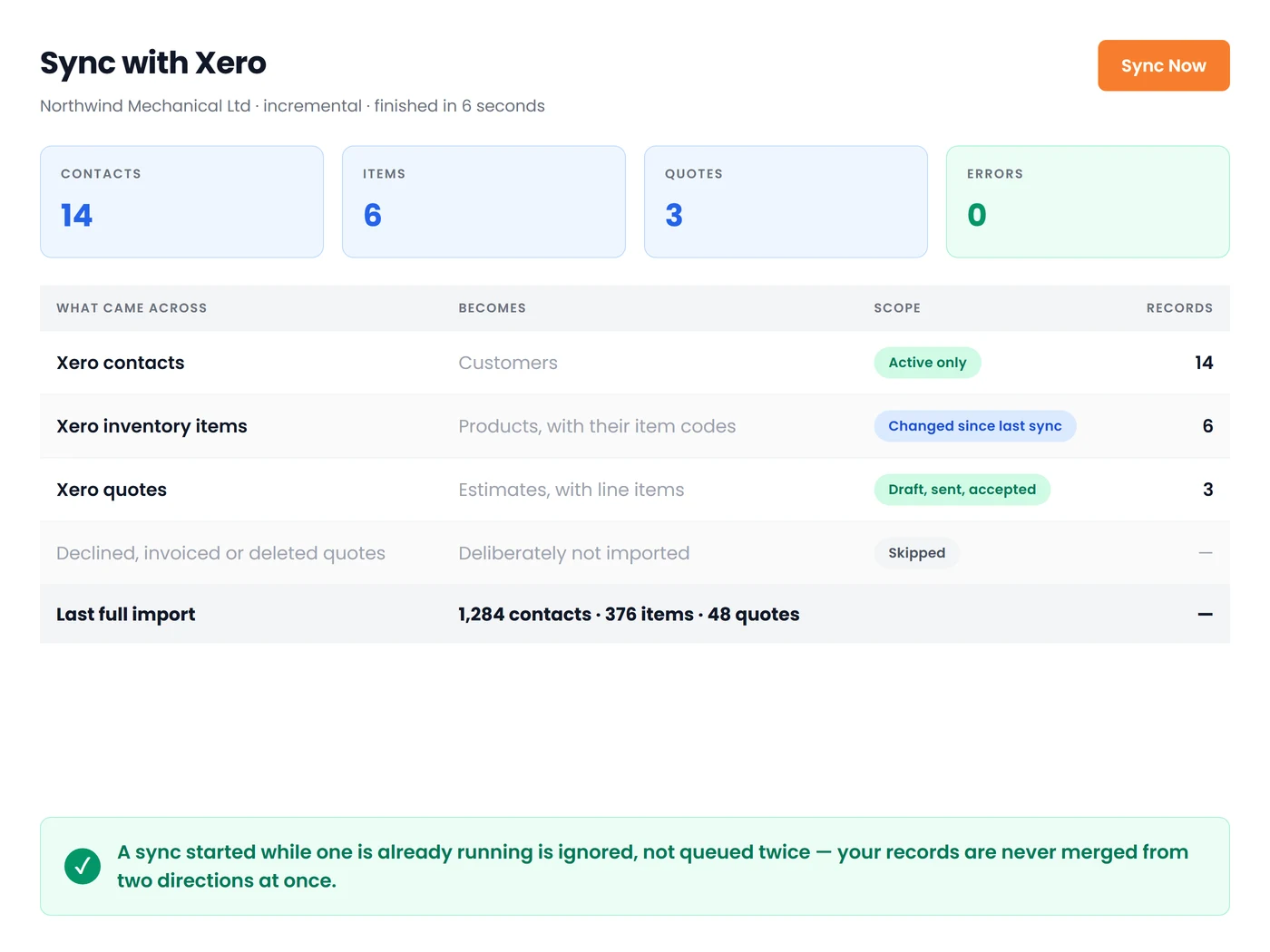
"Integrates with Xero" covers three distinct things: a native App Store connection created with the help of the vendor; a no-code bridge using Zapier or something similar, which is a chain of triggers that you control and manage; and a custom build built against your Xero API. The maintenance burden rises in that order, with the lowest first.* *
The most important thing to ask during the trial is the direction. One-way means that invoices go into Xero and nothing comes back, so a contact you modify in Xero gets out of alignment with the job tool. Two-way means that a contact you create in the field shows up in Xero, while a correction that is made in Xero returns to the job tool. Test it with three deliberately tricky records, such as a customer who has the name of a trader and a separate legal entity identity, an invoice that has two GST-free lines, and a part-billed job.
One important technical point helps explain the month-end behavior. The Xero API allows 60 calls per minute for tenants, in addition to the daily cap per tenant. The minute limit isn't the issue. The daily cap can become an issue at the end of each month, when contacts, invoices, and even payments are all moving at once. That's the reason an integration that synchronizes in a gradual manner and only pushes what has changed is different from one that pushes the entire data set every time.
The setup checklist to work through before you go live
The majority of the integration problems I've encountered were setup issues wearing a software costume. Make sure you have these resolved before the first actual invoice moves.
- Map your chart of accounts deliberately. Determine which revenue account each service type belongs to and which cost account the materials fall under. Choose the default vendor, and then you can remove it at the end of the year.
- Map tax codes explicitly. The GST rate on taxable income, GST-free, and BAS-exempt transactions need to be correct at the line level, not derived from the customer's record.
- De-duplicate contacts first. Two contacts with identical details in Xero can become four after the sync. Clean them up before connecting, not afterward.
- Choose auto-push or manual approval, and write it down. Auto-push is quicker and more reliable. Most shops with fewer than ten technicians should begin by approving transactions manually during the first month.
- Run three test jobs end to end. Include one straightforward job, one with a variation, and one with a partial invoice, then reconcile them by hand.
- Decide who owns the connection. The person named as the connection owner should check the sync log every week. Otherwise, if a failure occurs, no one may notice until BAS time.
What actually breaks in month two
The first two weeks after the integration goes live usually run smoothly. Month two is when complaints begin, and they tend to be constant.
Duplicate customers. Field staff can create a contact on site because they didn't find "Smith Plumbing P/L" when they searched for "Smith." Fix this by implementing a naming rule and making contact creation available only to office employees, at least during the first month.
Tax code mismatches on unusual lines. Deposits, shipping, and warranty work are places where the wrong codes can be hidden and then show up as a variance in BAS rather than as an error message.
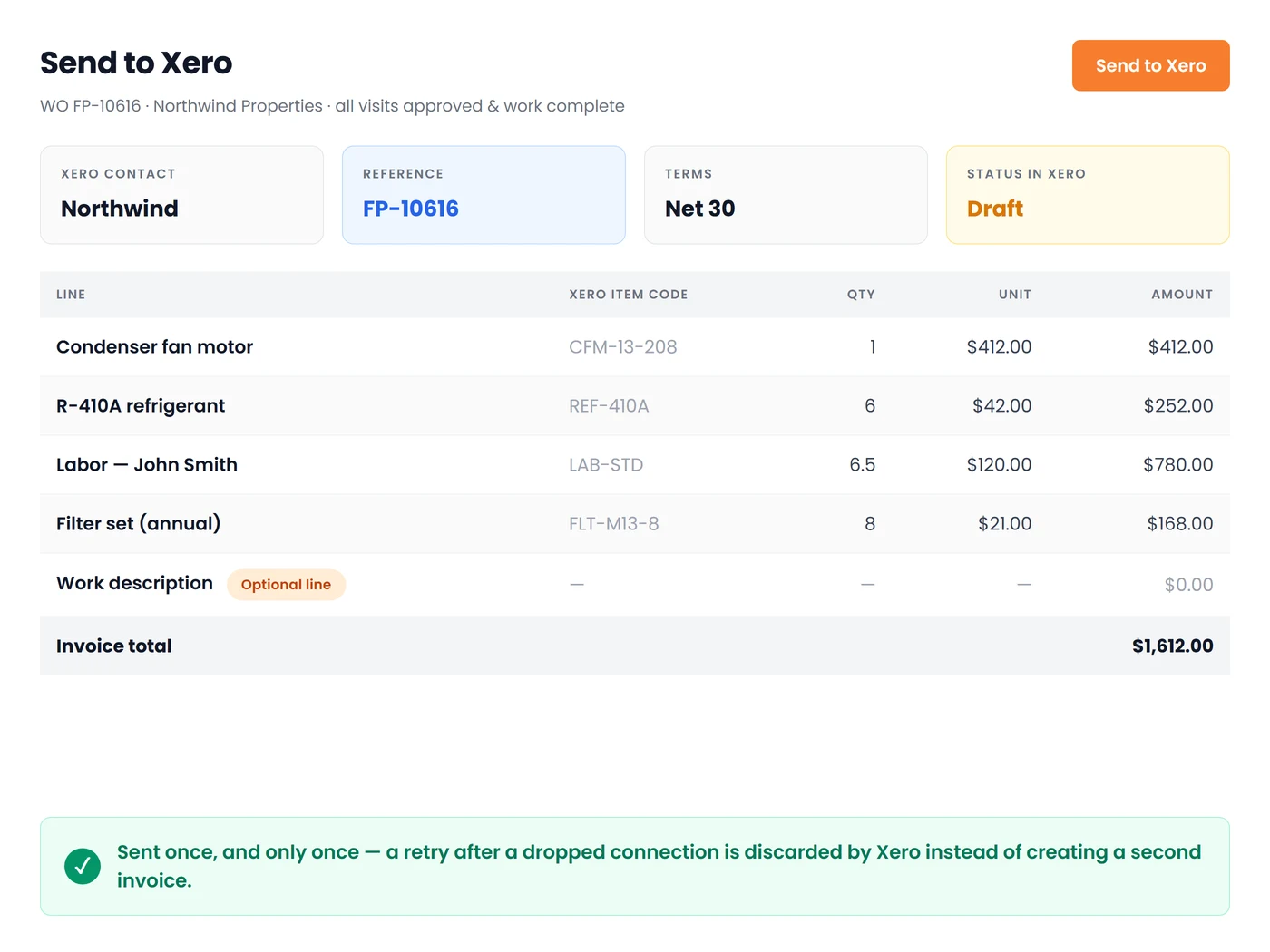
Invoices syncing before they are ready. Techs mark a job as done to remove it from their phones, and draft invoices are sent to the client before the change is priced. Approval gates exist specifically to prevent this.
Timesheet rounding disputes. Field apps capture time in minutes and payroll wants decimal hours, and a crew that notices a systematic rounding difference will bring it up loudly. Agree on the rounding rule in writing before go-live. Our breakdown of 15 minutes in decimal and payroll rounding is the reference I send owners when this comes up.
Partly billed supplier invoices. This Xero PO limitation from earlier appears again, so decide in advance whether committed cost tracking will be handled in the job management tool or in the spreadsheet. Leaving it undecided means you use both, which causes problems.
Another thing to be prepared for in the commercial realm: Xero has raised plan prices more than once in recent years and has announced the end of its discount for multi-organisation customers. If you have multiple companies, factor that into the comparison instead of assuming the current rate will remain.
Three questions before you sign anything
Do you need job-level margin, dispatch, or both? If margin is your issue, an application for costing jobs that includes a Xero feed can solve it. If the issue is figuring out the location of six vans at 2 p.m., then that's a scheduling problem, and costing software is not going to help. The majority of service companies with more than three technicians require both, and the combination will narrow the field rapidly.
Are your techs genuinely mobile? Photos taken offline, offline task capture, and signatures collected on site are either integral to your work or not important. Be honest, since spending money on field capabilities that no one uses is probably the biggest cost I see.
Are you multi-entity or single? Multiple trading entities within Xero affect both the integration mapping and the cost. Find out how the job management tool handles two Xero companies before you connect it during the demo.
Deep dives in this guide
- Xero Tracking Categories for Job Costing: Setup and Limits — how to set the two active categories up, the 100-option ceiling, and the breakpoint signals that say stop.
- Xero Projects for Trade Businesses: What It Does, Costs, and Stops — what the native module tracks, why its pricing is hard to quote, and the four trade workflows it does not handle.
- WorkflowMAX Is Gone: Where Xero Trade Businesses Went Next — the 26 June 2024 shutdown, the BlueRock successor's reception, and the three lanes displaced users took.
Conclusion
My position following 14 years of discussions is clear: stay with Xero and stop asking it to do work it was not designed to do. It's an outstanding ledger but a weak operational system. The companies in the trades that are frustrated tend to be the ones trying to make the first work by adding spreadsheets and overusing tracking categories. Select a job management tool that is compatible with how your team actually works, and integrate it with your mapped accounts and tax codes. Assign someone who is responsible for overseeing the sync, then let Xero return to doing what it's really adept at. The month-end reclassification that you're currently using is not a normal cost associated with running a business. It is a missing layer.
Frequently Asked Questions

Founder and CEO
Joy Gomez is an engineer, process automation expert, and the Founder of Field Promax. Known for his technical expertise and commitment to field service innovation, Joy writes about transforming traditional business models into paperless, efficient operations. He is a Lean Six Sigma Black Belt based in Rochester, MN, dedicated to helping field professionals work smarter through better technology.
Reviewed by

Content Creator
Bhargavi Halthore is a content writer at Field Promax, a field service management platform serving trades businesses across the USA and Canada. With over a decade of experience writing for business owners, she brings detailed, ground-level insight to every topic she covers. Her research goes beyond search results - she digs into LinkedIn groups, Facebook communities, and Reddit forums to understand what field service business owners are actually dealing with on the ground. She speaks directly with industry professionals, understands their day-to-day challenges, and translates that into content that is practical and actionable. What you read in her articles reflects real industry patterns, not theory.