QuickBooks for Property Management: Setup, Limits, and What to Pair It With
.webp?updatedAt=1780290778573)
Conventional wisdom says QuickBooks for property management works well once you've set up properties as customers, tenants as sub-customers, and classes for tracking. In many cases, that's true. It's also the exact point where most operators hit a wall.
On Quora, small-business owners and contractors frequently report the same QuickBooks issues: cryptic error codes such as 3371, 6176, 15276, and 30159 C=387. These errors can block access to company data, interrupt payroll updates, or delay month-end closing. The fixes often require admin-level troubleshooting. That's not the kind of problem most owners want to be dealing with at 11 p.m. on a Tuesday.
That is not an argument against QuickBooks. Roughly 62% of US small businesses run QuickBooks for accounting per 2024 market-share data, so for most property management operations the books already live there. Using QuickBooks for property management covers maybe 60% of what a working shop needs. The other 40% - maintenance dispatch, vendor work orders, tenant communication, mobile field updates - is where QuickBooks alone breaks down. Every time.
1. What QuickBooks actually does for property management
QuickBooks is the leading accounting software for small businesses. It handles invoicing, bookkeeping, bank reconciliation, payroll, tax filing, expense management, and accounts receivable and payable tracking. It also integrates with hundreds of third-party applications. For the vast majority of property management and trade service companies, the books are already in QuickBooks - and that's no accident.
For property management specifically, the most relevant QuickBooks features are the chart of accounts, classes for tracking transactions by property, customer hierarchies for tenant-under-property relationships, and the bank reconciliation workflow. Let's face it: none of these features were designed specifically for landlords. They were built to handle general small-business accounting needs and then adapted to fit property management workflows. That approach works well at a small scale. As portfolios grow and maintenance volume increases, it becomes much more fragile.
QuickBooks comes in two versions: Desktop (now sold only as Enterprise to new US customers as of September 30, 2024) and Online, with tiers ranging from Simple Start through Advanced. If you're setting up fresh today, Online is where you're headed - and we'll cover which tier actually matters for property management.
.webp?updatedAt=1747132779532)
2. Is QuickBooks really the right tool for property management?
Short answer: yes for the accounting half, no for the operations half.
QuickBooks lets you set up properties as customers, tenants as sub-customers, owners as vendors, and classes for property-level P&L. For a landlord or small property management firm handling rent, owner distributions, and tax-reportable expenses, that combination is workable. Your accountant knows the platform. Your bookkeeper knows it. Tax prep runs smoother. Fine.
However, QuickBooks cannot serve as the only tool. Property management involves both accounting and operations. That includes maintenance ticket tracking, vendor dispatch, leasing management, tenant communications, and work-order status updates. QuickBooks was not designed to handle those functions. The people who try to force it into that role often end up searching for fixes late at night while juggling multiple spreadsheets to keep everything organized.
3. How does QuickBooks handle rent collection and financial tracking?
This is where QuickBooks truly earns its place. It provides an integrated ledger for rent income, owner distributions, security deposits, and Schedule E expenses. Recurring invoices can automate monthly rent billing for each property (customer) and tenant (sub-customer). Payment reminders can also be configured within the platform. When a payment is received, it is recorded in the ledger associated with the appropriate property.
The limitation is that QuickBooks tracks what has already happened - it doesn’t manage what happens next. If a tenant isn’t paying, QuickBooks will show the overdue invoice. But it won’t notify the tenant, escalate it into a late notice, or trigger any follow-up actions automatically. Those steps remain your responsibility and are handled manually.
How do expense tracking and bank reconciliation work?
Expenses are classified by account, such as repairs, utilities, property taxes, insurance, and management fees, and are tagged by property using class tracking. Bank reconciliation compares QuickBooks entries to bank statements and helps identify duplicate entries, missing transactions, and miscategorized items. If you start with a clean portfolio from day one, monthly reconciliation can take less than an hour.
Friction becomes evident when vendor invoices span multiple properties within a single line item, or when an owner directly pays a contractor and forgets to forward the invoice. Manual data entry is prone to approximately 1-4% error rates, according to industry research. This can lead to incorrect figures, mismatched job costs, and reconciliation issues that consume hours of a Monday afternoon.
What financial reports can you actually pull?
Profit and loss by property, balance sheet by entity, cash flow statements, AR aging, vendor 1099 summaries. With class tracking configured properly, you can produce a property P&L that maps cleanly to IRS Schedule E line items: rents on line 3, expenses across lines 5 through 19, depreciation on line 18.
The shops that get the most value from QuickBooks reporting align their chart of accounts with Schedule E from day one. Everyone else ends up reverse-engineering their mapping every March. Don’t join the March reconstruction crowd.
How does tenant tracking work inside QuickBooks?
Every property is set up as a customer, and every tenant is set up as a sub-customer. Lease terms are stored in custom fields, and payment history accumulates as each invoice and payment is recorded against the sub-customer. For portfolios under 50 doors, this is often enough to track who is current, who is behind, and when leases expire.
However, it is not a system for communicating with tenants. Lease renewal notices, maintenance requests, and tenant intake portals are not built into QuickBooks. Most operators rely on additional tools for these functions and then reconcile the data manually. This is exactly the workflow gap we are referring to.
How does QuickBooks simplify tax season?
.webp?updatedAt=1747132842774)
Categorized income and expenses flow through property-level P&L reports, which map directly to Schedule E. Vendor 1099 reporting works natively when contractor payments are properly tagged throughout the year. A clean chart of accounts creates an audit trail that can withstand IRS examination.
What QuickBooks does not do is categorize transactions automatically. If a bookkeeper classifies a roof repair as “miscellaneous” instead of “repairs and maintenance,” the Schedule E export will be incorrect. This is a process issue - but it is also where most tax-related problems actually originate.
Which property management tools integrate with QuickBooks?
QuickBooks is part of one of the largest ecosystems of third-party apps in small-business software. For property management, the most relevant integrations include field service platforms for maintenance dispatch, payment processors for ACH rent collection, and tenant portals. One of the most common feature requests from QuickBooks-based trade businesses is automated dispatch-to-invoice: converting a scheduled job into a QuickBooks invoice without any manual re-entry of data.
A QuickBooks Desktop user with more than 20 years of experience reviewing Field Promax on the QuickBooks App Store stated that they needed exactly this feature: the ability for a mobile technician to bill customers using existing QuickBooks item and customer data, and then export it back into QuickBooks after the job is completed. This is not a niche request. It is a standard workflow for property maintenance businesses.
Does QuickBooks scale as your portfolio grows?
If you are focused on accounting-only workflows, QuickBooks Online (Advanced) can handle it. It processes tens of thousands of transactions per month. The challenge at scale is not the transaction volume, but the human effort required to maintain classes, customer hierarchies, and vendor records as the portfolio grows.
A 50-door operation with a clear chart of accounts and a part-time bookkeeper works well. A 200-door business with three property managers, 15 active vendors, and a maintenance ticket inbox quickly becomes a mess. It is not because QuickBooks cannot hold the information. The issue is that the operational layer (who is scheduled where and when, and how much each vendor has been paid) lives outside the accounting system. This gap does not close itself.
4. QuickBooks Online or Desktop: which fits property management better right now?
The 2024-2025 reality changed this answer. Intuit stopped selling new QuickBooks Desktop Pro Plus, Premier Plus, and Mac Plus subscriptions in the US as of September 30, 2024. Existing subscribers can keep renewing. Desktop Enterprise is still available for new customers. But the direction is clear: new property management operations are getting steered toward QuickBooks Online.
For most property managers starting today, the options are QuickBooks Online Plus ($115/month base) or QuickBooks Online Advanced ($275/month). Class tracking - which is essential for property-level P&L reporting - is available only in Plus and Advanced. Starter and Essentials do not include it. If you manage more than one property and need reporting by property, you start at Plus. That is the minimum baseline.
| Version | New US Users? | Class Tracking? | Best For |
| QBO Simple Start | Yes | No | Single-property landlords only |
| QBO Essentials | Yes | No | Not recommended for property management |
| QBO Plus (~$115/mo) | Yes | Yes | Small-to-mid portfolios (2-50 doors) |
| QBO Advanced (~$275/mo) | Yes | Yes + expanded permissions | Mid-to-large portfolios, multi-manager teams |
| Desktop Pro Plus / Premier | No (discontinued Sept 30, 2024) | Yes | Existing subscribers only |
| Desktop Enterprise | Yes | Yes | Large portfolios, high-volume operations |
5. How do you actually set up QuickBooks for property management?
The most costly setup mistake is combining your property management business and the properties you manage for owners into a single QuickBooks file. Keep two separate files. Always.
Your business file. The company that manages your property includes management fees, salaries, operating expenses, and your own taxes.
Your service file. The property file you run on behalf of owners includes rent collections, security deposits, owner distributions, and vendor payments. The money belongs to the owner and flows through this file - it is not yours.
Collapsing these into one file makes reports unusable and creates owner-money commingling exposure. Massachusetts requires security deposits in a separate interest-bearing account with written notice to the tenant within 30 days. New York treats commingling of tenant deposits with operating funds as illegal under General Obligations Law 7-103(1). Your state's rules may differ - but the file separation is non-negotiable. Set it up first.
Our STANCE: Every property manager who has tried to run management-company finances and client-property finances in one QuickBooks file has eventually had to rebuild it. Not some of them. Every one of them. The rebuild takes longer than the setup would have. Two files from day one is not the complicated option - it is the only option that doesn't blow up on you at the worst possible time.
Step 1: How do you set up each property owner as a customer?
In the property management company file, every property owner is set up as a customer. Click “Add Customer,” fill in the contact information, and save. Repeat this process for each owner. This setup allows you to manage fees per owner and generate monthly owner statements.
Step 2: What should the chart of accounts include?
Open the Chart of Accounts under Accounting in the sidebar. QuickBooks auto-creates default accounts, but they are not structured for property management. Create at minimum the following accounts: management fee income; marketing and advertising expenses; automobile expenses; insurance; professional fees (legal and CPA); bank charges; and software subscriptions. From the beginning, map these accounts to Schedule E line items. Otherwise, you will end up doing the mapping manually every March.
Step 3: How do you add service items?
Service items populate your invoices. From the Invoice view, go to Products and Services, click “New,” and create each service type: monthly leasing fee, management fee, renewal fee, and late payment processing. Attach each item to the correct income account, then save.
Step 4: How do you create invoices and record income?
Click “Add Invoice,” then select your customer (owner). Add the service item and enter the amount to be billed. Once the payment is received on the invoice, open it and select “Receive Payment” to record it against Accounts Receivable (AR). The same process applies whether you are billing an annual management fee or a one-time leasing commission.
6. How do you set up the rental property file?
In the property rental file, operating funds are tracked across deposits, rent payments, vendor invoices, and owner distributions. The setup is similar to a business file, but with different entity mappings. Property owners are set up as customers, and tenants as sub-customers. Owners also make payments to vendors, which represent a portion of rental revenue flowing through the system.
Step 1: How do you set up properties?
QuickBooks does not have a native property object. Each property is added as a customer, using the property address as the customer name. This becomes the primary record to which all other information is attached.
Step 2: How do you set up tenants?
Every tenant is set up as a sub-customer under the property. Click “Add Customer,” select “Is sub-customer,” choose the parent property, and fill in the contact details. Repeat this process for each tenant in the rental.
Step 3: How do you set up property owners as vendors?
In the rental file, owners receive money rather than pay it, so they are treated as vendors for tracking purposes. Go to Expenses, select Vendors, and click “Add Vendor.” Enter the owner’s details manually, then save.
Step 4: How do you finish accounts and services for the rental file?
Under Accounting, open the Chart of Accounts, click “New,” and create separate accounts for rent income, security deposit liability, maintenance expense at the property level, a clearing account for owner distributions, and management fees payable. Security deposit accounts are critical. In most states, they are treated as liabilities held in trust, not income. Misclassifying them can place you in the wrong category of trust accounting regulations.
7. A pattern across multi-trade operators we've worked with
This comes up often enough that it's worth naming directly.
A multi-trade operator in a mid-size Midwest metro - HVAC and plumbing crews, roughly two dozen techs, coordinating maintenance for property-manager clients - had the books clean in QuickBooks and the operations falling apart. Properties as customers, vendor invoices tied to jobs, work orders dispatched separately. It looked clean on paper. It wasn't.
The tell showed up Tuesday mornings. A tech routed to an HVAC tune-up at the same address where a plumbing rough-in was already booked on a different board. The dispatcher was running two calendars - one per trade - reconciling them by memory. Double-bookings on techs licensed for both trades became routine heading into a busy spring. Estimate disclaimers compounded the mess: property-manager clients pointed to whichever trade's disclaimer favored them when a scope touched both. Nobody trusted either calendar by mid-week.
The fix: collapse both boards into a single shared calendar the dispatcher works from exclusively. Rewrite the estimate disclaimer into one template covering both trades' exclusions in plain language. The first version went out before legal review. The second came after a dispute. The plumbing foreman was the holdout on adoption, two seasons later.
Double-bookings essentially stopped after a rough first month where the unified calendar surfaced conflicts that had previously been hidden. The dispatcher described it as finally seeing the mess.
- Joy, Founder, Field Promax
This is a composite case based on the most commonly used workflow pattern we’ve seen in multi-trade companies we’ve worked with since 2018.
8. How do landlords actually use QuickBooks day-to-day?
For landlords who manage their own properties, the workflow is less streamlined than that of a management company. And honestly, that’s where QuickBooks shines brightest.
Income tracking includes monthly rent, late fees, parking, pet rent, and lease cancellation fees - all generally treated as rental income on Schedule E. Recurring invoicing simplifies billing. Bank reconciliation is performed monthly across any account used to collect rent.
The expense tracking system covers standard Schedule E categories, including advertising, travel and auto, cleaning and maintenance, insurance, professional and legal fees, mortgage interest, repairs, property taxes, and utilities that are the landlord’s responsibility. Residential rental properties are typically depreciated over 27.5 years. When these accounts are configured correctly, the year-end Schedule E becomes an export of the report rather than a reconstruction project.
The blind spot is the same one that property management companies encounter in maintenance dispatch. The landlord continues texting the HVAC contractor manually, calling to negotiate, and chasing invoices. QuickBooks only records the payment after the fact - it does not run the process. This gap does not feel like a problem until you are managing six or more properties and your contractor stops responding.
9. Where does QuickBooks break down as standalone property management software?
QuickBooks is a strong accounting program designed to be adapted beyond the workflows it was originally built for. Its limitations become clear once you know what to look for.
1. Complexity for new users. The chart of accounts is based on the principles of double-entry bookkeeping. In owner conversations on Quora, common first-time issues often stem from a lack of understanding of how to set up the company profile, structure the chart of accounts, or manage daily workflows. It is doable, but the learning curve is not easy. Each early mistake can create additional cleanup work later.
2. Manual entry burden on maintenance workflows. For an average 5-20 tech shop or property management portfolio without QuickBooks integration, back offices often spend around eight hours per week rekeying invoices, payments, and job expenses into QuickBooks. Shops that use live QuickBooks sync recover most of this time, since invoices are posted automatically when a technician hits “send.”
3. Slow invoicing on completed work. Field service shops without accounting integration often leave completed work unbilled for 5-7 days. With live QuickBooks sync, that gap typically shrinks to under 24 hours. Even a 5-7 day delay per completed job can compound significantly across an entire portfolio.
4. No tenant or vendor communication layer. Rent reminders, lease tracking, work-order updates, and maintenance request entry are not handled within QuickBooks. Operators typically rely on email or SMS-based portal tools and then reconcile the data manually. This is where mistakes begin to appear.
5. Trust accounting gaps. Most states require security deposits to be held in a separate trust account - often interest-bearing - with specific timelines and disclosure requirements. QuickBooks does not enforce this separation. Incorrect configuration can create legal exposure, and in some states (including New York, California, and Massachusetts), the liability is not merely theoretical.
.webp?updatedAt=1747133066589)
From 15 years of customer conversations, I'll say it directly: QuickBooks is excellent accounting software. It is not a maintenance ticket system, a tenant communication hub, or a vendor dispatch tool. The operators who try to force it to be all three end up running three workarounds plus a spreadsheet to glue everything together. What we hear from property management shops is that the wheels come off where rent collection meets a vendor work order on the same property in the same week. The fix is not ditching QuickBooks. It is keeping QB as the books of record and putting an actual field workflow tool on top of it.
- Joy, Founder, Field Promax
10. When does field service software make sense alongside QuickBooks?
The issue is not QuickBooks or field service software. It's QuickBooks combined with the right operational tools.
Once a portfolio grows beyond 25-50 doors, or a property management firm is dispatching five or more maintenance contractors each week, the operational gap becomes difficult to manage with spreadsheets and email alone. That's the point at which dedicated field service software starts to make sense. It's not an arbitrary number on a chart - it's the point where the coordination overhead exceeds the cost of the software.
Field service software handles the tasks that QuickBooks doesn't, including scheduling and dispatching maintenance work, managing mobile work orders, collecting customer or tenant signatures in the field, attaching photos to job records, providing real-time job-status visibility, and automatically pushing invoices into QuickBooks when job is completed. Property managers and contractors on Capterra describe the same challenge repeatedly: field service software must integrate with QuickBooks. Otherwise, the cost of poor integration shows up every week in the form of duplicate data entry.
11. Where Field Promax fits in a QuickBooks-anchored stack
Field Promax was designed to fill the operational gaps that QuickBooks leaves open, such as dispatching maintenance jobs to the field, tracking tech activity in the field, capturing photos and customer signatures on-site, and sending completed work back to QuickBooks as a ready-to-post invoice without requiring any manual re-entry.
For property management operations, the pattern is clean. Keep QuickBooks for the books. Use Field Promax for the workflow. Maintenance jobs get scheduled on the dispatch board, techs work them through the mobile app, and the invoice posts to QuickBooks when work closes through the QuickBooks integration.
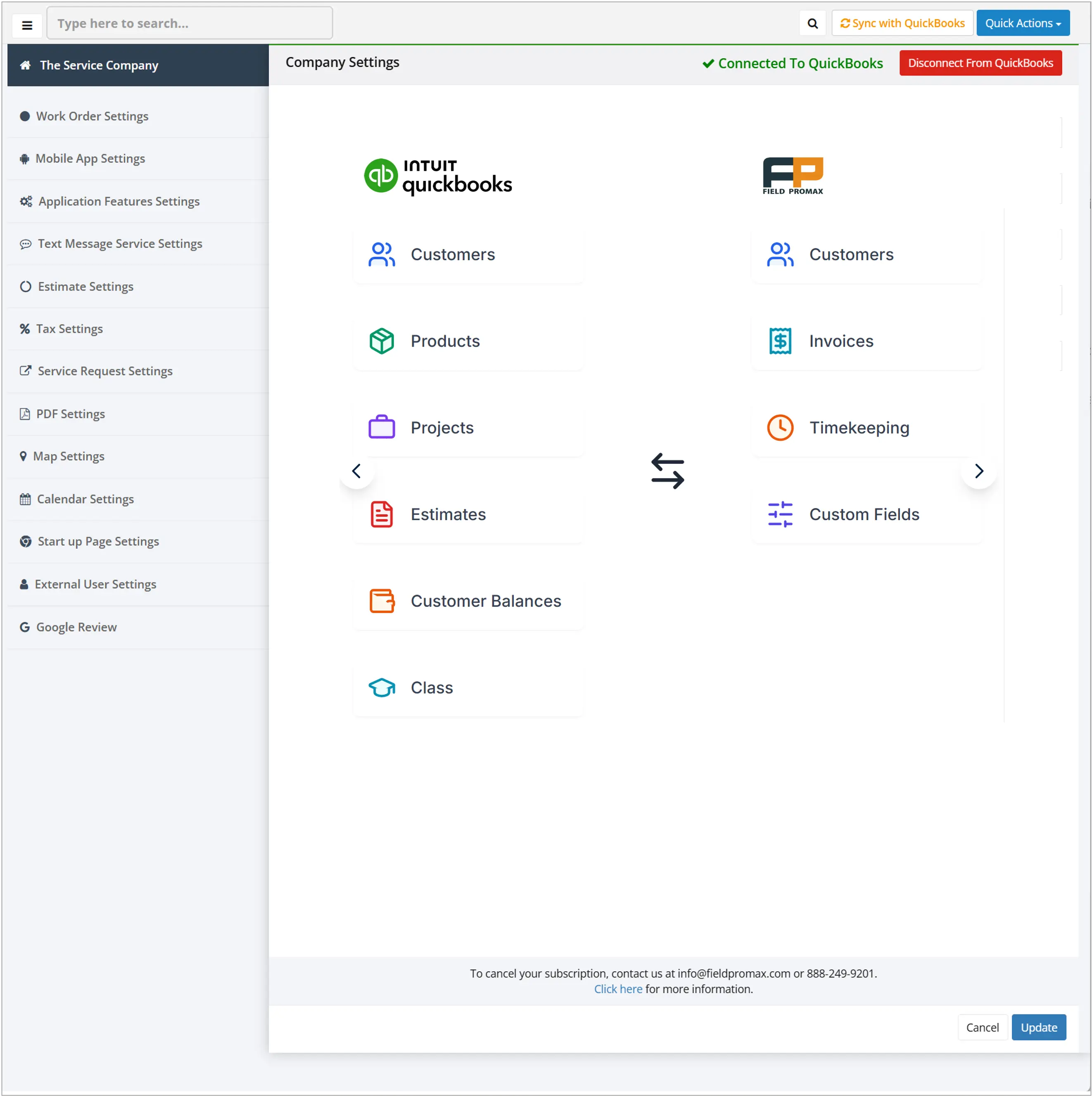
An HVAC business reviewing Field Promax described the setup as simple to connect with QuickBooks, making invoices and work orders more efficient to manage. The same workflow applies across the 24 service verticals that Field Promax supports. This means property managers coordinating plumbing, HVAC, electrical, and other trade vendors can establish a standardized QuickBooks-connected workflow rather than one per trade.
Our STANCE: The two-tool setup - QuickBooks for accounting, Field Promax for operations - is not a compromise. It is how property management businesses that actually scale are built. One focused accounting tool and one focused operations tool, connected through a real integration, beats any single platform that handles both at half-capacity.
Property Management Operations: KPI Benchmarks
| KPI | Industry Benchmark | Context |
| Maintenance response time (non-emergency) | 24-48 hours | Industry standard; varies by lease terms and property type |
| Maintenance response time (emergency) | 2-4 hours | HVAC, plumbing, electrical failures - standard expectation |
| Work order completion rate (30-day window) | 85-95% | Property management best practice benchmark |
| Vacancy rate (stable residential portfolio) | Under 5% | U.S. urban market average |
| Maintenance cost as % of annual rent | 10-15% | Standard property management pro forma |
| Days-to-invoice with live QB sync | Under 24 hours | Field service benchmark with dispatch-to-invoice automation |
| Days-to-invoice without integration | 5-7 days | Industry reality without live QB sync |
| Admin time saved per week (with QB integration) | ~8 hours | Back-office time recovered when re-keying eliminated |
Property Management Software Market: Year-by-Year Growth
| Year | U.S. PM Software Market | Key Driver |
| 2020 | ~$1.0B | COVID-19 accelerated remote management adoption |
| 2021 | ~$1.15B | Single-family rental portfolio growth |
| 2022 | ~$1.3B | Rising renter demand; professional landlord expansion |
| 2023 | $1.54B (verified) | AI and automation tools entering mid-market (Grand View Research) |
| 2024 | $2.02B (verified) | Cloud-based solutions dominating; QB integration demand rising (SNS Insider) |
| 2025 | $2.22B (projected) | Mobile-first workflows; field service integration becoming baseline |
| 2032 | $4.35B (projected) | 10.06% CAGR through forecast period (SNS Insider / Grand View Research) |
AI adoption by property managers increased from 21% in 2020 to 34% by 2023 (AppFolio). Most of the adoption happens within the operational layer, not in the accounting layer. Operators who have work order and dispatch tools to QuickBooks are driving the trend.
12. What's the right path forward for your shop?
QuickBooks is the best accounting platform for virtually all property management operations with less than 200 doors.It's not the right operations platform, and trying to use it for both accounting and operations will leave you with obscure errors at midnight and three spreadsheets patching the gaps.
The steps above for setting up will take you to a functioning QuickBooks file. The toughest part is deciding which software should run alongside it for the operational side, including dispatch, maintenance, vendor coordination, and mobile field updates. If you're a property management company managing its own team or coordinating outside vendors, this is where a specifically-built field service tool earns its place.
Conclusion
QuickBooks is the best accounting platform for virtually every property management operation with less than 200 doors. It's the wrong operating platform.
The setup walkthrough above gets you to a working QuickBooks system. The operational part - maintenance, dispatch and vendor coordination - requires something specifically designed to handle those workflows. This isn't a criticism of QuickBooks. It's a simple job description.
Frequently Asked Questions

Content Creator
Bhargavi Halthore is a content writer at Field Promax, a field service management platform serving trades businesses across the USA and Canada. With over a decade of experience writing for business owners, she brings detailed, ground-level insight to every topic she covers. Her research goes beyond search results - she digs into LinkedIn groups, Facebook communities, and Reddit forums to understand what field service business owners are actually dealing with on the ground. She speaks directly with industry professionals, understands their day-to-day challenges, and translates that into content that is practical and actionable. What you read in her articles reflects real industry patterns, not theory.