Best HVAC Work Order App for Techs & Owners (Field Guide)
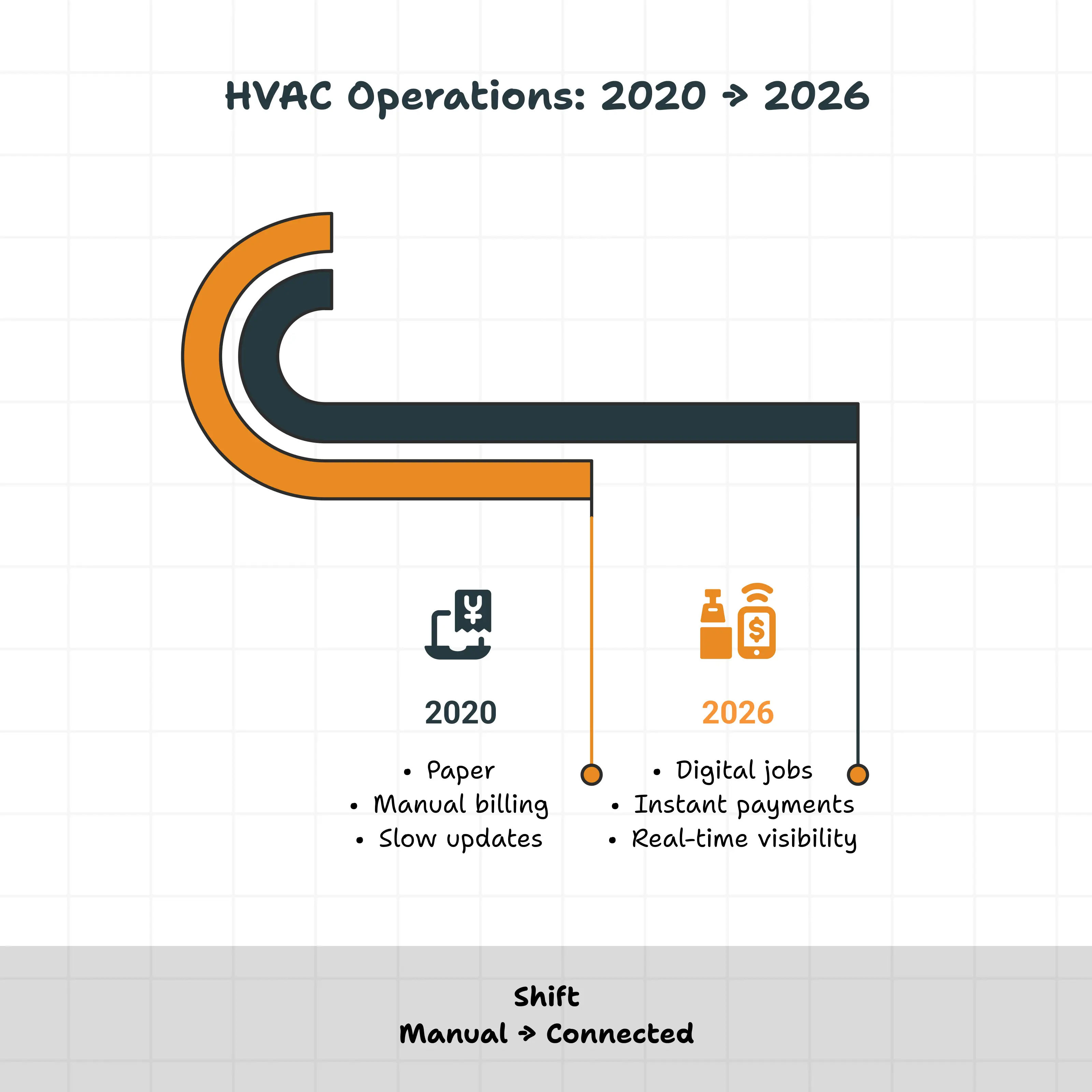
Running an HVAC business used to be simple. Truck, clipboard, phone. You did the work; you got paid.
But let's be honest. That world is gone.
Today, customers want instant updates, digital invoices, and exact arrival times. On your end? Margins are tighter. Good technicians are harder to find than a leak in a concrete slab. And the stakes are higher than ever: the projected global HVAC market size is expected to hit USD ~445-577+ billion by 2033-2035.
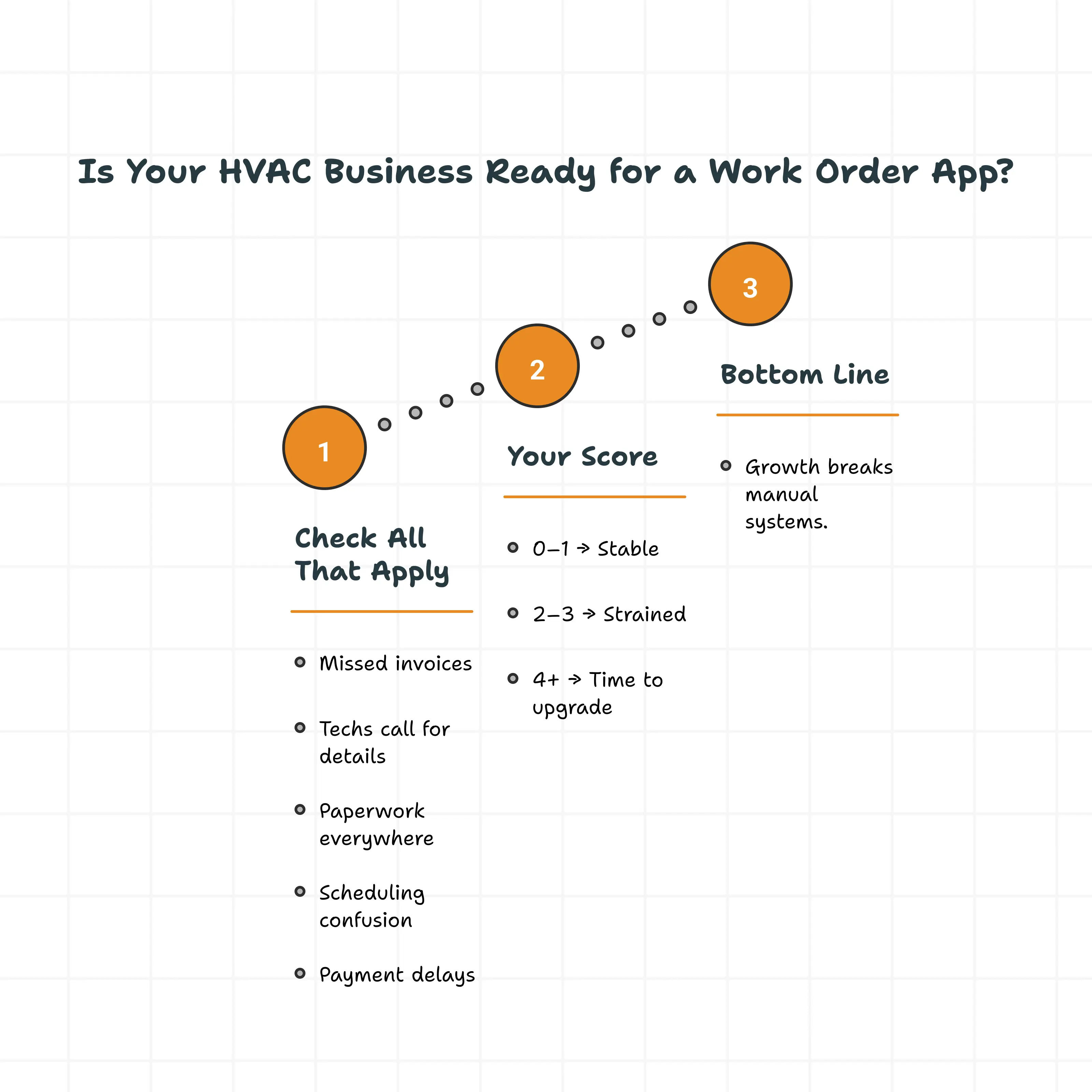
If you’re still running your business on crumpled paper, whiteboard scribbles, or a chaotic group chat, you’re feeling the pain. It’s that 9 PM feeling, trying to figure out a technician’s handwriting just to get an invoice out.
That’s not growing. That’s just surviving.
The solution isn’t working harder. It’s getting the right tools. An HVAC work order app isn’t a luxury anymore; it’s the engine that keeps your business moving. But with a million options out there, how do you pick the right one?
This is your 2026 field guide. We’re breaking down what these apps actually do, why paper is costing you a fortune, and how to choose the Best HVAC work order app for your team without getting oversold on features you’ll never use.
What Is an HVAC Work Order App?
An HVAC work order app is simply a digital brain for your business. It takes everything that happens during a job, from the first ring of the phone to the final payment, and puts it in one place.
Imagine this:
1. The Office: A dispatcher drags and drops a job onto a schedule.
2. The Field: A technician’s phone pings. They have the address, the gate code, the unit history, and the problem description instantly.
3. The Job: The tech works, snaps photos, logs parts, and gets a signature on their screen.
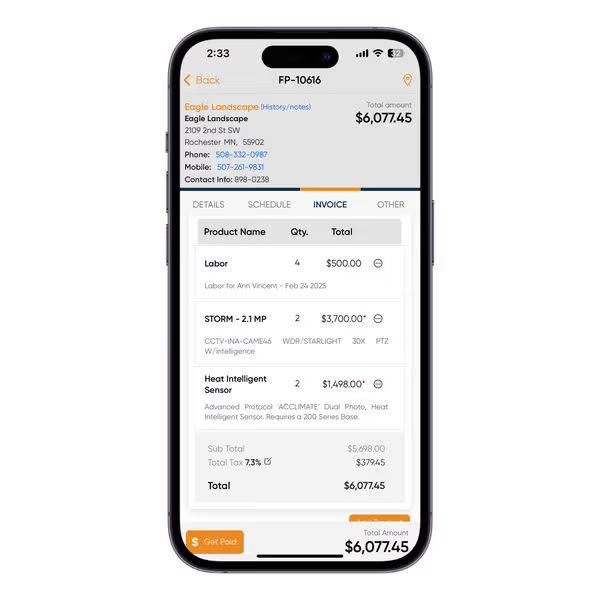
4. The Money: The invoice is generated automatically. The customer pays on the spot.
No data entry later. No lost papers. No "I thought you said..." arguments.
Everyone looks at the same screen. Everyone knows the score. Whether you’re in the van or the office, the truth is right there in your pocket.

1. Paper vs. The App: A Losing Battle
Paper systems work. Until they don't.
If you’re a solo operator, you might get away with a notebook and a good memory. But what happens when you add a second truck? A third? Suddenly, that notebook isn’t enough.
2. The Hidden Cost of Paper
The Paper gets lost. Coffee gets spilled on it. Handwriting gets misread (is that a 5 or an 8?). But the real cost isn't the paper itself; it's the speed.
When a tech finishes a job on a paper system, that invoice might sit in the glove box for three days. That means you aren't getting paid for three days. It slows down your cash flow. And in this business, cash flow is oxygen.
3. The Spreadsheet Trap
So, you upgrade to Excel. It feels better, right?
Not really. Spreadsheets are just digital paper. They don't update themselves. If a job runs long, the spreadsheet doesn't tell the next customer you're running late. You still have to manually type everything in. It’s a full-time job just keeping the rows and columns straight.
A work order app connects the dots. You enter the data once. It flows to the schedule, the dispatch board, the technician, and the invoice. One entry. Done.
HVAC Work Order App vs Full HVAC Service Management Software
| Feature | HVAC Work Order App | Full HVAC Service Management Software |
|---|---|---|
| Primary Focus | Job execution (scheduling, dispatch, mobile work orders, basic invoicing) | Comprehensive business management (CRM, advanced reporting, marketing tools, deep accounting integrations) |
| Complexity | Simple and easy to use | More complex with advanced features |
| Best For | Small to mid-sized HVAC businesses | Larger or more complex HVAC operations |
| Scalability | Limited scalability | Designed for growing and complex operations |
| Cost | Generally lower | Higher due to more robust features |
| When to Use | Ideal for starting or smaller operations | Better for businesses with complex needs or growth plans |
Pro Tip: Choose software based on your current business needs, not just what looks good in a demo. Many teams start with a work order app and upgrade to full management software as they grow.
Why HVAC Businesses Need a Work Order App in 2026
1. Why Paper, WhatsApp & Spreadsheets Don’t Scale
Using WhatsApp or texts for job coordination may seem convenient until chaos unfolds:
-
Messages get buried, and details are scattered.
-
Technicians miss updates, and dispatchers assume jobs are complete when they’re not.
-
There’s no clear record of when customers question what was done.
Spreadsheets aren't much better:
-
They don’t update automatically or show real-time job status.
-
They don’t connect to invoicing or payments.
-
As teams grow, manual setups lead to missed appointments, double bookings, billing errors, and disputes.
The solution? Work order apps.
-
Centralized visibility replaces scattered processes.
-
Business owners and managers can track what is happening now and what happened yesterday.
How Work Order Apps Improve Job Completion & Cash Flow?
The biggest impact of a work order app? Speed.
-
Jobs move faster. Technicians have all the info they need before arriving on-site. No more calling the office for job histories or pricing. They complete the work, document it, and close the job all on the spot.
-
Invoices get sent the same day. No more delays. No more confusion. And customers pay faster.
Even small gains deliver huge results. One extra job per technician per week could mean thousands in additional monthly revenue. Faster invoicing improves cash flow without hiring more staff.
That’s why so many businesses see a return on investment within the first few months. Simple adjustments lead to big rewards, and they start adding up immediately.
Key Features: What Actually Matters?
Salespeople will try to impress you with bells and whistles. Ignore them. Focus on the features that actually put time back in your day.
1. The Mobile Experience
If your technicians hate the app, they won’t use it. Period.
The app needs to be simple. Big buttons. Clear text. Fast loading. A tech should be able to open it, see where they’re going, and get to work. If logging a part takes 15 clicks, they’re going to go back to writing it on their hand. Look for tools that are designed for fingers, not mouse clicks.
2. Scheduling That Makes Sense
A good dispatch board is like fitting puzzle pieces together. You need to see who is free, who is busy, and who is closest to the emergency call that just came in.
Drag-and-drop scheduling saves hours of phone tag. Real-time updates mean you aren't calling your tech to ask, "Are you done yet?" You can just look at the screen.
3. Immediate Invoicing
This is the game-changer. The gap between finishing a job and sending the bill is the "danger zone" for getting paid.
Modern apps close that gap. The tech taps "Complete," turns the iPad to the customer, and collects payment right there. Or, the invoice is emailed before the van even leaves the driveway.
4. Customer History
"Hey, didn't you guys fix this unit last year?"
You should know the answer. A good app keeps a history of every visit, every part replaced, and every photo taken. Showing up informed builds massive trust. It makes you look like a pro who knows their equipment, not just a random guy with a wrench.
.webp?updatedAt=1747733768755 )
Best HVAC Work Order Apps in 2026
We’ve looked at the landscape. We’ve talked to the pros. Here is the no-nonsense breakdown to help you find the Best HVAC work order app for your business this year.
1. Field Promax - The Best Overall Pick
Why is this our top pick? Because it hits the sweet spot.
Field Promax balances power with simplicity. It isn't trying to be everything to everyone. It’s built for field service. It gives you the scheduling, dispatching, and mobile tools you need without burying you in menus you don't understand.

Why it wins:
Mobile-First: Techs pick it up instantly. Minimal training needed.
Scalable: It works for one truck or twenty.
Connected: Estimates turn into work orders, which turn into invoices. Seamless.
Support: Real humans who actually help you.
For the owner who wants to stop drowning in admin and start growing, Field Promax is the logical first step. It just works.
2. ServiceTitan - Best for Large & Enterprise HVAC Companies
ServiceTitan is one of the most well-known names in HVAC software. It is a full-scale service management platform designed to handle complex operations, large teams, and multi-location businesses. For companies that need deep data, structured processes, and advanced controls, ServiceTitan delivers a very robust system.
Pros
-
Extremely powerful scheduling, dispatch, and CRM capabilities
-
Advanced reporting and analytics for revenue, technician performance, and pricing
-
Strong integrations with accounting, marketing, and call tracking tools
-
Built to support large teams and multi-branch operations
Cons
-
High pricing compared to most HVAC work order apps
-
Long onboarding and setup process
-
Often requires dedicated admin staff to manage effectively
-
It can feel overwhelming for small or growing businesses
Best For
Large HVAC companies with 10 or more technicians, multiple locations, and the budget and internal resources to support an enterprise-level platform.
3. Jobber - Best for Simple HVAC Job Tracking
Jobber is built around simplicity. It focuses on helping small HVAC businesses stay organized without adding unnecessary complexity. The interface is clean, easy to learn, and works well for teams that want quick scheduling and invoicing without heavy configuration.
Pros
-
Very easy to use for both office staff and technicians
-
Fast setup with minimal training required
-
Solid scheduling, invoicing, and customer communication tools
-
Affordable compared to larger platforms
Cons
-
Limited reporting and analytics for growing businesses
-
Fewer customization options for complex workflows
-
Not ideal for larger teams or advanced job costing
Best For
Solo HVAC operators or small teams that want a straightforward way to manage jobs, schedules, and invoices without enterprise features.
4. Housecall Pro - Best for Customer-Focused HVAC Businesses
Housecall Pro is designed with customer experience in mind. It emphasizes communication, online booking, and automated reminders, making it popular with residential HVAC businesses that want a polished, modern feel.
Pros
-
Strong customer communication tools like automated texts and reminders
-
Online booking and payment options improve customer convenience
-
Mobile-friendly for technicians in the field
-
Works well for recurring service and maintenance plans
Cons
-
Costs can increase quickly as features and add-ons are added
-
Reporting is less detailed than enterprise platforms
-
Some workflows may feel rigid for complex operations
Best For
Residential HVAC businesses that prioritize customer experience, fast communication, and online convenience.
5. GoCanvas - Best for Custom HVAC Work Order Forms
GoCanvas is not a traditional HVAC work order app. Instead, it specializes in building highly customizable digital forms. Many HVAC businesses use it for inspections, safety checklists, and compliance documentation.
Pros
-
Highly flexible form and checklist customization
-
Useful for inspections, audits, and regulatory documentation
-
Mobile-friendly data capture in the field
Cons
-
Not a complete HVAC workflow solution on its own
-
Limited scheduling, dispatch, and invoicing features
-
Often needs to be paired with another system
Best For
HVAC businesses that need custom digital forms and inspections and are already using another tool for scheduling and invoicing.
6. FieldVibe - Best Free HVAC Work Order App
FieldVibe offers a free entry point into digital job management. It provides basic tools for scheduling and tracking work, but is intentionally limited compared to paid platforms.
Pros
-
Free plan available for solo technicians
-
Simple job tracking and scheduling
-
Easy to get started with minimal setup
Cons
-
No built-in invoicing or payment processing
-
Limited scalability as the business grows
-
Lacks reporting and advanced features
Best For
Solo HVAC technicians or very small operations looking for a no-cost way to move away from paper, with plans to upgrade later. Simple and reliable, but with clear limitations.
7. GEMAIRE
GEMAIRE’s HVAC Pro+ app is not a work order system. It is a distributor support tool. It helps technicians check product availability, match systems, and manage warranties. Most HVAC businesses use it alongside a true work order app rather than as a replacement.
Pros: Great for access to product information, compatibility checks, and warranty management.
Cons: Limited to distributor support functions; not a standalone work order system.
Best For: HVAC businesses that need distributor-specific tools to complement their main work order system.
8. Service Box
Service Box is built for trades like HVAC, plumbing, and electrical. It supports estimates, work orders, scheduling, invoicing, and maintenance agreements. It fits mid-sized businesses that need more customization than entry-level tools but are not ready for enterprise platforms.
Pros: Customizable and supports a variety of key functions, including maintenance agreements.
Cons: May feel too complex for very small businesses or sole operators.
Best For: Growing mid-sized businesses in trades that need versatile, customizable tools.
9. BuildOps
BuildOps is designed for commercial HVAC contractors. It handles complex assets, long-term contracts, and advanced scheduling. For residential-focused businesses, it may be more than needed. For commercial operations, it can be a strong fit.
Pros: Robust features tailored for large-scale commercial HVAC operations.
Cons: Overkill for residential or small-scale businesses; higher price point.
Best For: Commercial HVAC contractors managing detailed service portfolios and large contracts.
HVAC Work Order App Comparison Table (2026)
| App | Pricing Style | Mobile Work Orders | Scheduling | Invoicing |
|---|---|---|---|---|
| Field Promax | Affordable, scalable | Yes | Yes | Yes |
| ServiceTitan | High, per tech | Yes | Advanced | Yes |
| Jobber | Low to mid | Yes | Yes | Yes |
| Housecall Pro | Mid to high | Yes | Yes | Yes |
| GoCanvas | Per user | Yes | Limited | Limited |
| FieldVibe | Free /low | Yes | Basic | No |
| Service Box | Mid | Yes | Yes | Yes |
| BuildOps | Custom | Yes | Advanced | Yes |
How to Choose Without Regret?
Here is the secret to buying software: Don't buy for the business you hope to have in ten years. Buy for the business you have today (and the one you’ll have next year).
Ask yourself these three questions:
1. Who is going to use this? If your lead tech hates technology, don't buy a complex system. Buy the simple one.
2. What is my biggest pain? Is it scheduling? Is it getting paid? Pick the app that solves that specific pain the best.
3. Does it integrate? Does it talk to QuickBooks? If it doesn't, walk away. You do not want to double-enter accounting data.

The "One Job" Test
Before you commit, do a trial. Run one real job through the system. Create the work order. Dispatch it to your phone. Drive to the site (or pretend to). Fill out the notes. Create the invoice.
If that flow felt clunky, slow, or confusing, imagine doing it 50 times a week. If it felt smooth? You’ve found your winner.
Common Mistakes Owners Make
1. Choosing Software That’s Too Complex
More features don't mean better software. They often mean more confusion.
If your techs can't figure out the app, you've wasted your money.
-
Complexity kills adoption. If it's not easy, your team won't use it.
-
Simplicity drives efficiency. Find a tool that makes the core jobs of clocking in, getting work orders, and sending updates fast and obvious.
-
Usability beats features. A simple tool that gets used is always better than a powerful one that collects dust.
2. Paying for Features You Don’t Need
Paying for features you don't use is just burning money.
Lots of owners get trapped paying for software bloated with enterprise-level tools they won't touch for years. Sure, it feels smart to plan for managing 500 technicians. But does it solve your problems today?
For most businesses, the wins come from mastering the essentials:
-
Fast scheduling and dispatching
-
Simple, quick invoicing
-
Real-time technician tracking
Start there. Pick a tool that nails your immediate needs. Make sure it can scale when you do, but don't pay for tomorrow's problems today. Keep your cash and keep your operations lean.
Final Verdict - Best HVAC Work Order App for 2026
Choosing the Best HVAC work order app in 2026 is less about chasing features and more about reducing friction across daily operations. The right tool should quietly remove problems, not introduce new ones. Faster job completion, clearer communication, and predictable cash flow matter far more than flashy dashboards.
1. Why Field Promax Is the Best Choice for Most HVAC Businesses?
For small to mid-sized HVAC companies, Field Promax offers a practical solution with the perfect balance of functionality, ease of use, and long-term value. Here’s why:
-
Focus on Core Workflows: Supports essential HVAC operations like creating work orders, dispatching technicians, completing jobs in the field, and ensuring quick payments.
-
Easy Adoption: Technicians quickly adopt the system, while office staff save time by reducing errors and avoiding delays.
-
Improved Organization: Centralized work orders ensure jobs don’t slip through the cracks, closing faster and leading to quicker invoicing.
-
Reliable Data: Consolidated and accurate data make decision-making easier and more efficient.
-
Scalable Solution: Provides operational clarity that helps HVAC businesses grow without adding extra overhead.
Field Promax is simple, cost-effective, and designed to meet the unique demands of field service professionals.
2. When Another App Might Be a Better Fit
That said, no single platform is perfect for every operation. Large, multi-location HVAC companies with complex pricing structures and dedicated admin teams may benefit from enterprise platforms like ServiceTitan. Commercial-focused contractors managing long-term projects and assets might prefer tools such as BuildOps. Solo operators or brand-new businesses may start with simpler or free tools before upgrading.
The key is choosing software that fits your current stage while leaving room to grow. For most HVAC owners who want modern tools without enterprise-level complexity, Field Promax remains the most balanced and dependable option going into 2026.