HVAC Invoice Templates, Examples, and Software That Actually Get You Paid
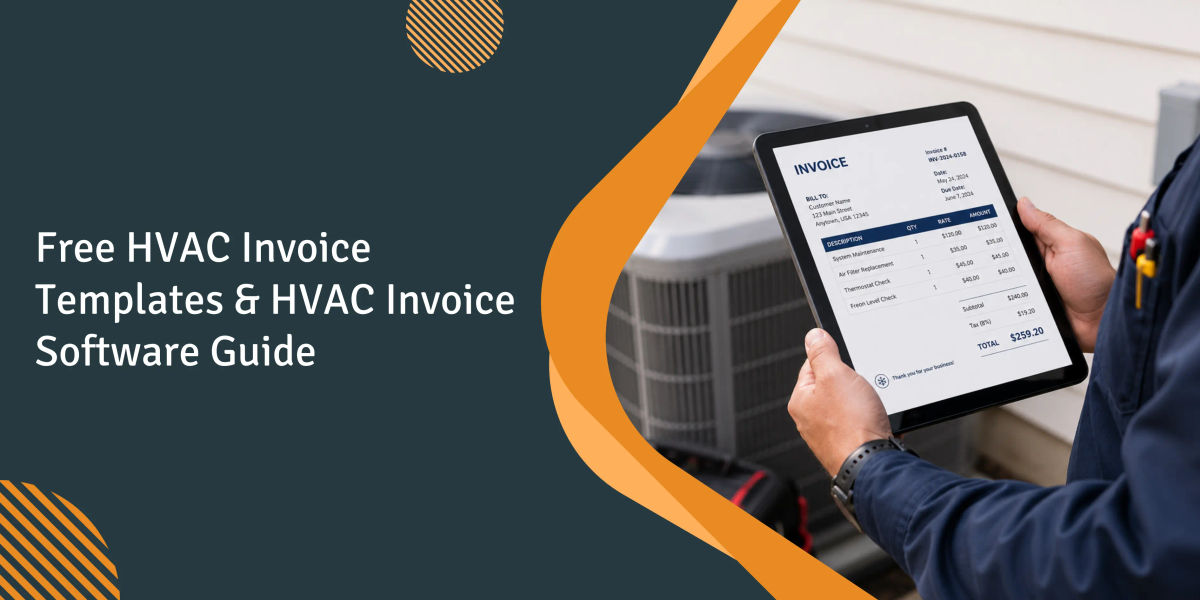
Conventional wisdom says a free HVAC invoice template solves your billing problem. From 15 years of customer conversations, that's about half right.
A template can improve the layout, but it does not solve the real problem: getting the invoice out from the truck on the same day the work is completed. For a typical 5–20 tech shop still relying on back-office batch invoicing, the delay between job completion and invoice delivery can stretch to two days. Shops that switch to mobile, on-site invoicing can deliver the same invoice to the customer within 10 minutes of wrap-up and often get paid twice as fast.
A Word document cannot close that gap - and neither can Excel, for the same reason. Contractors on Quora and other industry forums describe the same issue: customers regularly exceed Net 30 terms, making cash flow difficult to predict even when the work has been invoiced properly. The solution is not a better-looking template - it is a faster, more reliable process.
This guide does both: five downloadable HVAC invoicing software templates, the practical detail on when templates stop earning their keep, and an honest read on moving to software without overpaying for enterprise tools you do not need.
1. What an HVAC invoice actually has to do
An HVAC invoice converts completed work into receivable cash. Invoicing for labor hours, services, parts, and the total amount is the mechanical component. How the invoice is formatted - in a way that a client can review, understand, and pay it within the next day - is the component that affects the bank balance.
An HVAC invoice should accomplish the following tasks, in order of priority:
- Let the customer understand the price they are paying without requiring a follow-up phone call.
- Capture audit-grade information for tax documentation and warranty claims.
- Make payment fast and easy by triggering it through a digital payment link, card terminal, or clear remittance instructions.
- Feed clean data into the books so month-end reconciliation does not require chasing down missing line items.
- Create a record for each piece of equipment so the next service call is properly informed.
A static template can handle the first and second items. Items three through five require an organized workflow built around the template. That distinction separates shops that grow without adding back-office headcount from shops that drown in receivables every quarter.
2. The hidden cost of staying on a free template
The Atradius Payment Practices Barometer for the US 2024 reports roughly half of B2B invoices are overdue and 8% are written off as bad debts, with administrative inefficiencies in customer payment processes cited as the leading driver. In our customer base the pattern is sharper: check-only HVAC shops routinely write off 3-5% of receivables as bad debt, while shops accepting card and ACH at the job site see write-offs settle closer to 1% because payment clears before the tech leaves the driveway.
Intuit's 2025 analysis of 2.6 million small-business invoices found U.S. small businesses with outstanding invoices were owed an average of more than $17,000, and owners with high overdue volume were notably more likely to report cash-flow problems.
The takeaway is not 'templates are bad.' Watch one metric: days from job completion to invoice delivery. If that number is three or more, the template is costing you more than it is saving you.
3. A pattern across HVAC operators we've watched
Across the HVAC operators we’ve worked with since 2019, shops in the 10–50 employee range tend to hit the same wall during the off-season. Call volume drops, the owner looks at the back office, and suddenly realizes that three different staff members have created three different versions of the maintenance pitch. The Facebook page has not been updated in six weeks, and the invoices from the previous quarter read as if they were sent by four different companies. This example is based on an owner-operator running an apartment-focused HVAC business with around 18 technicians from a single shop in a Midwestern metro area. The issue she faced was technically a marketing voice problem, not an invoicing-format problem, but the underlying pattern was the same: different people handling customer communication without a consistent operational system.
The website she built and her Google Business Profile generated a steady flow of leads. She spent up to eight hours each week writing social posts while juggling dispatch issues. As the work was gradually handed off - first to the office manager, then to a technician’s spouse, and later to a part-time bookkeeper - the company’s voice changed each time. Customers eventually started asking whether the business had been sold because the tone on Facebook no longer matched the tone of the invoices.
Later that year, she created a handful of ChatGPT prompts: one for maintenance reminders, one for seasonal promotions, and another for technician spotlight blog posts. Each prompt included examples of her own writing along with specific instructions on what to avoid saying. One office employee handled the initial drafting, and she reviewed and edited every draft before it was published.
By the end of the second quarter, content production had nearly tripled while the company’s tone remained consistent across all channels. The first month’s drafts looked like any other contractor blog because the staff member was simply copying prompts and publishing the initial output. It took four rounds of prompt revisions, along with the owner rewriting two posts line by line, before the drafts reached publishable quality.
The transfer to invoicing is direct: ad-hoc invoice writing produces drift, a template plus a tight review loop produces consistency, and the friction during transition is real but solvable in a quarter. This is a composite example based on patterns we’ve repeatedly seen across HVAC operators.
4. The components every HVAC invoice needs
The IRS does not prescribe a standard invoice format, but per IRS recordkeeping guidance you must keep records substantiating gross receipts for at least three years (longer for bad-debt claims). Shops that pass audits cleanest have invoices that contain audit-ready fields by default.
Business details. Name, logo, contact details, license number, EIN if relevant.
Customer and job-site information. Include the customer’s name, billing address, phone number, and service address. Confusion between the billing and service address is one of the most common reasons invoices get disputed in multi-property residential work.
Service description. Replace 'service charge' with what was actually done. 'Replaced 35/5 MFD dual-run capacitor, recharged R-410A to spec, verified subcooling at 10 degrees' tells the homeowner what they paid for and tells the next tech what was installed.
Parts and labor breakdown. List the components (description, quantity, and unit price) separately from labor (hours multiplied by rate). This allows customers to clearly identify which line item is being discussed.
Warranty and work notes. Include warranty terms for both the components used and the labor performed, along with recommendations for future work.
Payment terms and accepted methods. Net-7, Net-15, due on receipt. Card, ACH, financing, check.
Signatures and timestamps. Include the technician’s signature, the customer’s signature, and the completion date and time. In disputed invoice situations, the completion timestamp is frequently the clearest evidence available.
Taxes and discounts. Calculated on the correct base, with the rate visible.
5. Free HVAC invoice templates to download
Choose the template that best fits your current workflow. Modify the line items and headers once, then save the file as a master template. One of the most common mistakes we see is people downloading a template, using it once, and never saving the customized version.
Word invoice template
Word handles flexibility and printing well. It does not handle math. Every calculation, you do manually. For a shop running fewer than ten invoices a month, that is tolerable. Above that, errors compound.
Best for: new businesses, occasional billing, custom one-off jobs.
Tradeoff: manual calculations, no audit trail.
Excel / spreadsheet template
Excel removes the math problem. Subtotal, tax, total, and discounts auto-calculate once formulas are wired up. The design is uglier than Word, but totals will be right.
Best for: shops doing 10-40 invoices a month who want zero math errors.
Tradeoff: limited design polish, harder to brand cleanly.
PDF fillable template
PDF is what you send. Exporting to PDF prevents the customer from accidentally editing the document, and it renders consistently on every email client.
Best for: final delivery, archival, multi-recipient sends.
Tradeoff: harder to edit after the fact.
HVAC repair invoice template
Built for service calls. Sections for diagnostic findings, parts replaced, refrigerant added (quantity and type), and warranty notes on the specific repair.
Best for: demand service, on-the-truck billing.
Tradeoff: thin on installation-specific fields.
HVAC Maintenance Invoice Template
Built for recurring AMC/PM visits. Includes a checklist layout (filter, thermostat, coil, condensate line, electrical) and a 'next visit due' reminder field.
Best for: quarterly or semi-annual maintenance plans, service-contract billing.
Tradeoff: not appropriate for installations or major repairs without modification.
6. What 'best' actually means for a small HVAC shop
The 'best' template is the one that survives contact with your actual workflow. We've watched shops abandon beautifully designed templates because no one could remember the file path, and ugly Excel templates run for years because they auto-summed correctly.
The criteria that actually matter:
- Editable on any device used by the technician to generate the invoice
- Clearly lists labor, parts, refrigerant, trip charges, and taxes as separate line items
- Professionally designed without being so complex that updates take 20 minutes
- Reliably saved and reusable as a master template
- Plays nicely with your accounting tool (QuickBooks, Xero, FreshBooks) on export
A template is usually the first step, not the final destination. The template provides structure, but the workflow still needs to be documented and standardized. Once invoice volume, recurring billing, or multi-tech dispatching turns manual processes into a bottleneck, it becomes time to move to software.
Where to find free HVAC invoice templates online
Many websites provide invoice templates, including the five listed above, along with Invoice Simple, Microsoft’s template gallery, and Google Docs templates. The mistake is treating them as a finished product. A template that you customize once and save can be extremely useful. A template that you repeatedly download for every job becomes a workflow problem.
Look for templates that let you:
- Include detailed service notes instead of generic phrases like “service completed”
- Track equipment by make, model, and serial number
- Make warranty terms specific to the repair performed
- Include QR codes or payment links for faster payment collection
7. Customizing an HVAC invoice for the work you actually do
Generic templates are not designed to handle fields for condensers, refrigerant tracking, or long-term furnace warranties. Include these fields in your custom template:
- Equipment make, model, and serial number
- Type of refrigerant (R-410A, R-32, R-454B) and the quantity added or recovered
- Manufacturer part numbers for replacement components
- Service category code (repair, installation, AMC visit, or warranty claim)
- Safety and compliance notes, including EPA 608 documentation and combustion analysis readings
- Superheat and subcooling readings after service completion
- Static pressure readings for duct-related work
If a customer contacts you 14 months later with similar symptoms, the invoice from the previous year becomes one of the most valuable diagnostic tools available. Shops that itemize this detail cut second-visit diagnostic time meaningfully. Vague service notes - like 'serviced AC unit' - force the next tech to start the diagnostic from scratch.
Printable HVAC invoice forms still have a place
1. What an HVAC invoice form is
Printing an HVAC invoice form involves using either a carbon-copy form or a single-sheet form that technicians fill out by hand on site. It is unkillable: no battery to die, no signal to drop. Even digital-first HVAC shops still keep paper invoice forms in their trucks for situations where there is no phone signal in a basement crawlspace.
2. Benefits of printable templates
Free templates act as no-cost insurance. They reduce mistakes compared to using a blank pad and make charges clear at the time of service, which helps reduce disputes compared to invoices sent from the back office two weeks later. When paired with software, printed forms become a backup channel rather than the primary workflow.
3. Who should still use printable forms
Solo technicians handle fewer than 15 jobs per month, new or early-stage shops, and teams operating in low-connectivity environments such as rural service areas, commercial basements, and mechanical rooms. It also applies to any shop that needs a reliable paper backup when tablets fail to boot or aren’t available in the field.
8. Four HVAC invoice examples worth modeling
Use these as scaffolding rather than pricing references.
Residential split-system not cooling
Use these as scaffolding rather than pricing references." Then start the invoice example on a new line: "Coil cleaning completed and a double-run capacitor (35/5 MFD) replaced. R-410A refrigerant topped off by 1 lb, subcooling verified at 10°C.
Invoice lines:
- Diagnostic / trip charge: $89
- Capacitor 35/5 MFD: $45
- R-410A refrigerant, 1 lb: $60
- Labor (1.5 hrs @ $135/hr): $202
- Subtotal: $396
- Tax: per local rate
Customer signature, technician signature, completion timestamp, and 90-day warranty notice on the capacitor included.
Quarterly AMC / maintenance invoice example
Per industry pricing summarized by Oxmaint citing ACCA and PHCC data, residential HVAC service contracts typically run $150-$500 per unit per year. Contracts that hold renewal above 80% read like a clear checklist, not 'maintenance performed.'
Checklist on invoice: replacement of filters, temperature calibration, duct inspection, inspection of condenser and evaporator coils, and condensate drain flush. Electronic torque check performed and refrigerant pressures recorded.
Other benefits to consider: next visit due in 90 days’ notice, photographs of coils before and after, and recommendations regarding future tasks.
Installation invoice example (1.5-ton split system)
Installation invoices live or die in detail. The bottom line is meaningless if you can't reconstruct what was installed during a warranty claim.
Required fields:
- Outdoor unit model, serial number, and AHRI match number
- Furnace or indoor air handler model and serial number
- Type of refrigerant and factory charge
- Line-set length and diameter
- Referenced permits
- Manufacturer warranty terms (compressor, parts, and labor) listed separately
- Workmanship warranty written in simple language, including commencement date
- Images of equipment nameplate tags attached
Commercial service invoice example
Commercial invoices carry more weight because AP departments review every line item. An invoice for a rooftop unit must include the unit identifier (e.g., rooftop number from the building’s mechanical schedule, not just “RTU”) and a complete list of materials with manufacturer part numbers. It must also include permit references and compliance notes, including EPA Section 608 refrigerant logs and lockout/tagout sign-off, along with a separate purchase order (PO) reference field.
For multi-site shops, the invoice must include a cost breakdown per site.
9. The six types of HVAC invoices
The majority of HVAC shops use six different invoice types. Treating all of them with a single template is the easiest way to introduce errors in billing.
- Standard repair invoice. Diagnostic invoices typically include parts, labor, and warranty details, with a focus on timely service delivery.
- Maintenance / service-contract invoice. Recurring service invoices are checklist-driven, usually lower in dollar value but higher in renewal importance.
- Installation invoice. These invoices place strong emphasis on serial numbers, AHRI references, warranty conditions, and permit details.
- Warranty claim invoice. Labor charges are billed to the customer, while components may be invoiced under manufacturer responsibility. When multiple parties are involved in a single work order, the invoice must clearly separate each line item by responsibility.
- Emergency / after-hours invoice. Repair invoices follow a similar structure but include additional line items such as after-hours rates and emergency dispatch fees.
- Inspection / tune-up invoice. Inspection-related invoices (pre-heating, cooling, and real-estate inspections) also include compliance walkthroughs and are typically accompanied by a recommendations checklist.
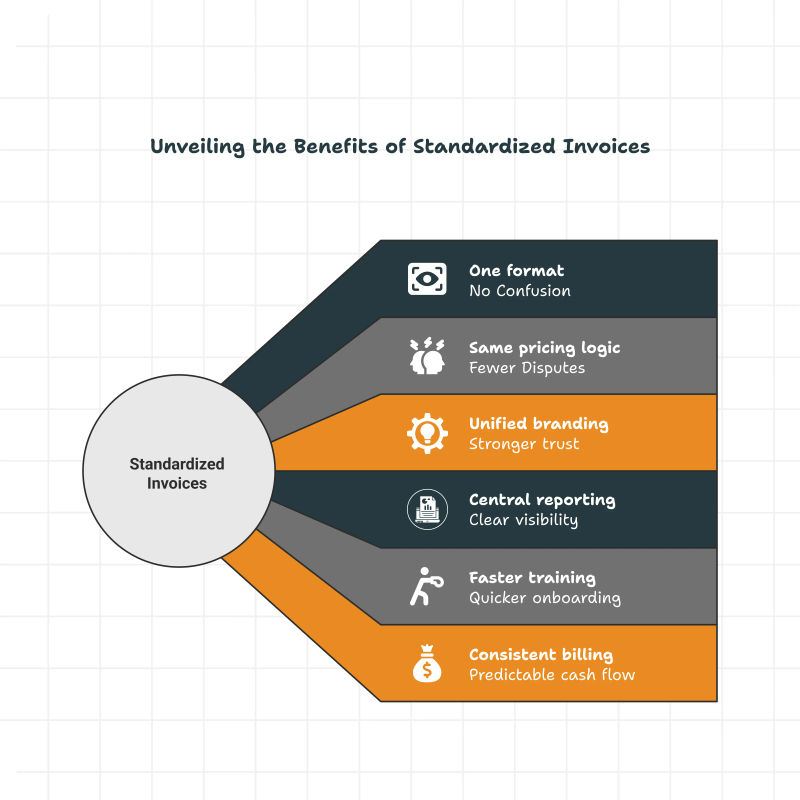
A shop on one universal template is shoehorning all six into the same fields. Software can solve this problem by creating specific invoice-type layouts. Templates can also solve it by maintaining six master templates, one for each invoice type.
10. Customizing HVAC invoices that look like your shop
The business logo, company name, contact information, license number, and EIN should appear clearly in the header. This header acts as a trust signal that clients see first, and it is often the first thing property managers review before deciding whether to process the invoice or raise questions about it.
Structure the invoice clearly
From top to bottom: business/customer block and service description, followed by itemized parts, itemized labor, subtotal, tax total, payment terms, signature line, and technician notes. This structure should match exactly what the customer sees in the document. If it is reordered, the dispute rate increases.
Customize invoices in Word
Incorporate your logo at 600-900 pixels wide. Use a table structure for labor and parts (not tabs, which can break when copying). Save the invoice as a Word template (.dotx) instead of a standard document, and export the final invoice as a PDF before sending it.
Use Excel for faster calculations
Incorporate SUM, tax percentage, and discount calculation formulas into the template once, so totals remain accurate every time. Ensure formula cells are locked to prevent technicians from accidentally modifying calculations. Use sheet protection with editable input ranges and locked formula cells.
Take advantage of cloud tools
Google Docs and Sheets provide the same template capability, with two key enhancements: real-time collaboration and automatic backup. Ensure sharing permissions are configured responsibly so that customer invoices are not accessible to unauthorized users outside the organization.
Smart add-ons that speed up billing
Five more additions that pay back setup time within a month:
- Payment link or QR code that allows the card/ACH checkout. The biggest lever on days-to-pay that a small shop has.
- Before-and-after photos are embedded into the invoice record.
- Warranty and follow-up notes are in an individual field, not in a general 'notes' line.
- Saved reusable templates for each type of invoice.
- E-signature field for customer approval on the site.
11. How to create an HVAC invoice, step by step
Seven steps below. No matter if you're using Word, Excel, or HVAC invoicing software, the process is exactly the same.
Step 1: Add business and customer info
Populate the business header (one-time, save as master), and fill the customer block: name, billing address, service address (different field), phone, email. In software, the customer management record pulls this automatically from the dispatch ticket.
Step 2: Describe the work completed
Only in the specific language. 'Replaced condenser fan motor (1/4 HP, 825 RPM, OEM-equivalent), recharged R-410A by 1.5 lbs to factory specification, verified system pressures at 118 psi suction / 415 psi discharge' tells the customer the price they were charged and informs the next tech where things were left.
Step 3: List parts and labor separately
Two columns are required. Parts: description, quantity, unit price, line total. Labor: hours, rate, line total. Separating them will allow the customer to dispute a single line cleanly instead of arguing about the whole invoice.
Step 4: Run the cost math
Subtotal, tax applicable at the appropriate rate for the service address (not billing address, a common error in multi-jurisdiction shops), discounts if any, or total. From 15 years of customer conversations, roughly 10% of manually-keyed invoices come back for correction or dispute - wrong part numbers, missed line items, mistyped hours - and every one triggers a callback and another week tacked onto the payment cycle.
Step 5: Payment terms and accepted methods
Net-7, Net-15, or due on receipt. State the late-fee policy. List accepted methods. Per Helcim's B2B payments overview, processing runs around 0.5% plus $0.25 for ACH versus 2-3% for credit cards. Shops that offer both, and route customers toward ACH on invoices over $500, recover meaningful margin per ticket.
Step 6: Attach evidence
Before-and-after photos, tech notes, recommendations for future work, and a GPS-tagged technician timecard. Evidence closes the loop between work performed and payment authorized, and is your audit trail when a customer disputes a charge 60 days later.
Step 7: Convert to PDF and send
Save as PDF, attach to an email or send through your invoicing app, and include the payment link in the body. An invoice sent within 10 minutes of job completion, with an option to pay online, will outperform a perfectly created invoice that is sent after four days.
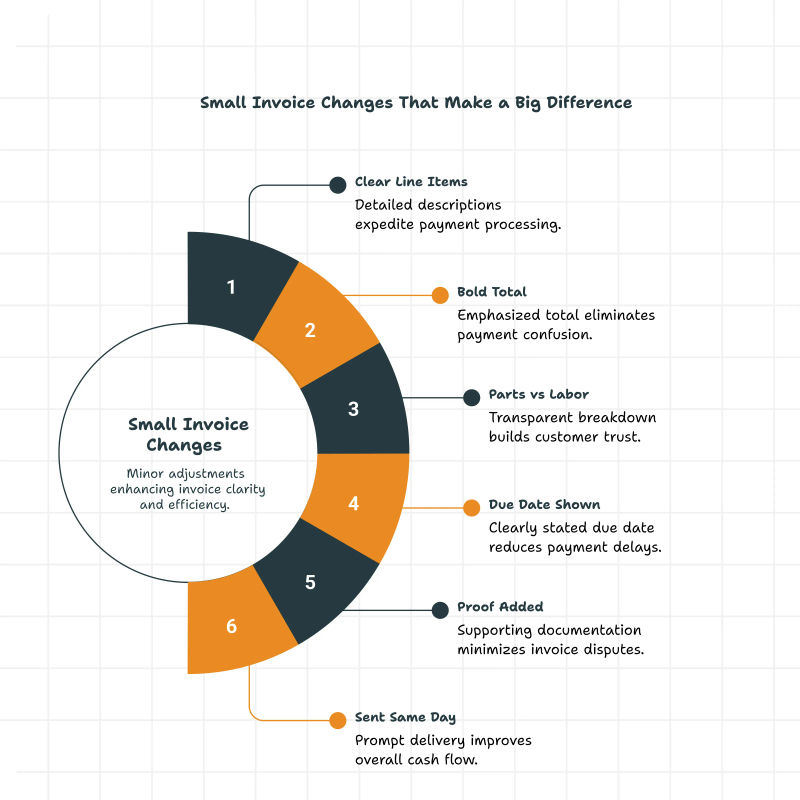
HVAC estimate vs HVAC invoice
Estimates and invoices look similar and do completely different jobs. The estimate goes out before work starts and sets price expectations. The invoice goes out after work is done and requests payment.
Keep them as separate templates with clearly different names so that neither customer nor office staff confuse one template with the other.
| Feature | HVAC Estimate | HVAC Invoice |
| When sent | Before work begins | After work is complete |
| Purpose | Price approval from customer | Payment request |
| Status | Non-binding unless signed | Legally binding bill |
| Contains | Projected costs, scope of work | Actual costs, work completed |
| Customer action | Approve or decline | Pay or dispute |
| Record purpose | Job cost planning | Revenue and tax record |
| Template label | Must say "Estimate" or "Quote" | Must say "Invoice" |
12. Common HVAC invoicing mistakes
Mistakes that slow payment, in rough cost order:
- Combining parts and labor on a single line. Disputes aren't resolved in a timely manner.
- Skipping warranty conditions on the invoice itself. A verbal 90-day labor guarantee isn't legally binding
- Tax calculations that are incorrect or missing.
- Sending invoices days after job completion.
- Not stating payment due date or accepted methods. Customers default to checking which is the slowest.
- The technician's name is not being remembered. In disputed invoice situations, the first question a customer asks is 'Who came out?
13. Best practices for sending HVAC invoices fast
For a typical 5-20 tech shops that still send invoices on paper, DSO regularly stretches past 60 days. Owners who switched to digital invoices with integrated payments report that gap collapses to around 20 days. For a shop running $40-80K a month in receivables, the improvement in available cash is significant.
- An invoice delivered the same day, while the service is still top of mind, collects faster than one arriving days later.
- Attach before-and-after photos. Reduces dispute rates and turns skeptical people into prompt payers.
- Add short technician notes. What was discovered, what was done to fix it, and what was recommended. Three phrases.
- Automate payment reminders. An automated reminder at day 7 and day 14 consistently outperforms a manual follow-up call on day 30.
- Embed a payment link directly in the invoice. The instant friction of 'find the checkbook, write the check, mail the envelope' is removed; the average customer pays within 48 hours instead of 22 days.
14. Why digital invoices are becoming the standard
A plumbing operation reviewing Field Promax on the QuickBooks App Store stated that they were moving off a legacy fleet/dispatch tool to a specifically-designed field workflow that is dramatically quicker for invoicing, and with the least number of steps for each ticket. The workflow gain is similar to HVAC : billing directly from the truck instead of from the office.
Here is what digital invoicing changes for your shop:
- Invoices issued in real time after the job is completed
- No papers to lose, and no filing cabinet to keep
- Photo evidence attached at the time of the capture
- E-signatures collected on-site, reduces the dispute risk prior to when the tech departs
- Cards and ACH are accepted on-site
- Text messages or emails are sent through the same workflow.
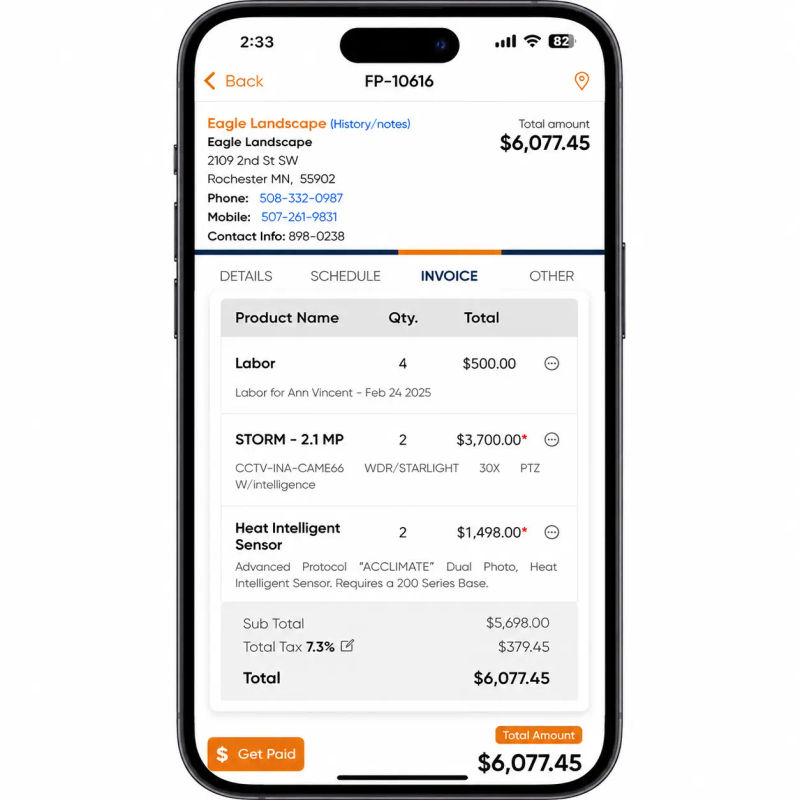
15. Where software earns its keep over templates
Field Promax is built for the small-to-mid HVAC shop that enterprise FSM software ignores or overcharges. The migration that pays back most quickly:
- Make invoices from the work-orders. A dispatch invoice already has customer, address, equipment, and tech assigned.
- Include job details, photos, and material usage from the truck.
- Get customer signatures on the site.
- Sync with QuickBooks automatically. Invoice and payment data flow into the books without a separate import step.
- Track payments, customer history, and aging on one reports dashboard instead of three spreadsheets.
- Run mobile invoicing from the field service mobile app, the single biggest predictor of whether an invoicing rollout works.
I read every customer support ticket that comes through Field Promax, and the single most common thread in HVAC invoicing requests is not 'make the template prettier.' It is 'help me close the gap between when the job ends and when the invoice goes out.' That gap is the entire ball game. The conventional wisdom says better templates fix invoicing. From 15 years of customer conversations, that is not what we see.
A shop with an average 5-day dispatch-to-invoice lag and an 11% dispute rate does not get fixed by switching from a Word template to a slightly better Word template. It gets fixed by moving the invoicing act from the office desk to the tech's phone in the driveway. Mobile-app adoption by the field crew is the single biggest predictor of whether an invoicing rollout works, and it has nothing to do with the template itself.
- Joy Gomez, Founder of Field Promax
HVAC invoicing benchmarks: what the numbers say
The numbers can help you determine if you have an issue - or how big it is. Here are some benchmarks that you can consider monitoring for your shop.
| KPI | Industry Average | Strong Operation | Source |
| Days to send invoice post-job | 15-20 days (batch invoicing shops) | Under 10 days, same-day ideal | Field service industry invoice timing study, 2024 |
| Average days to payment | 30-45 days (commercial), 14-20 residential | Under 10 days with mobile invoicing | Field service norms |
| Late invoice rate | 20-30% past due | Under 10% with automated reminders | Upvoit HVAC invoicing analysis |
| Invoice error / dispute rate | ~10% manual invoices come back | Under 3% (itemized digital invoices) | Field Promax customer data |
| Bad debt write-off rate | 3-5% (check-only shops) | ~1% (card/ACH accepted at job site) | Field Promax / Atradius 2024 |
| HVAC net profit margin target | 5.3% average | 12% EBIT benchmark | Workyard HVAC stats / ACCA |
| Avg residential client lifetime value | $15,340 | Maximized through service agreements | Leads4Build HVAC CLV data |
| Year | US HVAC Market Size | HVAC Contractor Businesses | Source |
| 2018 | ~$22B | 119,635 | Workyard / IBISWorld |
| 2022 | ~$27B | ~140,000 | IBISWorld / BLS |
| 2024 | $29.9B | 146,075 | Grand View Research |
| 2025 | $31.7B | 117,449 H&AC contractors | Grand View Research / BLS |
| 2033 (projected) | $54B | NA | Grand View Research |
Final thoughts
Templates are useful when invoice volume is low and the workflow is simple. They become expensive the moment they slow your invoicing down, because the cost of a slow invoice is days of working capital sitting on someone else's desk. Watch one number: days from job completion to invoice delivery. If that number is three or more, the move to HVAC field service software will pay back faster than most owners expect.
Conclusion
Templates are a great starting point. They cost a lot when they slow down your invoicing. Choose the best format that matches your shop, then check the gap from dispatch to invoice: that's the number that determines whether you will be paid within one week or in a month.
Frequently Asked Questions

Content Creator
Bhargavi Halthore is a content writer at Field Promax, a field service management platform serving trades businesses across the USA and Canada. With over a decade of experience writing for business owners, she brings detailed, ground-level insight to every topic she covers. Her research goes beyond search results - she digs into LinkedIn groups, Facebook communities, and Reddit forums to understand what field service business owners are actually dealing with on the ground. She speaks directly with industry professionals, understands their day-to-day challenges, and translates that into content that is practical and actionable. What you read in her articles reflects real industry patterns, not theory.