Purchasing, Vendor Bills & Job Cost
You cannot cost a job you have not finished paying for.
Field Promax purchasing software runs the whole chain in one place: raise the purchase order, receive against it line by line, let the vendor bill draft itself, check it against what you ordered, approve it, post it to your accounting system and pay it, with every dollar tied back to the work order or project it belongs to.
Order Against the Job, Receive Against the Order
Draft, sent, partially received, received, closed.
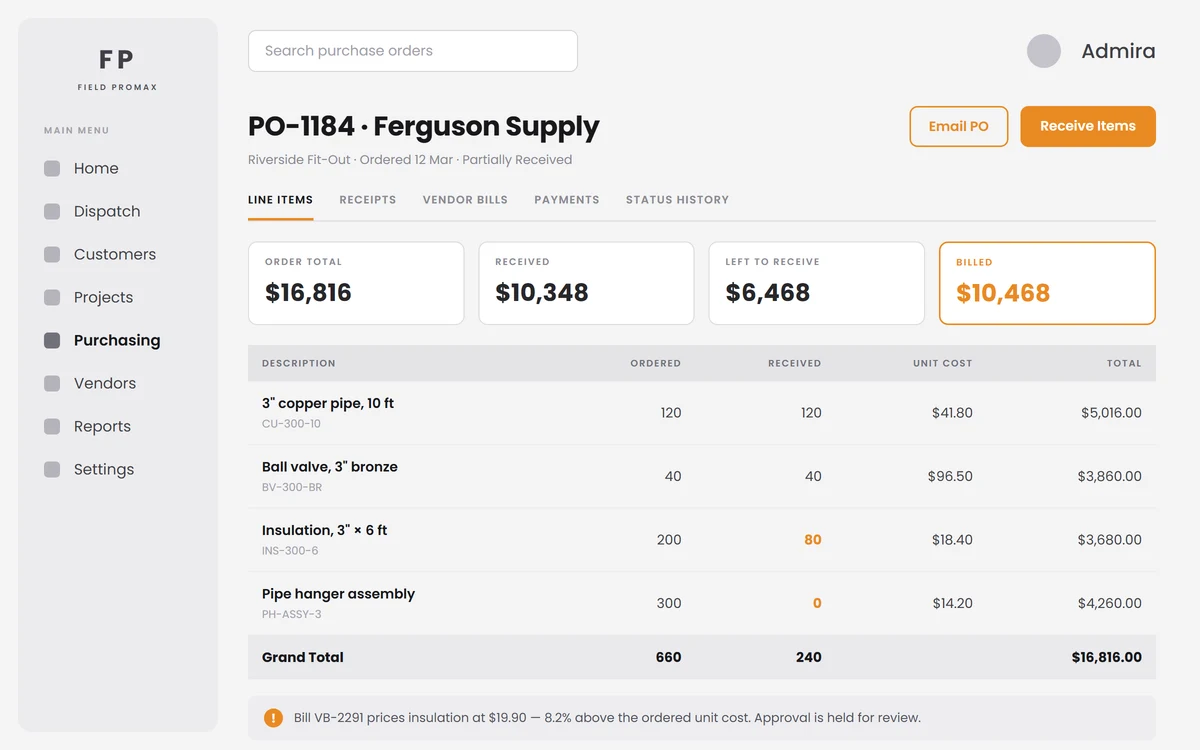
Raise a purchase order to a vendor and tie it to a project or a work order. Pull line items straight from the vendor's own catalog at their price, or type a new one. Ship-to, tax, shipping, retainage, vendor-facing notes and internal notes all live on the order, and the PDF emails to the vendor from inside Field Promax. Deliveries are received line by line with a packing slip reference and delivery notes, so ordered, received and remaining are always current.
Request Demo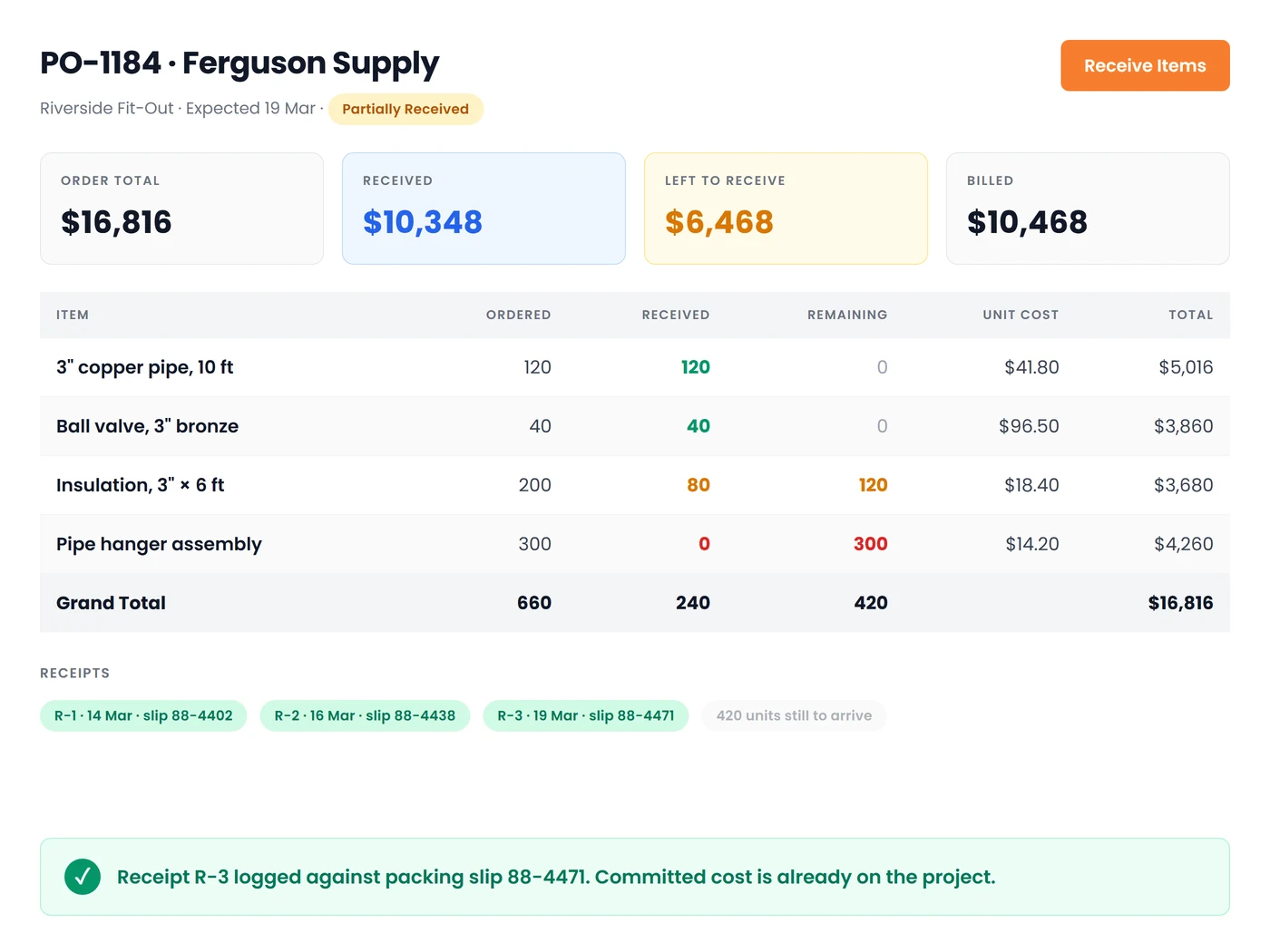
The Bill Drafts Itself, and Gets Checked
Draft, pending review, approved, posted, paid.
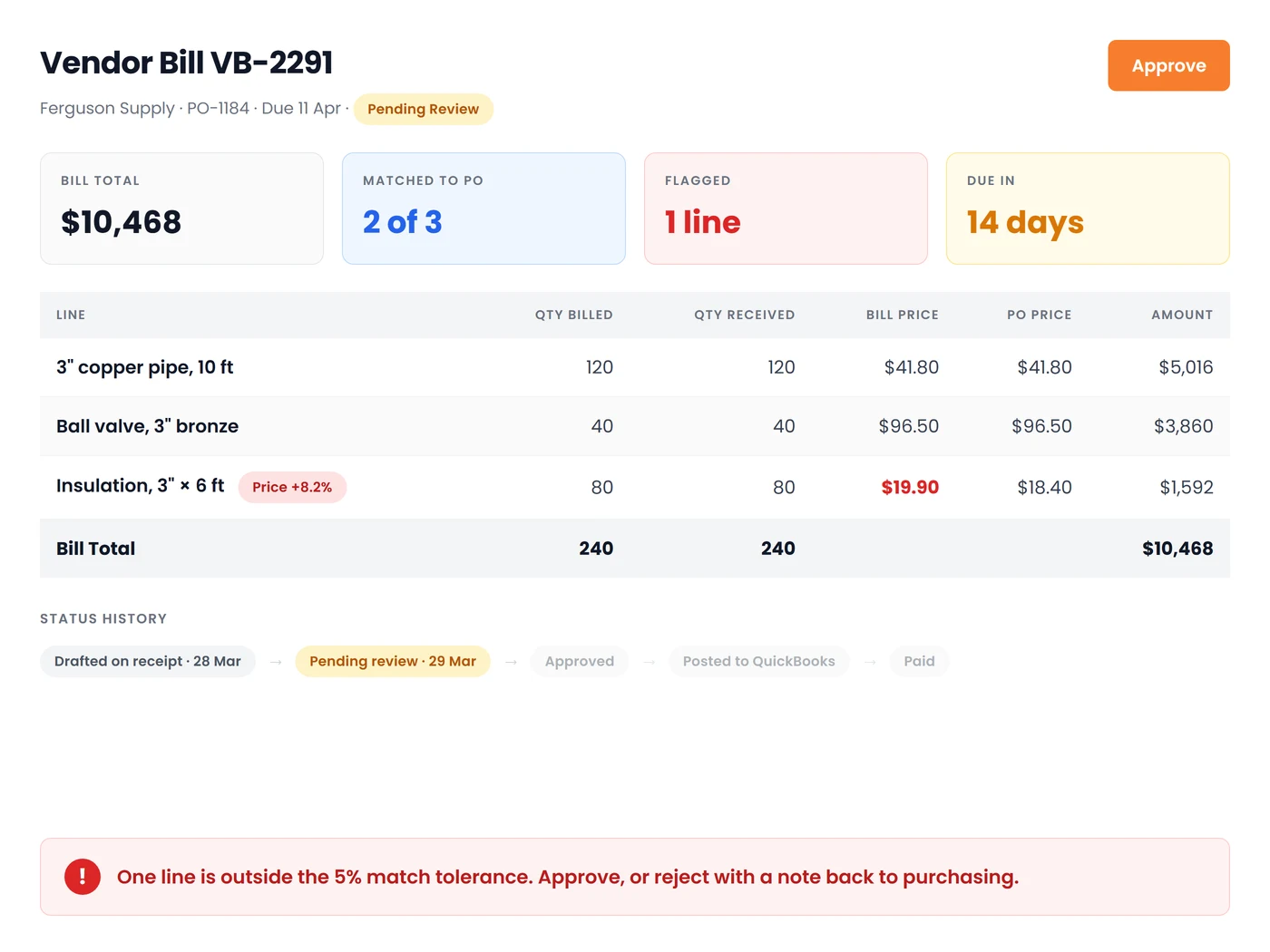
Turn on automatic drafting and the bill is created for you the moment the last line is received (or the moment a contractor's charges are approved), built from the received quantities. Every line is matched back to the purchase order it bills and flagged when price or quantity differ beyond your tolerance. Approve or reject with a note, require a purchase order on bills above an amount you set, then post to QuickBooks Online, QuickBooks Desktop or an IIF export batch.
Request DemoPurchasing That Feeds Job Costing
Because the point of tracking what you spend is knowing what the job made:
Vendor Records That Earn Their Keep
Trade, capabilities, tax ID, payment terms, hourly cost rate, default expense account and the QuickBooks name to post against, plus W-9 received, license expiry and insurance expiry, with expired dates flagged before you dispatch anyone.
Vendor Catalogs
Keep each vendor's own item list with their unit cost, searchable by name, number, SKU or description, so a purchase order is built from real prices instead of last year's guess.
Bill-to-Order Matching
Each bill line is compared to the purchase order it bills: price against the agreed unit cost, quantity against what was received. Set a tolerance percentage and Field Promax flags only the differences that matter.
Owed, Paid and In Full
Payments are recorded against the bill with date, mode, amount and memo. Every purchase order shows billed to date, owed to vendor, paid to vendor and paid-in-full at a glance, and overdue bills are called out by due date.
Material Cost Source
One company-wide setting decides whether job costing prices materials from the work order lines or from the approved vendor bills tied to the job, so companies that buy through purchasing cost what they actually paid, and nobody counts the same part twice.
Attach the Vendor's Invoice
Documents ride with the bill, a full status history records every decision and who made it, and last sync, external reference and any accounting sync error stay on the record instead of in someone's inbox.
Frequently Asked Questions
The whole chain: vendors and their catalogs, purchase orders tied to a work order or project, receiving deliveries line by line, vendor bills with approval, posting to your accounting system, and payments, all feeding job costing so what you paid shows up in what the job made.
Yes. Every purchase order can be linked to a project or a work order, and the project and work order records show the purchase orders raised against them with ordered, received, billed and paid to date, so committed cost is visible long before the vendor's invoice arrives.
No. Turn on automatic drafting and Field Promax creates the draft bill from the received quantities as soon as the last line of the order is received, and for subcontract work, as soon as you approve the contractor's submitted charges. The draft still needs a human to review and approve it.
Yes. Bill-to-order matching compares each bill line to the purchase order it bills: price against the agreed unit cost, quantity against what was received. Set a tolerance percentage so only differences that matter are flagged, and require a purchase order on bills above an amount you choose.
QuickBooks Online and QuickBooks Desktop through the Web Connector, or an IIF export batch. The bill keeps its external reference, last sync time and any sync error on the record, along with the linked QuickBooks vendor and the balance held there.
Approved vendor bills tied to a job count as material cost when your Material Cost Source setting is “what vendors billed”. When it is set to “what is on the work order”, purchase order value is still shown beside the job as committed and received. This is informational, deliberately outside total cost, so a part is never counted twice.
Yes. The vendor record holds trade, capabilities, tax ID, payment terms, hourly cost rate, default expense account, W-9 received, license expiry and insurance expiry, and flags dates that have already expired.