How Field Service Owners Handle Negative Online Reviews
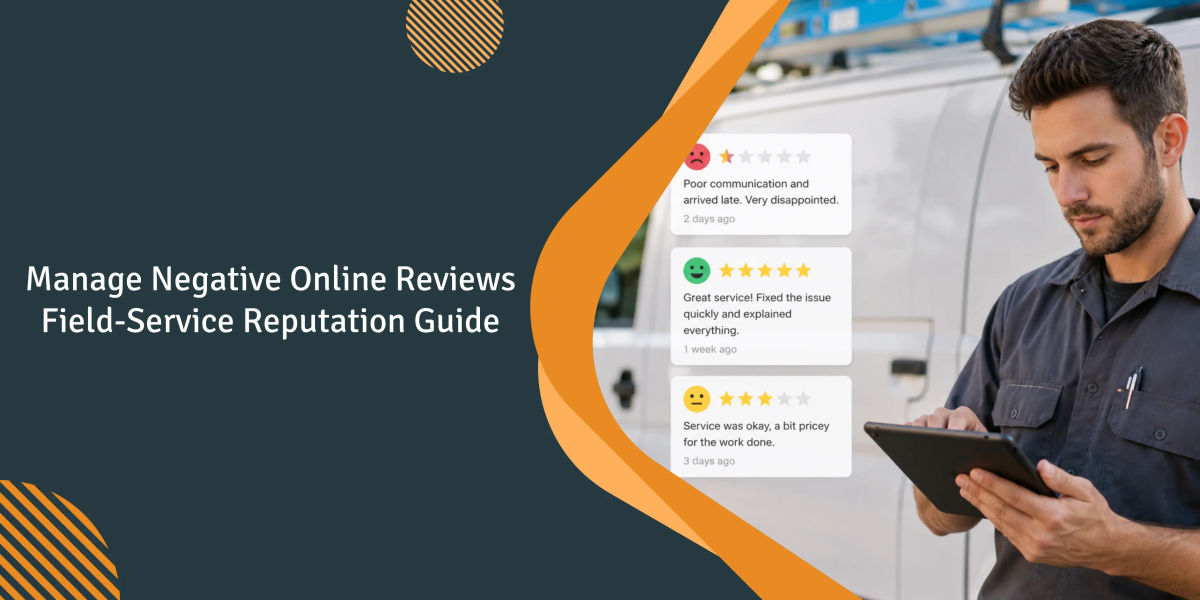
Two small shops that we work with experienced similar negative reviews this year. Both were multi-trade businesses with 15-25 techs and review scores in the low 4s. Both were doing what reputation guides recommend: replying within 24 hours, using a friendly tone, and offering to take the conversation offline. Neither shop's ratings changed.
When we reviewed their feedback, the issue wasn't the response script. The negative reviews repeatedly mentioned the same problems. Technicians were not arriving within the promised time window. Customers were charged for items on invoices that they didn't remember approving. The dispatcher knew about the issues. No one had fixed them. The official response was doing all it could do, which was almost nothing.
Most writing about negative reviews focuses on reaction strategies. That's the least important part. Prospects read review content to identify patterns. When three of your 20 most recent reviews say, "showed up late," the tone of your response doesn't explain why you're losing calls.
1. The industry advice on negative reviews is half wrong.
Every guidebook will tell you the same three things: respond quickly, be empathetic, and take the conversation offline. Take all three steps. They're table stakes. If that's your entire system, you're treating symptoms.
The issue is that the majority of negative reviews for field service businesses point to a handful of operational problems. A crew that can't arrive on time. An invoice that was higher than the estimate. A technician who was unable to explain what they'd done. These are dispatch, estimating, and documentation issues. A reply script won't solve them.
2. What actually triggers most negative reviews in field service.
Over 14 years of customer interactions and negative reviews, the following issues appeared repeatedly:
- The technician arrived outside the scheduled time window.
- The invoice was higher than the written or verbal estimate.
- The technician could not explain what was being done, or the paperwork was incomplete.
- A shop employee didn't call back within one day.
- Property damage occurred, and the response to it was slow or defensive.
It's not "the tech was mean" or "the work was bad." Most negative reviews are caused by scheduling errors, billing errors, or gaps in documentation. If you fix those three issues, your review problems will begin to disappear before you change a single sentence in your reply template.
3. A pattern across multi-trade operators we've watched.
Over the course of roughly 20-30 multi-trade businesses we've observed since the beginning of 2018, a variation of the same review issue has continued to appear. For instance, an owner-operator runs HVAC and plumbing crews with a dispatcher and two dozen techs in a mid-sized Midwest metro. The schedule looks clean on Monday. By Thursday, someone has been double-booked. A plumbing rough-in turns into HVAC-related work with ambiguous estimate language, and a Google review mentions both issues.
The problem wasn't the software. The dispatcher was managing the HVAC calendar in one program and the plumbing calendar in another, then reconciling them from memory. The incident happened on a Tuesday morning when a technician was dispatched for a tune-up while a plumbing rough-in at the same address was still sitting on the other board. Estimate disclaimers made the situation worse: HVAC estimates included weather and equipment language, while plumbing estimates included material assumption language. When work crossed trades, customers could point to whichever wording they preferred.
In the spring, the shop kept double-booking techs who were licensed to work in both trades. No one could trust either calendar until midweek. The owner replaced the two boards with one shared calendar, which the dispatcher used exclusively, requiring every booking to go through that single system for a full month, despite pushback from the techs. He also revised the estimate disclaimer into a single template that covered the exclusions of both trades in plain English.
Double-bookings were essentially eliminated after a difficult first month, when the unified calendar exposed conflicts that had previously been hidden. The disclaimer required two revisions after a client challenged a water damage exclusion that the plumbing lead considered standard. The plumbing foreman resisted the calendar change for another six weeks.
This is a composite case derived from the most common version of this pattern across the multi-trade businesses we've worked with.
4. What a negative review actually costs a small shop.
According to BrightLocal's 2024 Local Consumer Review Survey, 92% of customers read reviews before making their first visit. Additionally, 77% say that negative reviews have discouraged them from using a company. For a 5- to 20-tech shop, each 1-star review on the first page consumes an estimated portion of the sales can quietly cost you booked jobs each month until it is addressed, pushed down by more recent positive reviews, or removed under applicable policies.
Harvard's Michael Luca found in his Yelp study that a one-star rating increase produces a 5-9% revenue lift for independent local businesses. That's a restaurant number, but the mechanism carries. Shops that automate the post-job review ask report a steady lift in booked calls within a quarter.
5. How review signals actually move your Local Pack ranking.
Google's local 3-pack has an average click-through rate of 48% for local service searches. Whitespark's and BrightLocal's annual Local Search Ranking Factors reports place Google Business Profile signals at 32% of ranking weight and review-related signals at 20%, up from 16%.
Review signals aren't limited to star ratings. They also include review volume, velocity, recency, keywords, text quality, and response behavior. A shop with 40 new reviews in the last six months is usually more competitive than one with 200 older reviews that haven't been updated in two years. Freshness matters more than total count.

6. Step 1: read the review twice before you touch the keyboard.
Most poor public responses are written within the first hour. Be patient. Pull the job report. Review the technician's notes and compare the reviewer's comments with the customer file. Many times, the claim is incorrect or only partially accurate. Understand the background before you respond.
7. Step 2: reply publicly with specifics.
A reply like "We're sorry you had this experience. Please DM us" is more damaging than no response at all. It tells future customers that the shop isn't interested in engaging publicly. Mention the date and the scope of the job, and acknowledge the specific failure without blaming the customer. ReviewTrackers found that 53% of customers expect a response within a week, while three out of four expect one within three days. A slow, specific response beats an instant generic one.
8. Step 3: move the resolution off-platform.
Once your public response identifies the issue, move the conversation to the phone or email. A visible back-and-forth conversation reflects poorly regardless of who is right. Provide a specific phone number and a name, preferably the owner's, and follow through.
9. Step 4: ask for an updated review after you've fixed it.
If the customer confirms the issue has been resolved, politely ask once if they'd like to update their review. Around half will. Others won't, and that's okay. Your public response and proof that the issue was resolved privately remain visible to future customers.
10. Step 5: fix the operational root cause, not the reply.
Many shops don't do this. Was the trigger a scheduling interruption, a billing error, or a documentation gap? Write down the root cause where the operations team will actually see it. Shops that reduce negative reviews treat each 1-star review as an incident report, not as a PR issue.
11. Response templates for the four most common field-service scenarios.
Templates are only dangerous when they're copied and pasted without personalization. Used as a framework, they can save a significant amount of time.
Missed appointment window or early arrival: Include the date, time, reason for the delay, and how you'll make it right. Then offer a concrete resolution. "Hi [Name], on [Date], we arrived two hours late because an emergency call ahead of yours took longer than expected. That wasn't the service window we promised, and we should have notified you sooner. I'd like to offer a free filter change during your next visit, and I'll personally call you to schedule it. - [Owner Name], [Direct Number]"
Invoice exceeds the estimate: Explain exactly why the total changed and what you're doing to prevent it from happening again. "The estimate covered the wiring only. The panel upgrade that was added on-site wasn't included in the estimate. I've refunded the difference and updated our quote template to help ensure this doesn't happen again."
Property damage: Acknowledge the issue before discussing the details. In most cases, resolving the damage costs less than arguing about it.
Competitor or fake review: Don't respond emotionally. Report the review using Google's reporting tool and provide supporting evidence. If a public response is necessary, keep it brief, factual, and professional.
12. How to flag or dispute a Google review.
For reviews that violate Google's guidelines: From your Business Profile, open the review, click Report, select the appropriate violation category, and submit it. The automated review process can make a determination within 3-14 days. If the review is denied, EEA merchants (and increasingly more accounts worldwide) may appeal using the Google Reviews Management Tool, with up to 10 reviews per appeal cycle.
The biggest efficiency gain isn't in the appeal itself. It's in evidence prep: job records, technician timestamps, terminated-employee dates, screenshots of coordinated posting patterns. A Google review management workflow keeps those artifacts in one place.
13. Google's policy categories worth knowing.
Google's public review policies allow reviews to be removed under six categories:
- Fake engagement and rating manipulation: Paid reviews, review farm submissions, or reviews from people who have never used the business.
- Conflicts of interest: Reviews from employees, owners, vendors, relatives, or former employees.
- Off-topic content: Reviews containing unrelated complaints or political rants.
- Restricted content: Reviews promoting or discussing illegal, regulated, or dangerous products.
- Offensive content: Harassment, hate speech, or sexually explicit language.
- Promotional content or spam: Reviews containing contact information, advertisements, or links to external websites.
Technicians who have been terminated and leave a 1-star review within days of being fired often meet Google's definition of a conflict of interest. When appealing, include the date the individual's employment ended and any supporting documentation. This additional context can help Google's reviewers evaluate the appeal more effectively.
14. Prevention lives in your dispatch, not your reply script.
If most negative reviews describe scheduling breaks, billing surprises, and documentation gaps, the leverage is in the operational surfaces producing them. Owners on Quora describe the same frustration: they know they should be running automated post-job SMS and email follow-ups, but they bounce between disconnected tools and follow-ups never go out. Shops that break the cycle install one system handling scheduling and dispatch, mobile job notes, and automated post-service messaging together.
An HVAC contractor reviewing Field Promax on the QuickBooks App Store described feeding lead capture forms directly to the dispatch board to ensure that technicians are assigned on the same day a homeowner requests an AC installation. They reported being able to book around 30% more jobs without hiring additional office staff. Reducing the response time gap is the fastest way to avoid "nobody called me back" reviews.
15. The review-readiness checklist for every job.
Before the job:
- Verify the appointment time and the technician's name via SMS the day before.
- Check the customer's service history and flag repeat problems.
During the job:
- Get written approval on the field service mobile app before adding scope or cost.
- Send an update if the tech is running more than 20 minutes late.
- Photograph the work area before and after the job.
After the job:
- Explain the work completed and present an invoice with a clear itemized list.
- Record job notes with the technician's name and the parts used.
- Automatically send a review request 2-24 hours later, but not immediately.
Wire automated post-job notifications to this checklist and most of it runs itself.
.webp?tr=f-auto,q-80,w-800,pr-true)
16. Metrics to track weekly, monthly, and quarterly.
Weekly: Track new reviews across all platforms, average response time, and any 1- or 2-star reviews flagged for owner approval before a response is sent.
Monthly: Review rating trends by platform, total review volume compared to the previous month, and recurring sentiment themes (which terms or issues appear most frequently in negative reviews).
Quarterly: Measure the percentage of resolved complaints that resulted in updated reviews, identify which technicians are most frequently associated with negative reviews, and determine whether your Local Pack rankings have changed.
BrightLocal found that customers expect a business to have an average rating of at least 4.0 before deciding to make a purchase. They also place significant importance on review recency, with reviews older than two weeks tending to lose influence quickly. One metric that many business owners overlook is review velocity - the number of reviews you receive in the last 60 days.

17. Where owners consistently get it wrong.
- Ignoring Angi, Thumbtack, Nextdoor, and Google LSA reviews because "they don't matter as much as Google." For homeowners who already use these platforms, those reviews are just as important.
- Copy-paste replies. Prospects who read three or four nearly identical replies quickly recognize that the business is using generic responses rather than engaging with customers personally.
- Pressuring customers to delete reviews. This often leads to public backlash, and customers may even mention the interaction in a follow-up review.
- Gating review requests to only happy customers. Google's 2026 policy update prohibits review gating and may result in penalties or the suspension of new reviews.
- Treating the review as the problem. Every negative review should be viewed as documentation of an operational failure that needs to be investigated and addressed.
18. A note from Joy Gomez.
The single mistake I see most often, and I read every support ticket that touches review workflows, is owners treating the response as the whole game. Owners spend hours drafting the perfect reply to a 1-star and roughly zero hours asking why the tech was 90 minutes late. Google's 2026 policy tightening on incentivized and gated reviews, plus the FTC's Consumer Review Fairness Rule now allowing civil penalties above $50,000 per violation for paid or deceptive reviews, both mean the manipulation playbooks are getting more expensive by the quarter. From 14 years of customer conversations, the review pattern almost always mirrors the dispatch board. Clean up the board and most of the review problem goes with it, quietly, over a season.
- Joy Gomez, Founder of Field Promax
19. Sources consulted.
- BrightLocal, Local Consumer Review Survey 2024
- BrightLocal, Local Consumer Review Survey 2025
- ReviewTrackers, Online Reviews Survey
- Michael Luca (Harvard Business School), Reviews, Reputation, and Revenue: The Case of Yelp.com
- Google, Business Profile review policy update coverage
- Google Ads policy on Local Services Ads eligibility
Related reading on reviews & reputation
Frequently Asked Questions

Content Creator
Bhargavi Halthore is a content writer at Field Promax, a field service management platform serving trades businesses across the USA and Canada. With over a decade of experience writing for business owners, she brings detailed, ground-level insight to every topic she covers. Her research goes beyond search results - she digs into LinkedIn groups, Facebook communities, and Reddit forums to understand what field service business owners are actually dealing with on the ground. She speaks directly with industry professionals, understands their day-to-day challenges, and translates that into content that is practical and actionable. What you read in her articles reflects real industry patterns, not theory.