Simpro Pricing and Alternatives for Small Field Service Shops
.webp?updatedAt=1761887601439)
Introduction
You came here asking what Simpro costs and whether it fits your shop. The sharper question, the one most owners reach after two demo calls, is whether a 5 to 15 tech operation actually needs an enterprise-grade platform built around commercial project work.
Simpro is capable software. Owners running multi-stage commercial jobs with retention billing tend to keep it. Owners running residential HVAC, plumbing, or electrical service calls usually find a leaner tool fits the daily work better, at a fraction of the onboarding cost.
The US field service management software market sat near $2.9 billion in 2025 and is tracking toward $3.1 billion in 2026, and small-to-mid shops drive most of the new buying. Those buyers want plain pricing, fast onboarding, and a system the dispatcher can run on day two.
This guide breaks down Simpro's pricing model, where the hidden costs sit, and how it compares to lighter alternatives like Field Promax for the 1 to 50 tech shop.
Ready to get started with Field Promax?
Sign Up FreeQuick Answer: Is Simpro the Right Fit for Your Shop?
Simpro was built for medium and large trade contractors handling commercial work: retention billing, takeoffs, asset registers, multi-stage variations. For a typical 5 to 20 tech residential or light-commercial shop, a chunk of that capability sits unused while you pay for it monthly.
If your daily reality is dispatch, mobile job updates, on-site invoicing, and two-way QuickBooks sync, Field Promax covers the core stack at a fraction of the entry cost and is usable inside a day. A QuickBooks Desktop user of more than 20 years, reviewing Field Promax on the QuickBooks App Store, described that exact use case: a single mobile technician billing clients against existing QuickBooks customer data, with completed jobs syncing back automatically.
From 14 years of customer conversations we see the same pattern repeat. Even one extra completed call per tech per day, at a $200 average HVAC ticket, compounds into meaningful annual revenue without new hires.
Simpro's Pricing Model: Quote-Based, Modular, Tiered
Simpro publishes no list price. Every deployment is quoted against user count, module selection, and a one-time setup fee, and that is documented on Simpro's own pricing page, which states the cost depends on the complexity of your business.
Two tiers anchor the lineup:
- Premium Base. Scheduling, job management, quoting, invoicing, core reporting, and basic asset and inventory tracking.
- Premium Plus. Adds Maintenance Planner, Takeoffs, Simtrac GPS, SMS, VoIP, Digital Forms, and BI Reporting.
Customer-submitted Simpro pricing on Capterra references roughly $200 NZD per user per month, $50 NZD extra for mobile, one-time setup near $6,000 NZD (discounted), and training charged separately at around $750 NZD per three-hour block. Every mobile technician needs a full paid license, the line item that scales fastest as a crew grows. Industry estimates put a 1 to 5 user Base subscription at $150 to $300 per month, mid-tier 5 to 10 users at $300 to $600, and 10 to 25 user shops above $600.
Where Simpro Earns Its Price
Simpro is genuinely strong at commercial project work. Job costing against budget, progress claims, retention tracking, variation orders, and supplier catalog sync are first-class capabilities. If you run a 20 to 40 tech contractor on commercial fit-outs, the depth pays for itself.
The mismatch surfaces in residential and light-commercial service. A shop running break-fix calls, recurring maintenance, and same-day invoicing rarely needs project-level retention math. Owners we've talked to consistently report spending weeks in training, then using maybe a third of the modules they pay for. Aggregate Simpro G2 reviews average 4.1 out of 5, with frequent notes about implementation friction, rigid invoice workflows, and mobile app performance. One verified Capterra reviewer warned bluntly that small businesses without dedicated administration staff should not buy the product.
Comparing Simpro Plans Against a Small-Shop Budget
If you're determined to test Simpro, Premium Base is the entry point. It includes the scheduling, quoting, and invoicing core without the project-controls layer. Once setup, mobile licensing, and one or two add-on modules get bolted on, the monthly run-rate climbs fast.
For 5 to 10 users, owners commonly report monthly cost in the $300 to $600 range plus several thousand dollars in onboarding.
Field Promax runs on flat-rate plans that include drag-and-drop scheduling, mobile, QuickBooks sync, and reporting in one package, operational in under a day.
| Software | Plan / Tier | Estimated Monthly Cost |
|---|---|---|
| Simpro | Base / Core (1-5 users) | $150 to $300/month |
| Simpro | Mid-tier (~5-10 users) | $300 to $600/month |
| Simpro | Larger (~10-25 users) | $600 to $1,500+ /month |
| Simpro | Setup and modules | One-time fees, often several thousand |
| Field Promax | Flat-rate tiered plans | See current pricing on fieldpromax.com |
Best-Fit Plan by Shop Size
For a small operation, say one office user plus four field techs, the cost-to-value math usually breaks against Simpro.
Field Promax fits when:
- You want transparent pricing you can show your accountant in 30 seconds
- You need the system live today, not next quarter
- A lean plan covers the actual workload
- You'd rather spend the onboarding budget on a new truck or a tech
Simpro fits when:
- You expect to scale past 20 techs in 18 months and run commercial work
- You have an ops manager who can own the implementation
- You can absorb a 6 to 12 week onboarding window
- Project costing, retention, and takeoffs are core to how you bill
If you do choose Simpro, hold the line on Premium Base, decline modules you can't tie to a named workflow, and get the setup quote in writing before you sign.
Hidden Costs Buried in a Simpro Quote
Five line items routinely surprise owners after the demo:
- Onboarding and data migration. Several thousand dollars is normal. One reviewer reported around $6,000 NZD discounted, with the migration still incomplete at handover.
- Mobile licensing per technician. Every truck-based user is a paid seat, including part-time and seasonal hires.
- Training time. Industry analysis shows traditional FSM rollouts run three to six months, with productivity dips during the transition window. One 2026 Capterra reviewer reported being charged for basic training despite the vendor offering generic online resources.
- Add-on modules. Maintenance Planner, GPS, Digital Forms, and BI Reporting each move the monthly number.
- Premium support. Priority response and configuration help are often a separate SKU.
Stack those against a flat-rate alternative and the gap is rarely close for a shop under 15 techs.
Cash Flow Impact and Time-to-ROI
Simpro's depth improves visibility once you're live. The runway to live is the problem for cash-tight shops. From customer conversations we see 8-tech operations spend several thousand dollars in the first 90 days before the system is fully producing, between licensing, setup, training, and lost productivity during the transition.
For shops running thin margins, that's a real gap between cost and payback. Vendor analyses of mature FSM rollouts cite 20 to 35% technician productivity gains through better scheduling and mobile access, with 15 to 25% drive-time reductions.
Those returns are real, but they only compound after implementation finishes. The shorter your time-to-live, the sooner the math turns positive.
Simpro's Four-Phase Workflow, Examined
Simpro organizes its product around four end-to-end phases. Each is well-built. Each has a small-shop tradeoff worth naming.
Phase 1: Estimating and Quoting
- Supplier Catalog Sync pulls live material pricing.
- Pre-Built Assemblies templatize repeat job types.
- Takeoffs Add-On lets you mark up digital plans for material counts on bid work.
Strong for commercial bids. For a residential plumber quoting a $400 drain clear, the depth is overkill. Field Promax's estimates and quotes module covers the same residential workflow without the takeoff licensing layer.
Phase 2: Scheduling and Field Mobility
- Drag-and-drop calendar for route planning
- Mobile app for signatures and photo uploads
- Simtrac GPS as an optional vehicle tracking module
- Automated alerts for schedule changes
The capability is solid. The cost shape is the issue: paid licenses for every mobile user make seasonal staffing expensive. Field Promax includes GPS tracking and the field service mobile app for every user, no per-seat add-on.
Phase 3: Project and Maintenance Management
- Multi-stage project tracking with budgets and variation orders
- Job costing comparing estimated against actual
- Progress claims and retention for commercial contracts
- Maintenance Planner for recurring service schedules
Genuinely useful at scale. For shops doing quick repeatable jobs, most of this layer never gets touched. Owners we work with want the simpler version of this view: revenue, labor, and materials per job, visible before the month closes, not after.
Phase 4: Financials and Reporting
- Integrates with QuickBooks, Xero
- Handles invoicing, deposits, and payment collection
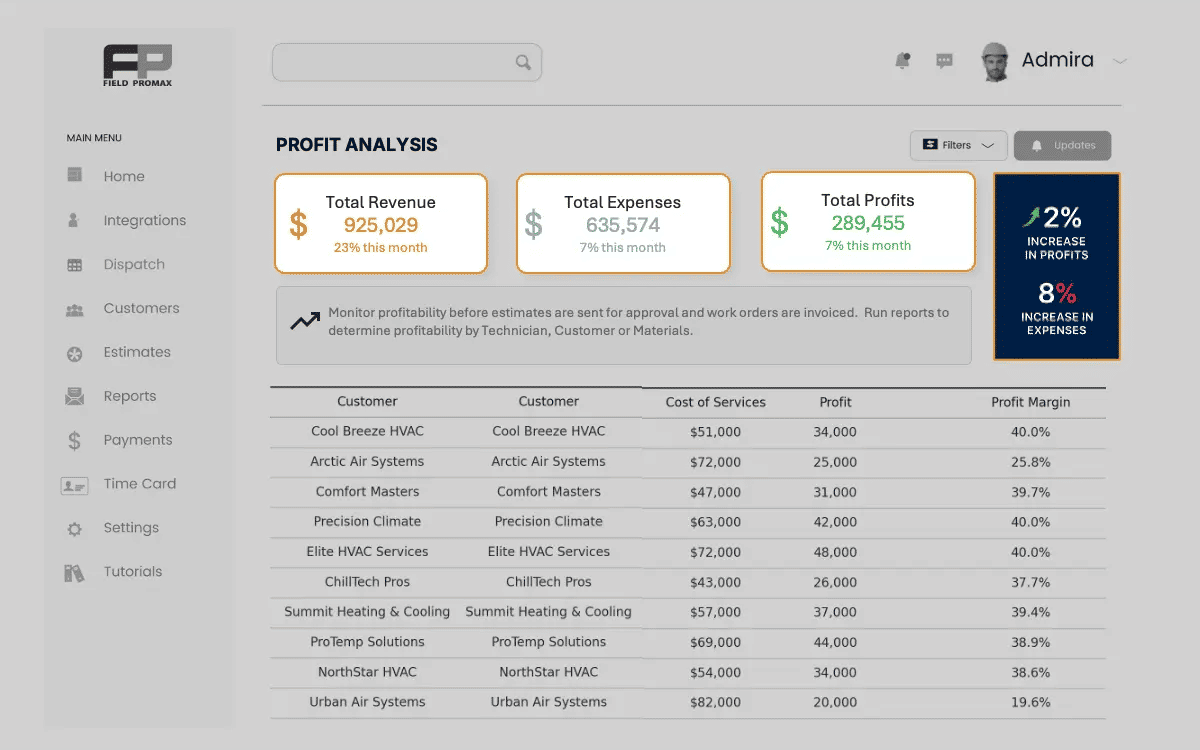
- Dashboards for profitability and cash flow tracking
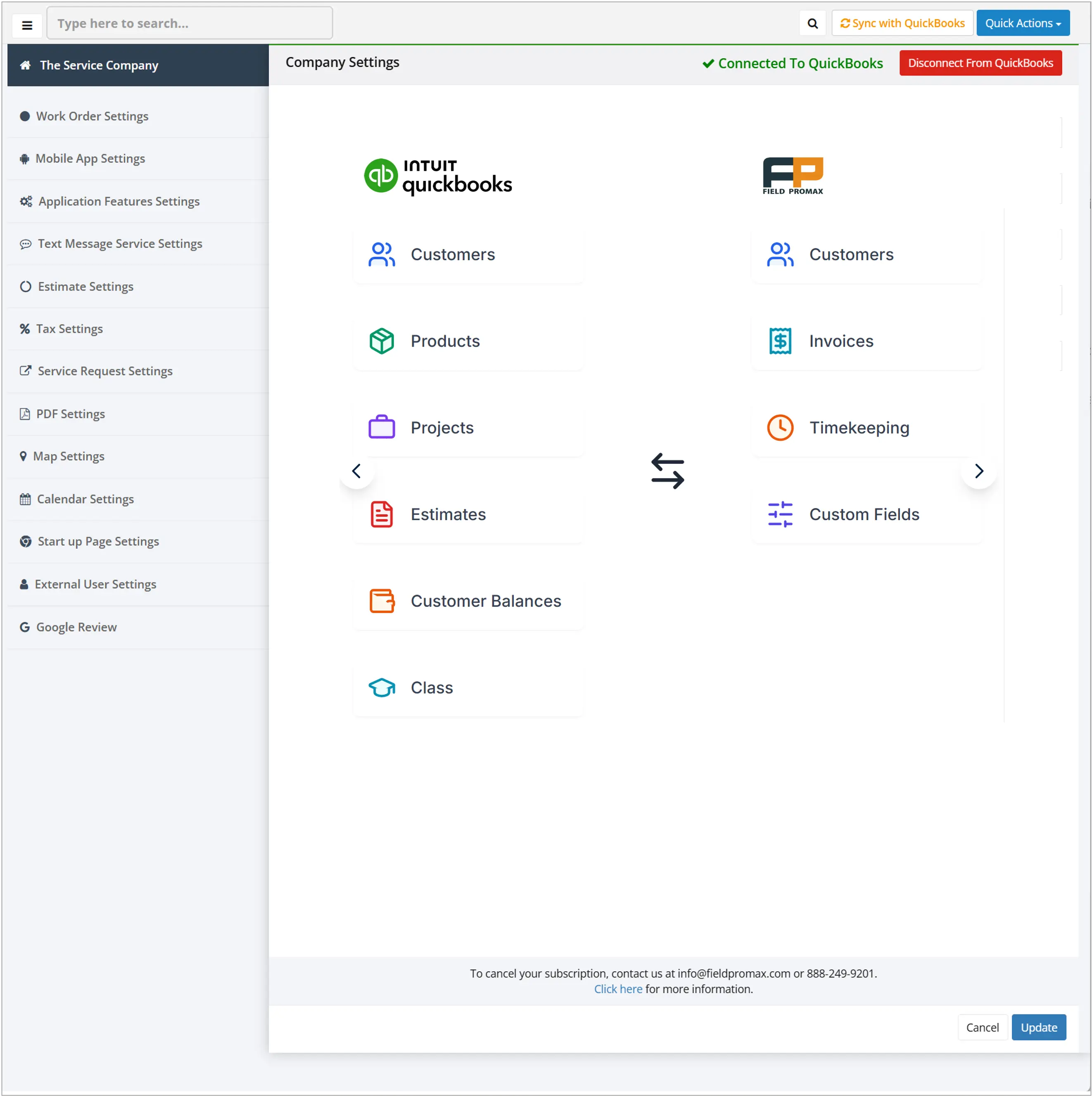
The two-way QuickBooks pipe is the line item small shops weight most. Customers consistently cite QuickBooks integration depth and support responsiveness, not feature count, as the reasons they replace heavier platforms. Bookkeeping done at the truck means no Sunday re-entry. Field Promax delivers the same daily numbers via real-time reports and dashboards, and the QuickBooks sync runs both ways out of the box without a separate SKU.
Evaluation Criteria Before You Sign Anything
Five questions to ask any FSM vendor before the contract goes out:
- Total monthly cost including mobile, GPS, and any add-on you'll actually use.
- Time to first productive day. Not the date the vendor calls implementation complete, but the day your dispatcher can run a normal Monday on the system.
- Per-seat cost for seasonal staff. What does adding two techs for 90 days actually cost?
- QuickBooks sync depth. One-way export, two-way real-time, or paid add-on?
- Mobile usability test. Have your most reluctant tech open the app for ten minutes. If they push back, the rollout is at risk.
In our customer base, mobile-app adoption is the single biggest predictor of a successful rollout.
Three ROI Patterns from Customer Conversations
Patterns we consistently see across small shops on Field Promax:
- HVAC service shops moving off paper schedules and spreadsheet billing tend to free capacity for one to two additional calls per tech per day, which compounds quickly at a typical $200 ticket without new headcount.
- Plumbing crews adopting two-way QuickBooks sync routinely compress invoice delays from a week to same-day, and the faster cash flow tends to fund a part-time dispatcher hire without new debt.
- Landscaping and seasonal crews tying mobile time clocks to property GPS see the recurring summer payroll arguments drop off.
A service business in a separate QuickBooks App Store review described the working pattern in detail: scheduling time cut sharply, work orders pushed to techs remotely, Google Maps launched directly from each job for the next stop, and billing finished on-site with photos uploaded live before the truck left the property.

.webp?updatedAt=1761887601974)
Trade-Specific Fit
HVAC Companies
- Simpro. Strong on multi-building maintenance contracts; heavier than needed for residential service work.
- Field Promax. Built for HVAC scheduling, recurring maintenance, and same-day invoicing on residential and light-commercial calls.
Electrical Contractors
- Simpro. Detailed material tracking, but the configuration ramp is steep.
- Field Promax. Electrical service business software that handles EV charger installs, code inspections, and break-fix calls without specialist setup.
Plumbing Businesses
- Simpro. Project-grade quoting; expensive for a 4-truck repair crew.
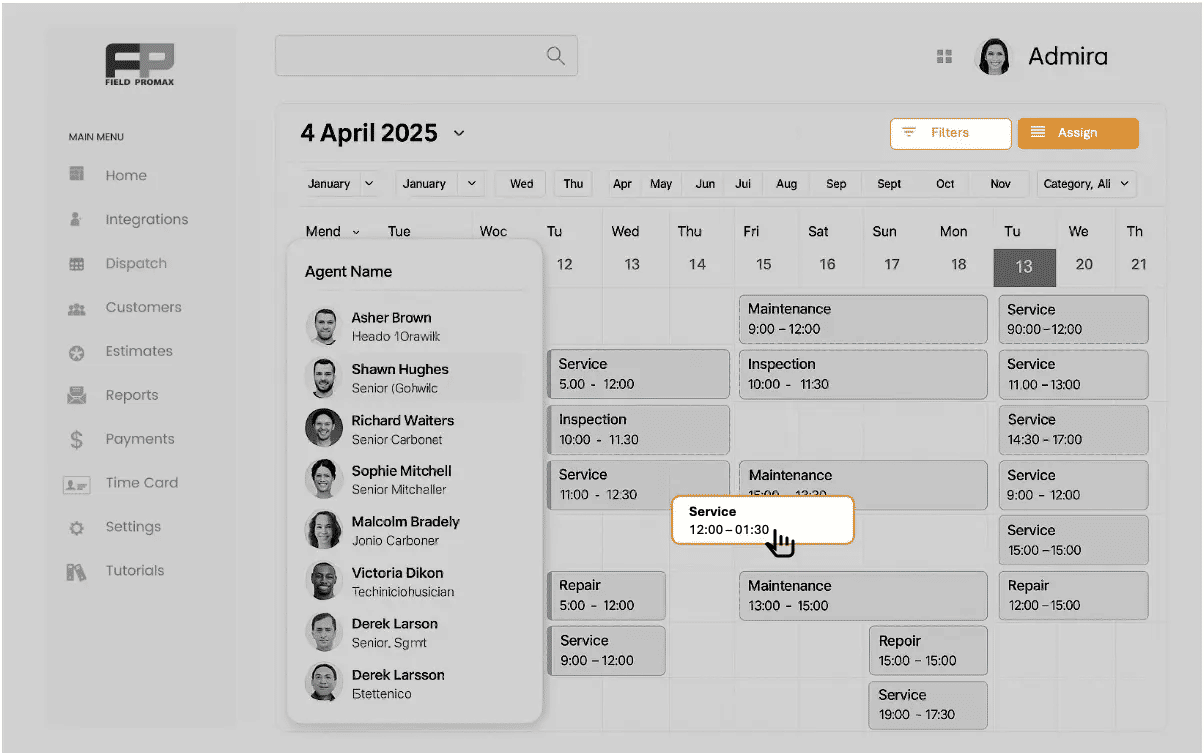
- Field Promax. Plumbing business software with drag-and-drop calendars, instant on-site billing, and recurring service templates.
Landscaping and Seasonal Crews
- Simpro. Per-seat licensing punishes rotating staff.
- Field Promax. Landscape business management software with invite links, role-based permissions, and mobile clock-in with timecard tracking that absorb the May-to-October ramp.

Why Owners Look Past Simpro
From conversations with owners evaluating Simpro alternatives, five reasons surface most:
- Monthly run-rate that doesn't fit a sub-$2M revenue line
- Implementation timelines measured in months, not weeks
- Add-on costs disclosed only mid-quote
- Enterprise-only features the team will not use
- ROI windows that drag past the first fiscal quarter
Most shops we work with migrate from spreadsheets, paper, or QuickBooks-only setups, not from another FSM platform. The realistic question isn't how to replace Simpro. It's how to get off paper without buying enterprise software.
Field Promax as a Lean Alternative
Field Promax targets the small to mid shop that needs the core FSM stack working by Friday: scheduling, mobile, QuickBooks, invoicing, reporting. Not a 50-tech enterprise rollout.
I've talked to thousands of shop owners over the years, and the question I hear most about Simpro isn't whether it's good software. It's "do I really need all of that." For a 5 to 12 tech residential shop, the honest answer is no. Simpro is built for the contractor running commercial fit-outs with takeoffs and retention billing. ServiceTitan is built for the $5M-plus shop with a dedicated ops manager and the budget for a six-week implementation.
Field Promax is built for the 8-tech HVAC outfit where the owner's wife runs dispatch from the kitchen table on Sunday night. The most common feature request I see in our support queue is better dispatch-to-invoice automation, not more modules. Owners want fewer, sharper tools they can teach a new dispatcher in an hour, plus a phone number where someone actually picks up.
I read every support ticket. That's the bet we're making.
What that looks like in practice:
- Flat-rate pricing you can read in 30 seconds
- Two-way QuickBooks integration without an add-on SKU
- Drag-and-drop scheduling with mobile included for every user
- Job photos, notes, and signatures captured on the truck and stored against the job record
- Real-time dashboards owners actually open
- Job costing that flags unprofitable jobs before month-end, not after
A multi-year industrial customer reviewing Field Promax on the QuickBooks App Store credited the platform with eliminating a lot of paperwork, with strong support behind it.
That's the daily impact small shops keep describing: less office work, more billable hours, fewer Sunday-night arguments about who owes what.
Simpro, Field Promax, and Housecall Pro: 2026 Side-by-Side
| Feature | Simpro | Field Promax | Housecall Pro |
|---|---|---|---|
| Ideal Shop Size | 20+ techs, commercial | 1 to 50 techs, residential and light-commercial | 1 to 5 techs, residential |
| Pricing Model | Quote-based, modular | Flat-rate, transparent | Tiered, public list price |
| Setup Time | Weeks to months | Under a day | Days |
| Learning Curve | High | Low | Low |
| QuickBooks Sync | Available, often add-on | Built-in two-way | Partial |
| Mobile Access | Per-user paid license | Included for all users | Included |
| GPS Tracking | Add-on (Simtrac) | Built-in | Built-in |
| Core Strength | Project costing, retention billing | Dispatch-to-invoice for trade shops | Customer messaging |
Choosing the Right Software for Your Shop
Simpro is one of the strongest commercial-grade FSM platforms in the market. That depth is exactly the problem for shops that don't run commercial work. Onboarding fees, license-per-tech mobile pricing, and modules you'll never open, eat into margins small operations can't afford to lose.
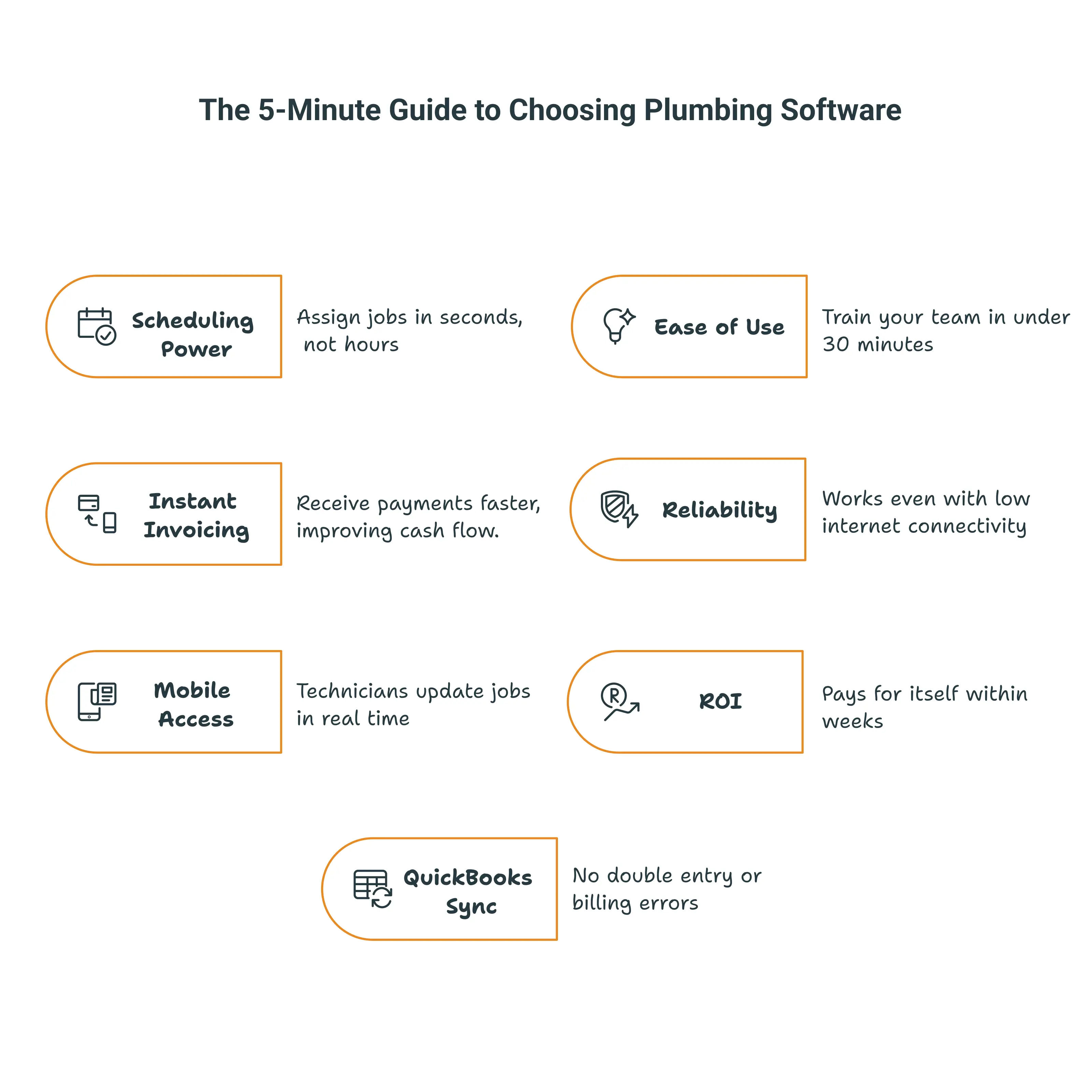
For a 1 to 15 tech shop running residential or light-commercial service, the cleaner answer is software that goes live in under a day, runs scheduling, mobile, and invoicing from one screen, syncs to QuickBooks without an add-on, and flexes for seasonal staff without per-seat penalties.
Three questions decide it:
- Does it make daily work easier the day after you sign?
- Does it help the team finish more jobs on schedule?
- Does it improve cash flow inside 30 days?
If the answer is yes to all three, you've found the fit. For most small shops in 2026, that path runs through Field Promax.
Further reading
Frequently Asked Questions

Content Creator
Bhargavi Halthore is a content writer at Field Promax, a field service management platform serving trades businesses across the USA and Canada. With over a decade of experience writing for business owners, she brings detailed, ground-level insight to every topic she covers. Her research goes beyond search results - she digs into LinkedIn groups, Facebook communities, and Reddit forums to understand what field service business owners are actually dealing with on the ground. She speaks directly with industry professionals, understands their day-to-day challenges, and translates that into content that is practical and actionable. What you read in her articles reflects real industry patterns, not theory.