Field Service Job Scheduling Software, Honestly Compared
The usual advice for choosing field service scheduling software is to find a "Top 10" list, scan the feature columns, and select the name that appears most often. This approach is flawed in a specific way. Most rankings, including one we published on this blog a few years ago, are based on brand recognition or paid placement rather than actual business needs. A 12-tech HVAC company moving away from paper processes and QuickBooks Desktop has almost nothing in common with a 60-technician, multi-location contractor evaluating an enterprise-level platform. Yet the same ten names appear on both lists, often in nearly the same order.
This approach reverses the structure. Criteria come first. Vendor coverage serves as examples of those requirements. Our own product is evaluated according to the same rubric. If you're looking for a 30-second answer, go to Section 6 for the scoring tables. If you're interested in understanding why the table looks the way it does, begin with Sections 1 through 4.
1. Why the standard ranking gets the question wrong
Nearly every roundup begins with a brand-name list, then adds a reverse-engineered explanation afterward. This is exactly the kind of approach Google's Helpful Content Update flags because the decision people are trying to make isn't "Which name is the most popular?" It's "Which platform will my dispatcher and technicians actually use on a Tuesday morning, and which one will pay for itself within the first 90 days?"
The answer depends on three contextual variables that most lists overlook. What are you migrating from: paper, spreadsheets, QuickBooks, or another FSM platform? How many of your technicians are resistant to a mobile FSM rollout? What is your monthly software budget? The answer isn't determined by a "Best of 2026" list. The owners we've spoken to share the same problem: they choose a platform based on a feature checklist, but the technicians never adopt the mobile app. Six months later, the dispatcher is back to using paper boards because the information stored in the system cannot be trusted.
Globally, the FSM software market was estimated at $5.66 billion in 2025, according to Mordor Intelligence, with double-digit growth expected through 2031. This growth is driven largely by first-time buyers rather than businesses switching between enterprise-level platforms. This is one of the main reasons brand-ordered lists are becoming less relevant. Within our client base, the businesses that make the best choices start with the problem they are trying to solve, not the names of vendors they have seen at trade shows.
2. Six criteria that actually predict fit
Every one of these criteria is specific enough to be applied consistently. That is what most roundup methods fail to achieve.
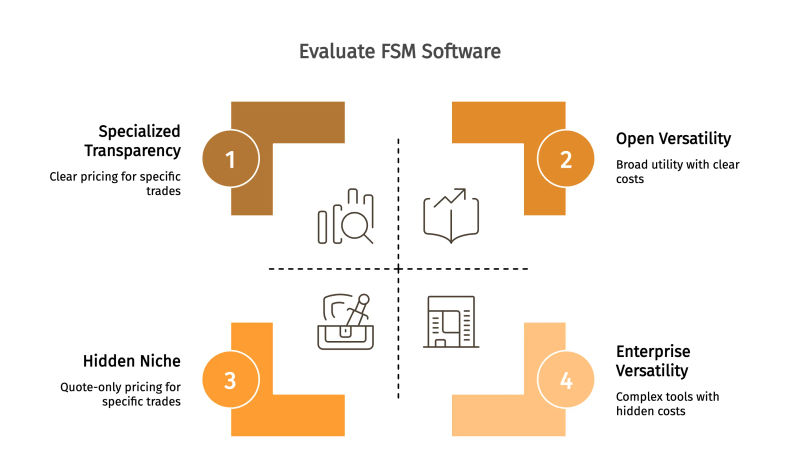
Price transparency. Does the vendor publish its pricing publicly, or is everything quote-only? Quote-only pricing typically signals enterprise-level pricing that exceeds most SMB budgets.
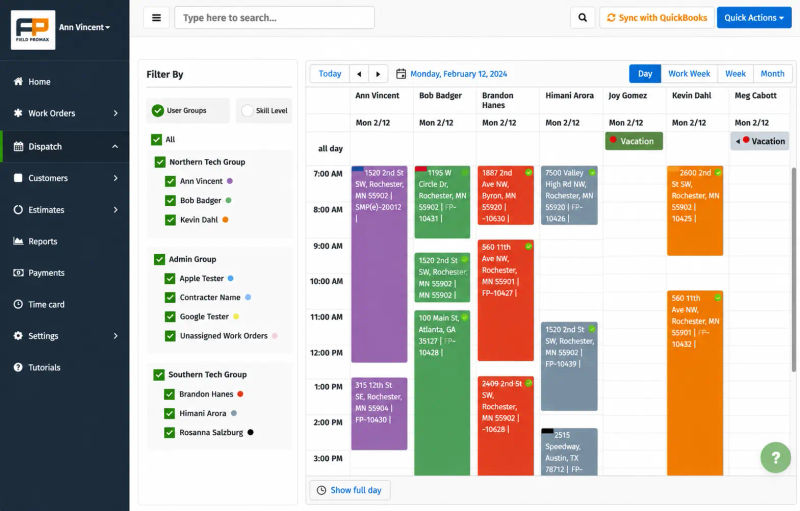
QuickBooks integration depth. Does the platform offer native two-way synchronization, one-way syncing, or Zapier-only integration? For shops migrating from QuickBooks Desktop or QuickBooks Online, this single feature determines whether the rollout saves bookkeeping time or creates double entry. Many of the businesses we work with are transitioning from QuickBooks-only setups, making this far more important than most listicles suggest.
Mobile app adoption viability. The user experience should be simple enough that even the most app-resistant technician in the shop can use it during the first week. Technician adoption of the mobile app can be the single largest indicator of whether an FSM rollout is successful.
SMB price floor. Does the entry-level tier meet the needs of a smaller shop, and does the per-user pricing remain practical with five users?
Multi-trade specialization. Most small-to-mid shops touch several of the roughly 24 verticals: HVAC, plumbing, electrical, landscaping, pest control, and so on. Single-vertical platforms force compromises the day you add a second trade.
Public review average. G2 and Capterra aggregates are used as a sanity check against real-world experience, not as a tiebreaker.
We intentionally did not consider features as the primary criterion. Every platform includes the essentials, such as a dispatcher board, a mobile application, invoicing, and a calendar. The main difference lies in how these features work together.
3. What actually changes when you swap spreadsheets for a real scheduler

The benefits roundup most listicles offer ('increased productivity, improved collaboration, document management') is too generic to act on. Here's what we actually see when a shop moves off manual tools onto a purpose-built scheduling and dispatch tool.
Reclaimed dispatcher hours. Based on 14 years of customer interactions, we see that dispatchers in a typical eight-technician company spend around 15 hours per week manually planning schedules through phone tag with technicians, paper calendars, and last-minute route changes. The shops we work with that use an automated dispatch board recover most of those 15 hours each week because schedules update automatically as jobs are canceled.
Lower windshield time. Industry benchmarks suggest urban HVAC and plumbing crews routinely lose 30%+ of the technician workday to drive time, while well-routed operations keep it under 20%. Geotab's route optimization analysis puts typical fuel savings from optimization at 20 to 25%. In our customer base, an 8-tech operation that turns on optimized dispatch and route sequencing consistently sees drive-time share settle closer to that 20% line, which is effectively a tech and a half worth of recovered billable hours every week.
After-hours capture. Owners we've spoken with consistently estimate that around 35% of customer service calls occur outside normal business hours. Shops that use an online booking widget capture many of those jobs by the next morning instead of losing them as missed calls.
Faster dispatch-to-invoice. The most common feature request we hear from customers is tighter dispatch-to-invoice automation. When the work order, time log, and parts list flow directly into QuickBooks without re-keying, Friday billing stops being a half-day project.
4. The recurring breakdown owners describe
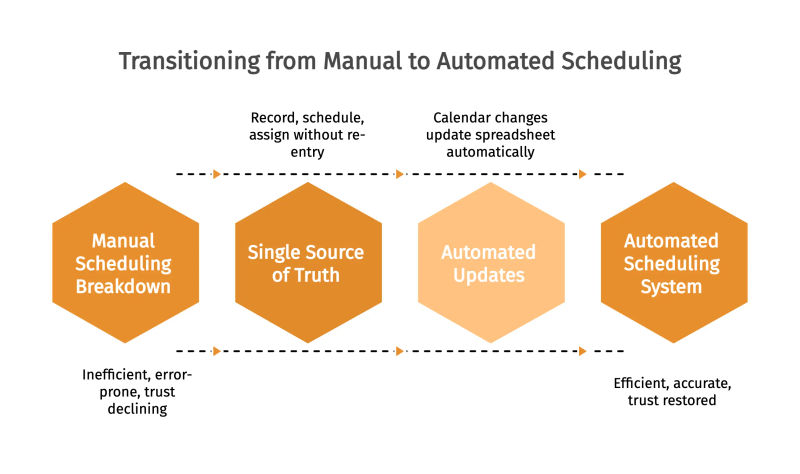
Members of Quora and other contractor forums consistently describe the same progression. A 3-tech shop is run using Google Forms, Google Calendar, and a shared spreadsheet. The system works well until the team grows to six or seven technicians. At that point, the manual process begins to break down. The dispatcher cannot reschedule appointments because the spreadsheet is not updated when the calendar changes, and a customer who booked for Tuesday receives a technician on Wednesday. This is a sign that trust in the data is declining. Before long, the entire office is double-checking everything against the whiteboard.
The most common theme in Quora discussions about outgrowing manual scheduling is not the need for advanced features. It is the need for a single source of truth. Owners want a system that records the booking, schedules the work, and assigns it to the appropriate technician without requiring anyone to re-enter the information. That is the key difference between a spreadsheet-and-calendar setup and dedicated scheduling software, and it is the factor to consider when evaluating the 10 platforms listed below.
5. What this looks like in a 15-20 tech operation
With the operators we've worked with since 2018, similar patterns have been observed in shops with 10 to 50 technicians. Consider a dispatcher at an integrated residential service contractor with 15-20 technicians operating in a mid-sized metro market. The dispatcher keeps technician locations in their head, and the 10 a.m. cascade begins when a morning job runs 90 minutes longer than expected, leaving three afternoon appointments to be rescheduled without notifying the customers.
In the composite example below, by the middle of summer the complaint log was mostly related to ETAs rather than the quality of the work. The dispatcher assigned ETAs based on memory of which technician was closest and then reshuffled assignments whenever a job ran long. Customers who were given a 1-3 p.m. arrival window were still being told at 4 p.m. that the technician was on the way. The issue that kept coming up during the morning huddle was that technicians were frustrated with the dispatch decisions being made at the office.
Later that season, the dispatcher implemented a new process by locking the morning board at 7 a.m. There was one condition: no schedule reshuffling without first sending a courtesy notification, while non-urgent reroutes were automatically pushed to the following day. The first version of this process failed. Customer service representatives continued slipping same-day additions onto the board after 9 a.m. The rule had to be revised twice, followed by a discussion between the owner and the CSR team regarding which types of service calls could bypass the scheduling lock before the process finally became effective.
By the end of the following quarter, on-time arrival performance had improved significantly, and ETA-related complaints dropped to roughly one-third of previous levels. The tradeoff was noticeable, as a small number of same-day emergency calls had to be deferred or transferred to competitors each week, something the business owner could clearly see reflected in revenue deposits. The senior technician initially resisted the change and pushed back for several weeks before adapting to the new expectation of calling customers first.
This is a composite; it represents a pattern we frequently observe across small to mid-sized contractors, although the specific details vary depending on operational structure.
6. The ten platforms, scored
The table below provides rankings based on the six evaluation factors listed in Section 2. Pricing reflects what each company publicly published on its own website at the end of 2025, while review averages were pulled directly from both Capterra and G2 listings. We’ve positioned Field Promax at #4 rather than the top spot because that is where the scoring rubric places it when considering Jobber’s stronger mobile-first user experience, Housecall Pro’s larger residential customer base, and FieldPulse’s deeper feature set for mid-market operations. More detailed write-ups for each platform follow.
| 1 | Jobber | $39/mo (1 user) | Multi-trade under 15 techs, mobile-first |
|---|---|---|---|
| 2 | Housecall Pro | $49/mo per user | Residential HVAC and plumbing |
| 3 | FieldPulse | Quote only | Mid-market multi-trade with custom workflows |
| 4 | Field Promax | $49/mo for 2 users | Multi-trade SMB on QuickBooks |
| 5 | Workiz | $225/mo (up to 5 users) | Phone-driven trades, locksmith, garage door |
| 6 | KickServ | $47/mo per user | Light dispatch plus CRM, under 8 techs |
| 7 | FieldEdge | Quote only | Established HVAC/plumbing with CRM in place |
| 8 | mHelpdesk | $169/mo per user | Mid-market with custom workflow needs |
7. Jobber
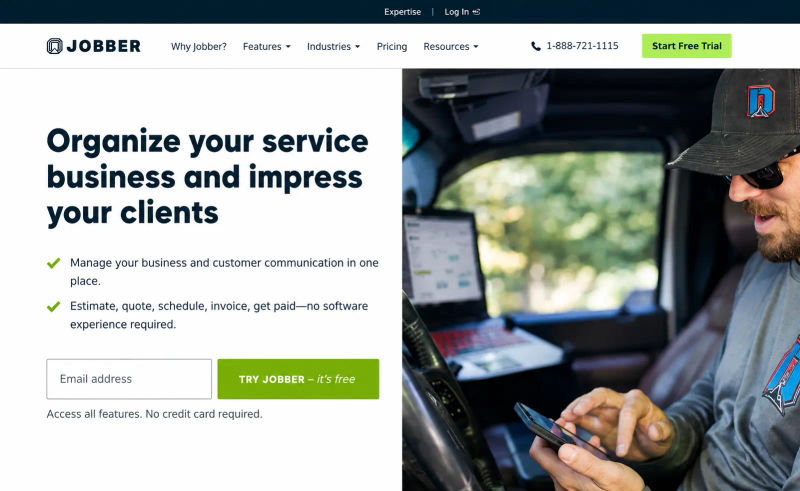
Jobber publishes its pricing publicly: plans start at $39/month for a single user. The Connect plan starts at $129/month for up to five users, while the Grow plan costs $249/month for up to 15 users. Its mobile app is one of the most popular in the category, with a rating of 4.5+ on Capterra. It also offers a well-maintained, two-way sync with QuickBooks Online.
Pros: Clean, intuitive mobile interface that encourages technician adoption. Transparent pricing across all plans. Supports multiple field service trades with industry-specific templates. Frequent product updates and active development.
Cons: The Core plan's single-user limit means growing shops often need to upgrade sooner than expected, increasing the total cost faster than the headline price suggests. Reporting is less advanced than that of FieldPulse and FieldEdge. Customization options are limited for shops with unique workflows. Pricing increases significantly once your team exceeds 10 users.
Best for: Multi-trade shops with fewer than 15 technicians that prioritize an excellent mobile experience and don't require highly customized reporting.
8. Housecall Pro
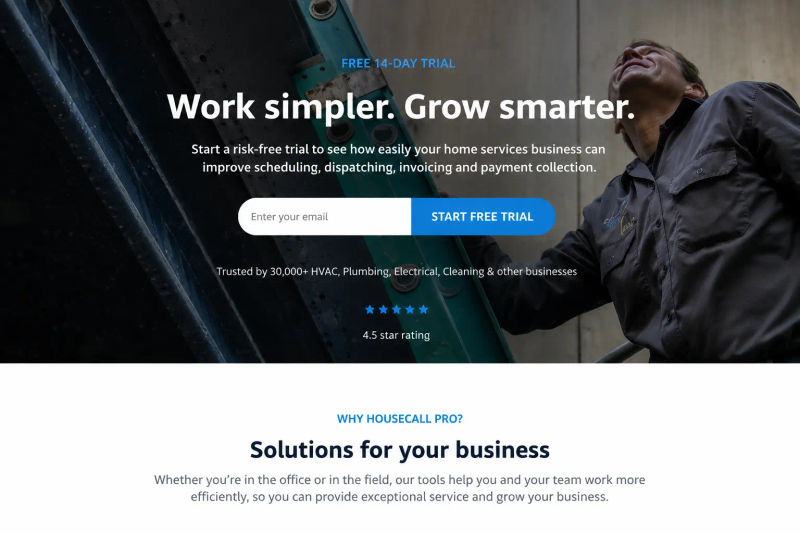
Housecall Pro publicly lists pricing starting at $49/month per user, with higher-tier Essentials and Maximum plans available as businesses grow. It has one of the strongest brand presences in residential home services and offers an online booking system that allows homeowners to schedule appointments themselves.
Pros: Excellent customer experience and follow-up marketing tools. Native QuickBooks integration. Mature mobile app. Strong onboarding resources.
Cons: Per-user pricing increases quickly, making it expensive for teams with more than 10 technicians. Capterra reviewers frequently mention slower customer support response times and note that some features are restricted to higher-tier plans. The platform is better optimized for residential service businesses than commercial workflows, making it less flexible for contractors with significant commercial operations.
Best for: Residential HVAC, plumbing, and home service businesses with fewer than 15 technicians that prioritize customer-facing booking experiences over extensive multi-trade flexibility.
9. FieldPulse

FieldPulse offers quote-based pricing rather than publishing standard plans. Based on team size, pricing typically falls within the $79-$199/month range per tier. The platform includes a broad feature set, including service level agreement (SLA) contracts, equipment tracking, customer database management, and digital signatures.
Pros: Comprehensive feature set with advanced estimating and equipment tracking. Strong customer service reputation based on Capterra reviews. Competitive pricing for mid-market businesses when quoted. Solid mobile app for field technicians.
Cons: Quote-only pricing makes initial evaluation slower than platforms with publicly available pricing. Reviews consistently mention a steeper learning curve and more complex navigation. Customization options are somewhat constrained by the platform's default workflows. The cost per additional user increases as businesses move beyond the entry-level tier.
Best for: Mid-market multi-trade businesses with 15-40 technicians that need a broader feature set than Jobber or Housecall Pro without paying enterprise-level prices.
10. Field Promax
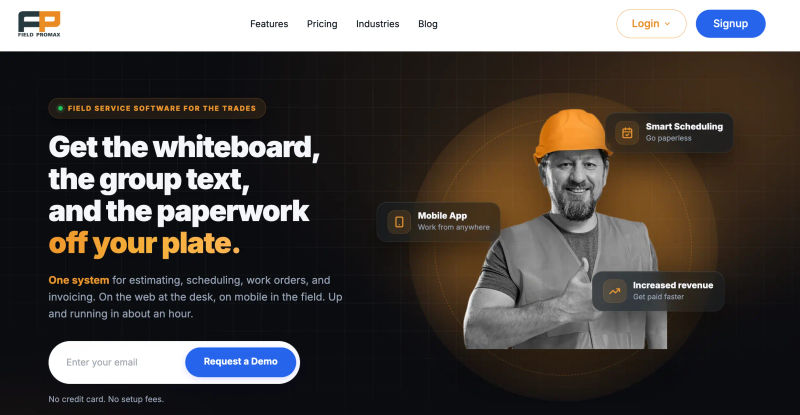
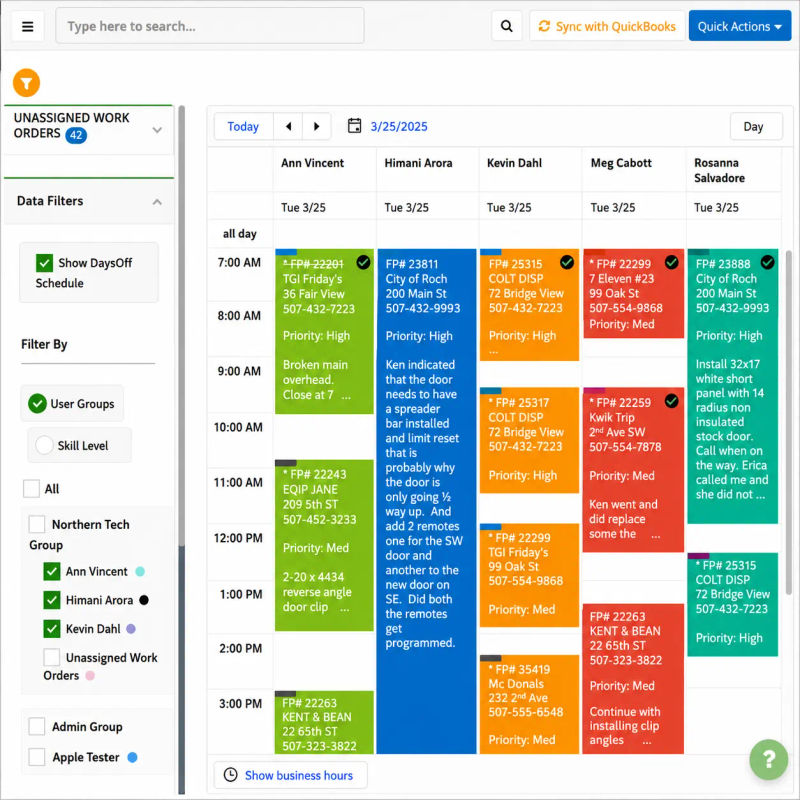
Field Promax is what we build. Pricing starts at $49/mo for two users, with per-tech tiers above that and a free trial. Multi-trade by design: roughly 24 verticals supported, from HVAC and plumbing to pest control and landscaping. Native QuickBooks two-way sync. Cloud-based with a drag-and-drop dispatch board, color-coded calendar views, and a mobile app techs can use to create their own service requests from the field. A small business reviewer on the QuickBooks App Store described the platform as streamlining everything from scheduling to QuickBooks invoicing, calling out the color-coded calendar and tech-created service requests specifically.
Pros: The lowest SMB entry cost on this list, with an accessible pricing tier. Native QuickBooks integration with deeper two-way sync (not just Zapier). Broad multi-trade vertical support. Flexible customization without enterprise-level pricing.
Cons: The UI is functional but less refined compared to Housecall Pro or Jobber. Dashboards and reporting options are fairly basic when compared to FieldEdge and FieldPulse. Brand recognition is lower than the top two competitors, which can matter when hiring operations managers already familiar with larger platforms.
Best Fit: Multi-trade shops with fewer than 25 technicians that are transitioning from paper-based processes, spreadsheets, or QuickBooks-only setups, where strong QuickBooks integration matters more than having a polished UI.
11. Workiz

Workiz costs $225/month for 5 users on its paid plan and also offers a free entry tier. It has strong inventory management and job management features designed primarily for phone-intensive trades such as locksmith services, garage door businesses, and appliance repair.
Pros: The live dashboard is useful for tracking job progress in real time. Inventory management is strong. Mature phone integration includes lead capture and call recording. The free tier works well for smaller shops.
Cons: The $225/month entry price makes the per-user cost relatively expensive for small businesses. Reviewers on Capterra frequently mention mobile optimization issues, along with limitations in invoice and estimate templates. Database management also comes with a noticeable learning curve.
Best Fit: Locksmith businesses, garage door companies, appliance repair services, and other phone-driven trades with around 3-5 technicians, where call handling is more important than mobile dispatch capabilities.
12. Kickserv
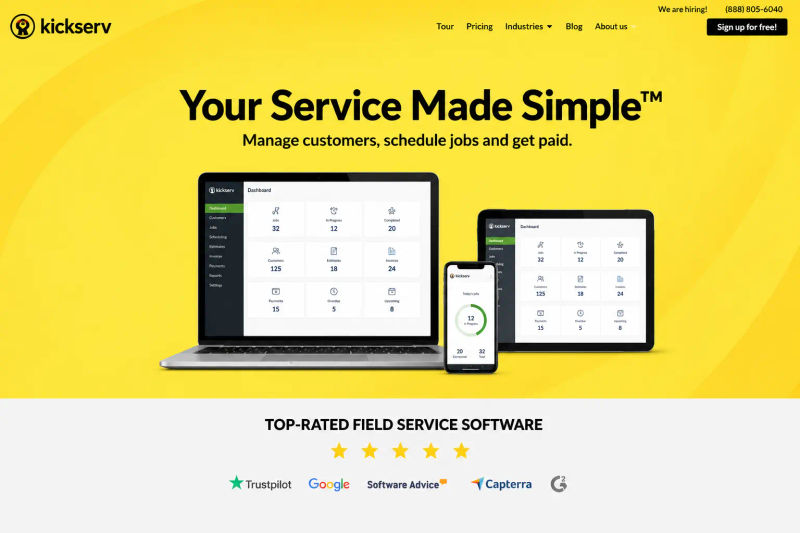
Kickserv publishes pricing starting at $47/month per user, with a free tier and Lite/Standard/Premium plans. It combines scheduling, CRM, QuickBooks integration, and a mobile app into a single platform.
Pros: Lower pricing entry point than many competitors on this list. Combining dispatch and CRM reduces the need for multiple tools. QuickBooks integration is included starting from the entry-level paid tier.
Cons: Work order management and recurring job features are less advanced compared to FieldPulse and Field Promax. Reviewers often describe the interface as somewhat outdated, while job status tracking can feel restrictive. Customization options become limited once businesses move beyond basic operational needs.
Best Fit: Small shops with fewer than 8 technicians that want basic dispatching and customer management in one tool, with no immediate plans for rapid growth.
13. FieldEdge
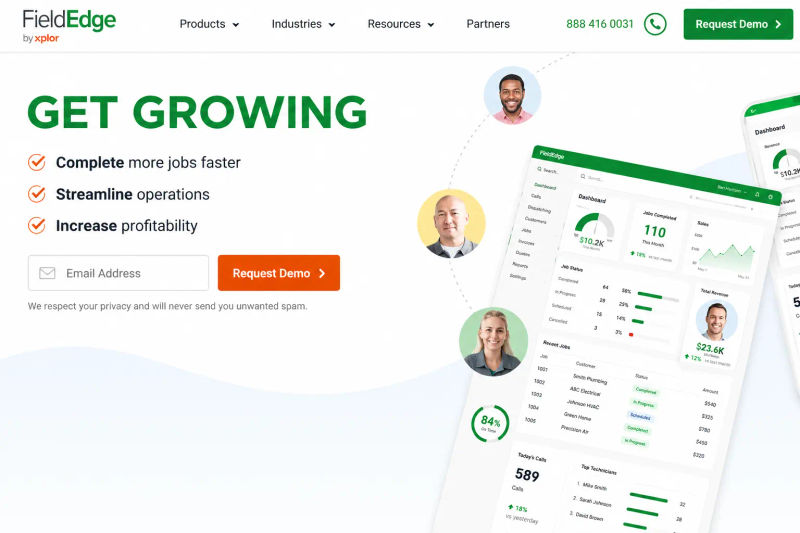
FieldEdge only provides pricing through custom quotes and generally falls within the mid-to-upper pricing range. Its color-coded Dispatch Board is a major strength, and FieldEdge integrates well with existing CRM systems.
Pros: Best-in-class Dispatch Board visualization on this list. Strong client portal. Automated backups and alerting. Native focus on HVAC and plumbing service businesses.
Cons: Quote-based pricing makes evaluation more difficult. Reviews consistently highlight limitations in the mobile app and post-sales customer support. CRM features seem lightweight for the cost. Calendar management comes with a significant learning curve, particularly for dispatchers transitioning from spreadsheet-based systems.
Best fit: Established HVAC and plumbing shops with 10 to 30 technicians that already use a CRM they want to keep and can absorb mid-market pricing.
14. mHelpDesk
mHelpDesk costs $169 per month per user. It offers a mature feature set that includes drag-and-drop scheduling, accounting integrations, and a strong dashboard for business owners.
Pros: Broad feature coverage. Drag-and-drop scheduling. Excellent accounting integration. A strong high-level dashboard for owners.
Cons: At $169 per user, it is expensive for shops with fewer than 15 technicians, and costs scale quickly as teams grow. Reviewers frequently mention a complex interface and limited work order management depth. Job status tracking and repeat-job management are more limited than the pricing suggests. Despite some vendor positioning, this is not the best option for small businesses.
Best fit: Mid-market businesses with 20+ technicians, specific workflow requirements, and a budget that can support per-user pricing.
15. Shift Amp
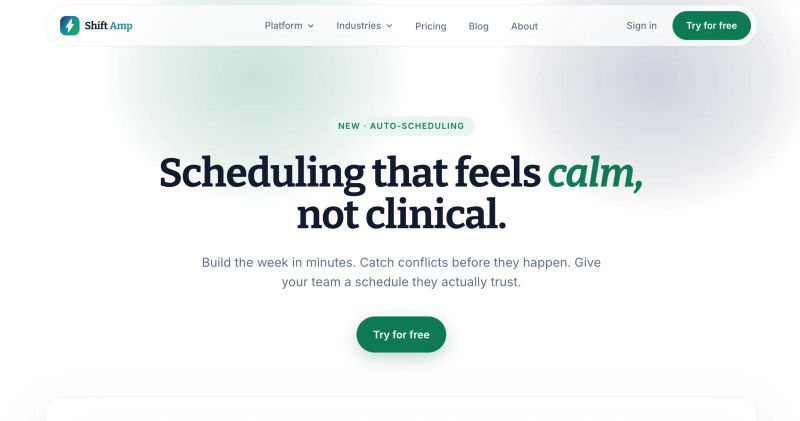
Shift Amp starts at $10/month with unlimited users and locations, with a 14-day free trial. It was designed for shift-based workforce management rather than traditional field service dispatching.
Pros: Lowest price on this list. Unlimited users on the entry-level plan. Simple shift templates and alerts. No app download required.
Cons: Not optimized for field service dispatching. No job-site routing, no work-order-to-invoice workflow, and no QuickBooks-level accounting integration. The basic plan limits access to more advanced features. The mobile experience is also limited.
Best fit: Restaurants, healthcare, retail, and shift-based businesses with co-located employees. We’ve included it on this list because it appears in several “top scheduling software” roundups, but it is not a true field service management tool. Most field service businesses will outgrow it once mobile workforce management becomes a priority.
16. ServiceMax
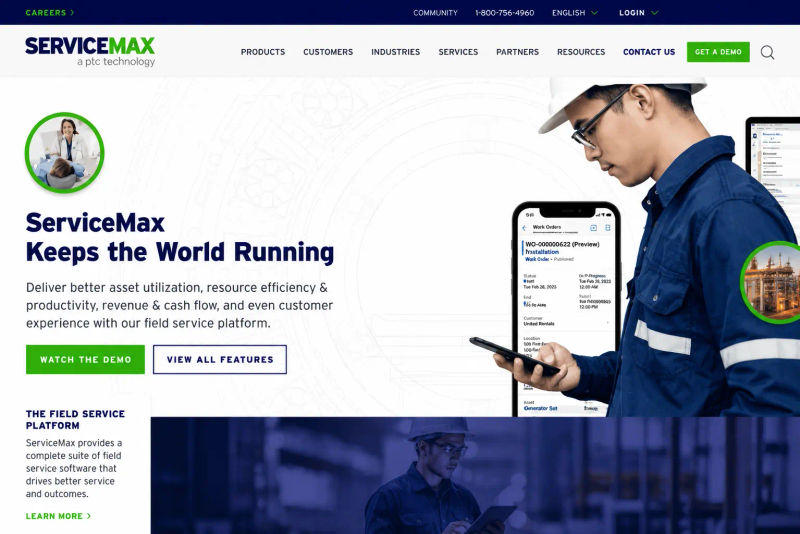
ServiceMax is a quote-based FSM platform built on the Asset 360 service management platform. It is specifically designed for businesses handling heavy maintenance contracts and large-scale field service operations.
Pros: Comprehensive asset management, strong contract and SLA tracking, multi-location support, a well-integrated ecosystem, and advanced reporting capabilities.
Cons: Enterprise pricing is significantly higher than SMB-level solutions. Reviewers have cited high training costs and interface complexity. Implementation timelines can extend to months rather than weeks. It is not well-suited for businesses with fewer than 50 technicians, and the feature density can become overwhelming for smaller operations.
Ideal Fit: Enterprise field service organizations with installed-base maintenance contracts and a dedicated budget for software implementation.
17. How to pick from this list
The real truth: If you're a multi-trade shop with fewer than 15 technicians migrating from paper or spreadsheets, your most likely shortlist is two or three options, not 10. Assess your business using the six criteria listed in Section 2. Identify the two criteria that matter most to you, then test the two platforms that score highest on those criteria during a 14-day trial using your actual Tuesday morning workflow.
Most software rollouts don't fail because the software doesn't work. They fail because technicians don't adopt the mobile app, or because the QuickBooks workflow creates duplicate data entries that dispatchers don't trust. Choose your two most important evaluation criteria first, and the rest of the analysis will largely sort itself out.
The conventional advice on picking scheduling software is to start with a feature checklist: drag-and-drop calendar, mobile app, GPS, QuickBooks sync. That's wrong in a specific way. From 14 years of customer conversations, the shops that pick well don't start with features. They start with what's actively breaking. If your dispatcher is losing 90 minutes a day to phone-tag with techs, the right software is the one whose mobile app every tech opens in week one, because mobile adoption is the single biggest predictor of whether a scheduler rollout actually sticks.
If your problem is double-entry between dispatch and QuickBooks, the right software is whichever one has native two-way sync, not a Zapier workaround. Most shops we work with come off spreadsheets, paper, or QuickBooks-only setups. They aren't switching between enterprise platforms. So the relevant question isn't 'which platform has the most features.' It's 'which one will my techs actually use Tuesday morning, and which one stops the data re-entry on Friday afternoon.'
- Joy Gomez, Founder of Field Promax
Sources consulted
- Mordor Intelligence, Field Service Management Market 2025
- Geotab, Route Optimization and Fuel Savings
- Aquant Field Service Benchmark Report, summarized by Lionobytes
- ServiceTitan, Field Service Metrics Benchmarks
- BLS Occupational Outlook, HVAC Technicians
- Capterra and G2 listings for Jobber, Housecall Pro, FieldPulse, Workiz, Kickserv, FieldEdge, mHelpdesk, Shift Amp, and ServiceMax (accessed late 2025)
- QuickBooks App Store reviews of Field Promax
Frequently Asked Questions

Content Creator
Bhargavi Halthore is a content writer at Field Promax, a field service management platform serving trades businesses across the USA and Canada. With over a decade of experience writing for business owners, she brings detailed, ground-level insight to every topic she covers. Her research goes beyond search results - she digs into LinkedIn groups, Facebook communities, and Reddit forums to understand what field service business owners are actually dealing with on the ground. She speaks directly with industry professionals, understands their day-to-day challenges, and translates that into content that is practical and actionable. What you read in her articles reflects real industry patterns, not theory.