How to Write an Invoice for Field Service: A Practical Guide
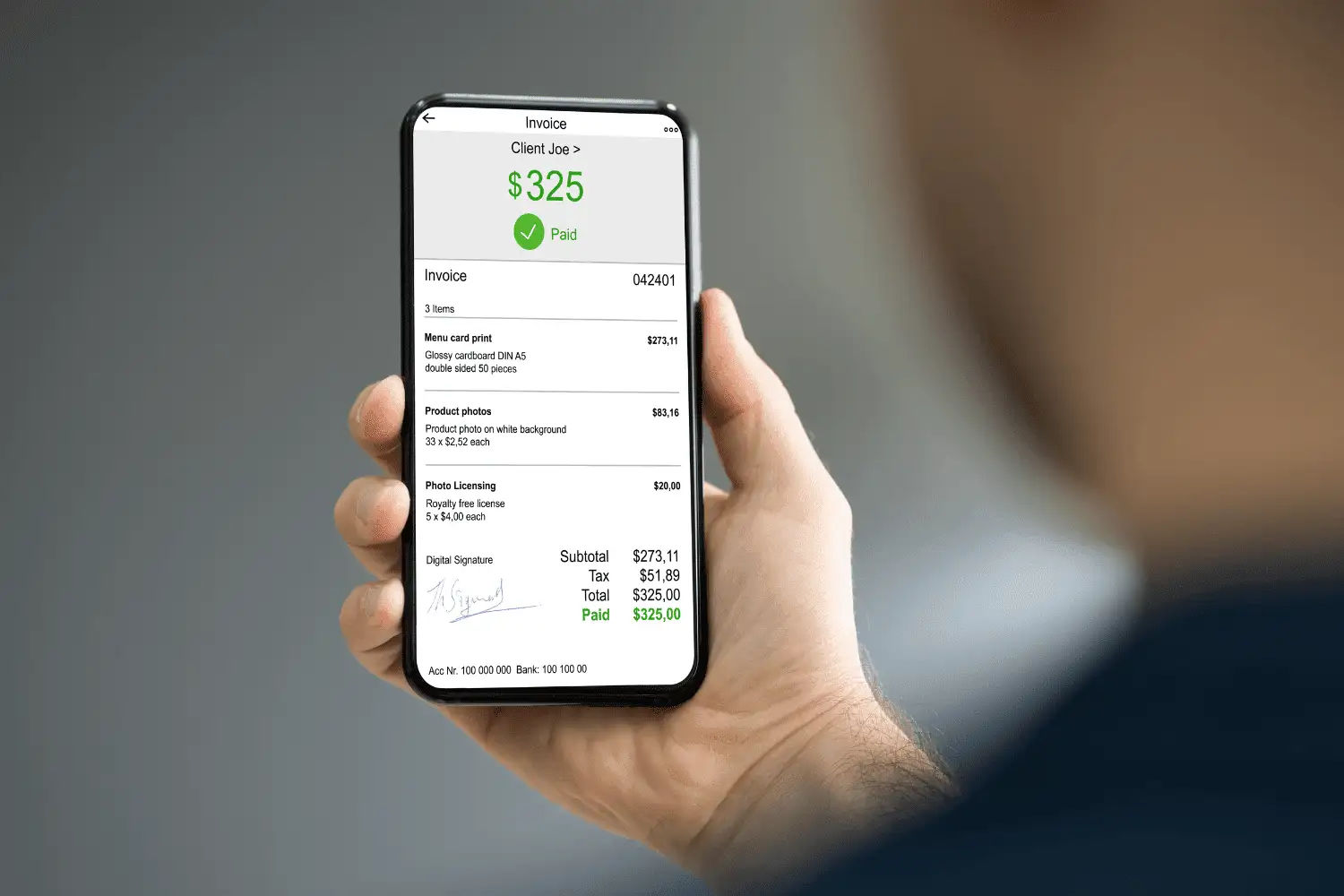
According to the Atradius Payment Practices Barometer, 50% of B2B invoices in the United States are paid late and another 8% are written off as bad debt. For owners running 5-20 tech shops, that statistic shows up as a Friday afternoon problem: who hasn't paid, who needs a call, which jobs are still sitting in a stack waiting to be invoiced.
In owner discussions on Quora and Reddit over the past 12 months, customers frequently report that net-30 terms are often exceeded, forcing businesses to repeatedly chase payments for work that has already been completed. This unpredictability can disrupt cash flow planning, even when the work itself has been delivered correctly.
This guide will explain the basics of creating an invoice for payment. It will cover what an invoice should include, how to prepare it in the field, how to send or mail it, and how the invoicing process changes when it becomes the final step in the workflow.
Ready to get started with Field Promax?
Sign Up FreeWhat actually counts as an invoice for a field service shop?

Per IRS recordkeeping guidance, invoices fall under records that support an item of income or deduction, with a general three-year retention rule (six years if you under-report income by more than 25%, seven years for bad-debt write-offs, indefinite if no return was filed). The shops that fare best in audits keep digital invoice records tied back to the work order and the customer record, not loose PDFs scattered across an email folder.
A full-service invoice clearly identifies the buyer and seller, describes the work in detail, separates parts from labor, includes tax, specifies payment terms, and assigns a unique invoice number. License numbers, EPA Section 608 certification for HVAC refrigerant work, and warranty conditions should be included when required by state regulations or trade standards. If required licensing or compliance information is missing on invoices where it is mandatory, the documentation may be considered non-compliant and could be rejected in regulatory or legal review.
Why does invoicing break down in a typical 5-20 tech shop?

The 2025 QuickBooks Small Business Late Payments Report found that 56% of surveyed small businesses were owed money on unpaid invoices, averaging $17,500 outstanding per business, with 47% reporting at least some invoices more than 30 days overdue. That maps closely to what we see when a new shop migrates over. There's almost always a six-figure aging report nobody has had time to call through.
Two operational issues come up often in owner conversations. The first is the daily burden of manual follow-ups - tracking who has been emailed, who has received a phone call, and who has not responded. The second is the difficulty of getting paid. Bank transfers and paper invoices slow the process because customers often delay payment when there is no single-click payment option.
For a typical 5–20 technician shop still mailing paper invoices, days sales outstanding regularly stretches past 60 days. Owners who have switched to digital invoicing with integrated payments report that this gap often drops to around 20 days when customers can pay immediately upon receiving the invoice in their inbox. A plumbing business that viewed Field Promax on the QuickBooks App Store after transitioning from an enterprise FSM platform described the new process as significantly faster, requiring fewer steps and less time per invoice, payment in motion before the tech left the driveway.
Want a personalized demo?
See how Field Promax can transform your field operations
A pattern across small contractors we've worked with
In small contracting businesses we’ve worked with since 2019, the same QuickBooks-only configuration continues to be seen in shops with fewer than 10 technicians. Imagine an owner-operator running a residential service business with six technicians out of one shop. He handles estimates and accounts himself, along with one part-time administrator. Estimates are created line by line each time, since previous versions are rarely saved as reusable templates. The referral source dropdown is left empty in around two out of three new entries because it is not a required field.
In the second half of a very busy spring, the business owner was working two nights each week, rewriting estimates that were nearly identical to those he had prepared the previous month. In evaluating whether to renew his Google Ads spend, he was unable to separate ad-driven work from word-of-mouth jobs in his customer database. He believed a nearby source was generating revenue, but there was no clear way to verify it.
Over the course of a weekend, he created six estimate templates based on job type: typical service calls and two installation variations, saved as recurring estimates in QuickBooks. He then implemented a strict referral-source tagging policy for the administrator. No estimate is released until the customer account is tagged with a source, even if the value is “unknown”. The initial dropdown included fifteen options, but it was reduced to seven after two weeks, as the longer list was not being used.
Estimated turnaround was reduced to about half of what it had been by the end of the first month of February, with a focus on repeat jobs. Tagging rules slipped significantly during the first eight weeks, and the administrator allowed estimates to pass untagged on urgent jobs until the manager began returning incomplete records. Backfilling historical customers never really occurred. A portion of accounts created before the rule change still have blank source fields, and the account owner chose to leave them blank rather than speculate.
This is a composite based on the most common pattern observed across small contractors we’ve worked with, rather than any single named shop.
How do you write an invoice that actually gets paid?

The most important elements are the mechanical details. If any of them are missing, the customer may be able to defer payment, or the invoice may be weakened in the event of a dispute.
Unique invoice number. Job-tied or sequenced refers to how the document is identified in the system. This is the reference method used whenever a customer contacts you about the job.
Business identity and license credentials. The header should include the logo, address, phone number, and email. For trade work, it should also include the license number, EPA Section 608 certification for refrigerant handling, and any bonding or insurance information required by the state.
Customer details captured at the job, not after. Incorrect email addresses are one of the most frequent reasons for invoice revisions. Based on 14 years of customer interactions, approximately 10% of invoices manually entered in typical tech shops (5–20 technicians) are returned for correction due to customer information errors, incorrect part numbers, or missing line items. Each correction requires a callback and resend, adding up to an additional week to the billing cycle.
Issue date and due date. Net 30 for existing customers and due upon receipt for new customers and one-time jobs. For recurring contracts, switch the due date to the service period (e.g., “service coverage 1-30 November”).
Itemized line items with labor and parts separated. Hours, rate, subtotal per line for time-and-materials. Flat-rate code and description per line for flat-rate. If you bill parts at markup, list them at the customer-facing price, not at cost. Track job costs alongside invoices so gross margin isn't a guess at month-end.
Taxes, fees, and discounts. Sales tax varies by state and sometimes city. Early-payment discounts (2/10 net 30) and late-payment fees both belong here. If you offer customer financing through a third-party lender, Truth in Lending Act disclosures must live on the credit document, not just the invoice. The FTC enforces it and most contractors get it wrong.
Total amount due, prominently displayed. Large, bold, and top of the totals block.
Accepted payment methods. Per Nacha's summary of AFP cost data, the median cost of sending and receiving an ACH payment is $0.26-$0.50, while card processing runs 1.5%-3.5% of the transaction. The right answer is usually "all of the above with surcharge logic": accept ACH and card, pass the card fee above a dollar threshold, accept check only when the customer insists.
Payment terms and notes. Warranty terms, scope-of-work exclusions, and late-payment rates should also be included. A common late-payment rate is 1.5% per month on past-due balances, subject to state-specific usury limits.
What changes between HVAC, plumbing, electrical, and recurring-service invoices?
A single invoice template cannot fit all transactions. Line items, regulatory disclosures, and payment timing vary enough that a one-size-fits-all approach does not meet the needs of every shop that uses it.
- HVAC. Flat-rate vs. time-and-materials is the central pricing decision. Flat-rate invoices show a diagnostic fee, the flat-rate repair code, the description, and bake parts markup into the price. Refrigerant work needs EPA 608 certification noted on the document. Install jobs usually need a 3-milestone billing structure (deposit at signing, progress at rough-in, balance at commissioning), not a single completion invoice.
- Plumbing. Per-fixture pricing is common for new installs; T&M for repair. Warranty language is the field plumbing invoices most often skip and most often need. Parts warranties carry the manufacturer's term; labor warranties typically run 30-90 days. A customer who's signed off on a warranty term written on the invoice has a much harder time disputing scope eight months later.
- Electrical. Permit fees, inspection scheduling, and panel-upgrade line items each deserve their own sections. State licensing board numbers are required on the invoice in most states; omitting them can make the document legally unenforceable.
- Lawn care, cleaning, pest control, and other recurring services. Recurring billing is where small operators most often lose revenue silently. Failed cards, expired payment methods, and broken auto-charges quietly drop revenue every month until someone audits the books. The fix is a billing schedule that retries failed payments, notifies the customer immediately, and surfaces the failure to the office before it becomes 90 days old.
How should you send the invoice, and when?
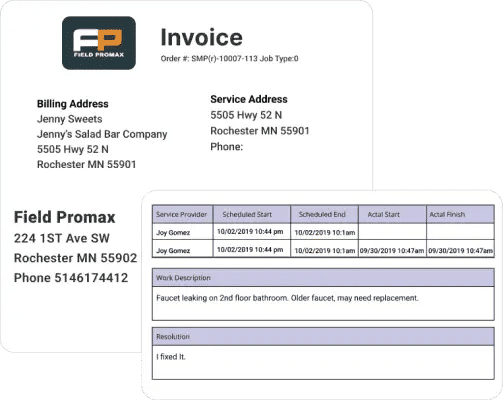
It is the “when” that consistently leads to faster payment: invoicing at the time of job completion, before the technician leaves the driveway. Back-office batch invoicing creates an average delay of about three days between job completion and when the invoice is sent. Shops that switch to mobile, on-site invoicing deliver the invoice to the customer within minutes of wrapping up the job and are typically paid up to twice as fast. The customer is still present, the work is fresh in mind, and payment friction is reduced.
Technicians’ use of mobile applications is the primary predictor of whether an electronic invoicing system will actually succeed. If technicians do not invoice from their phones in the field, back-office delays typically return within one quarter.
The "how" depends on what the customer expects and which payment rails you've integrated. Email delivery with a clickable pay link works for most residential work. PDF attachment for commercial accounts that route through AP. Some property managers still require mailed paper invoices for audit reasons. For recurring contracts, automated payment reminders that nudge at day 7, day 14, and day 25 cut the manual-chasing burden owners describe in nearly every conversation about late receivables.
Why field service software beats accounting software for invoicing
Accounting software is responsible for the accounting. It doesn't manage the work order, the technician's mobile workflow, the customer history, job costing, or dispatch context. If invoices are handled in accounting software, the office becomes the primary source of invoicing: each invoice is a back-office data entry based on a paper ticket.
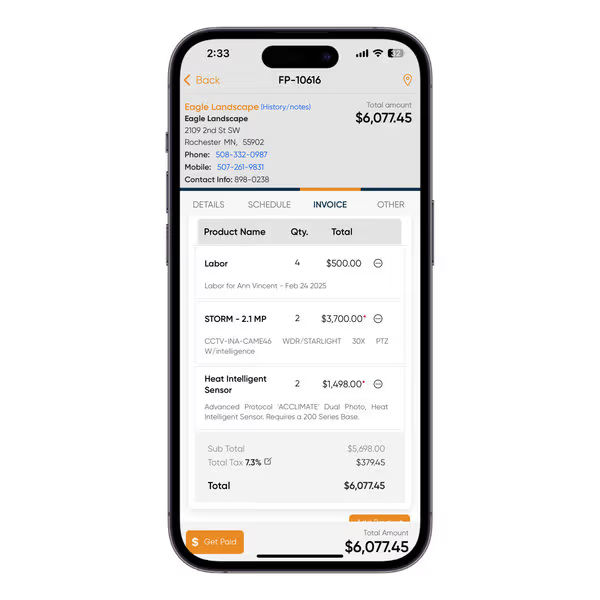
Field service software inverts that. The work order is created at scheduling. The technician confirms parts and hours from the phone. The invoice is generated from those line items, sent from the truck, and synced into QuickBooks for the books. A service technician reviewing Field Promax on the QuickBooks App Store described it as the best service-app system they had used: easy for basic invoice input, adaptable for tracking and sales, with direct access to programmers when an update was needed.
The distinction that matters for a 5-20 tech shop isn't whether the invoicing software exists. It's whether the dispatch-to-invoice pipeline is automated end-to-end. That's the most common feature request we hear, and where most small shops still leak hours and dollars every week.
The truth is most trade shops that adopt modern invoicing aren't switching from another field service tool. They're moving away from spreadsheet, or QuickBooks-only setups, which means the first invoicing workflow they design will establish the standard for the rest of their lives. After 14 years of customer conversations, the issue isn't picking the software. It's the handoff between the tech on the job and the office at the desk. Each additional step during that handoff (a paper ticket, a manual re-key, a customer detail someone has to look up later) adds days to the payment process and a percentage point to the rework rate. The feedback we get from owners is that once tech invoices on the phone with the customer still standing there, the receivables math changes. The question isn't which invoice template you use, it's whether the document reaches the customer before they've left the driveway.
The sections above explain how to build and send invoices that work. The tables below give you the number needed to measure your billing process and a quick tax reference by state and province.
Invoicing benchmarks and field service tax reference
KPI benchmarks: field service invoicing performance
| KPI | Below average | Industry average | Best-in-class | Source |
| Days to send invoice after job completion | 8+ days | 3-5 days | Same day | BuildOps Plumbing Invoicing Guide, 2024 |
| Average Days Sales Outstanding (DSO) | 45+ days | 30-35 days | 9-14 days | Upflow B2B Payments Report, 2024 |
| % of invoices paid within 30 days | Below 50% | 50-65% | 80%+ | QuickBooks Small Business Late Payments Report, 2025 |
| Invoice error rate (manual process) | 30%+ | ~20% | Under 5% | DocuClipper AP Statistics, 2025 |
| Average invoice processing cost | $15+ | $10-15 | Under $3 | DocuClipper; Monite SMB AP/AR analysis |
| % of AR outstanding 60+ days | 30%+ | 15-20% | Under 8% | Upflow B2B Payments, 2024 |
| % of invoices with digital payment link | Under 20% | 40-55% | 90%+ | DocuClipper; field service software adoption data |
Sales tax quick reference: USA and Canada
| Jurisdiction | Service labor taxable? | Parts / materials taxable? | Rate / notes |
| Texas, USA | Yes - most repairs taxable | Yes | State 6.25% + local up to 2% (max 8.25%) |
| California, USA | No - repair labor generally exempt | Yes | State 7.25% + local district taxes on parts |
| New York, USA | Varies - exempt for most residential repair | Yes | State 4% + local up to 4.875% |
| Florida, USA | No - most service labor exempt | Yes | 6% state + local surtax on parts |
| Ontario, Canada | Yes - HST 13% | Yes - HST 13% | Harmonized: GST 5% + provincial 8% = 13% |
| British Columbia, Canada | Yes - GST 5% | Yes - GST 5% + PST 7% | GST on services; PST 7% on materials billed separately |
| Alberta, Canada | Yes - GST 5% only (no provincial sales tax) | Yes - GST 5% | Lowest combined rate in Canada |
| Quebec, Canada | Yes - GST 5% + QST 9.975% | Yes - same rates apply | Must show both CRA GST number and QST number on invoice |
Source: Canada Revenue Agency; respective US state Departments of Revenue. Rates as of 2025. Verify with your accountant or tax authority for your specific trade and jurisdiction.
Frequently Asked Questions

Content Creator
Bhargavi Halthore is a content writer at Field Promax, a field service management platform serving trades businesses across the USA and Canada. With over a decade of experience writing for business owners, she brings detailed, ground-level insight to every topic she covers. Her research goes beyond search results - she digs into LinkedIn groups, Facebook communities, and Reddit forums to understand what field service business owners are actually dealing with on the ground. She speaks directly with industry professionals, understands their day-to-day challenges, and translates that into content that is practical and actionable. What you read in her articles reflects real industry patterns, not theory.
Reviewed by

Founder and CEO
Joy Gomez is an engineer, process automation expert, and the Founder of Field Promax. Known for his technical expertise and commitment to field service innovation, Joy writes about transforming traditional business models into paperless, efficient operations. He is a Lean Six Sigma Black Belt based in Rochester, MN, dedicated to helping field professionals work smarter through better technology.