Work Order Management for Field Service: How to Create, Automate, and Scale It

Tuesday in late June at a 14-tech HVAC service shop. The 7am board went out with twenty-two stops. By 10am two installs have run 90 minutes long, the dispatcher is holding tech locations in her head, and the customer told "between 1 and 3" who is calling at 11 asking where her tech is. The yellow tickets by the phone are ordered by who shouted loudest. By Friday payroll, three tickets never made it back into invoicing.
This is what users on r/HVAC and contractors in Quora discussions have described repeatedly: tracking hundreds of active work orders while gradually losing visibility into parts, job status, and technician activity, and constantly switching between an Excel spreadsheet, a notebook, and the dispatcher's memory. The remainder of this guide explains what happens when work order management is designed specifically for the realities of a service business rather than being added as an afterthought.
What does work order management actually mean for a service shop?
A work order begins with a customer call, a portal submission, or an email from a property manager about an issue such as a short-cycling rooftop unit. The work order serves as the formal record your business creates from that request. It documents what work needs to be done, when it should be completed, where it will take place, what parts are required, which service agreement applies, and when the job can be closed and invoiced.
Work order management is a complete operational cycle that includes intake, triage, prioritization, scheduling, dispatch, execution, closeout, invoicing, and the collection of data for trend analysis and compliance. If this cycle runs smoothly, the business can scale more efficiently. When it doesn't, every new technician hire makes the dispatcher's job worse.
Consider what a complete work order contains at its best: detailed job information, equipment type, a full service address, access instructions, customer history, prior service records, required parts, and the assigned technician with the appropriate skills. It should also include the closeout fields that trigger billing once the work is completed. If all of this information exists within a single record that is visible to the office staff, technicians, and dispatchers in real time, the workflow remains connected and efficient. If any part of the information is stored in a vehicle, buried in a message thread, or kept in a separate spreadsheet, operational gaps begin to grow.
The market numbers confirm how central this has become. According to Grand View Research, the global work order management systems market was valued at $760.4 million in 2024 and is projected to grow at a CAGR of 8.2% through 2030 - driven almost entirely by trade businesses moving off paper and disconnected tools. That growth is small shops, not enterprises, deciding that the cost of the old system finally outweighs the cost of changing it.
Source: Grand View Research, Work Order Management Systems Market Report, 2024-2030
| Work Order Component | What Happens Without It | Business Impact |
| Customer equipment history | Tech arrives blind, re-diagnoses already-solved problems | Longer job time, lower first-time fix rate |
| Parts pre-loaded on WO | Tech doesn't have required parts on the truck | Callback required, customer dissatisfied |
| Field photo documentation | No proof of work done when customer disputes scope | Delayed or forfeited invoice payment |
| Real-time status updates | Office calls tech every hour for status check | Dispatcher time burned, morale drops |
| Customer sign-off on close | Customer denies completion or disputes scope | Delayed collections, potential chargeback |
| Completion timestamp | Billing based on memory or approximation | Under-billing, inaccurate labor reporting |
Why does work order management break at 8 to 15 techs?
In the lower-tech range, the owner keeps the schedule in her head. Once the business grows beyond 15 employees, most companies have purchased software. The 8-to-15 band is where work order management fails hardest - memory capacity has been exceeded by operational volume, but budgets are not yet large enough to justify an enterprise platform. Four common failure scenarios frequently emerge in this stage of growth:
-
Paper tickets that never make it back. Owners of paper-based service businesses with 5-20 techs regularly estimate that around 15% of tickets are lost, duplicated, or never invoiced. Some are buried in the office, left in a truck cab, or misplaced beneath a clipboard. These are not edge cases - they are everyday occurrences.
-
Dispatcher hours burned on reconciliation. Dispatchers who rely on paper work orders often spend 8-10 hours per week searching for missing tickets, re-entering technician notes, and matching paperwork to invoices. That amounts to more than a full workday of administrative effort each week - time that work order software can eliminate.
-
ETA-based complaints, not workmanship complaints. Customers become frustrated when a technician arrives at 4:00 p.m. for a scheduled 1:00-3:00 p.m. service window without providing a prior update. A 2025 national survey conducted by FIELDBOSS found that 38% of homeowners cited poor communication and scheduling as their primary source of dissatisfaction with service providers - nearly three times the percentage who complained about pricing. The problem is often not the repair itself. It is the customer’s experience throughout the service process.
-
Tribal knowledge bottlenecks. The senior dispatcher knows which customers become frustrated with service windows longer than two hours. They also know which units are covered under warranty and which commercial properties require a two-hour notice before entry. When she's off Friday, the wheels come off. And she will take a vacation eventually.
A plumbing contractor on Reddit’s r/plumbing described the process in detail: technicians returned to the office each evening with paper work orders that often contained incomplete parts lists and missing customer signatures. Invoices had to be reconstructed from memory, sometimes several days after the work was completed. The owner recalled spending three weeks chasing an undisputed $800 invoice because there was no clear record of what had actually been replaced. This was not a people problem - it was a systems problem.
What fields belong in a complete work order?
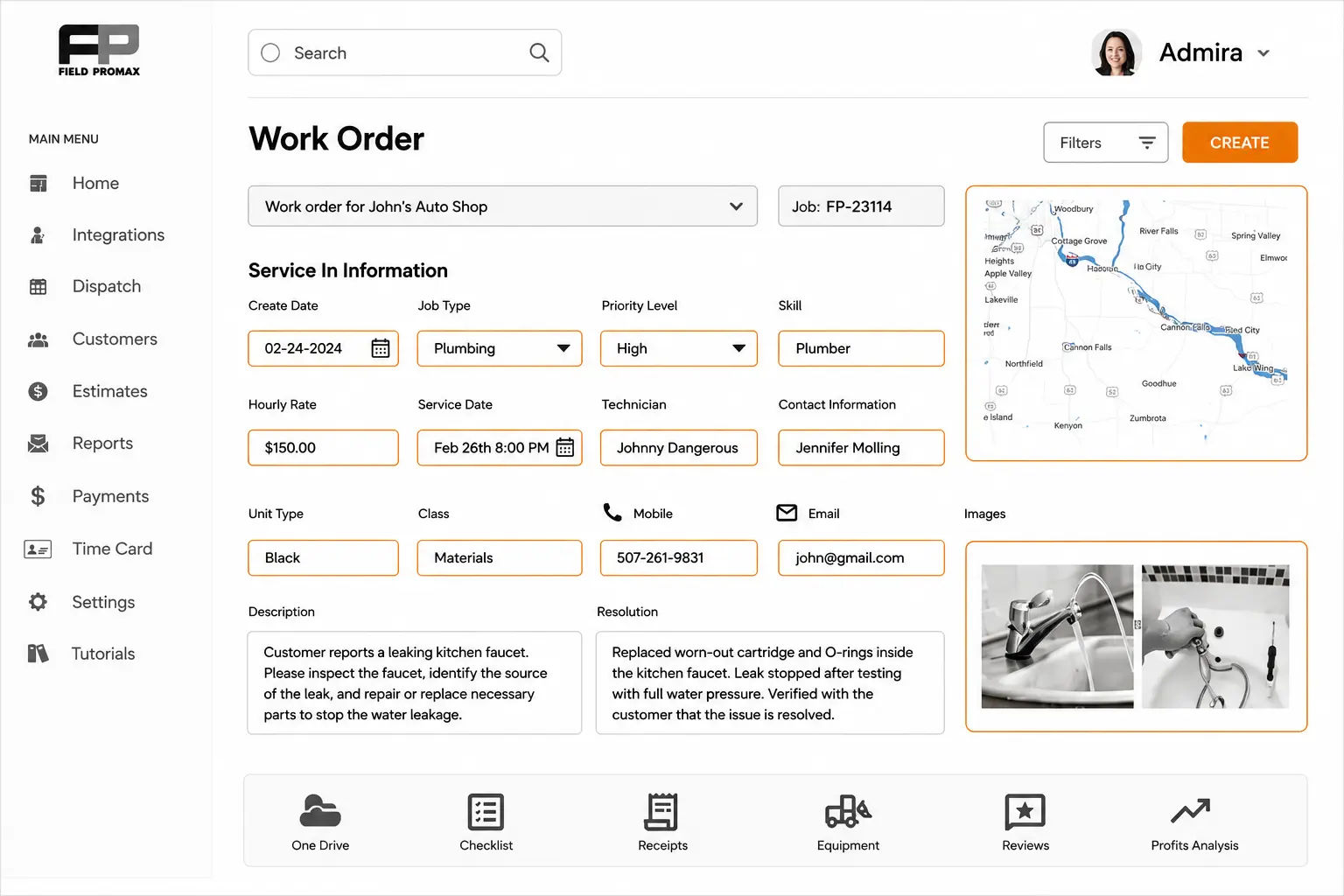
If a tech opens a work order in the field and must call the office to complete it, the process is not truly complete. The following are the non-negotiable fields that should be completed for every trade service call:
- Customer name, service address (not billing), on-site contact, and the cell number that gets picked up. A billing address that differs from the service address frightens many dispatchers more often than it should.
- A specific problem description in the customer's words, not "AC not working." “Blowing warm air” versus “no air at all” determines which parts and diagnostic steps should be prioritized. This distinction should be captured during intake rather than being buried in a generic service ticket.
- Asset record: model, serial, install date, warranty status, last service. For regulated assets - such as HVAC refrigerant systems, fire alarm panels, or sprinkler risers - the asset record drives the downstream documentation required for compliance. Without an asset record, there is no compliance trail.
- Priority tier and any SLA window. Emergency repairs, preventive maintenance, and installation work perform very differently on the dispatch board. Assigning the wrong priority can result in a burst pipe waiting for service while three routine tune-ups are completed first.
- Assigned technician, scheduled window, access notes (gate codes, dog warnings, business hours). Access notes alone will eliminate more “technician stuck outside” calls than any other field.
- Parts pulled or required, flagged if special-order is needed before the visit. A dispatcher who learns that a tech has driven across town without the necessary part is a dispatcher who has experienced that problem before. Failing to capture critical information at the time a work order is created leads to costly mistakes. The cost of recovery is often a callback.
- Open fields for tech notes, photos, signature, and the close-out status that triggers invoicing. The fields included in a work order can make or break invoice accuracy. What the technician records becomes the basis of the invoice. If the information is incomplete or unclear, the invoice may be inaccurate.
Source: Field Promax operational best practices, 2025
| Required Field | Who Needs It | Consequence If Missing |
| Equipment model and serial number | Tech in field | Wrong parts ordered, repeat visit guaranteed |
| Site access instructions | Tech and dispatcher | Tech stuck outside, job delayed, customer angry |
| Skill and certification requirement | Dispatcher | Wrong tech assigned, job cannot be completed on first visit |
| Priority level | Dispatcher | Urgent jobs buried under routine ones |
| Expected close-out documentation | Tech | Invoice delayed, compliance gap, customer dispute |
| Customer and equipment history linked | Tech | Tech starts from zero; longer diagnosis; higher callback risk |
How do you create a work order without slowing dispatch down?
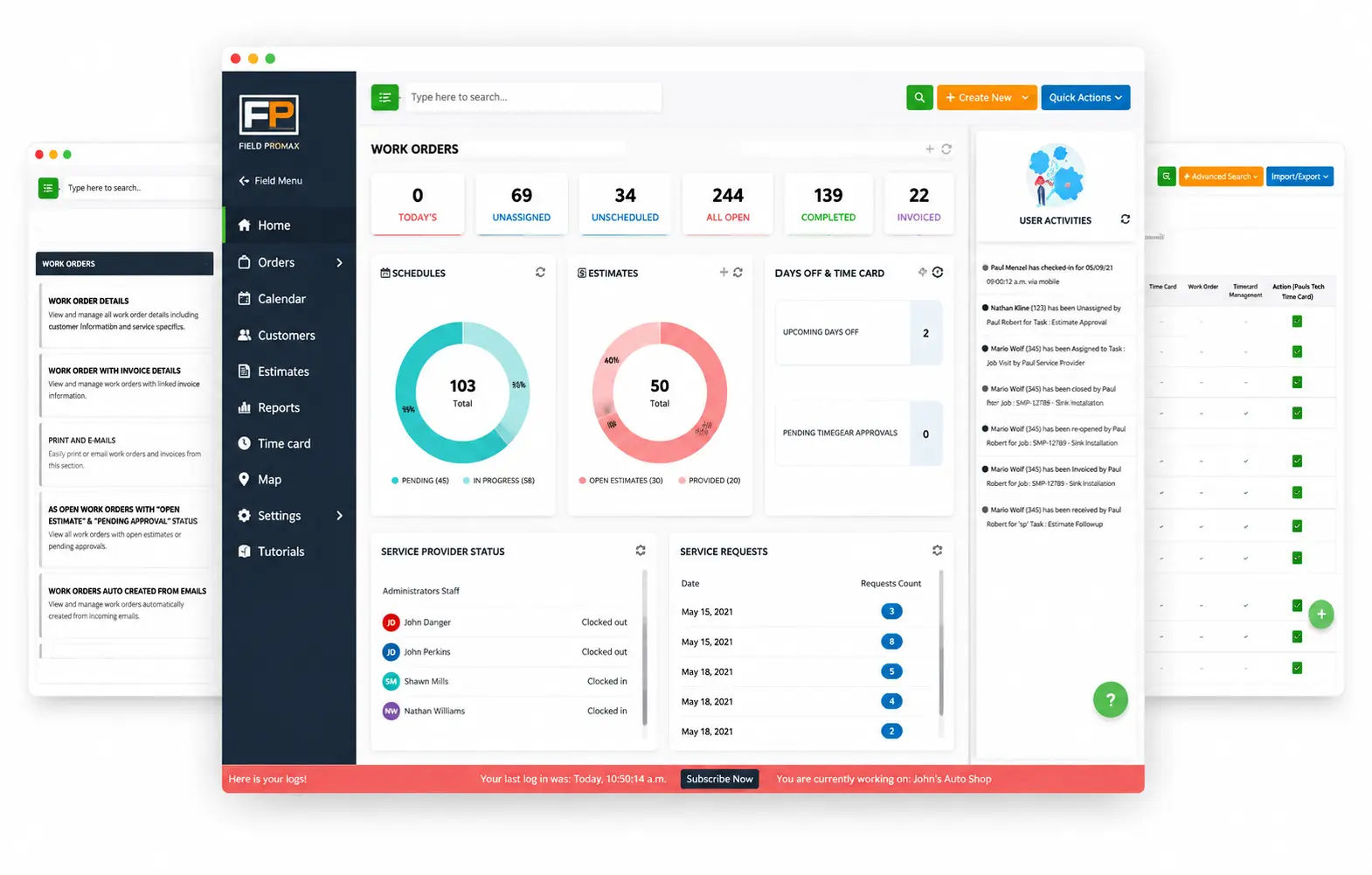
One of the most common questions businesses ask when digitizing operations is how to create work orders without adding extra steps to an already overloaded dispatcher’s day. The answer is simple: the process must be faster than using a paper ticket, or dispatchers will return to paper. In Field Promax the create path is built around the calendar:
- Open the calendar view. Permissions are role-based, so CSRs and dispatchers do not interfere with each other’s workflows. Each role has access to the information and functions it needs, without unnecessary complexity.
- Double-click the day or time slot. The slot is pre-filled with the date and time, which eliminates two of the most common data entry mistakes.
- Select the customer. Long-term customers pull history, equipment, and billing information instantly. New customers are built using the same structure, so no separate lookup is required.
- Type the problem description, attach intake photos, set priority, choose the tech - or leave unassigned if you're still checking skill availability.
- Save. The tech receives a push notification, the work order appears on their mobile device, and the calendar updates in real time. There is no need to re-key data or perform a separate dispatch step.
The method for how to create work orders for field service teams is less important than establishing the practice that work order creation happens at the intake stage - not at 7 a.m. on the day of the job with missing information. It is essential to include all necessary fields when the record is created. The system should enforce what a dispatcher under pressure may not always be able to catch.
What does this look like in the field?
Across roughly 40-50 mixed residential contractors in the 15-20 tech range that we’ve worked with since 2018, the same pattern appears every midsummer. Dispatchers keep technician locations in their heads. A 10 a.m. cascade of updates arrives when the morning shift is already underway, and multiple afternoon schedules are disrupted without customers being contacted.
One operator we studied closely managed a single shop of 15-20 techs in a mid-sized urban area. By June, the complaint log was largely ETA-related rather than related to workmanship. Assignments were based on whoever was closest in the dispatcher’s memory. Customers were given “between 1 and 3” time windows, then told the technician was unavailable when they called at 4. Techs were often blamed for decisions made at the office level.
In the second portion of the season, the dispatcher locked the board at 7 a.m., with one requirement: no reshuffles without a courtesy phone call first. Non-urgent reroutes were pushed back to the following day. The first version didn't stick. CSRs slipped same-day adds past 9am. It required two revisions and an owner sit-down to define the types of calls that could bypass the lock, ensuring the rule was properly enforced.
In the following quarter, on-time delivery improved noticeably and ETA complaints decreased to around one-third. However, a few same-day emergencies were delayed or handed over to competitors each week. The technician in charge was often the only one available for squeeze-in jobs and was repeatedly pushed back for weeks until the call-first routine took hold.
What changes when scheduling sees the actual route?
A work order on a calendar isn't a route. Knowing a tech is in ZIP code 78704 doesn't tell you she's two minutes from a job that just called in or 40 minutes deep into a drain cleaning that isn't wrapping on time. The features that actually move dispatch efficiency - all part of Field Promax scheduling and dispatch:
- Real-time schedule adjustments when a tech runs long or a priority call drops in. The board restarts without any data being entered. A single change can be automatically reflected across all affected technicians.
- GPS location tracking so the dispatcher sees where the truck actually is. It wasn’t where it was at the time of the last check-in. It’s not where the technician claimed to be. So where is he?
- Skill-and-certification routing. Section 608 certification applies to refrigerant handling and repairs, not to installation apprentices. Journeymen typically handle panel upgrades. Apprentices are not assigned these calls and may need to be redirected. When skill tags are applied to work orders and certification requirements are linked to technician profiles and equipment types, dispatching stops being about “who’s closest” and becomes “who’s closest and qualified.”
- Multi-stop route optimization that factors traffic and sequence, not just "who's closest." A tech who completes a task within the same time block outperforms one who is technically more advanced but is two hours into a difficult installation with no defined end time.
According to a SkyQuestTT analysis, firms using AI-driven field service scheduling tools reported a 15% decrease in service delivery times and a 20% increase in first-time repair rates compared to manual operations. For a 10-tech operation, that 20% FTFR improvement is two fewer callbacks per day - two additional revenue slots recovered from a process change, not a headcount change.
How do you move a work order from dispatch to paid invoice?
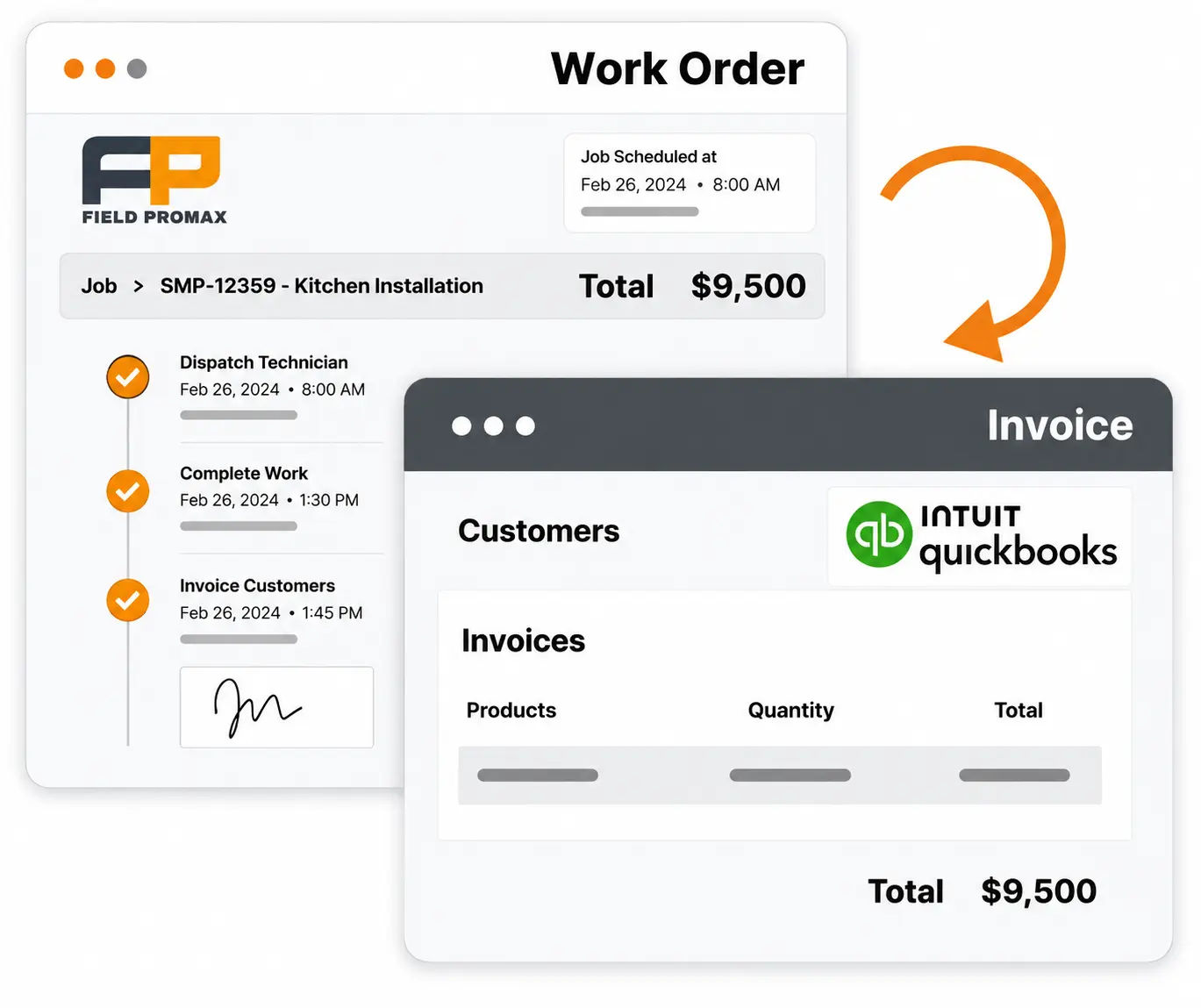
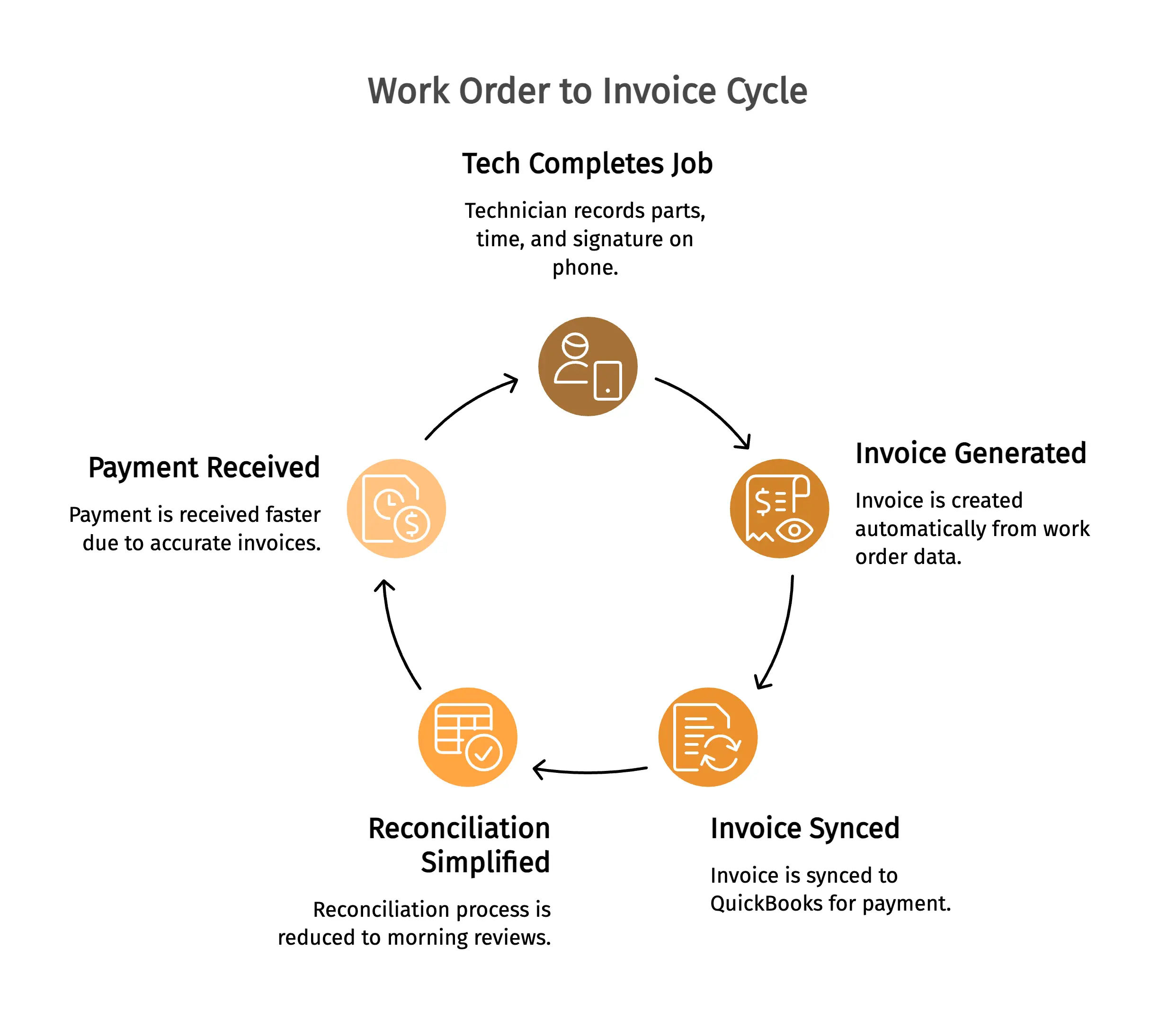
The point of digitizing isn't the dispatch board. It's getting paid faster. The fastest shops generate the invoice from the work order on the tech's phone before she leaves the driveway: parts and labor populated from what was recorded at the job, signature on screen, photos attached, invoice synced to QuickBooks before the truck moves.
A truck repair operator who reviewed Field Promax on the QuickBooks App Store explained the benefit clearly: the biggest win was not scheduling, but the fact that accurate work orders produced precise invoices on the same day. The reconciliation process that once took place on Friday afternoons shifted to morning reviews. A reviewer on G2 noted that before establishing a standardized work order closeout process, they spent 3-4 hours every Friday manually reconciling paper records to determine what had been invoiced. They also had to correct billing errors days after the work was completed. After implementing digital sign-off and mandatory fields, that time dropped to less than thirty minutes.
The owners of the bottleneck often believe the issue is creating the work order itself. In reality, the challenge is moving from job completion to a paid invoice without multiple people re-keying the same data. The closeout fields completed by the technician on-site: parts used, time recorded, and customer signature - should directly populate the invoice. When these two records are linked, billing accuracy improves and payment times decrease. When they are not connected and two separate data-entry processes are required for the same information, errors increase at every transfer point.
Field Promax reporting surfaces first-time fix rate as well as average resolution times and technician utilization, so the solutions don't rely on spreadsheet sessions held on Fridays.
How do you manage work orders across multiple locations?
If you ask any dispatcher who manages service operations across three or more locations, they will be able to tell you exactly when the system stopped working efficiently - usually around the time the third location was opened. Two locations are manageable through phone calls or a shared spreadsheet. What's the most efficient way to manage work orders across multiple locations Once you pass that threshold, what do you do? The short answer is to centralize standards and localize execution.
Two failure modes consistently appear in multi-location operations. The first is when each location operates with its own spreadsheet, which means there are no shared KPIs or visibility across locations. The second is when everything is routed through a central dispatcher, which means a Phoenix service call ties up the Dallas line during a busy afternoon. Neither system works effectively at scale. The model that does work includes the following:
- One shared customer record so a Phoenix technician covering Dallas does not need to recreate the account and lose access to service history that could help complete the job faster.
- Location-based dispatch rules where jobs are routed to the nearest branch first, escalating cross-zone only when additional capacity is needed. This ensures no job falls into a gap between service regions.
- Regional manager permissions allowing branch leads to view and adjust their own scheduling boards without affecting other locations. Location managers can monitor their own service area, regional leads can oversee multiple branches, and owners have visibility into the entire operation.
- A multi-site KPI rollup that compares first-time fix rate, inventory usage, and ETA accuracy by location, technician, and month. If you cannot compare performance, you cannot improve it.
Standards centralize, execution localizes. The templates, priority tiers, and SLAs are the same across every branch. Who answers the call and who drives the truck stays local.
An HVAC commercial business owner on Quora described the challenge of managing multiple locations, explaining that each of their three locations had its own binder-based system. This meant that any job crossing territorial boundaries required contacting three different coordinators just to verify status and availability. In one instance, a technician drove 45 minutes to a job that had already been assigned to another technician at a nearby location, simply because neither dispatcher’s system showed the other location’s assignment. That resulted in two hours of billable time being lost to a coordination gap that a unified system closes in seconds.
The answer to what's the most efficient way to manage work orders across multiple locations is to use a single platform, one job queue, and a unified customer database, with view filters that allow managers to oversee their own territory while owners maintain visibility across all operations. When all jobs are visible in one system, you can stop making decisions based on inaccurate data.
Source: Field Promax multi-location customer operations review, 2025
| Metric | Paper or Siloed Systems | Unified Digital System |
| Cross-location job visibility | Phone calls required; 30-45 min delay | Real-time dashboard; zero delay |
| Duplicate job assignment rate | 3-8% of emergency jobs | Under 0.5% |
| Time to assign cross-territory emergency | 45-90 minutes | Under 10 minutes |
| Customer service history accuracy | Fragmented by location | Unified across all locations |
| Reporting consistency | Non-comparable data formats | Standardized and benchmarkable |
How do companies automate work order distribution?
Automation does not mean the dispatcher disappears. The real shift is that she stops doing the assignments a rule can handle - and focuses on the exceptions that actually need her judgment.
Four patterns that work in practice:
- Rule-based skill plus GPS auto-assignment. Work orders tagged with required certifications auto-route to the closest qualified tech with capacity. The system narrows the assignment list before the dispatcher even touches it. Every job that reaches her queue is already qualified for at least one technician.
- Recurring agreements that generate their own work orders. For security or fire protection contractors handling annual inspections, templates automatically generate work orders up to 14 days before the contract anniversary date and assign them to the nearest certified technician. The dispatcher never sees these jobs unless something goes wrong.
- Condition-based triggers. Smart thermostat alarms, IoT-connected commercial refrigeration systems, and remotely monitored access control systems can automatically generate work orders whenever an issue occurs. The equipment creates the service ticket, and the system routes it automatically. In some cases, the customer is notified only after the tech is already on the way.
- Auto-escalation on stuck work orders. Any work order marked as “on site” beyond a defined time threshold, or “awaiting parts” for more than 48 hours, automatically alerts the dispatcher. There is no need for her to manually track every open job - the system flags exceptions immediately instead of forcing her to discover issues later.
The Aberdeen Group research cited by AEX Software puts the industry average first-time fix rate around 75-80%. Companies using automated dispatch with skills-based assignment consistently outperform that benchmark. The mechanism is simple: better matching at assignment time means fewer techs arriving without the right certification, the right parts, or the right information. Less preparation failure, fewer callbacks.
What this automation doesn't replace is dispatcher judgment. A cold call in February, a leak reported by an existing customer at a commercial school, or a broken electrical panel during business hours - all of these situations require it. The goal is to remove routine tasks from her workload so she can focus on making decisions when her expertise is actually needed.
The most common work-order feature request we hear isn't scheduling, GPS, or invoicing on its own. It's better dispatch-to-invoice automation. The owner doesn't feel the pain at creation. He feels it at the back end: a job wrapped Tuesday, a tech note pencilled on the back of a ticket, the invoice still not sent by Friday, and a Monday-morning argument about flat receivables.
From 15 years of customer conversations, the bottleneck isn't getting the work order made. It's getting it from a completed job to a paid invoice without three people re-keying the same fields. Build the loop so the ticket auto-routes from tech completion to office to invoice the moment work wraps, and you reclaim a measurable share of every dispatcher's week.
- Joy Gomez, Founder of Field Promax
What work order management best practices actually move the needle?
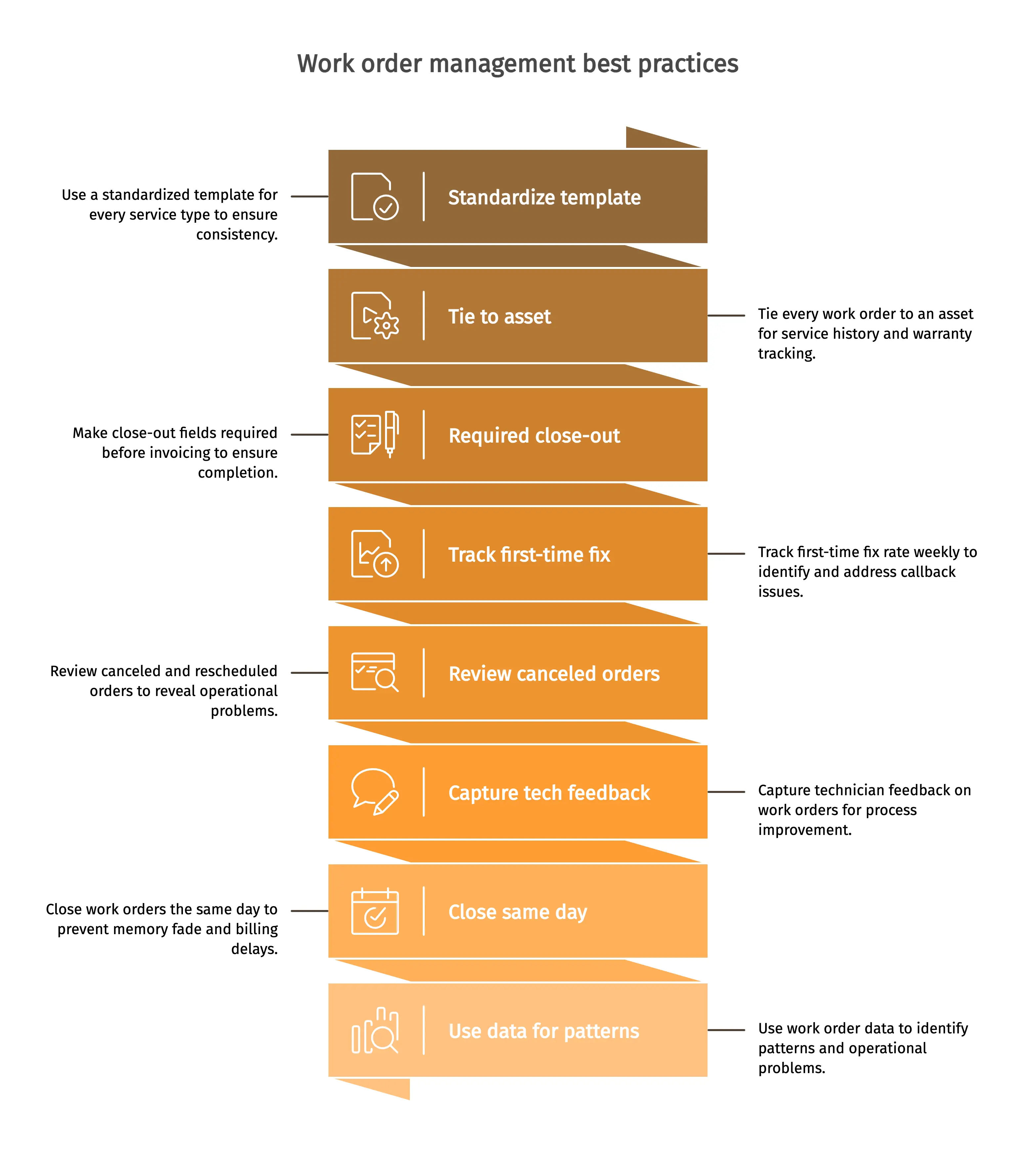
Every list of work order management best practices says the same things. They are the ones that owners on Quora and contractor subreddits consistently discuss as the changes that actually affected business numbers, not in theory, but in the next quarter's invoicing and callback log:
- Standardize the work order template. Owners often share the same complaint: every technician performs recurring jobs slightly differently, and there is no consistent record of the work completed. A standardized template for every service type solves this issue. It should not be treated as a suggestion, but as a system requirement. If a job is dispatched without equipment details or site access information, the business will eventually pay for that mistake later in the field.
- Tie every work order to an asset. For HVAC, plumbing, heating, security, and access control businesses, the asset acts as the backbone of the work order. Service history, warranty status, last test dates, next due dates, and related records should all be tied to the asset. Owners on Capterra regularly point to this as the key factor separating shops that identify failing units early from shops that absorb avoidable emergency callouts.
- Make the close-out checklist required. Close-out fields should not allow invoicing until they are fully completed: photos, signatures, parts used, and total time on site. 90 seconds of additional work in the field can save 20 minutes of reconciliation work in the office. This also helps prevent disputes with customers who later claim they do not remember approving the completed scope of work.
- Track first-time fix rate weekly. Aberdeen-derived benchmarks reported by Eptura put the industry average at 75-80%, top-quartile past 88%. Shops moving from tribal-knowledge troubleshooting to mobile checklists report callback rate dropping within a quarter. Weekly tracking surfaces the pattern before it costs a customer relationship.
- Review canceled and rescheduled orders. These patterns often reveal more about operational problems than completed job data. Rescheduling the same technician for the same equipment family three times every month usually signals a process issue or knowledge gap, not a coincidence.
- Capture tech feedback on the work order. If the job description was unclear or a required component was not identified during intake, technicians will recognize the issue immediately. Feedback fields create one of the most affordable process improvement loops that service businesses can implement. Use them consistently.
- Close work orders the same day. Leaving a work order open creates two risks: the customer’s memory of the completed jobs begins to fade, and billing delays begin to accumulate. Same-day closeout should be mandatory for every technician and every service call. A technician who understands that accurate closeout protects invoice accuracy, reduces disputes, and preserves equipment history will usually follow the process consistently. A technician who is simply told “the form requires it” usually looks for workarounds.
- Use work order data to spot patterns, not just report them. Use work order data to identify patterns, not just to document completed jobs. Closed work orders reveal which job types consistently go over estimate, which technicians generate the highest callback rates, and which equipment models repeatedly fail for the same issue. A monthly review of that data is not simply a management exercise, but a way to identify margin-draining operational problems quietly before they escalate into major business issues.
OUR STANCE: Paper work orders aren't free. They're just hiding their cost. Between lost documentation, delayed invoicing, callbacks from incomplete job info, and dispatcher time spent chasing status updates, the average paper-dependent field service business is paying $4,000-$8,000 per month in avoidable overhead. The only reason it feels free is because the cost is distributed across dozens of small daily frictions instead of showing up as a single line item.
What role do mobile and cloud play in work order management?
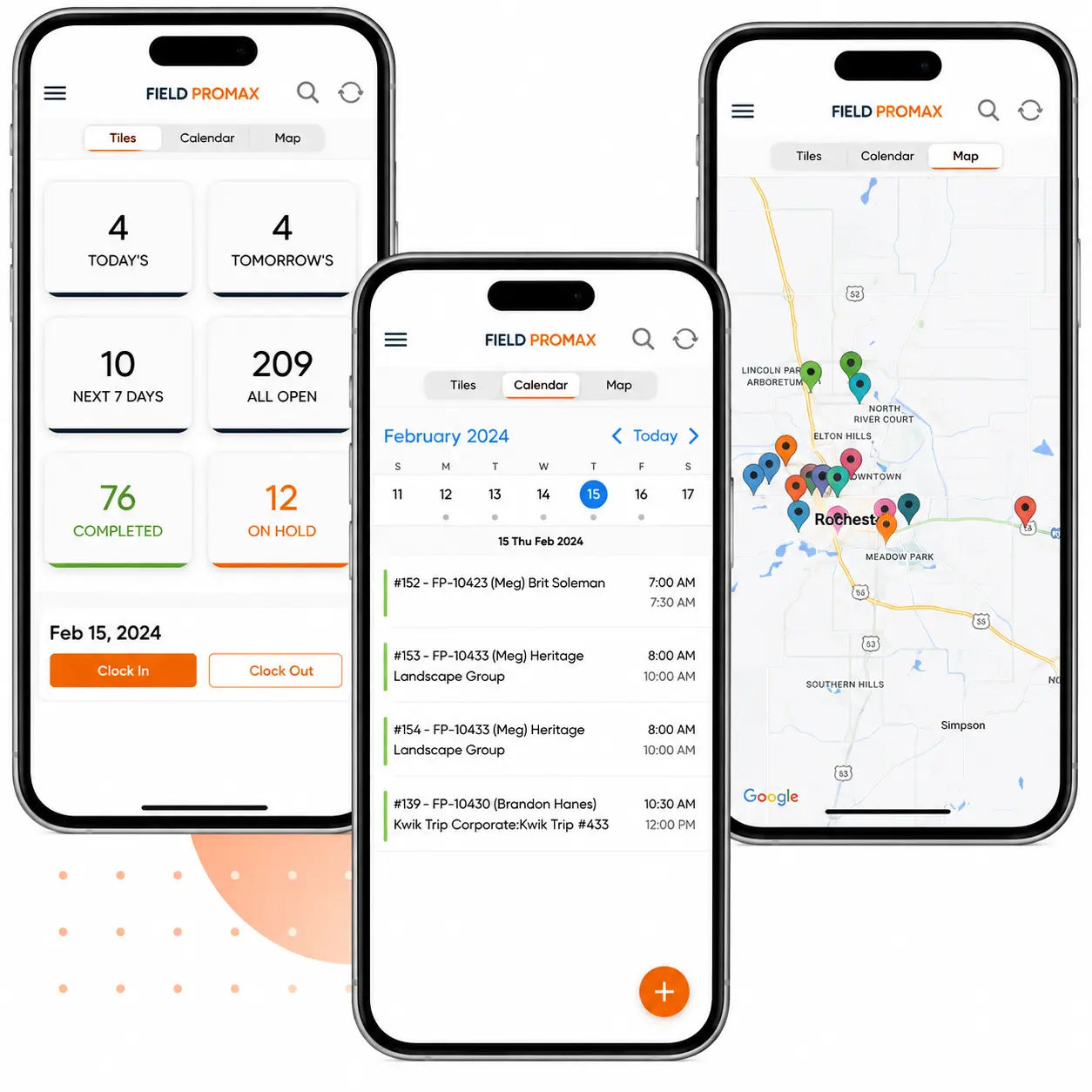
Mobile adoption is the single biggest predictor of a successful rollout. Owners on Quora and Reddit point to the breaking point: techs need job checklists on their phones at the site, not printed sheets that get lost or soaked. With a field service mobile app the tech can:
- Start by creating your work request, reviewing the asset history, and verifying equipment before pulling parts - before the tech leaves the truck. .
- Capture before, during, and after photos with timestamps that can be used later in a callback dispute.
- Add the parts used, log labor time, and run the close-out checklist
- Collect the customer’s signature on the screen, then generate and send the invoice before leaving the driveway.
Cloud-based systems are critical because every system can access the same data: accounting needs the invoice, CRM needs customer history, dispatch needs live job status, and owners need operational rollup reporting. A spreadsheet can't do that. Cloud-based work orders become the single source of truth, whether the technician is working in downtown Phoenix or servicing a commercial facility in rural Alberta.
What changes when you get work order management right?
The result is something many owners overlook: fewer callbacks, faster invoicing, reduced dispatcher overtime, fewer parts runs, and a stronger opportunity to move first-time fix rates from industry average to best-in-class performance. In the QuickBooks App Store, a customer who tested several work order apps before choosing on Field Promax stated that it offered the best combination of user-friendly UI and responsive customer support. Techs abandon any tool with more taps than a paper ticket; shops abandon any tool whose support takes three days.
To see this workflow against your own call mix, schedule a Field Promax demo.
Happier customers and a faster crew
Customers value predictability in service more than perfection. A clear service window, a friendly update call when something changes, a technician who arrives with a clear understanding of the equipment’s history, and a same-day invoice. Every customer touchpoint traces back to the original work order. If the work order is properly created and smoothly closed out in the field, every touchpoint improves.
If a technician does not need to call the office to ask about a gate code, warranty status, or an old part number, they can complete the job faster and move on to the next job. Shops that switch from paper-based dispatch and close-out processes to digital systems often reduce the 8-10 hours per week the dispatchers spend reconciling collapses to about one hour. That represents nearly an entire workday each week that can be redirected toward revenue-generating work.
Lower truck-roll cost, smarter resource use
Truck rolls are expensive. D-Tools calculates a pre-utilization truck roll cost of roughly $81.97 per hour for a $30/hour tech at 60% utilization. Every avoided callback and first-time fix drops straight to margin. At even one avoided callback per day across a 10-tech operation, that math moves fast.
The lever is matching the right tech to the right job. Skill tags attached to work orders, certification flags on the tech, equipment family data linked to assets turn dispatch decisions from simply asking “Who’s closest?” into “Who’s closest and qualified?” The EPA Section 608-certified technician handles refrigerant-related work. The journeyman electrician handles the panel upgrade. The apprentice doesn't get the call that's going to come back.
What does the data tell you to do next?
Work order data is the highest-quality operational data a service shop generates. A weekly fifteen minutes with the reports and dashboards view - first-time fix by tech, utilization by week, average open-to-close hours, reschedule rate by service type - surfaces patterns paper hides. Shops that grow without proportional hiring run that review. Shops that add two techs for every capacity problem skip it.
The predictive maintenance process is already shifting this further. Connected IoT-enabled commercial HVAC units and refrigeration systems can now generate work orders in real time when fault codes are triggered, often before customers even notice an issue. Around 75% of field service firms report that AI has already improved first-time fix rates, according to Fieldwork HQ’s 2025 study. The data loop that begins with a clean work order is increasingly closing before the customer even makes a service call.
How do you keep customers and techs aligned in real time?
Two loops need to run smoothly: office-to-tech and office-to-customer. Both are connected through the work order. Technicians can see the work order displayed on their phone as soon as it is assigned, along with push notifications about changes and a two-way communication thread for dispatch. There is no need to call the office to ask what has changed. Customers receive automatic confirmations, on-the-way notifications while the technician is en route, and same-day receipts after service is completed.
Decide in writing who calls the customer when a window slips: dispatcher, tech, or CSR. Shops without that rule end up with everyone calling, or no one calling. Both end the same way.
How do you handle conflicting priorities and compliance?
Real schedules rarely survive a Tuesday morning. A no-heat emergency call on a February, a leaking sprinkler riser at a school, or a damaged electrical panel at a commercial property can override the planned schedule. Shops that handle this effectively depend on three factors: a priority system so dispatchers are not forced to make stressful decisions alone, a flexible scheduling board that can accommodate urgent work without burying routine jobs, and a notification loop that informs affected customers about schedule changes before they call in.
Compliance quietly overrides the schedule too. HVAC shops servicing ozone-depleting refrigerant systems trigger Section 608 documentation: the EPA requires technicians to invoice refrigerant added, log leak inspections, and retain records for at least three years. Fire and security contractors hit NFPA 25 and NFPA 72, where inspection and testing records have specific retention windows and required fields. Shops that pass audits keep compliance fields on the work order itself, tied to the asset, captured in the mobile app at service time.
Provincial and state licensing requirements add another layer of complexity. In California, HVAC contractors must hold a C-20 license to perform heating and cooling work. In Texas, HVAC technicians must have a TACL number on commercial work orders. In Ontario, TSSA certification requirements apply to both refrigerant and gas-related work. Work orders serve as an audit trail. If documentation is complete, inspections can be passed without issue. If records exist only on paper forms stuffed in a binder that no one can locate during an inspection, they cannot.
Work order management KPI benchmarks for field service
These are the measures that will tell you if your procedure is working, not just how many jobs you're closing, but how efficiently you're closing them. The difference between digital and manual operations is evident at each step of the work order's lifecycle.
Sources: Aberdeen Group / Eptura field service FTFR benchmarks; SkyQuestTT FSM Market Analysis 2025; Field Promax customer operations data
| KPI | Industry Average (Manual/Paper) | Top Quartile (Digital, Automated) | What It Measures |
| First-Time Fix Rate (FTFR) | ~75-80% | 88-92% | Jobs completed without a return visit |
| Work Order Close Rate (same day) | 55-65% | 90-95% | WOs closed and invoiced on day of service |
| Avg WO Completion Time | 3.5-5 hrs (residential); 6-8 hrs (commercial) | 2.5-4 hrs (residential); 5-7 hrs (commercial) | Total time from dispatch to job close |
| Documentation Compliance Rate | 60-70% (manual systems) | 94-98% (required field enforcement) | WOs with all required fields and sign-off complete |
| WO-to-Invoice Accuracy Rate | 78-82% | 96-99% | Invoices matching WO scope without dispute |
| Dispatch-to-Assignment Time | 45-90 min (manual) | 5-15 min (automated dispatch) | Time from WO creation to confirmed tech assignment |
| Callback Rate within 30 days | 18-25% | 8-12% | Jobs requiring a second visit for the same issue |
Year-by-year growth of work order management software adoption
The shift from paper to digital work orders is accelerating faster than ever. Here’s how the market has grown, where it is headed - each year driven by a specific operational forcing function:
Source: Grand View Research, Work Order Management Systems Market Report, 2024-2030; SkyQuestTT Field Service Management Industry Analysis 2025
| Year | Market Size (Global WOMS) | Key Driver |
| 2020 | ~$475 million | COVID-19 forces remote dispatch; paper workflows collapse overnight |
| 2021 | ~$512 million | FSM platforms add mobile-first WO apps; SMB adoption accelerates |
| 2022 | ~$585 million | Labor market tightness drives automation investment in scheduling and dispatch |
| 2023 | ~$650 million | Cloud-based WOMS overtakes on-premise; AI scheduling features debut at SMB pricing |
| 2024 | $760.4 million | AI-driven FTFR improvements documented; SMBs accelerate digital migration |
| 2025 (est.) | ~$825 million | IoT-triggered predictive work orders enter mainstream; voice-to-WO in early deployment |
| 2030 (projected) | ~$1.2 billion | Predictive maintenance WOs, blockchain audit trails, customer self-service portals standard |
Frequently Asked Questions

Content Creator
Bhargavi Halthore is a content writer at Field Promax, a field service management platform serving trades businesses across the USA and Canada. With over a decade of experience writing for business owners, she brings detailed, ground-level insight to every topic she covers. Her research goes beyond search results - she digs into LinkedIn groups, Facebook communities, and Reddit forums to understand what field service business owners are actually dealing with on the ground. She speaks directly with industry professionals, understands their day-to-day challenges, and translates that into content that is practical and actionable. What you read in her articles reflects real industry patterns, not theory.
Reviewed by

Founder and CEO
Joy Gomez is an engineer, process automation expert, and the Founder of Field Promax. Known for his technical expertise and commitment to field service innovation, Joy writes about transforming traditional business models into paperless, efficient operations. He is a Lean Six Sigma Black Belt based in Rochester, MN, dedicated to helping field professionals work smarter through better technology.