Demolition Estimating Software: A 2026 Buyer's Framework
.webp)
Most buying advice for demolition estimating software follows the same formula: choose a tool, review the feature list, sign up, and expect your estimates to become more accurate. We disagree. Over 14 years of working with trade contractors, we've found that the bottleneck is rarely the software itself. It sits in the workflow around it, whether your field crew actually opens the app, and the gap between what an estimate is and what the customer thinks it is.
Owners on Quora often describe the same problem: a site visit turns into an estimate a week later, and by then the opportunity has gone cold. That is not a feature problem. It is an operating-system problem. The rest of this article will provide a framework to help you choose the right tool, not a ranking list designed to declare a winner.
1. Six criteria that actually decide fit
Each of these criteria is specific enough to test a vendor in a 15-minute demonstration.
-
Cloud setup and offline-ready mobile. Can your estimator open a job on-site from a phone, edit line items, capture a signature, and sync everything back to the office automatically?
-
Feature depth from estimate to invoice. Does the estimate transfer into dispatch, time tracking, and invoicing without requiring someone to retype it?
-
QuickBooks Online integration depth. Does the sync work two-way between items, customers, estimates, and invoices?
-
Pricing model fit. Is the published price within reach of a 5 to 20 tech shop, or is it enterprise-tier with quote-only pricing?
-
Trade-specific setup. Does the line-item library adapt to demolition work (volume, hauling, abatement, and salvage credits), or does it assume a standard house remodel workflow?
-
Support speed and onboarding. How quickly can support respond to a Tuesday afternoon ticket? Is there a strategy to get field staff to use the mobile app?
Five of these came straight from owner conversations. The sixth, trade-specific setup, came from watching shops bolt generic construction templates onto demolition jobs the templates were never built for. If you are shopping for demolition estimating tools, this is the criterion most guides skip.
2. What demolition estimating software does
Demolition estimating software calculates the price of a bid for a teardown. It combines debris volume, labor and equipment hours, disposal and hauling costs, permit fees, abatement costs, and contingencies. It then generates a clear proposal, usually with electronic signature capture included.
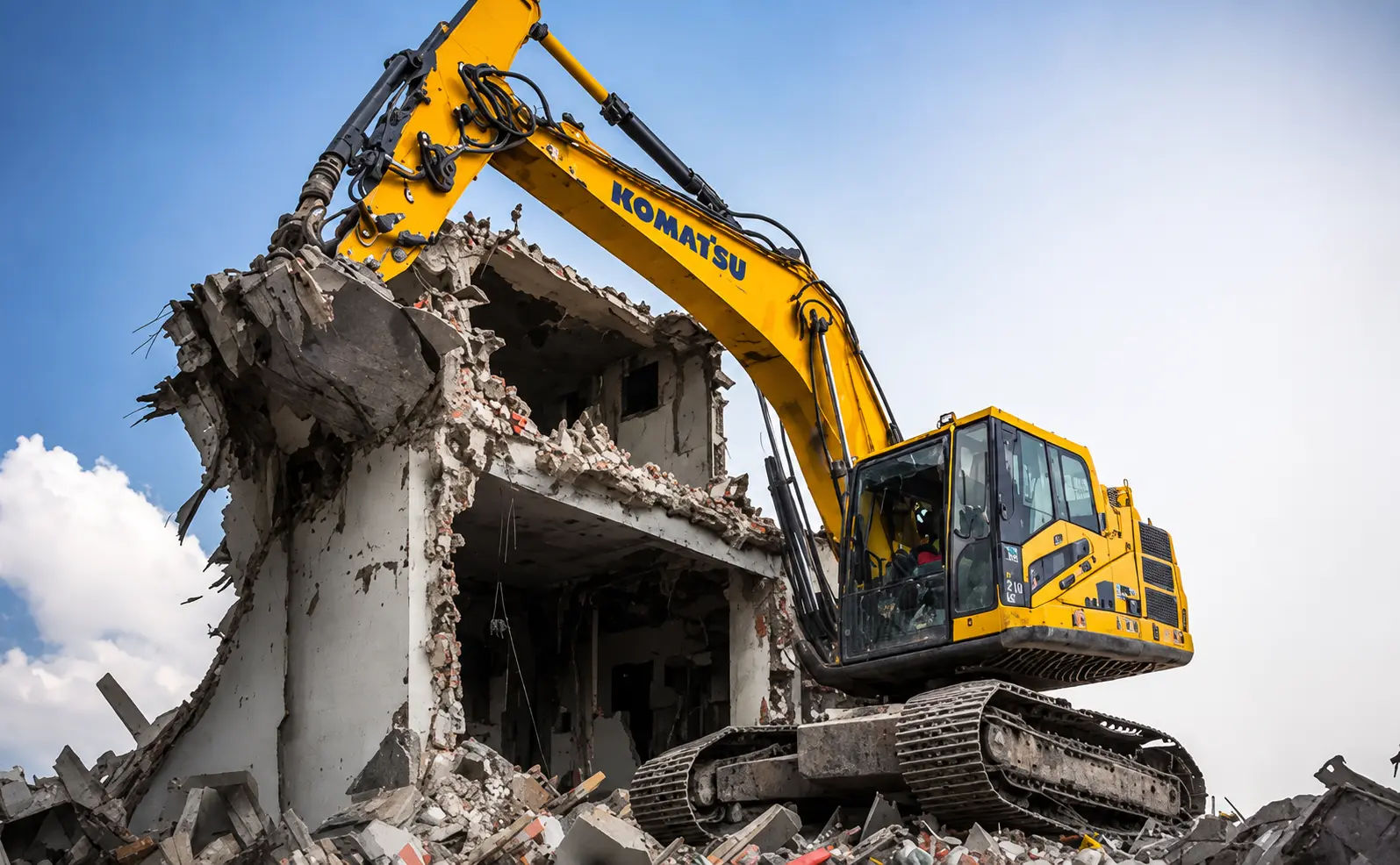
It is not similar to general construction takeoffs. Demolition is more complex and often more costly, and it creates challenges that commercial and residential estimators are not built to handle. Volumes are measured in cubic yards rather than square feet. Costs vary based on regional tipping fees and material type. There are also salvage credits for metals and abatement rates for buildings constructed before 1980. A platform built for new construction treats these as exceptions. A platform built for trades treats them as line items. The difference shows up in how fast the estimating tool flexes to your real jobs.
Want a personalized demo?
See how Field Promax can transform your field operations
Most demolition contractors we work with rely on spreadsheets, calculators, and paper takeoffs. The spreadsheet works fine until a formula drifts after one copy-paste and the office starts arguing with the field about which version the customer actually saw.
The first wave of demolition estimating tools addressed the formula problem by using hard-coded math. The second wave introduced reusable line items through templates and libraries. The current wave moves the entire workflow onto a mobile device, where estimators can work directly from the job site. Shops getting real lift run all three layers together.
3. Evaluating your options against the criteria
Most older buyer’s guides map five “things to consider” across all six criteria listed above. We go through each one, then add the factor most guides do not cover: trade-specific setup.
Cloud architecture and offline-capable mobile
The real test is not whether the platform runs in a browser. It is whether your estimator can open a job on a phone at the site, edit a line item, grab a signature, and have it sync once they hit a signal on the way back. Owners who skipped that check during the demo ended up with a "cloud" platform that worked great in the office and was useless in the field. Field-crew use of the mobile app is the single biggest predictor of whether ROI ever shows up.
Feature depth from estimate to invoice
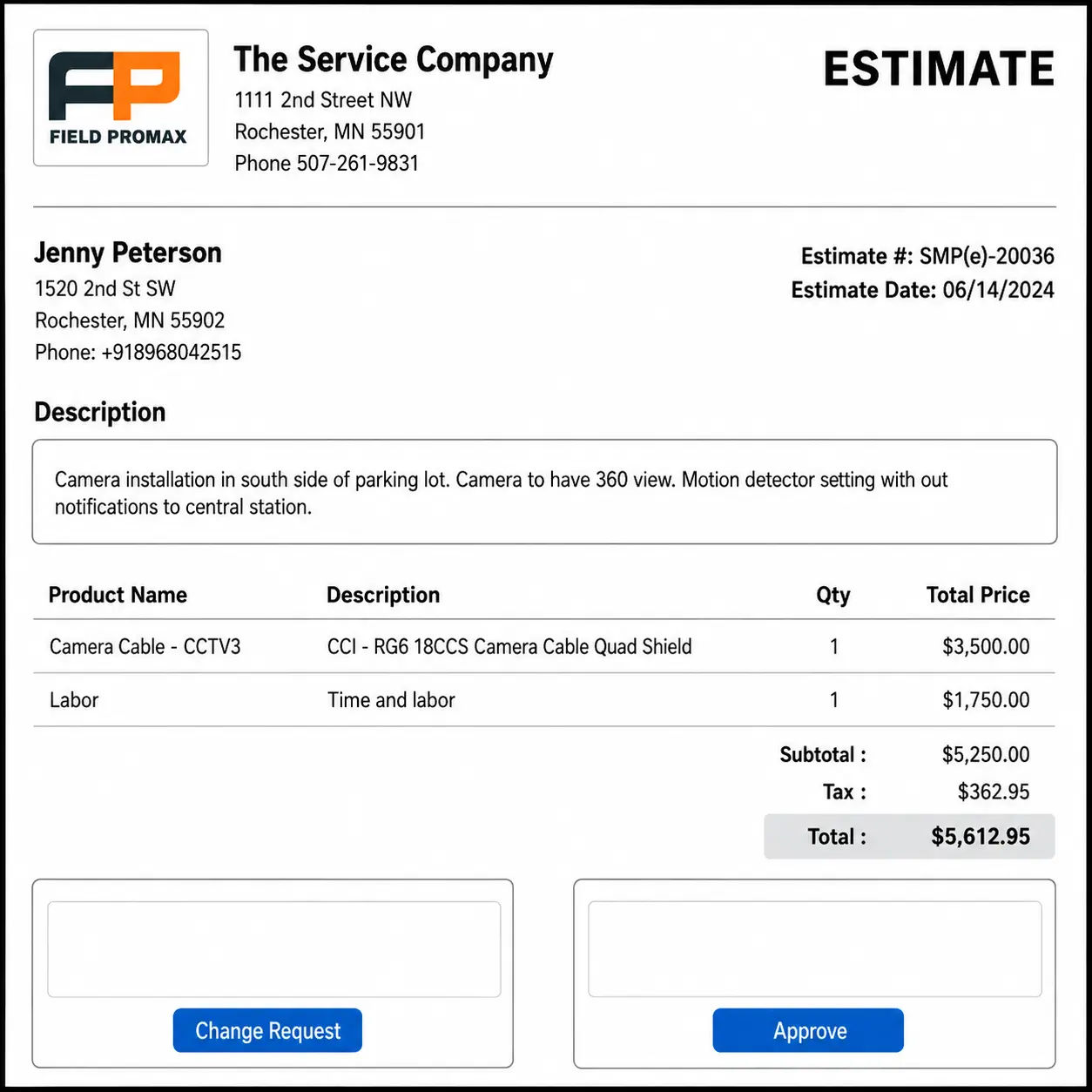
Estimating in isolation is the wrong frame. The most frequently requested capability from shops selling trade services is automated dispatch-to-invoice workflow. An accepted estimate is converted into a scheduled job, then into a time-tracked work order, and finally into an invoice that is synced into QuickBooks. A system that stops at the quote stage breaks this end-to-end workflow, which is where the most value is actually created.
What to look for on a demo:
- Scheduling and dispatch carry the estimate's line items forward
- Quantity takeoff supports demolition-specific line items
- Time tracking connects actual hours back to the original estimate
- Subcontractor management and master templates
- Alerts when a price exceeds a defined threshold
The last bullet matters most. Stale quotes lose deals fast, and automated reminders are one of the highest-leverage features on the list.
Ready to get started with Field Promax?
Sign Up FreeIntegration with the rest of your stack
A shop’s accounting system, payroll, CRM or payment processing, and dispatch calendar are the core systems the business runs on. Estimating software either integrates with these tools or it does not.
For demolition shops on QuickBooks (most of them), QuickBooks Online integration should be a hard requirement. Two-way sync covers customers, items, estimates, invoices, and payments. A one-way export is a downgrade dressed up as a feature. An enterprise reviewer on the QuickBooks App Store rolled Field Promax out across four business units and pointed to customization and integration depth that out-of-box demolition estimating tools could not match.
Support responsiveness and onboarding cadence
Support is the criterion buyers most underrate. Every platform has a learning curve, and the cost often determines whether you reach efficient usage in three months or eight.
Two questions you should ask on selling calls: What is the response time for an afternoon ticket on a Tuesday, and is there an organized onboarding process that encourages mobile app use among field staff? If the answer to the second is "we have a knowledge base," walk away.
Pricing model fit for small-to-mid shops
Most platforms are priced to serve one of two scenarios: a 5 to 20 tech operation that needs a complete end-to-end system within a defined budget, or an enterprise that requires an on-call systems admin.
Make sure you understand whether pricing is flat-rate or per-user for a 5-tech setup and how it scales for 15 techs, including whether there is an implementation cost. Enterprise-tier platforms can run six figures a year once you add implementation. Small shops that cannot carry that cost churn in year one or never roll out the mobile piece. When you compare platforms, the all-in price tells you more than the feature grid.
Trade-specific configuration for demolition line items
A platform designed to help homeowners remodel their homes treats demolition as a way to remove a larger area for renovation work. A platform built for trades treats it as its own scope: Quantity to be removed, material volume, crew production rates, and costs per cubic yard are all key inputs. Direct costs include permits, hauling, and abatement, offset by salvage credits from recoverable metals.
Field Promax supports roughly 24 service verticals, which means its template engine can adapt to trade-specific line items instead of forcing a remodel-style structure. Test it on your own demo with a real demolition scope, not a sample residential job. That single test separates the best estimating software for contractors from the tools that just look the part.
4. The seven-step demolition estimating workflow
Estimating building demolition follows a repeatable path. Skip a step and the margin leaks out somewhere downstream.
-
Site visit and scope capture. Photos, dimensions, asbestos risk, access constraints, and salvage opportunity.
-
Volume calculation. Convert the square footage and height of the ceiling into cubic feet and cubic yards using an equivalence factor. A 5,000 sq. ft. warehouse with 20-foot ceilings will yield about 3,700 cubic yards.
-
Direct cost build. The cost of labor is based on the crew's wage, equipment hours, labor, the hauling of debris at tipping fees, permits, and abatement.
-
Indirect cost and overhead. Office overhead, insurance, bonding, contingency. The average budget for contractors is 5 to 15%.
-
Markup and margin target. Add gross margin to set the sell price.
-
Proposal and e-sign. Send the structured proposal and capture the digital signature.
-
Job creation. The signed estimate becomes a scheduled job, carrying line items into dispatch and invoicing.
This is the backbone of any solid building demolition estimating process. Industry data pegs the median contractor quote-to-job conversion at about 74%, but shops running digital estimates with reusable templates and e-sign land closer to the 80%+ top-quartile band. The two steps that move that number are step 2 (template reuse) and step 6 (e-sign while you are still at the site).
| Workflow step | What it covers | Where shops lose money |
| Site visit and scope | Photos, dimensions, hazmat, access, salvage | Missed asbestos risk on old buildings |
| Volume calculation | Cubic yards with fluff factor | Pricing by floor area, not debris volume |
| Direct cost build | Labor, equipment, hauling, permits, abatement | Underbooking labor hours |
| Indirect and overhead | Insurance, bonding, 5-15% contingency | Skipping contingency entirely |
| Proposal and e-sign | Structured proposal, digital signature | Letting the customer shop the bid around |
5. Cost factors that move the bid
Square footage and volume. Residential demolition is typically priced between $4 and 10 per square foot. Commercial costs vary more widely by structure type. The cubic volume of debris is a bigger cost driver than floor area.
Asbestos and hazmat abatement. For buildings built before 1980, cost is often the biggest factor. Simple jobs cost between $2 and $5 for each square foot; dense urban projects with access limits can reach the level of $8 or more.
Permits and regulations. OSHA-compliant demolition plans, EPA NESHAP notifications for asbestos, and local permits. Skip these and the job stalls.
Debris hauling and disposal. Tipping cost varies by location and also the type of material. Concrete that has rebar is more expensive than pure wood. Credit for salvage on steel, copper, and aluminum offsets some of it.
Labor and equipment. Research shows that around 40% of contractors underestimate labour by a minimum of 10% based on manual estimates. A 5% labor miss stacked on a 7% material overrun routinely pushes a job 15%+ past its quoted cost.
| Cost factor | Typical range | What pushes it up |
| Residential demolition | $4 to $10 / sq ft | Structure type, access |
| Asbestos abatement | $2 to $8+ / sq ft | Pre-1980 build, urban access limits |
| Debris hauling | Varies by region/material | Concrete with rebar vs clean wood |
| Contingency | 5 to 15% | Older buildings, hidden conditions |
6. Five demolition estimating platforms compared
We checked five platforms against the six criteria. None is the universal right answer. Listed alphabetically, not ranked.
Autodesk Construction Cloud (formerly ProEst). Autodesk purchased ProEst in 2022, and then folded it into ACC. The best fit for larger GCs and demolition shops that are already part of Autodesk stack (BIM 360 or Revit). Pros: deep digital takeoff, enterprise-grade bid management, BIM integration. Cons: enterprise-tier quote-only pricing; the integration story weakens outside the Autodesk stack; steep learning curve is typical for a 10-tech team. Reviews point to a strong product, despite frequent complaints about onboarding complexity.
Bidtracer. Based around the bid management and proposal tracking. Ideal for contractors whose primary issue is bid volume and not estimate accuracy. Pros: clean bid workflow, invitation-to-bid tracking, document management. Con: less effective field-side takeoff function, only a few templates for demolition; no native dispatch feature or invoicing.
Field Promax. End-to-end field service platform with estimating, scheduling, dispatch, time tracking, invoicing, and a two-way QuickBooks Online sync. Best fit for 5 to 20 tech multi-trade shops that fold demolition into a broader scope. Pros: flat pricing within reach of small shops; templates that flex across trade-specific line items; a mobile app with an explicit field-crew adoption focus. Cons: enterprise reporting is practical rather than analytical and will not replace a dedicated BI stack; the UI favors function over polish; not built for large enterprise operations.
STACK. Cloud-based takeoff and estimation aimed at commercial GCs. Ideal for situations where digital takeoffs are the primary requirement. Pros: a strong interface for takeoffs and plan management; integrates with a variety of PM tools. Cons: Pricing increases rapidly when you add users, weaker on demolition-specific line items; no native dispatch.
UDA ConstructionSuite. Integrated construction management covering estimating, project management, and client communication. Best for residential and light commercial GCs. Pros: end-to-end construction workflow; client portal; document management. Cons: weighted toward residential remodel; the desktop-first heritage shows on mobile; pricing tiers split functionality across editions.
If you run a small-to-mid-sized demolition shop that does a wider range of trade work, , Field Promax or Bidtracer is likely the best fit for your business model. Larger general contractors with demolition as one scope within a broader construction practice should consider Autodesk Construction Cloud or UDA. If digital takeoff is the entire job, STACK is the cleanest single-purpose pick.

| Platform | Best fit | Native dispatch + invoicing | Pricing style |
| Autodesk Construction Cloud | Large GCs in the Autodesk stack | No (estimating focus) | Enterprise, quote-only |
| Bidtracer | High bid-volume shops | No | Mid-tier |
| Field Promax | 5-20 tech multi-trade shops | Yes | Flat, small-shop friendly |
| STACK | Takeoff-first commercial GCs | No | Scales per user |
| UDA ConstructionSuite | Residential / light commercial GCs | Partial | Tiered editions |
A pattern across multi-trade operators we have watched
The documentation discipline that protects an estimating workflow is the same discipline that protects an OSHA file. We have watched multi-trade shops digitize their records and hit the same curve every time: crews resist the extra sign-off steps and the office spends a few weeks back-filling old data before it clicks.
Consider a mid-sized multi-trade contractor operating throughout Texas with field crews under OSHA safety regulations. The shop handled demolition as part of a wider project scope. Estimates were stored in spreadsheets and safety training records were kept in paper binders. Both looked good in normal weeks. Both broke under audit.
During an OSHA review the contractor failed to create safety training for many field workers. The inconsistency resulted in penalties in the tens of thousands. The binder was technically up to date, but no one could find the right document fast enough to satisfy the examiner.
Leadership incorporated training records into a central digital system in which completion dates, signatures and certificates were recorded per technician and retrieved upon request. Later audits were conducted smoothly. The friction came on the front end: crews resisted the extra sign-off steps, and office staff spent weeks back-filling old data. The estimating rollout followed the identical pattern: painful for a month, then second nature. Budget for that month, because the shops that quit during it are the ones that blame the tool.
Pattern observed across multiple operators in this vertical; specifics anchored to the most common version.
What we hear from operators making this call
Most demolition contractors I talk to are still building estimates the way they did five years ago: a site visit, a notebook, two hours at the desk on Saturday morning, an email that goes out three days later. The conventional advice is to fix this by buying estimating software. I would push back on that framing. The software is a means, not the answer. What actually moves close rates is the workflow change the software forces: a structured takeoff sheet, a reusable line-item library, a digital signature captured before the tech pulls out of the driveway.
Every day a quote sits in a drafts folder costs a contractor roughly 7% of their close rate, and owners who go from a 3-day turnaround to a same-day digital estimate roughly double their win rate on those jobs. The standard buyer's guide obsesses over feature checklists when the real question is whether your estimator and your techs actually adopt the tool on Monday. If the mobile app gets ignored, the platform does not matter.
- Joy Gomez, Founder of Field Promax
Common estimating mistakes we still see
-
Underbooking labor hours. Prevent this by building a labor-rate library based on crew composition and comparing it against historical job data.
-
Treating an estimate like a quote. The customer reads the number as fixed; the contractor sees a best guess. Without plain language separating estimate from quote from contract, you end up arguing about the final invoice.
-
Free unlimited site-visit estimates. Pre-sales services have a significant price. Smart shops charge for detailed estimates above a set threshold, credit that cost back when the job is awarded, and stop subsidizing tire-kickers.
-
No follow-up on open quotes. A quote that is not followed up within 48 hours loses the most of the value.
-
Estimating in isolation. If the estimate fails to carry into dispatch and invoice, the workflow remains unchanged after the win, and the data lost at the time of the quote.
7. What demolition contractors actually gain
When the workflow change sticks, shops report:
- Tighter project costing. Reusable line-item libraries reduce overruns and help protect margins on the next bid.
- Hours back in the week. Automating the takeoff math and proposal generation removes the estimator from the calculator.
- Estimate-to-job continuity. The approved estimate is incorporated into a scheduled job, a time-tracked work order, and an invoice without retyping.
- Higher accuracy and win rate. Shops in the top quartile fall land in the 80%+ conversion band, versus a 74% median.
- Scenario flexibility. Change crew rate, tipping fees, or material cost as you go along to determine the impact on margin before you submit.
- No version drift. Estimator, dispatcher and field lead all work on the same job in real-time.
- Data for the next bid. Past projects are the basis for a check against the estimates you have made.
Choosing your platform
The buying decision is a workflow decision, not a feature decision. The platform that wins is the one your estimator and field crews will actually open on Monday. A large GC with demolition as its primary scope should be weighing Autodesk Construction Cloud or UDA ConstructionSuite. A multi-trade 5-20 tech shop is likely to get the biggest benefit from a platform such as Field Promax; a pure bid-volume shop should consider Bidtracer.
Whichever platform you choose, run the six criteria through the demo. Skilled demolition project estimators never buy on the brochure. Do not sign before you have watched the mobile app work on a phone, on a site, with a real signature captured.
Frequently Asked Questions

Content Creator
Bhargavi Halthore is a content writer at Field Promax, a field service management platform serving trades businesses across the USA and Canada. With over a decade of experience writing for business owners, she brings detailed, ground-level insight to every topic she covers. Her research goes beyond search results - she digs into LinkedIn groups, Facebook communities, and Reddit forums to understand what field service business owners are actually dealing with on the ground. She speaks directly with industry professionals, understands their day-to-day challenges, and translates that into content that is practical and actionable. What you read in her articles reflects real industry patterns, not theory.