From Solo Contractor to Service Team: The Safety, Compliance, and Admin Checklist Before Your First Hire

Conventional wisdom places safety and compliance at the end of the administrative checklist, after obtaining an EIN, setting up payroll software, and securing workers' compensation insurance. Based on 14 years of customer interactions, we've reversed that order. The documentation gaps that create problems for new field service employers show up in OSHA audits, misclassification reviews, and workers' compensation disputes.
A pattern across the multi-trade contractors we've worked with
A mid-sized multi-trade company located in Texas with field workers who were subject to OSHA regulations had grown beyond the single-person model three years earlier. Documentation had developed organically, with a paper binder kept inside the lead truck, a shared-drive folder for toolbox talks, JSA sketches written on whatever clipboard the foreman used that day, and certificates stuffed into desk drawers.
When OSHA came in, the gap was evident. The company owner was unable to provide the safety records required by OSHA. The fine was substantial, and the written report pointed out the documentation that was missing, but not a lack of training. The employees had been trained. The owner was unable to prove it.
The fix was operational. The leadership team gathered safety records out of binders and transferred them to a centralized digital system where completion dates, signatures, and certifications were recorded for each technician and accessible at any time. Subsequent reviews went smoothly. Records that once took days to retrieve were available within minutes. Crews initially hesitated over new sign-off procedures while office staff spent nearly two months backfilling historical training records.
1. The readiness signs that actually matter
Before you put up a job ad, the timing must be right. The best indicators that you're ready are:
- You're turning down good work simply because you do not have the capacity to take it on.
- Weekends and evenings have turned into admin work rather than optional time.
- You have at least three months of stable cash flow available to cover a regular salary.
- There are three clearly defined tasks that an additional employee can take over from day one.
- There is a documented process for how a job is run, so the new technician does not have to rely on guesswork.
If all five are in place, the math usually works. If only two are in place, you're guessing. Most contractors making this transition come to Field Promax from spreadsheets, paper-based systems, or a QuickBooks-only setup rather than from another dedicated field service platform.
2. Build the JSA and safety backbone before the first hire
Do not skip this section. The OSHA Job Hazard Analysis guidance in Publication 3071 is not a regulation by itself, but absence of documented hazard analysis is what OSHA reaches for when citing under the General Duty Clause. The FY 2024 OSHA top 10 puts fall protection at 6,307 citations and lockout/tagout at 2,443, the kinds of violations a JSA is designed to catch before they happen.
Owners raise the same JSA pain points on our customer calls. The reasoning is simple. However, rewriting everything on paper for every new job and employee often causes the same process to fail. Supervisors are not able to prove who has been trained on what.
In a typical 8-tech company, techs spend about five hours per week on safety documentation (JSAs, toolbox talks, incident logs, and certification check-ins). Shops that move these forms into a mobile compliance workflow can reduce that time to less than one hour per technician each week. For a typical 5-20 tech shop running paper JSAs, owners estimate that only around 60% of required forms are properly completed by the end of the week. Shops that convert to a digital JSA module with mandatory fields and missed-form alerts often push completion rates as high as 95%, since it becomes impossible for technicians to finish the work order without submitting the form.

3. Pick a structure that protects you when something goes wrong
Most solo contractors operate as sole proprietors. Once you hire employees, your personal assets and your business assets are the same legal entity. If there is an injured employee, a property damage claim, or a classification audit, your home, vehicle, and savings are all at risk.
Before signing the paperwork for your first hire, consult a CPA or business attorney about forming an LLC or an S-corp. The legal wall matters. Taxation becomes a larger issue after payroll is established. Canadian operators face similar choices at both the provincial and federal incorporation levels.
4. Get your EIN and employer accounts set up
An Employer Identification Number is your business's tax identity for employment taxes, payroll filings, and the bank account you are about to need. If you have been filing under your SSN, switch now. The IRS application is free, online, and takes about 15 minutes. Canadian operators register for a CRA business number through Business Registration Online.
5. Stand up payroll on top of mobile timekeeping
Paying employees under the table is not a shortcut; it is a fast way to accumulate penalties, often compounded by a workers’ compensation policy that could invalidate future claims.
You have two options: run payroll software yourself (Gusto, QuickBooks Payroll handle withholding, direct deposits, and pay stubs) or choose a full-service payroll company with a monthly fee, which is typically a good option once you have three or more employees. The key factor that can break either setup is the same: timecard accuracy. If you are reconstructing hours from text messages on a Friday afternoon, you have already lost.
The fix is mobile-first timekeeping on the same app the tech uses for the work order. Timecard and GPS tracking tied to the job feeds payroll without anyone re-keying numbers. A long-time Field Promax user on the QuickBooks App Store described the timecard handling as simple and accurate, and said it was software their service company would not want to be without. BLS May 2024 occupational data puts the median hourly wage for electricians at $29.98 with 9% projected job growth through 2034.
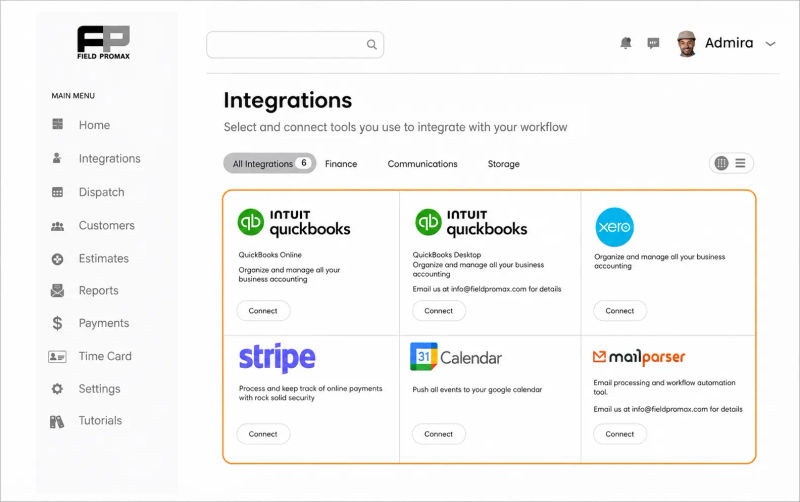
Here is what I keep telling owners about the solo-to-team jump: most of you are not migrating from another field service platform. You are coming off spreadsheets, paper, and a QuickBooks-only setup. That changes what the admin checklist looks like. It is not a migration, it is the first time the office side of the business exists outside your head.
The single biggest predictor of whether the rollout sticks is whether your first tech actually opens the mobile app at the truck on day one. If the app sits unopened for two weeks, you will be re-keying timecards every Friday and the safety logs will go back on paper, which puts you right back at the audit problem we opened with.
- Joy Gomez, Founder of Field Promax
6. Day-one paperwork and the classification trap
Every new hire completes documented forms before the first paycheck. In the U.S.: W-4 for federal withholding, I-9 for employment eligibility (within three business days of start, with original documents), state withholding equivalent, and direct deposit authorization with a voided check or its digital equivalent. Canadian operators run the same drill with the TD1 federal, provincial TD1, and SIN verification.
Classification is where people lose money. Under the IRS three-pillar common law test, the agency looks at behavioral control, financial control, and type of relationship. The DOL final rule effective January 10, 2024 layered a six-factor economic reality test pushing more workers toward employee status under the FLSA. The trade shops that get burned almost always brought on a helper as a 1099 to skip payroll tax. Two years later, a workers' comp audit reclassifies the worker, and back FICA, FUTA, and trust fund recovery penalties show up retroactively across three years. If a new person works your hours, in your truck, on your jobs, they are an employee.
%20(1).webp?tr=f-auto,q-80,w-800,pr-true)
7. New-hire reporting and a real compliance system
U.S. employers must report every new employee to the state’s new hire reporting agency, typically within 20 days. The required information includes the employee’s name, address, SSN, and start date. Most payroll software handles this process automatically. Canadian employers register new employees with their province’s workplace safety authority and establish CPP and EI deductions immediately.
The bigger move underneath this step is standing up an actual compliance system. The recurring frustration in field-service compliance is that monitoring, controls, escalation, and policy live in scattered spreadsheets until an audit forces consolidation. Pick one place to track laws, internal policies, certifications, and renewal dates. Make someone responsible by name. Team management dashboards make that ownership explicit instead of implicit.
8. Employer taxes you did not owe as a solo
As an employer, you owe federal income tax withholding (per each W-4), the employer FICA match (7.65% of gross wages), FUTA on the first $7,000 of each employee's wages, and SUTA at a state rate varying with claims history. Missed payroll tax deposits trigger penalties that compound monthly and personal liability through the trust fund recovery rules. QuickBooks-integrated workflows keep job data, hours, and tax categories synced.
9. Workers' comp and the safety-training discount
In most U.S. states, workers' compensation is legally required from the day you have your first employee. BLS 2024 nonfatal injury rates sit at 1.8 per 100 full-time workers for electrical contractors and 3.0 per 100 for plumbing/HVAC. BLS 2024 fatal injury data recorded 75 fatal injuries in plumbing/HVAC and 59 in electrical contractor work. The National Safety Council pegs the average cost of a medically consulted work injury at roughly $43,000 in 2023. A single recordable in a 20-40 tech operation can eat a quarter of the annual safety budget once indirect costs stack on at the typical 3-5x multiplier.
Workers’ compensation rates are classified by trade. HVAC (5537), plumbing (5183), and electrical (5190) typically cost between $3 and $10 per $100 of payroll in the United States, while roofing (5551) is significantly more expensive. Insurance carriers often provide premium reductions for businesses that maintain documented JSAs, toolbox talk records, and ongoing safety training programs. Skilled trades currently face a 73% average annual technician turnover rate, according to 2026 Bridgit benchmarks, while mechanical contractors with formal safety-first training programs experience approximately 20% lower turnover. This is another reason why the safety backbone discussed in Section 2 should remain at the top of the operational checklist.
Canadian operators are required to register with their provincial agency (WorkSafeBC, WSIB in Ontario, or WCB in Alberta) before their first employee begins work.

Frequently Asked Questions

Founder and CEO
Joy Gomez is an engineer, process automation expert, and the Founder of Field Promax. Known for his technical expertise and commitment to field service innovation, Joy writes about transforming traditional business models into paperless, efficient operations. He is a Lean Six Sigma Black Belt based in Rochester, MN, dedicated to helping field professionals work smarter through better technology.
Reviewed by

Content Creator
Bhargavi Halthore is a content writer at Field Promax, a field service management platform serving trades businesses across the USA and Canada. With over a decade of experience writing for business owners, she brings detailed, ground-level insight to every topic she covers. Her research goes beyond search results - she digs into LinkedIn groups, Facebook communities, and Reddit forums to understand what field service business owners are actually dealing with on the ground. She speaks directly with industry professionals, understands their day-to-day challenges, and translates that into content that is practical and actionable. What you read in her articles reflects real industry patterns, not theory.