How to Automate Invoice Processing in a Field Service Shop
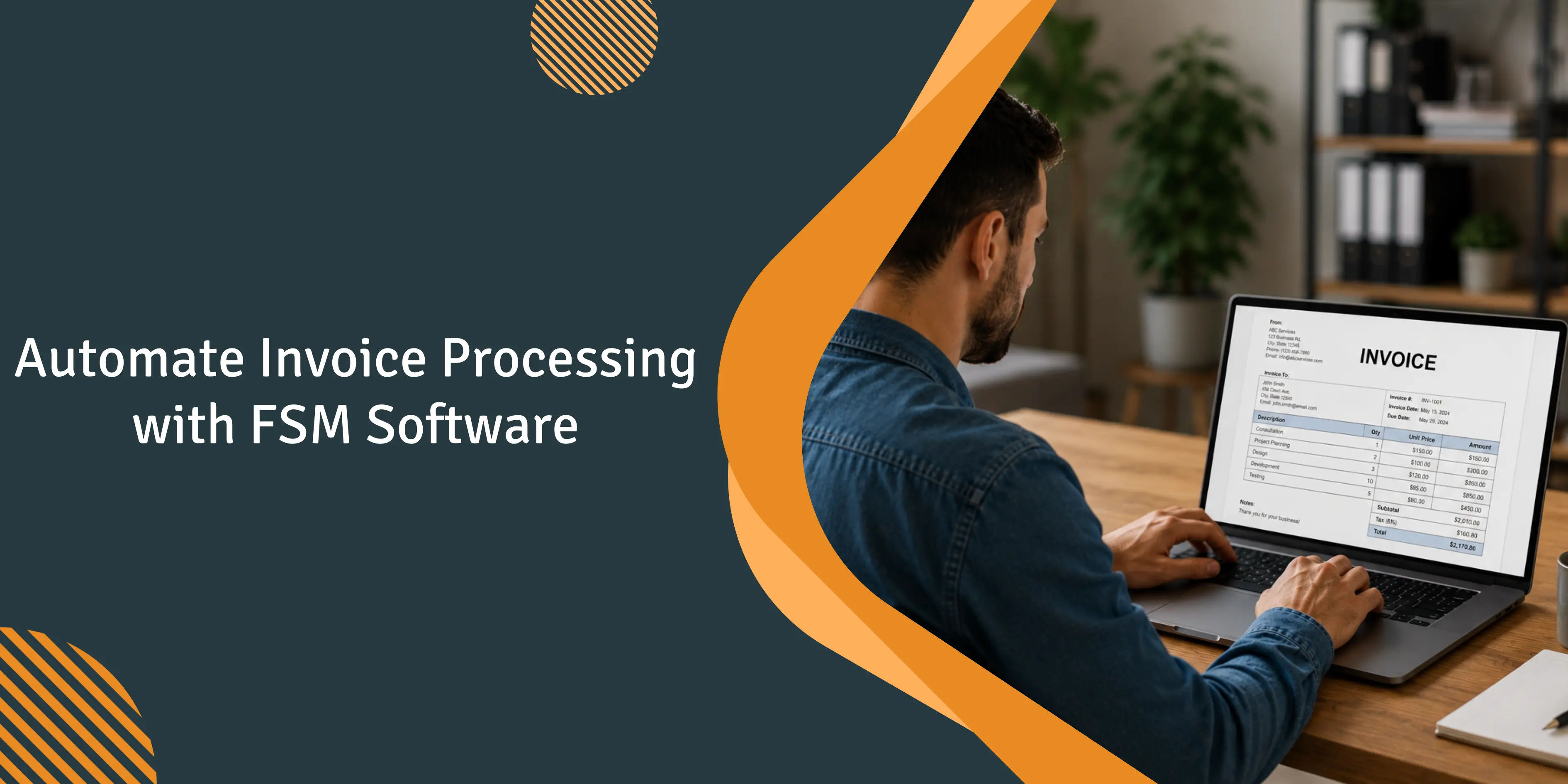
15 years of conversations with contractors continue to point to the same metric. In a typical service shop with 5-20 techs, back-office batch invoicing often creates a 3-day gap between completing the work and sending the invoice. Shops that switch to on-site mobile invoicing can place the invoice in front of the customer within minutes of finishing the job. Many report getting paid roughly twice as fast as they did under traditional invoicing workflows.
This guide aims to address that gap. It is not about AP automation in the large-enterprise sense, where the primary concern is processing vendor bills at scale. The challenge for a typical service business with 5-20 techs is different. The critical handoff occurs between a completed work order, an issued invoice, a collected deposit, and the follow-up required to secure payment. In many shops, there is no dedicated staff member responsible for collections, and the owner is already juggling multiple roles. Good invoice processing automation software fixes that handoff rather than the enterprise workflow.
Business owners discussing invoicing tools on Quora and Reddit tend to describe the same challenges. Customers regularly pay beyond net-30 terms. Owners spend hours each month following up on invoices for work that has already been completed. Cash flow becomes unpredictable, making planning and investment decisions more difficult. The work is not the issue. The issue is what happens after the work is finished: the handoff and the follow-up.
Why does manual invoicing break down in a 5-20 tech shop?
Manual billing tends to break down in five distinct ways once a shop reaches the 5-20 technician range. These problems compound one another.
-
The send lag. Invoice delays are usually the first symptom. Work completed on Tuesday becomes Friday's invoice because paperwork must make its way back to the office, be reviewed, entered into the system, and then sent to the customer. A delay of two to three days is common. The longer an invoice sits, the slower payment tends to arrive.
-
Mis-keyed line items. Invoice errors are another issue. A meaningful percentage of handwritten invoices are returned for correction or disputed by customers. Incorrect part numbers, illegible line items, and incorrectly entered labor hours are common causes. Each mistake creates additional emails, callbacks, revised invoices, and often another week of delay before payment is received.
-
Duplicates and missing invoices. Without a system that ties every invoice to a specific work order, some jobs are billed twice while others are never invoiced at all. Both problems usually surface during quarterly reviews, long after they could have been corrected easily.
-
Fraud exposure. Smaller shops rarely separate the person who authorizes a payment from the person who tracks the transaction. Paperwork does not provide the audit trail needed to identify internal errors or detect fraudulent invoices.
-
Receivables drag. A shop that still mails paper invoices often sees its days sales outstanding (DSO) extend beyond 60 days. Shops that switch to electronic invoicing with integrated payment processing frequently see that gap shrink and improve overall cash flow.
Our STANCE: Most automated billing advice online is written for accounts-payable teams with a dozen approvers. A 5-20 tech shop has the owner, the admin, and the techs. If the tool needs a finance department to run it, it's the wrong tool for you.
What is automated invoice processing in field service software?
Invoice processing automation in field service is built backward from the enterprise kind. The first step is not a vendor invoice appearing in your inbox. The first step is a completed work order sitting on a technician's phone.
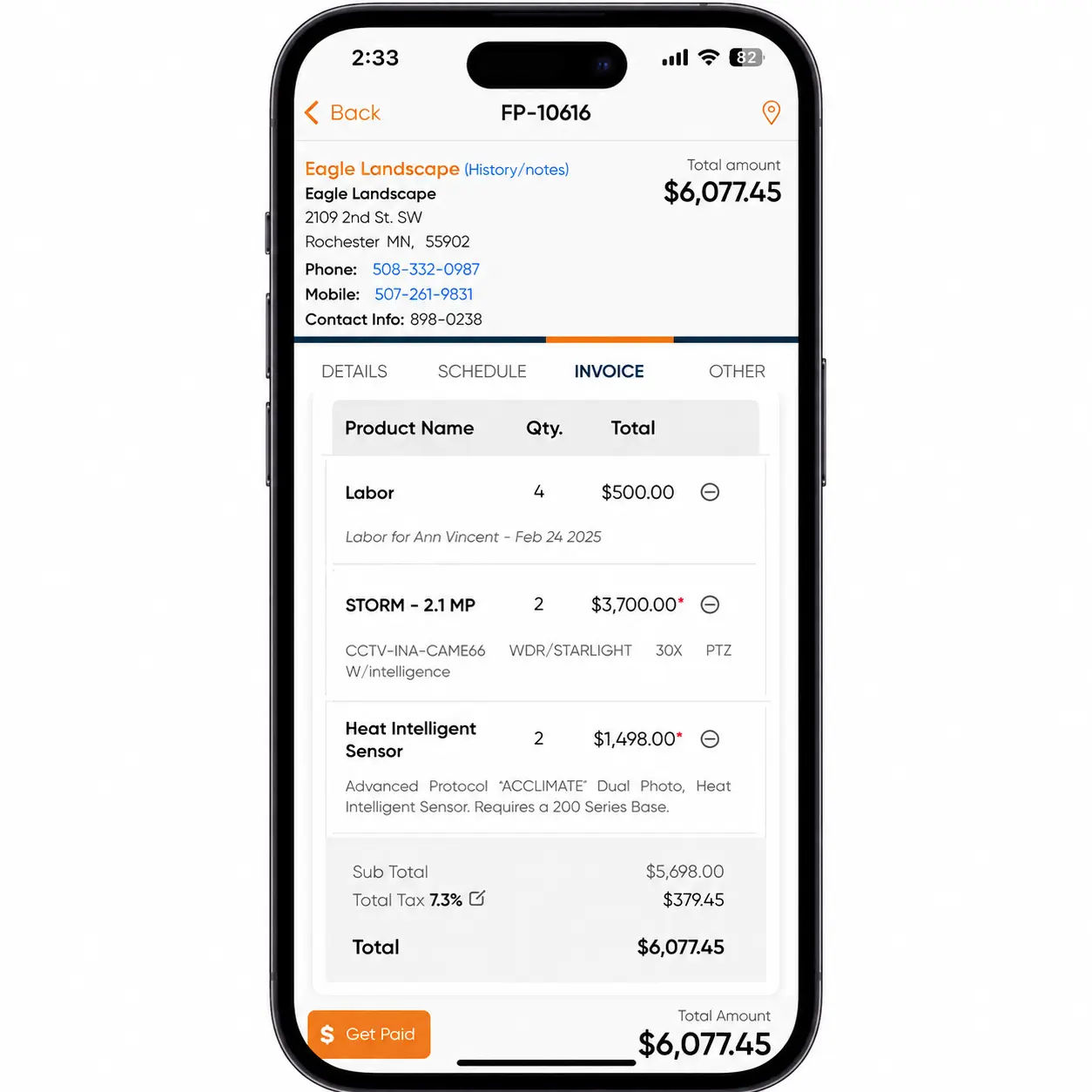
The platform already contains the customer record, equipment details, serial numbers, parts used, logged labor hours, and the agreed-upon rates. The information is already in the database, so the invoice can be generated immediately. The tech reviews the invoice, hands the phone to the customer for a signature, and clicks send. The payment link reaches the customer before the truck has even left the driveway. That is the heart of the field service management software invoicing process.
Underneath it all sits a field service invoicing system tied to GPS-tracked timecards for labor, equipment records for warranty data, a customer portal for payment, and two-way sync with QuickBooks or Xero. The real magic isn't fancy. It's killing the double entry across those systems, and killing the office handoff that creates the send lag. That's what good invoice automation software actually does.
Put simply, the field service management software invoicing process runs the other direction from enterprise tools. Job done, data pulled, invoice built, payment collected. One flow, one phone, no office round-trip.
What changes when invoicing moves to the technician's phone?
When billing moves to the technician's phone, five important changes happen behind the scenes.
-
The send lag closes. The invoice is sent as soon as the work is completed. Done.
-
The collection lag closes too. Shops that still rely on checks and mailed invoices often wait weeks to collect payment. Businesses that accept credit cards, debit cards, and ACH payments directly in the field typically get paid faster and reduce the risk of unpaid invoices.
-
The error rate drops. The invoice is generated directly from the completed work order rather than being copied from handwritten notes or re-entered into a separate system. Fewer handoffs mean fewer errors. Because the invoice is tied to the original work order, customer information, labor hours, parts used, and pricing flow directly into the billing process without duplicate data entry.
-
The follow-up grind shrinks. Chasing outstanding invoices by hand every month is one of the loudest complaints on Quora and Reddit. Automated payment reminders go out at 3, 7, and 14 days, and nobody has to write the awkward "hey, about that bill" email.
-
Customer experience improves, and it shows up in reviews. One service technician reviewing Field Promax in the QuickBooks App Store described it as the best service software they had used for basic invoicing. They highlighted its customization options for sales and inventory tracking, as well as direct access to the software development team.
This is a big part of how invoicing software improves service delivery: the customer gets a clean bill and a one-tap way to pay before they've even closed the front door.
So how does invoicing software improve service delivery in practice?
Billing is only part of the benefit. When the invoice, payment link, and service history are all connected in one system, the office no longer has to play phone tag, and customers no longer have to wait for a bill to arrive in the mail. How does invoicing software improve service delivery for a small shop? It saves time that would otherwise be spent on paperwork and puts it back into actual field work.
A pattern across small contractors we've worked with
Across small residential contractors we’ve worked with, the same QuickBooks-only setup continues to appear in businesses under the 10-tech mark. Estimates are rebuilt line-by-line each time because standardized templates and prior examples are not being reused. As a result, consistency is lost, and estimating becomes slower than necessary, which creates downstream billing issues that most owners only notice after the quarter has already closed.
Take one example. An owner with six techs in one location handles estimates and bookkeeping himself, with just a part-time administrator. In the second half of a busy spring season, he was spending two nights per week building estimates that were similar to those he had sent out the previous month. When he tried to determine whether his Google Ads spend was worth renewing, he was unable to distinguish ad-driven work from word-of-mouth work in his own customer database.
Over a weekend, he created six estimate templates based on job type: common service calls and two installation variations. They were saved as recurring records in QuickBooks. Because the invoice pulls from the same template, the second round of data entry disappeared.
Estimate turnaround had slowed by roughly 50% by the end of the second month. The tagging rule, however, was a mess for the first eight weeks. The administrator continued to let estimates pass unflagged for rush jobs until the owner began rejecting incomplete records. Backfilling old customers did not happen in full. (Honest version: it rarely does.)
The case is a composite, with details based on the most common patterns seen among smaller contractors we’ve worked with.
How do you implement automated invoice processing?
Want to automate invoice processing without drowning in setup? Three steps actually matter for a 5-20 tech shop. The rest of the enterprise playbook is overkill.
-
Pick software sized for your shop. Most billing-automation advice is aimed at AP departments with dozens of approvers. You've got the owner, the admin, and the techs. On Quora, the same gripe keeps coming up: the options feel either too bare-bones to handle real billing or too heavy for a small crew. Look for usage-based pricing, a mobile app the techs will actually open, and two-way QuickBooks integration.
-
Wire the integrations first, then flip on the workflow. QuickBooks for accounting and reconciliation. GPS-based time tracking for labor hours. Customer records and equipment data synced with your CRM. Make sure everything is connected and working properly before technicians start invoicing from the truck. Skip this step, and you could end up spending weeks fixing duplicate entries and cleaning up data errors.
-
Train the techs on the app, not the office staff on the dashboard. Adoption issues happen in the field, not in the back office. If technicians do not know how to properly close out a job in the app, the invoice process falls apart and paperwork piles up again at the end of the shift. You are right back where you started.
I read every support ticket that comes in, and the pattern around invoicing rollouts is consistent enough that I can almost call the outcome from week one. The single best predictor of whether automated invoicing actually sticks isn't the feature set, the integration depth, or the price.
It's whether your techs finish the invoice on the driveway before they leave the job. Shops where techs treat the app as optional slide back to office batch billing inside a month, and the 2-3 day lag comes right back. Shops where wrap-up-on-site becomes the rule cut their days-sales-outstanding in half by the second billing cycle. The feature request we hear most isn't a better invoice form. It's a tighter handoff from completed work order to billable invoice, and that lives or dies in the mobile app.
- Joy Gomez, Founder of Field Promax
How do you make adoption actually stick?
Three practical steps. Not the usual “manage the change” advice.
-
Cut off the paper path. If technicians can submit paperwork at closing and let the office enter it the next day, they will. This keeps the paper fallback in place. Remove that option completely. After week three, no one talks about it anymore.
-
Pick a field-side champion, not an office one. The fastest adopters usually have a technician who likes the app and can help others learn it. Having someone in the field who genuinely supports the system matters more than any vendor-sponsored training ever could.
-
Make security invisible to the tech. Choose software with role-based access and encryption in transit. Do not bury the mobile experience under multiple login procedures that technicians will eventually find ways to bypass.
-
Audit invoice cycle times monthly for the first six months. If the time between job completion and invoice delivery exceeds 24 hours, someone has likely slipped back into old paper-based habits and needs the right follow-up.
Where does automated invoice processing still go wrong?
Even after a smooth installation, automated billing breaks on a predictable basis over the first six months.
-
Validation gaps. The platform records what the technology enters. If the tech codes a wrong section or skips one line, the wrong invoice will be sent anyway. Incorporate validation into the work order template: mandatory fields for hours, parts and a signature of the customer prior to sending. Check a sample invoice every week throughout the first quarter.
-
Rigid templates. Off-the-shelf invoicing handles maybe 80% of your jobs cleanly. The other 20% are the oddballs. Non-standard installs, warranty work, or service-agreement billing with discounted lines. Pick a platform that lets you tweak templates per job type without calling support every time.
-
Integration drift. It is possible that the QuickBooks sync that worked prior to launch can fail quietly when one of the parties changes the name of an account number or customer. Create the weekly reconciliation report which highlights the mismatches before they accumulate.
How do you keep automated invoicing honest after go-live?
Two factors quietly destroy an automated billing system by the six-month mark: adoption drift and stale metrics.
-
Adoption drift. A technician who is not comfortable using the app begins wrapping jobs in the truck and then dropping notes at the office at the end of the shift. The admin, trying to help, manually enters those notes into the system. The result is inconsistent data, and invoice delays return to the technician’s workflow. You can catch this by monitoring invoice-sending times for each technician, not just across the entire shop.
-
Stale metrics. The dashboard you created during implementation tracked cycle times and DSO. Then it was gradually ignored over time. Review your invoice KPIs each quarter: cycle times, DSO, error rates, payment method mix, and the percentage of invoices paid online versus by check. These numbers reveal whether customers are actually using digital payment methods, which remains one of the biggest levers on DSO.
A plumbing company that moved away from a telematics-driven FSM platform described Field Promax on the QuickBooks App Store as a major improvement in invoicing speed, requiring fewer steps and less time per invoice. It is common for shops to move away from enterprise-level tools built primarily for fleet management, where invoicing exists only as a secondary feature.
Our STANCE: Chasing a fancy dashboard is a trap. The only invoicing metric that pays your bills is the gap between job-close and cash-in-the-bank. Track that one religiously, and most of the others sort themselves out.
What do the numbers say about manual versus automated invoicing?
This is the part that supports the case on its own. The cost and time gap between manually entering invoices and automating them is massive, and it has been well documented by research firms, not just vendor marketing claims.
Ardent Partners estimates the average cost of manually processing an invoice at $12.88, while top-performing automated operations can do it for $2.78. That’s 78% less per invoice. The same study found that manual processing takes an average of 17.4 days, compared to just 3.1 days for the top performers. Sterling Commerce puts the manual data entry error rate at 1.6% per invoice, and IOFM states that each error costs about $53 to fix. This isn’t anything new. It’s simply the cost of doing things the traditional way, every single day.
Late payment isn’t just a financial statistic for a trade shop. It affects payroll. Intuit’s 2025 small-business late payments report revealed that 56% of U.S. small businesses are owed money from unpaid invoices, averaging $17,500 each. Nearly half of these businesses had invoices overdue by 30 days or more. When you bill directly from the truck and offer one-tap payment, you’re addressing this problem head-on. That's the real benefits of integrated invoicing in service management software story: fewer dollars stuck in limbo.
And those benefits stack up fast: less double entry, fewer errors, shorter DSO, and an office that isn't drowning in collections calls. These aren’t just separate wins. They all come from one tight handoff.
| Invoicing metric | Manual | Automated | Source |
| Cost to process one invoice | $12.88 (up to $15-$40 in field service) | $2.78 (as low as $1-$3) | Ardent Partners 2024; Fieldproxy |
| Time to process one invoice | 17.4 days (14.6 avg) | 3.1 days | Ardent Partners; Aberdeen Group |
| Data-entry error rate | 1.6% per invoice | up to 95% fewer errors | Sterling Commerce; Doxis |
| Cost to fix one error | ~$53 | largely avoided | IOFM |
| Field-service payment cycle (DSO) | 30-45 days | 7-14 days | Fieldproxy |
How fast is this market growing?
Quick answer: fast, because it’s certainly not slowing down. A good point to consider if you’re wondering whether to make the move now or wait.
The field service management software market is growing fast, with MarketsandMarkets projecting growth from $5.10 billion in 2025 to $9.17 billion by 2030. The broader automation trend points the same way: Grand View Research valued the automated accounts payable market at $3.07 billion in 2023, expecting it to reach $7.1 billion by 2030, a 12.5% annual growth rate, with North America accounting for about one-third of 2023 revenue. This means the software is improving while also becoming more affordable, as more money is being invested in building these tools.
A quick note on the numbers: estimates for “invoice software” vary widely depending on what analysts include in their calculations. Verified Market Research values the smaller invoice automation segment at $3.37 billion in 2024, while some broader estimates for e-invoicing are significantly higher. The exact number matters less than the direction, which every firm agrees on: up and to the right.
| Year | AP automation market size (Grand View Research) |
| 2023 | $3.07 billion |
| 2024 | ~$3.45 billion |
| 2025 | ~$3.89 billion |
| 2026 | ~$4.37 billion |
| 2027 | ~$4.92 billion |
| 2030 | $7.1 billion |
What about taxes and payments across the US and Canada?
This is where most tools remain generic, and why it pays to consider your own operating environment. A shop with crews working across provincial or state boundaries deals with tax calculations that no tech should handle manually.
- United States. Sales tax is determined by state and local authorities, with no federal sales tax in place. There is also no federal mandate for e-invoicing, and checks remain common in B2B work. However, the payment landscape is changing rapidly. The Federal Reserve’s FedNow instant payment rail launched in July 2023, and by 2025, more than 1,000 financial institutions had joined the network. Automated payment systems can apply the right tax rate based on location automatically, which means businesses operating across counties don’t have to rely on guesswork.
- Canada. There is a 5% federal GST. In HST provinces, federal and provincial taxes are combined into a single line (for example, Ontario charges 13%), while British Columbia, Saskatchewan, Manitoba, and Quebec operate with separate PST systems or QST. Invoices must display the GST/HST registration number, and businesses are required to register once revenue exceeds $30,000 over four consecutive quarters. Records must be retained for six years. E-invoicing is not mandatory, but construction workers face additional compliance requirements through statutory holdbacks and year-end T5018 reporting. Canada’s Real-Time Rail instant payment system is also currently under development.
The point is not to memorize tax rates. They change. (Nova Scotia reduced its HST rate to 14% in April 2025.) The key is choosing the right software that automatically handles place-of-supply tax calculations for every invoice, without requiring a second thought.
How does a small shop pay for invoice automation?
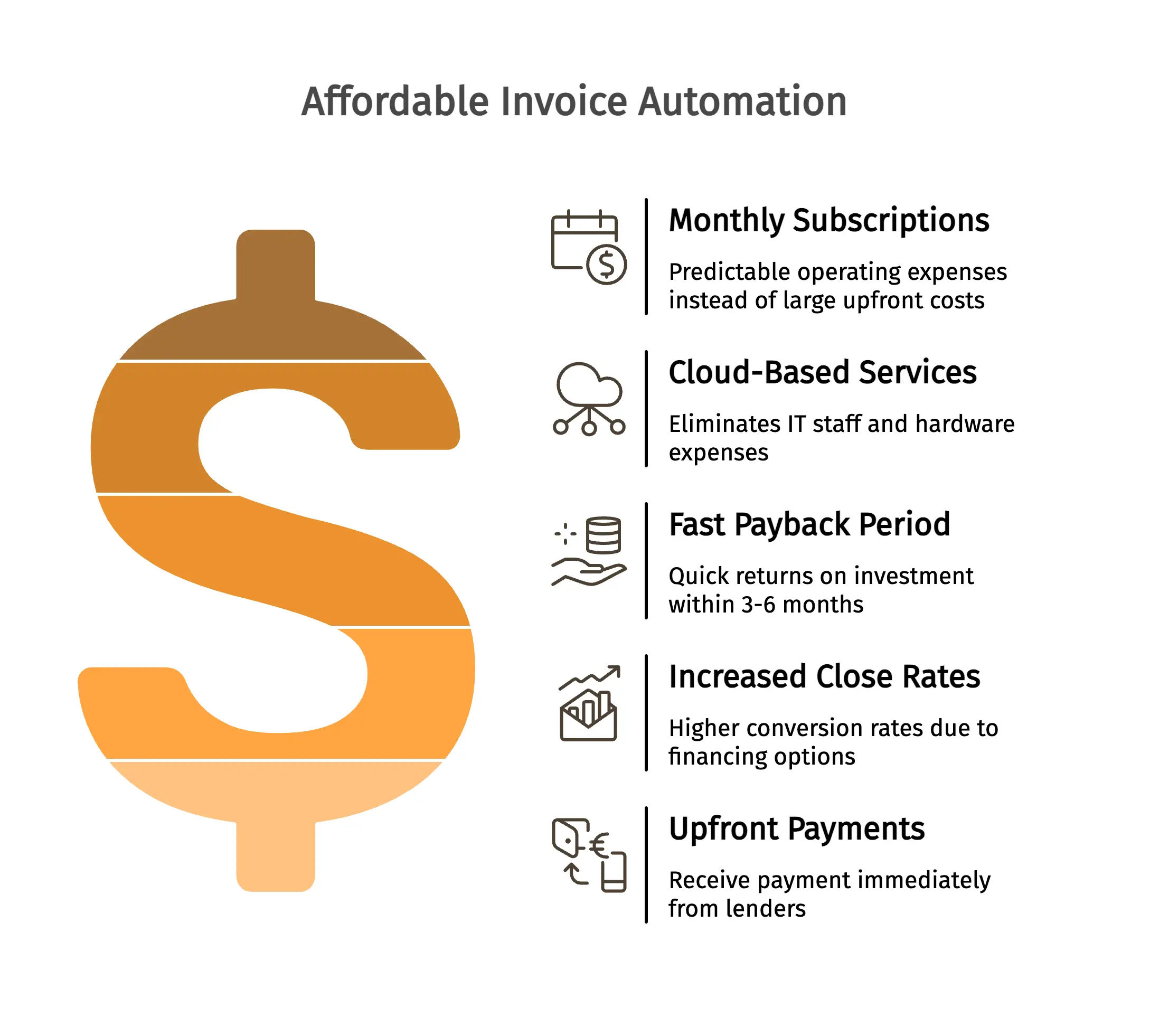
The good news is that you do not need a large capital investment. Modern tools run on monthly subscriptions, which means it is an operating expense rather than a server purchase that you pay for and maintain.
Field Promax pricing is straightforward. Light runs $99/month for 1 user, Standard is $159/month for 5 users, and Premium is $239/month for 12 users. Cloud-based services mean no IT staff and no hardware expenses. The payback period is fast. Most shops see returns within 3 to 6 months, largely because of faster collections and fewer office hours spent chasing unpaid invoices.
Another angle many blogs overlook is that some platforms allow you to offer customers “pay over time” financing directly from the invoice. For large-ticket projects such as HVAC repairs or panel upgrades, this can increase close rates while allowing the lender to pay you upfront. This becomes especially important when your average job cost continues to rise.
What's next for invoice automation in field service?
Three trends will matter most to small trade shops over the next 2-3 years. The rest is just noise.
-
AI-assisted line-item review. Models that flag incorrectly coded sections or missing line items before the invoice is sent out. Shops we work with that have tested this catch a significant amount of work that would otherwise come back as billing disputes. It directly reduces invoice mis-keying errors.
-
Integrated financing on bigger tickets. Customer-facing “pay over time” options offered directly at the point of invoicing. For HVAC system upgrades, roofing jobs, and electrical panel upgrades, financing conversion rates are much higher when the offer is presented at invoicing rather than during the estimate stage.
-
Embedded payment links as the default, not an add-on. Owners on Quora consistently complain that paper invoices and bank transfers slow down payments, because customers delay payment when there is no simple one-click payment option. Over the next twelve months, these features will become standard expectations, not nice-to-have features.
What to do this quarter
Automated invoicing for the 5-20 tech shop isn't about features in software. This is about bridging two gaps: the delay between job completion and invoice delivery, and the time between sending the invoice and cash clearing. Both are closed when the tech has completed the bill on the driveway and the customer can pay on one tap.
Also, choose the right software for your shop. Connect the integrations first. Train the techs via the app instead of the office staff on the dashboard. Monitor invoice cycle times monthly during the first 6 months. Revisit your metrics every quarter. The same strategy works across HVAC, plumbing, electrical services, landscaping and pest control shops.
Conclusion
Automated invoicing can close two distinct gaps in a small-scale trade shop: the sending delay between the job completion and the collection lag between the invoice and cleared payment. Select software that fits your shop size, wire integrations first, then train technicians to use the mobile app and review your cycle-time metrics each quarter.
Field Promax was built for precisely this handoff. It comes with on-site mobile invoices and QuickBooks sync in two ways, and payment that is sent to the bank on the same day.
Frequently Asked Questions

Content Creator
Bhargavi Halthore is a content writer at Field Promax, a field service management platform serving trades businesses across the USA and Canada. With over a decade of experience writing for business owners, she brings detailed, ground-level insight to every topic she covers. Her research goes beyond search results - she digs into LinkedIn groups, Facebook communities, and Reddit forums to understand what field service business owners are actually dealing with on the ground. She speaks directly with industry professionals, understands their day-to-day challenges, and translates that into content that is practical and actionable. What you read in her articles reflects real industry patterns, not theory.