7 Tools Every Field Service Manager Needs for Seamless Team Communication
%20(2)%20(1).webp)
Poor communication costs field service teams more than time. It loses jobs, customers, and real money.
Here is a number that should stop you: 47% of field service technicians say their appointments did not go as planned because of communication breakdowns, missing parts, or poor prep work. Nearly half your crew might be showing up without what they need.
That is a fixable problem. But you need to understand what you are actually fixing.
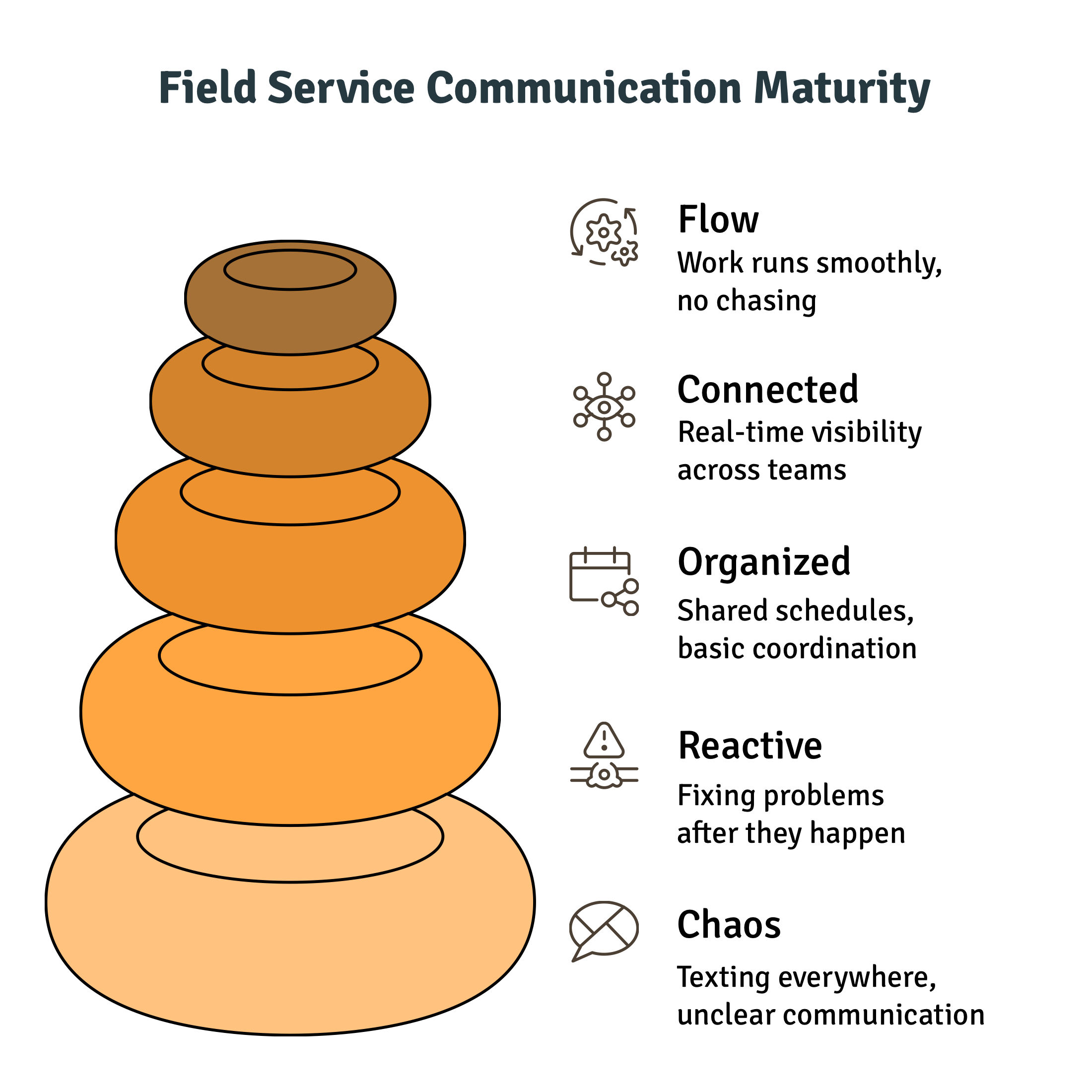
Most managers treat field service communication as a single problem. It is not. It is three separate problems that each need a different solution:
- Office to field: dispatching, job details, last-minute changes, reaching your techs
- Field to customer: ETAs, appointment reminders, and on my way updates
- Crew-to-crew: real-time voice or instant messages between techs out on jobs
No single tool covers all three perfectly except your FSM platform. The rest of this list fills in the gaps.
Here are 7 field service communication tools that actually tackle the problem head-on.
The Real Cost of Poor Communication in Field Service
Every missed message, unconfirmed job, or last-minute rush costs you money. A tech who shows up without the right parts wastes billable hours. A customer who did not receive an ETA calls the office, tying up your dispatcher. A crew that cannot reach each other in the field makes slower decisions and more mistakes.
These aren’t rare cases; they happen daily and quietly lead to lost revenue, lower technician productivity, and fewer repeat customers.
The good news: the right combination of tools eliminates most of it. The rest of this guide shows you exactly which tools close which gaps.
What to Look for in Field Service Communication Tools
Before adding anything new to your team's stack, run it through these three checks:
- Mobile first: Techs are on the road, so if it doesn’t work well on a phone, it won’t be used.
- Integrates with your FSM: The best communication tools for field technicians either ARE your FSM or plug directly into it. When data is locked in separate, disconnected systems, it creates more problems, not fewer.
- Role appropriate: A dispatcher needs different features than a tech mid-job. Make sure the tool fits the person using it.
With that framework in mind, here are the 7 tools worth your attention.
1. Field Promax: All-in-One Field Service Management
Field Promax is purpose-built for field service businesses that need to manage the entire operation from a single place. It handles scheduling, dispatching, work orders, invoicing, GPS tracking, and team communication in one system, with no need for multiple apps.
Think about how a typical morning looks for a dispatcher running on group texts and phone calls: one tech says they are running late, another has not confirmed their first job, and a customer is already calling, asking where their tech is. That is 20 minutes of chaos before 8 am.
With Field Promax, the dispatcher opens one screen. Every tech is on the calendar. Job details were pushed to mobile the moment they were assigned the night before. The customer gets an automated confirmation. Everyone knows where to be.
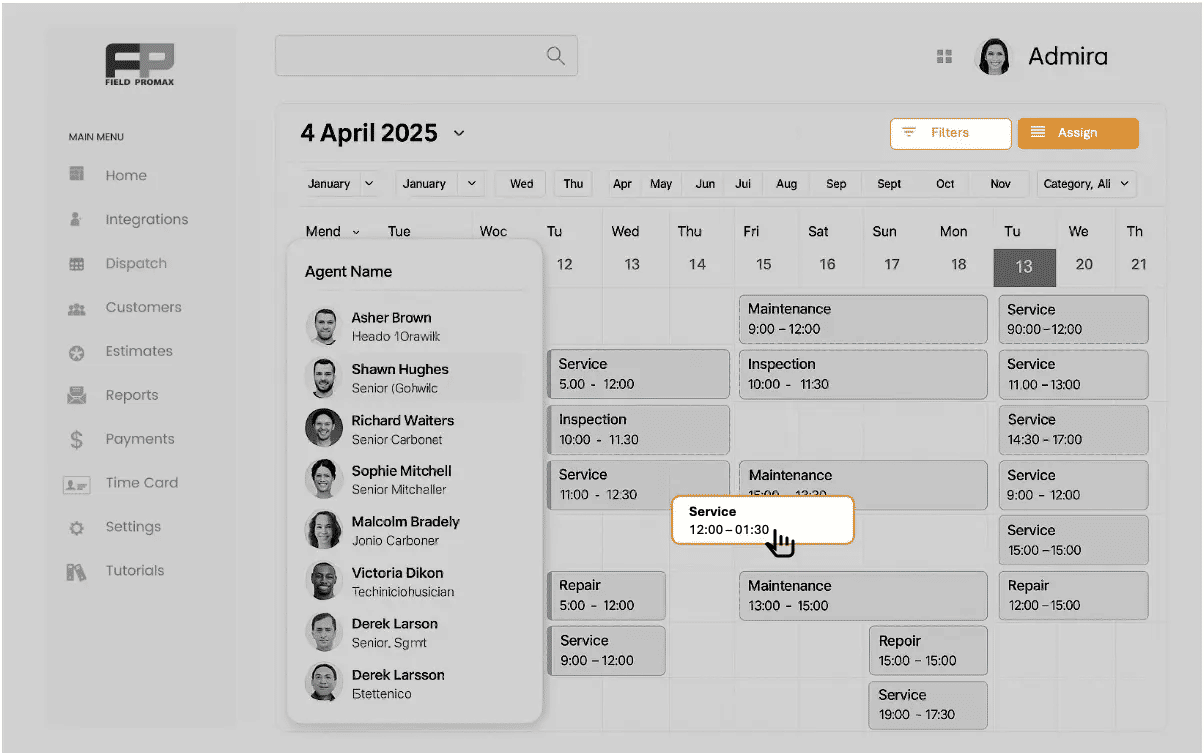
Key features for field service team communication:
- Smart scheduling and dispatching with a live drag-and-drop calendar
- GPS tracking so you always know where your technicians are, in real time.
- Work order management that keeps job details, notes, and updates all in one place
- QuickBooks integration for seamless invoicing and payments
- Built-in reporting on job profitability, technician performance, and cash flow
Field Promax works for HVAC, plumbing, electrical, roofing, landscaping, and dozens of other trades. Plans start at $99 per year for a single user, scaling to $239 per year for teams of up to 12.
For field service managers who want one tool to run the whole operation, this is the foundation everything else builds on.
2. Peak PTT: Instant Voice Communication for Field Crews
Your tech is three floors up on an HVAC unit. They need a part number from the warehouse. Right now. Texting means taking their gloves off. Calling means dialing and waiting.
Peak PTT solves this with push-to-talk (PTT) over cellular giving your crew instant voice communication anywhere in the U.S. with 4G LTE coverage. Press a button. Talk. Done in under 300 milliseconds.
This is not a consumer walkie-talkie app. Peak PTT radios are rugged, IP67 waterproof and dustproof, and tested to military-spec durability standards. They ship preprogrammed, ready to use out of the box. They also include real-time GPS tracking with 60second location updates, so you can watch your whole crew on one dashboard.
See how it works for field service companies specifically.
Key features:
- Sub-300ms push-to-talk response time for near-instant communication
- Nationwide 4G LTE + WiFi fallback across all major U.S. carriers
- Multiple talk groups, so separate crews stay on their own channels
- End-to-end encrypted transmissions for secure communications
- Lifetime hardware warranty with an active service plan
- 24/7 live customer support, real people, not bots
Radios start at $129 with monthly service plans and no long-term contracts. There is also a 45-day money-back guarantee.
.webp?updatedAt=1753221558454)
3. Zello: PushtoTalk App for Crews Already on Smartphones
Not every team wants to invest in dedicated radio hardware. If your crew already has smartphones, Zello turns those phones into push-to-talk field service radios. No new hardware. No carrier contracts.
Zello works over 4G, 5G, or WiFi. You create channels, assign crew members, and they push a button to talk in real time. Anything missed can be played back later, which is useful when a tech is on a job and cannot listen live. The AI summary feature on paid plans lets them catch up fast without scrolling through audio.
What makes it practical for communication tools for field technicians:
- Works on the phones your crew already has, no extra hardware needed
- Real-time voice & recorded messages listen later when you’re free
- Group chats by crew, department, or job stay organized and on track
- Share text, photos, and location along with voice messages
- AI message summaries (paid plans) quickly catch up on what you missed
The basic plan is free. Paid plans start at roughly $6 per user per month. For small crews who want push-to-talk field service communication without the hardware investment, Zello is the easiest starting point.
%20(1).webp)
4. Microsoft Teams: Video Calls and Document Sharing
Teams are not the best tool for urgent field communication. When a technician needs a quick answer on-site, tools like Zello or Peak PTT work much better. But Teams has a legitimate role in field service communication that most managers overlook: structured briefings and documentation.
Monday morning crew check-in. Training session for new techs. Sharing updated safety checklists or equipment service manuals with the whole team at once. These are things Teams do well.
If your back office already runs on Microsoft 365, Word, Excel, and SharePoint, Teams adds the meeting and messaging layer without asking anyone to learn new software.
Teams is free with a Microsoft 365 subscription, or available as a standalone free version with limited features.
| Feature | Best For Field Service Use |
|---|---|
| Video calls | Morning team briefings, technician check-ins from the road |
| Channel messaging | Department or job type updates (e.g., HVAC crew channel) |
| File sharing | Service manuals, equipment photos, site-specific job specs |
| Microsoft 365 sync | Teams already using Word, Excel, or Outlook daily |
| Mobile app | Technicians joining a briefing from the field between jobs |
5. Google Workspace: Shared Calendars and Job Document Storage
Ask any dispatcher what takes up their morning, and they will tell you: phone calls to confirm who is going where. Google Calendar cuts most of those calls. When the whole schedule is visible to every team member, people check before they call.
For smaller field service operations, Google Workspace is one of the most practical low-cost communication tools. Most people already know how to use it. And the combination of Calendar and Drive solves two real daily problems: schedule visibility and job document access.
A technician arriving at a new site should be able to open their phone, access the job folder in Drive, and quickly see the site diagram, equipment details, and customer notes before stepping in.
That’s the real EEAT advantage here: good preparation reduces mistakes and prevents repeat callbacks.
Best uses for field service teams:
- Shared Google Calendars for team schedules are visible to the whole crew
- Google Drive job folders organised by client, site, or tech for instant document access in the field
- Google Forms for tech check-in reports, incident documentation, or job sign-offs
- Google Meet for quick video calls with subcontractors already on Google
Google Workspace plans start at $6 per user per month.
6. Slack: Team Messaging for OfficetoField Updates
The moment your team hits 5 or 6 techs, group texts stop working. Nobody can find the message from Tuesday about that customer's gate code. The conversation about the emergency job got buried under birthday messages.
Slack fixes this with organised channels. One channel for each crew or job type. Everything is searchable. The right conversation in the right place.
The bigger advantage for field service team communication: Slack integrates with other tools. Your FSM can push job status changes directly into a Slack channel automatically. A new work order assigned, a job marked complete, and a tech running late are all visible in Slack without anyone needing to manually send a message. That is the kind of integration that removes the 'did you get that?' follow-up call.
Best uses:
- Dedicated channels for active jobs, crews, or urgent issues
- Photo and file sharing from the job site directly in conversation
- Automated alerts from your FSM flow into the right channel
- Searchable message history so nothing gets lost
Slack offers a free plan for small teams. Paid plans start at $8.75 per user per month.
.png?updatedAt=1747763704661)
7. WhatsApp Business: Quick Field Team Messaging
WhatsApp Business is the tool most teams are already using without realising it. Your techs are texting each other on WhatsApp right now. The Business version adds a layer of structure on top: quick replies, conversation labels, and automated messages.
There is zero onboarding friction. You create a group, add your crew, and you are communicating. It handles photos from job sites, voice notes when typing is awkward, and short video clips instantly.
When it works well:
- Quick confirmations or last-minute job changes
- Receiving site photos without needing another app
- Small crews of 25 techs who are already comfortable with the platform
- Subcontractors who are already on the platform
The honest limitation: WhatsApp has no job context. A message is just a message that is not tied to a work order, a customer record, or a job history in your system. When you are scrolling through a group chat trying to find what was said about a specific job two weeks ago, that is the signal you have outgrown it.
That is when field service management software with built-in messaging becomes the right move. WhatsApp Business is free. Larger operations using the API for automated messaging may face additional costs through third-party platforms.
Quick Comparison: All 7 Field Service Communication Tools
| Tool | Best For | Key Strength | Price (approx.) |
|---|---|---|---|
| Field Promax | Full ops management | Scheduling + dispatch + GPS + invoicing in one platform | $99/year (1 user) |
| Peak PTT | Instant crew voice comms | Sub300ms PTT, rugged hardware, GPS, nationwide 4G LTE | From $129 device + monthly plan |
| Zello | App-based push-to-talk | Free PTT on any smartphone, voice replay, channel groups | Free / paid from ~$6/user/month |
| Microsoft Teams | Video check-ins, briefings | Microsoft 365 integration, file sharing, and video calls | Free / included in M365 |
| Google Workspace | Shared calendars, job docs | Low-cost cloud coordination, Google Calendar + Drive | From $6/user/month |
| Slack | Office to field updates | Organised channels, FSM autoalert integrations | Free / paid from $8.75/user/month |
| WhatsApp Business | Quick crew messaging | Zero onboarding, most techs already have it | Free |
Wrap Up
Field service communication breaks down when managers rely on too many disconnected tools or none at all. Every layer needs the right fix: operations management, instant voice contact, team messaging, client updates, and document sharing all play a role.
The teams that run smoothly are the ones that close the gaps between the office, the job site, and the customer. Picking the right field service communication tools that address your biggest gap first matters, and platforms like Field Promax help centralize operations so nothing gets lost between teams.
Build from there. Better communication leads to faster jobs, fewer mistakes, and customers who come back.
Frequently Asked Questions

Content Creator
Bhargavi Halthore is a content writer at Field Promax, a field service management platform serving trades businesses across the USA and Canada. With over a decade of experience writing for business owners, she brings detailed, ground-level insight to every topic she covers. Her research goes beyond search results - she digs into LinkedIn groups, Facebook communities, and Reddit forums to understand what field service business owners are actually dealing with on the ground. She speaks directly with industry professionals, understands their day-to-day challenges, and translates that into content that is practical and actionable. What you read in her articles reflects real industry patterns, not theory.