Dispatch Software for Field Service Teams
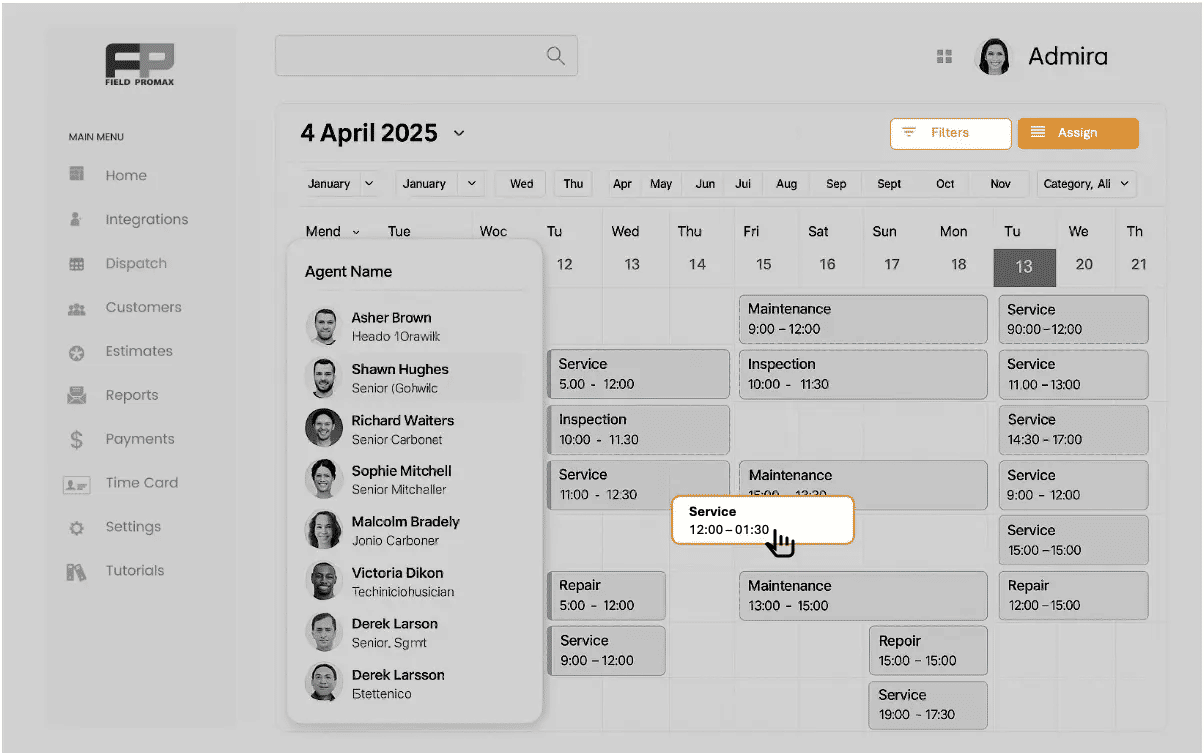
Feeling swamped by too many jobs and unhappy customers?
Our Drag & Drop Scheduling and Dispatch software makes planning easy and visual. Use colorful calendars to track jobs, workers, and progress.
Calendar View ~ Route Optimization
Inefficient routing can lead to wasted time and increased fuel costs.
The scheduling and dispatch software includes a map view for visual route optimization, helping reduce travel time and maximize billable hours.
Request Demo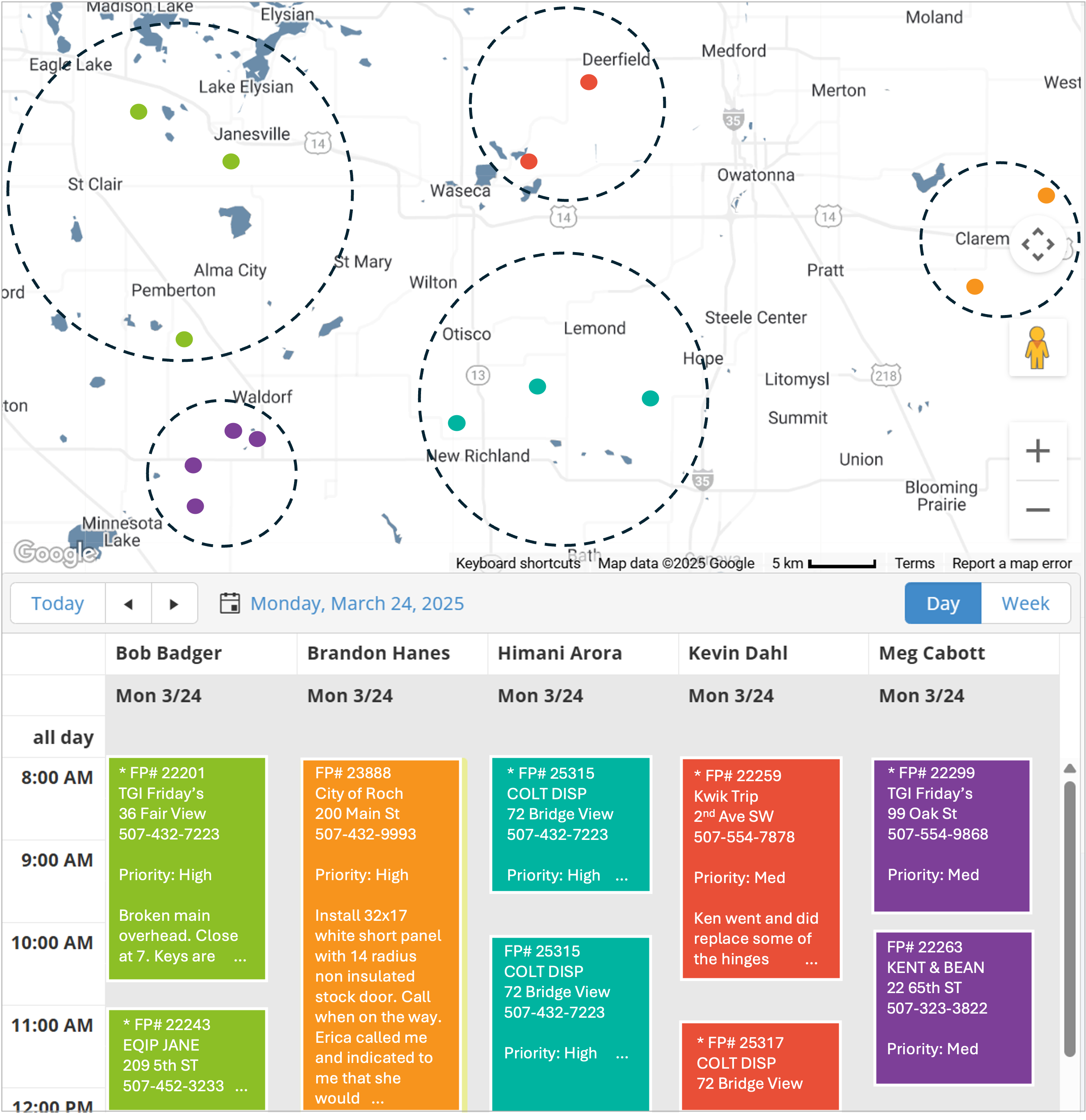
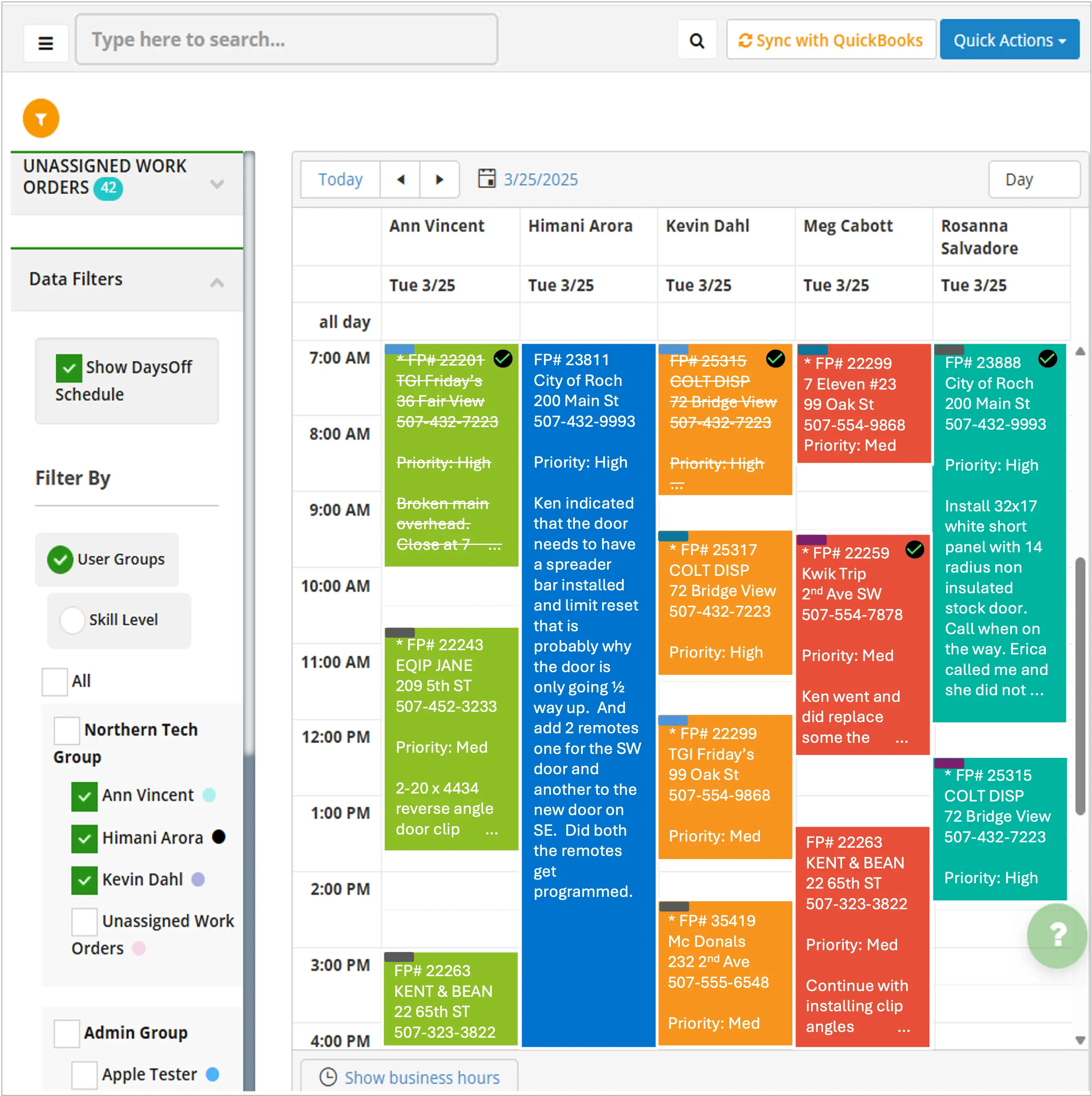
Calendar View ~ Color Coded by Technician
Keeping track of who’s doing what can quickly become overwhelming.
The dispatch software provides a color-coded calendar view, giving you a clear, dynamic perspective of all assignments at a glance.
Request DemoAdvanced Scheduling Features
Our scheduling and dispatching system includes these powerful tools to streamline your operations:
Job Status Calendar
Our service scheduling software features a job status calendar that automatically updates as your team progresses, providing real-time visibility into task completion.
Drag and Drop Scheduling
Our scheduling and dispatch software offers an intuitive drag-and-drop interface, allowing you to effortlessly organize your entire team’s schedule with just a few clicks.
Integrated Time-Off
Our dispatch scheduling software incorporates an integrated day-off planner, ensuring work orders align with available resources and respect your team’s time off.
Calendar Integration
With Field Promax’s Google Calendar integration, you can sync your work schedule across platforms, ensuring seamless organization and never missing an important deadline.
Customer Notifications
Our Dispatch scheduling software sends automatic updates and text reminders to both customers and techs. You can easily set how many minutes or hours before the visit these reminders are sent, keeping everyone informed and satisfied.
Capacity Planning
Visualize team workload to prevent overbooking and ensure you have adequate coverage for expected service demand.