Offline Field Service App
Losing an hour of work every time the signal drops?
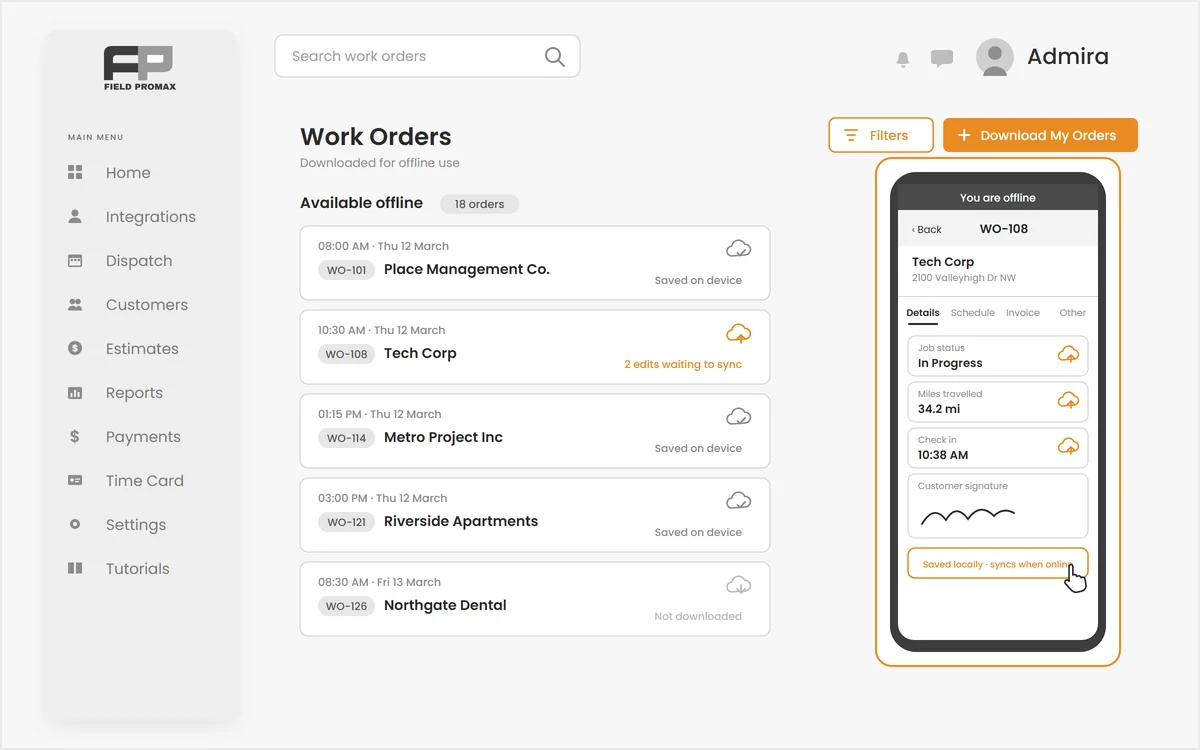
Basements, crawl spaces, rural routes and steel-framed buildings all eat cell signal. The Field Promax offline field service app lets a technician pick the jobs to carry, work through the whole day with no connection at all, and sync every edit automatically the moment signal comes back, with a queue that retries on its own and never silently drops a change.
Pick the Jobs You Are Taking With You
A dead zone should not stop the job.
Open Download Orders, select all or tick just the jobs on today's route, and Field Promax pulls customer details, job history, line items, schedule and notes onto the phone. A whole day can be downloaded straight from the calendar, any single order can be saved from its own screen, and each downloaded copy shows how long ago it was pulled so nobody works from stale paperwork.
Request Demo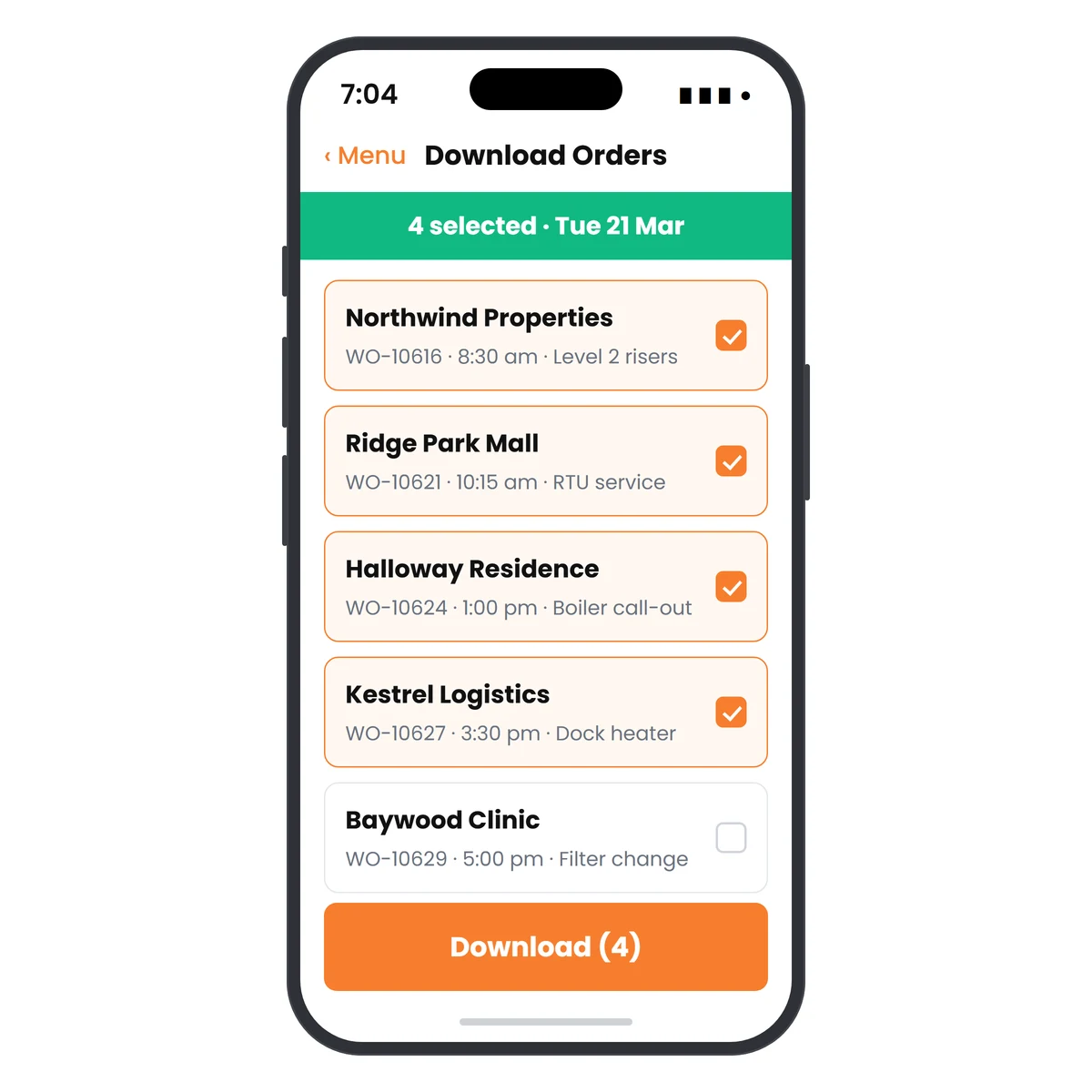
Every Edit Queues. Nothing Gets Lost.
Work now, sync later, automatically.
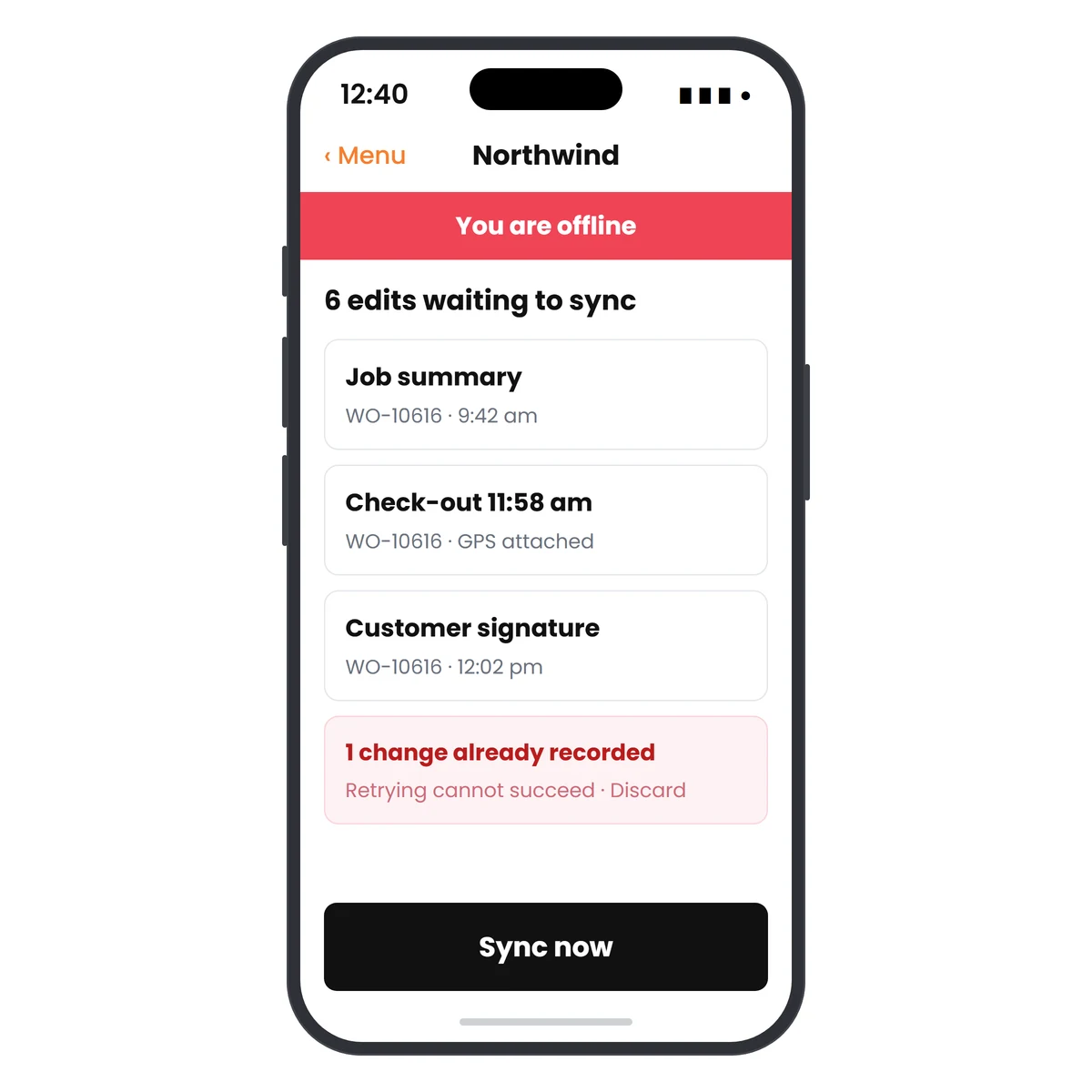
Job descriptions, resolutions, comments, custom fields, check-in and check-out times, work-complete status, trip notes, mileage, tasks and customer signatures are written to the device and queued in order. When the connection returns the queue drains on its own, spacing out its own retries instead of hammering a flaky signal. Nothing is ever sent twice, and anything the server refuses is surfaced for a retry or a discard.
Request DemoBuilt for the Places Signal Does Not Reach
Offline mode is not a cached web page that breaks on refresh. It is a proper on-device workflow for remote technicians:
Offline Login
Start the day with no connection at all. The credentials from the last online login unlock the downloaded orders, so a dead zone at 7am does not cost you the morning.
On-Device Database
Orders and edits live in a real SQLite database on the phone, not in browser storage that a restart or a low-memory warning can quietly wipe.
Pending Edit Counter
A sync badge shows how many edits are waiting, how many are uploading right now, and how many failed. Nobody has to guess whether the office got the paperwork.
Offline Calendar & Search
The technician's calendar keeps working offline, downloaded visits are marked in the agenda, and the offline list can be searched by name, customer or address without a bar of signal.
Conflicts Explained, Not Buried
If the office already recorded the same work, the edit is reported as already recorded rather than retried forever, and can be discarded in one tap. Genuine failures stay in the queue with a retry button and the reason attached.
Safe Refresh & Cleanup
Refresh an order from the server, or remove it from the device when the job is done. An order still holding unsynced edits is skipped by a fresh download and warns before removal, so a re-download can never overwrite work that has not reached the office.
Frequently Asked Questions
Yes. Download the jobs you are taking with you while you still have signal and the app keeps working with none at all: open the work order, edit it, check in and out, log mileage and take the customer's signature. Every change is written to the phone and syncs by itself when the connection comes back.
Three ways. Open Download Orders and select all or tick just the jobs on today's route; download a whole day straight from the calendar; or save a single order for offline use from its own screen. Each downloaded copy shows how long ago it was pulled, so nobody works from stale paperwork.
Yes, using the same email and password as their last online login. They do need to have logged in once while connected on that device first. After that a dead zone at 7am does not cost them the morning.
Job descriptions, resolutions, comments and custom fields, check-in and check-out times, work-complete status, trip notes and mileage, tasks, and the customer's signature. Each edit queues in order with the technician's GPS position attached.
Nothing is dropped. The queue spaces out its own retries instead of hammering a weak signal, and nothing is ever sent twice. Genuine failures stay in the queue with the reason attached and a retry button. If the office already recorded the same work, the edit is reported as already recorded (retrying cannot succeed) and can be discarded in one tap.
In a real SQLite database on the phone, not in browser storage a restart or a low-memory warning can quietly wipe. Data is scoped to the logged-in user, and removing an order that still has unsynced edits warns first.
Yes. The technician's calendar keeps working with downloaded visits clearly marked in the agenda, and the offline list can be searched by name, customer or address with no signal at all.
No. Any order still holding pending edits is skipped by a bulk download and the app tells you how many were skipped, so unsynced work on the device is never overwritten by a server copy.