Job Safety Analysis (JSA) Software
Can you prove the safety briefing actually happened?
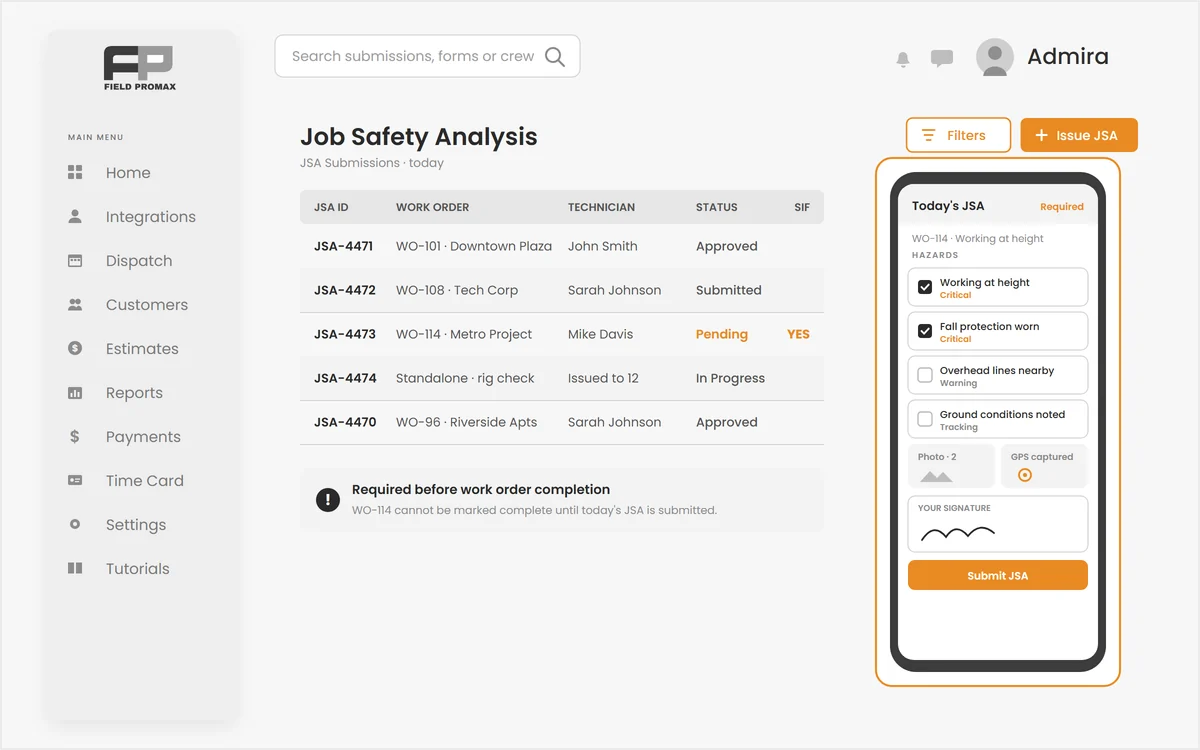
Paper JSA forms get filled in on a tailgate and never make it back to the office. Field Promax job safety analysis software issues a digital JSA to every technician before the work starts, captures signatures from everyone on site, and files each submission with identity, time and GPS location attached.
Issued Automatically, Filled From the Field
Filled where the hazards are, not back at the shop.
Schedule a work order and Field Promax creates a pending JSA for every technician on every scheduled date. They open it from the Safety screen on their phone, answer your hazard, control and PPE questions, add photos and GPS, sign and submit. Required fields are counted in a sticky header, so half a form never gets filed.
Request Demo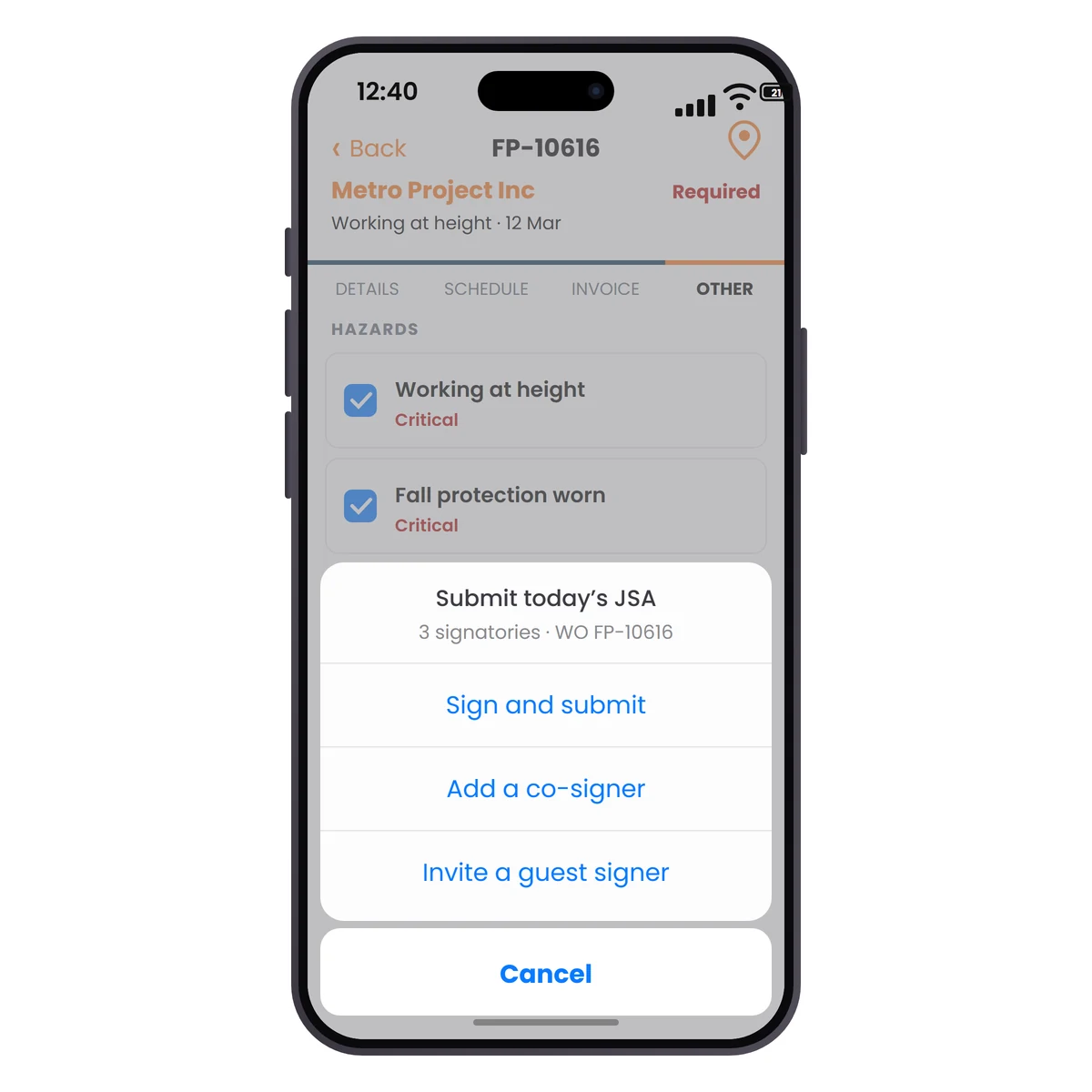
Crew Signatures and Guest Signing
Everyone on site accounted for on one form.
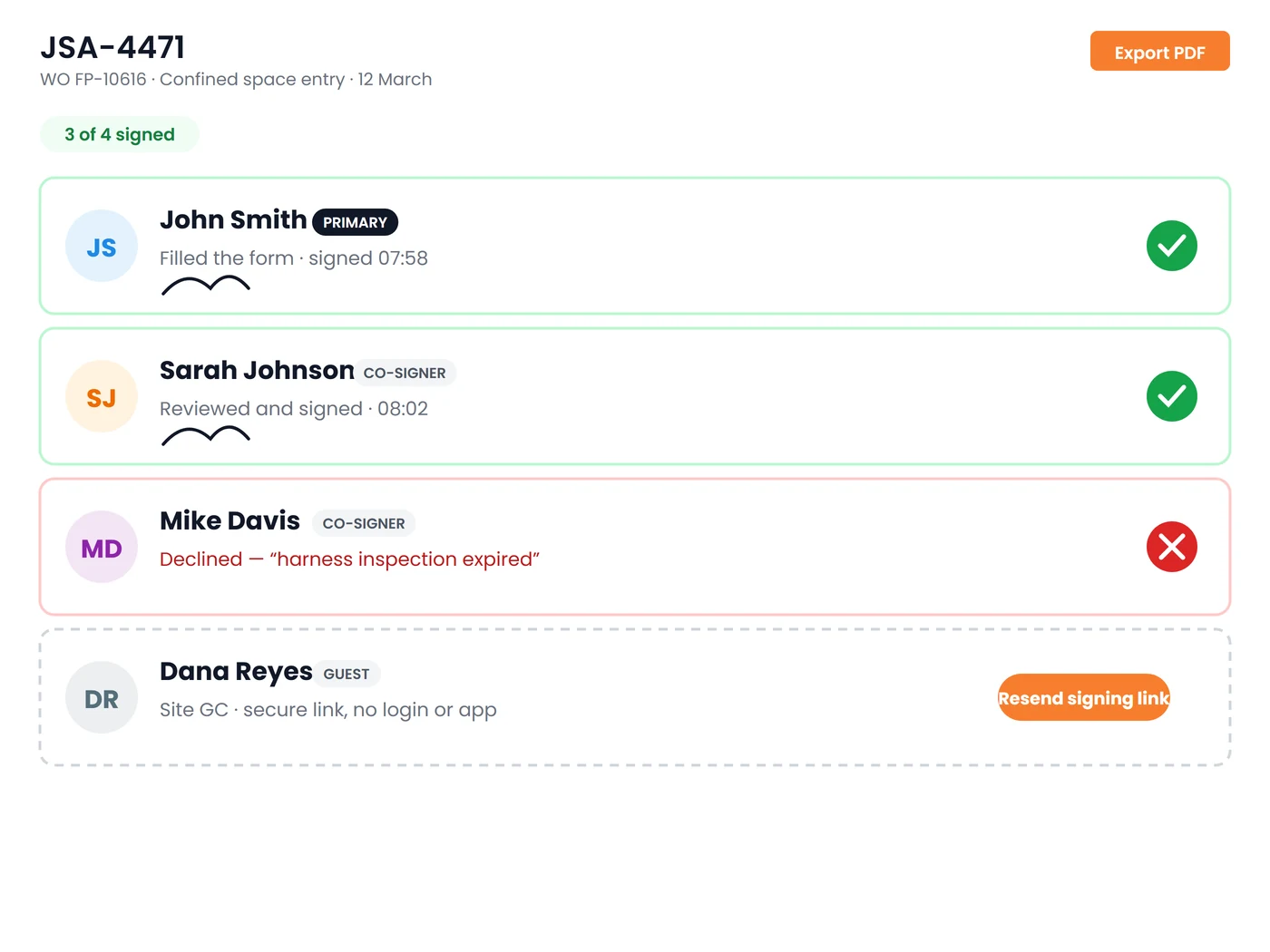
The technician signs the form on the device. Anyone else on site, from a client representative to a subcontractor, signs in person on the phone or through an invite link with no login and no app install. Identity, timestamp and location are logged as the audit signature on every submission.
Request DemoSafety Documentation That Holds Up
Everything an inspector, an insurer or a general contractor is going to ask you for:
Drag-and-Drop Form Designer
Build your own JSA templates with sections and field types from text, numbers and dropdowns to photos, files, signature and GPS. Preview the form, publish a version, and archive it when it is superseded.
Critical, Warning & Tracking Tiers
Mark every field by how much it matters, so a missed critical control reads very differently from an optional tracking note when someone reviews the submission.
SIF Flagging
Label a question as a serious-injury-or-fatality indicator and a yes answer flags the whole submission in red, on the form, in the register and on a dashboard tile for review within 24 hours.
Review & Approve Workflow
A company-wide submissions register filters by technician, template and date. Approve, return with a reason or reopen a form, and every admin edit to an answer is flagged and audited.
One-Time Forms for Any Date
Issue a standalone JSA, such as a site induction or a quarterly equipment check, to every service provider for a chosen date in a single action, and re-issue it whenever it is due again.
JSA Dashboard & PDF Export
Track total JSAs, completion rate and SIF counts with weekly trends, then print any submission to a clean PDF for the client, the insurer or the safety file.
Frequently Asked Questions
A JSA, or job safety analysis, is a written review of a specific job that breaks the work into steps, identifies the hazards at each step, and records the controls and personal protective equipment that will be used to manage them. It is completed before work starts and signed by the people doing the job. Some industries call the same document a job hazard analysis, or JHA.
JSA stands for Job Safety Analysis. In Field Promax a JSA is a digital form a technician completes on their phone before starting a work order, with photos, GPS location and signatures attached, that is then filed against the job for review and export.
A good JSA checklist covers the job steps in order, the hazards at each step, the controls that remove or reduce each hazard, the PPE required, any permits or lockout in place, who is on site, and signatures with date and location. In Field Promax you build these as sections and fields in the template designer, mark critical items so they stand out, and the form counts required fields so it cannot be submitted half done.
You build your own templates in the drag-and-drop designer so they match your trade, your insurer's wording and your general contractor's requirements. Publish a template once and it is issued automatically to every technician on every scheduled work order, or on demand as a one-time form for a chosen date.
Yes. Build the toolbox talk as a one-time form, issue it to every service provider for the date of the talk, and each person signs on their phone or through an invite link. The signed record, with time and location, is filed in the submissions register and can be printed to PDF.
Yes. Anyone on site can sign in person on the technician's phone or receive an invite link and sign from their own device, with no login and no app install. Identity, timestamp and location are logged with every signature.
One-time JSA forms are available from JSA Management under More Tools. To have a JSA issued automatically every time a work order is scheduled, ask Field Promax to enable work-order JSAs on your account. Published work order forms then create a pending JSA for each technician on each scheduled date.