Custom Forms for Field Service
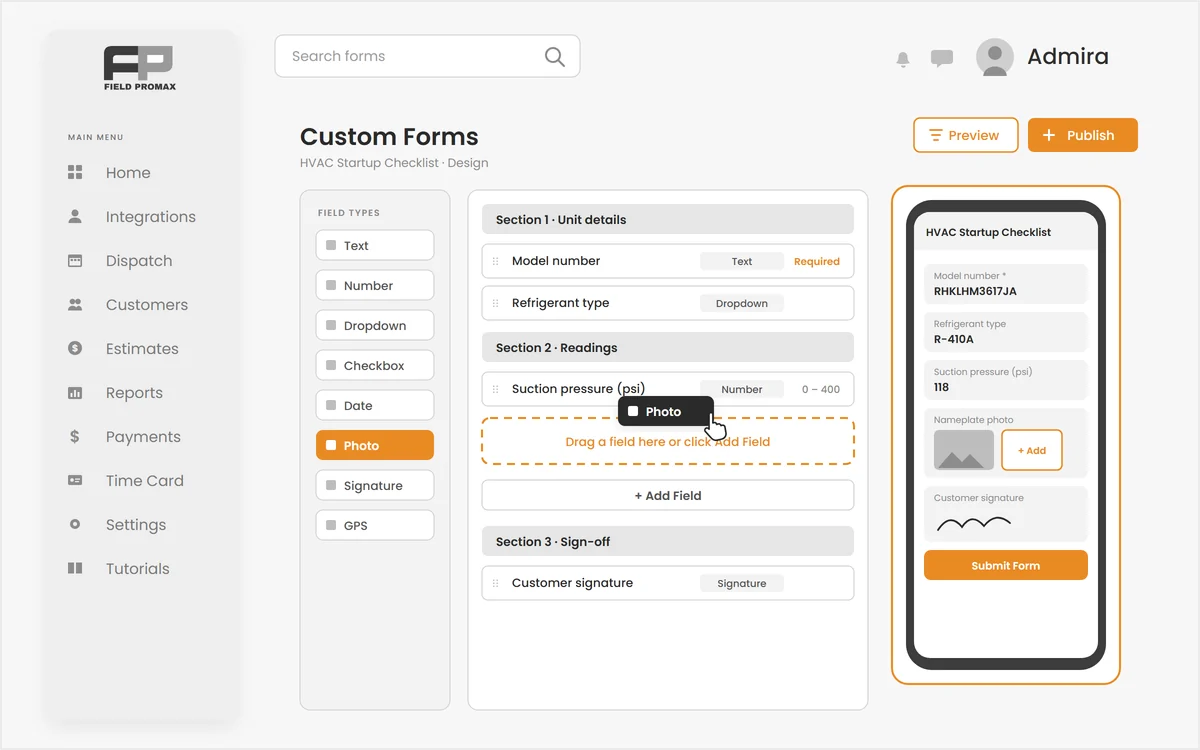
Still sending your techs out with a clipboard?
Every trade has its own paperwork: startup checklists, inspection sheets, commissioning reports, customer sign-offs. Field Promax custom forms let you build the digital field forms your business actually uses, attach them to the work order, and have your team fill them in the mobile app with photos and signatures.
Design Any Field Form Without a Developer
Your paperwork, your fields, in your order.
Add sections, then drag fields into them: text, long text, static instructions, numbers, dropdowns, multi-select, radio buttons, checkboxes, date, time, photo, file, signature and GPS. Mark what is required, preview the form exactly as your technician will see it, then publish. Archive a version when your process changes.
Request Demo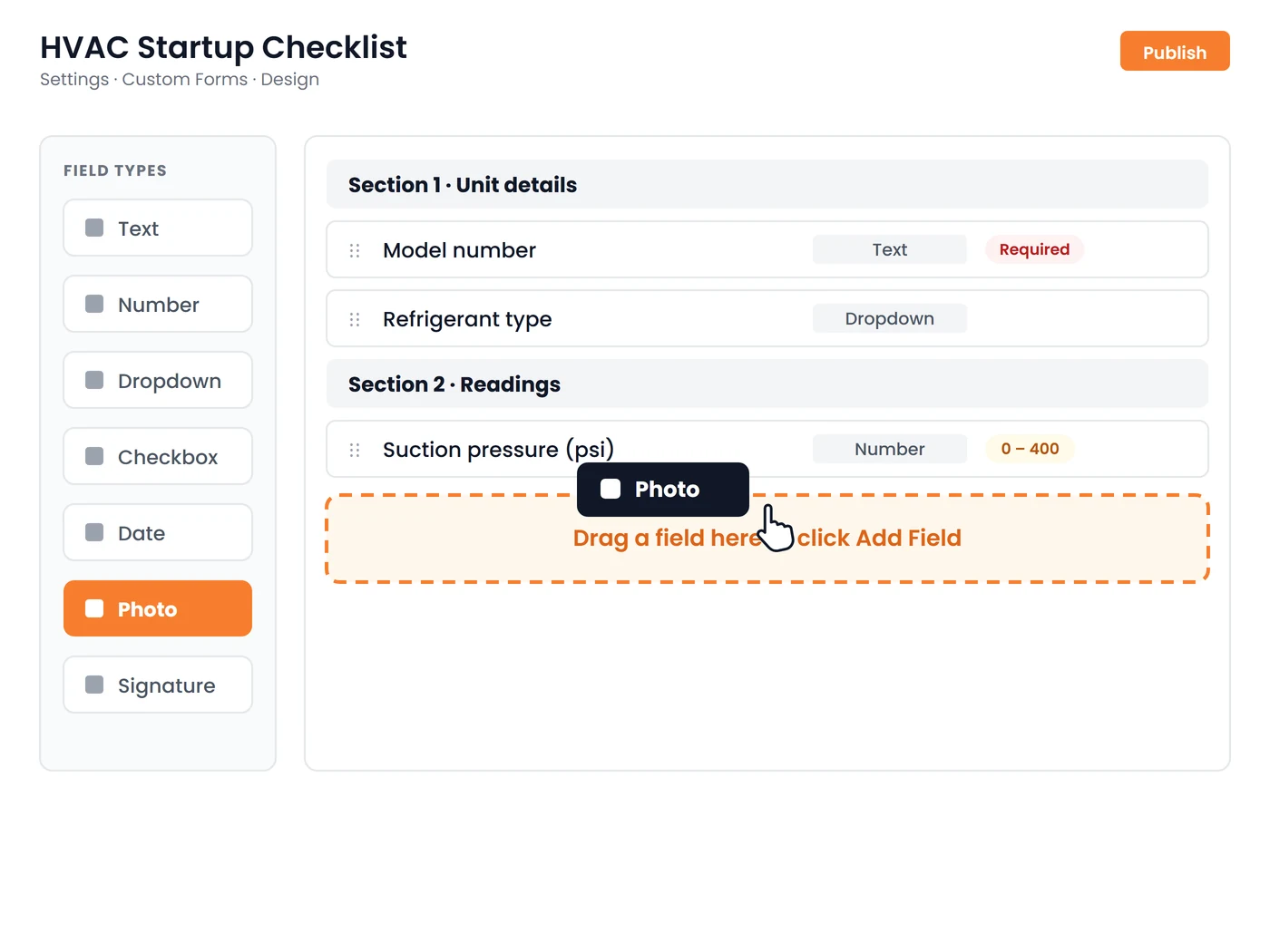
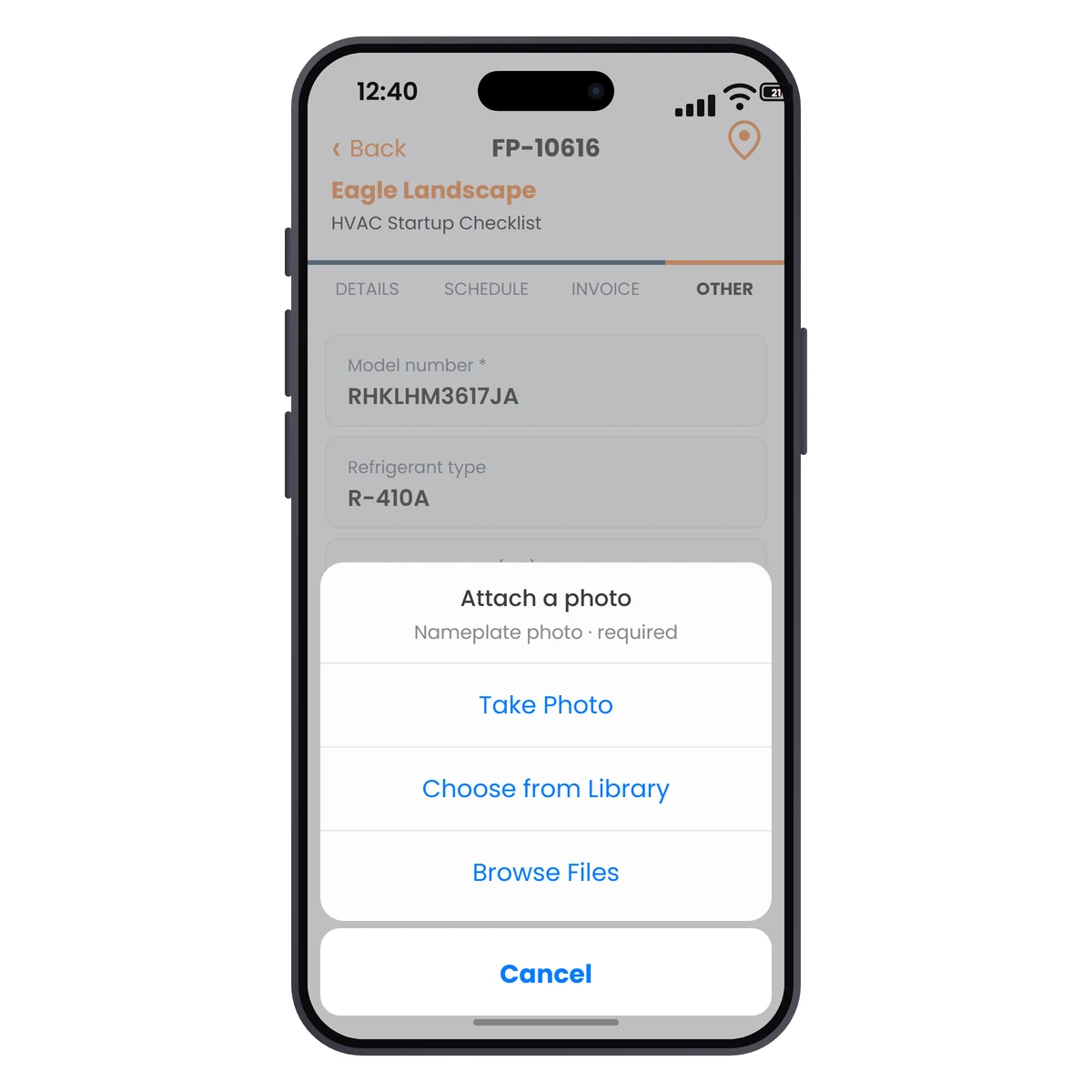
Attached to the Job, Filled in the App
The form travels with the work order.
Technicians open the Custom Forms tab on the work order in the mobile app and fill the form on site, including photos from the camera and a signature with a finger. Completed forms print to PDF for the customer or the compliance file.
Request DemoOne Form Builder, Every Kind of Paperwork
Checklists, inspections, commissioning sheets and customer sign-offs from the same designer, plus job type checklists for the quick stuff:
Sections & Ordering
Group related questions into sections and order fields so the form reads in the same sequence the job actually gets done on site.
Required Fields
Mark the fields that cannot be skipped and the form counts them off as the technician works, so it is never submitted half-finished.
Photos, Signatures & GPS
Capture photos with the device camera, signatures with a finger and the GPS position of the submission, so every form shows what was done, who agreed and where.
Versioned Templates
Forms move from draft to published to archived. Edit a draft freely, publish when it is ready, and retire old versions when your process changes.
Job Type Checklists
For simpler checks, attach a checklist to a job type and it is added to every new work order of that type automatically, with text, yes/no, checkbox, date and file upload items and a completed count on the job.
Print to PDF
Every completed form exports as a clean PDF, ready to hand to the customer or keep for a compliance file.
Frequently Asked Questions
Custom forms are digital versions of the paperwork a trade fills out on a job: startup checklists, inspection sheets, commissioning reports, customer sign-offs. In Field Promax you design the form once, attach it to a work order, and technicians complete it in the mobile app with photos, GPS and signatures instead of on paper.
Yes. The work order in the Field Promax mobile app has a Custom Forms tab. Technicians open the form there, fill it on site, capture photos from the camera and a signature with a finger, and submit it against the job.
Not currently. Custom forms load live from the office, so the Custom Forms tab is greyed out until the phone has a connection. Work order details, schedules, check-ins, mileage and customer signatures on the work order itself do work offline and sync later.
Text, long text, static instructions, number, dropdown, multi-select, radio buttons, checkbox, date, time, date and time, photo, file, signature and GPS. Fields are grouped into sections, can be marked required, and the form is previewed exactly as the technician will see it before you publish.
A job type checklist is a short list of items that is added to every new work order of that job type automatically, with text, yes/no, checkbox, date and file upload items and a completed count on the job. A custom form is a full document you design in the form builder with sections, richer field types, signatures and PDF output, attached to the work order when you need it.
Yes. Every completed form prints to a clean PDF that you can hand to the customer, send to a general contractor or keep in a compliance file.